Your first deny
One role's agents cannot run a recursive force-delete, and each denial tells the agent why.
- Who
- You, as the admin
- Where
- The console or a terminal with strazactl, and the agent's machine for the proof
- Profile
- Standalone and enterprise
On this page
A policy set is one YAML document that says what the sessions of a role may do. Each rule matches a canonical event, such as a shell command, a file write or an MCP tool call, and produces allow or deny. An explicit deny wins over every allow, and the enterprise profile denies a local tool that no rule allows. A deny carries a reason that the agent reads back and relays to its user instead of retrying. PolicySet grammar lists every key a set can hold.
Before you start
You need an administrator’s login, an application role, a user who holds it, and a machine enrolled as that user, as Enroll a machine shows. This page uses the role local-tools and the user dana. The role reaches no MCP server and is there for policy rules only, and only the CLI makes such a role:
strazactl roles create local-tools --kind application
strazactl assign local-tools --user dana
Under the enterprise profile, a session from a machine whose install is not managed is refused at check-in, because governance.minAttestation defaults to managed. The outputs on this page come from a server at http://localhost:8420 where it is set to none, as on the demo stack, which is why the banner below says attestation advisory.
Write the document
Save this as
local-tools-guardrails.yaml.match.rolesnames an application role, the kind that carries the access rows, so every path to the role’s tools is governed. The first rule opens the shell and file tools, because the enterprise profile denies a local tool that no rule allows. The second rule denies any command that matches the globrm -rf *. Patterns are anchored and run against the raw command string, the argv joined again with single spaces, and against every single argv token, so quoting tricks do not slip past. The deny always carries its reason, and the session banner tells the agent to relay it and never retry or work around it.apiVersion: straza.dev/v1beta1 kind: PolicySet metadata: name: local-tools-guardrails description: Open the local tools for the local-tools role and deny recursive force-deletes with a reason spec: match: roles: [local-tools] rules: - id: local-tools # The enterprise profile denies a local tool that no rule allows, so # this rule opens the local tools the role uses. events: [tool.pre] tools: [shell.exec, file.read, file.write, file.edit] effect: allow - id: no-rm-rf events: [tool.pre] tools: [shell.exec] command: denyPatterns: ["rm -rf *"] effect: deny reason: "Straza: recursive force-delete is denied for this role. Delete the files one by one, or ask an admin to change the local-tools-guardrails policy"On a standalone host, leave
matchout so the set applies to every identity, and drop thelocal-toolsrule, because the standalone default allows a local tool that no rule matches. The seededstandalone-starterset already deniesrm -rfthere, so this deny is a second copy of the same protection until you edit or delete the starter.Validate the file before it leaves your machine. The check is offline and needs no login.
strazactl policy validate -f local-tools-guardrails.yamllocal-tools-guardrails.yaml: PolicySet "local-tools-guardrails" OK (2 rules, priority 0) note: validate refuses only the roles the product reserves, whose names start with straza- or mcp-admin-, in match.roles, and any of them but straza-admin in approve.roles. The server judges every other role a set names, in match.roles and approve.roles, and strazactl drafts check -f local-tools-guardrails.yaml runs those checks against live state.Store and publish it
- Policies
- New policy
- Write YAML instead
- Save draft
- Publish…
- Publish
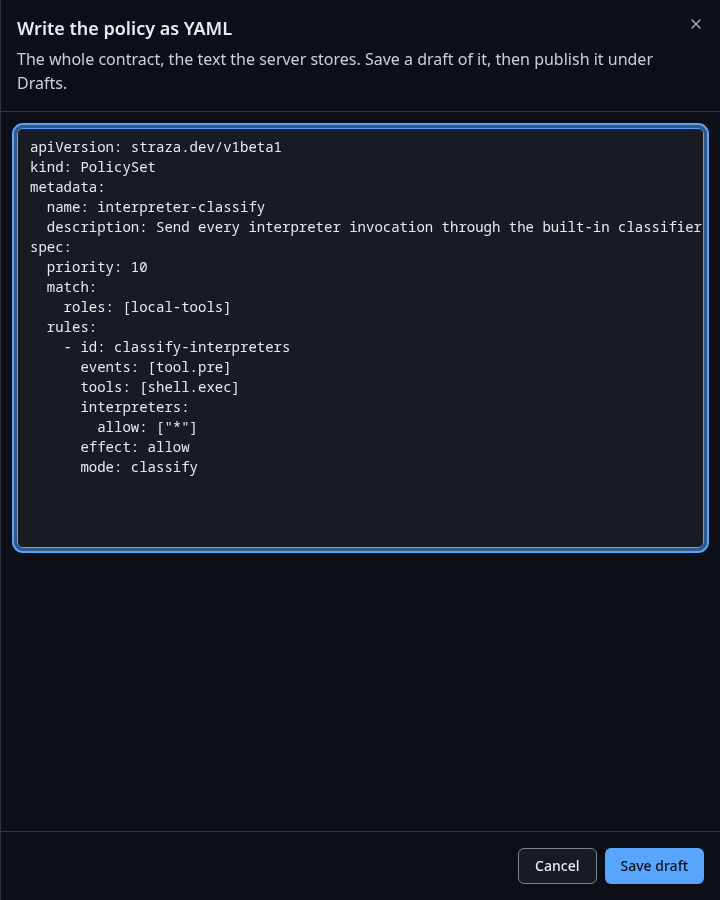
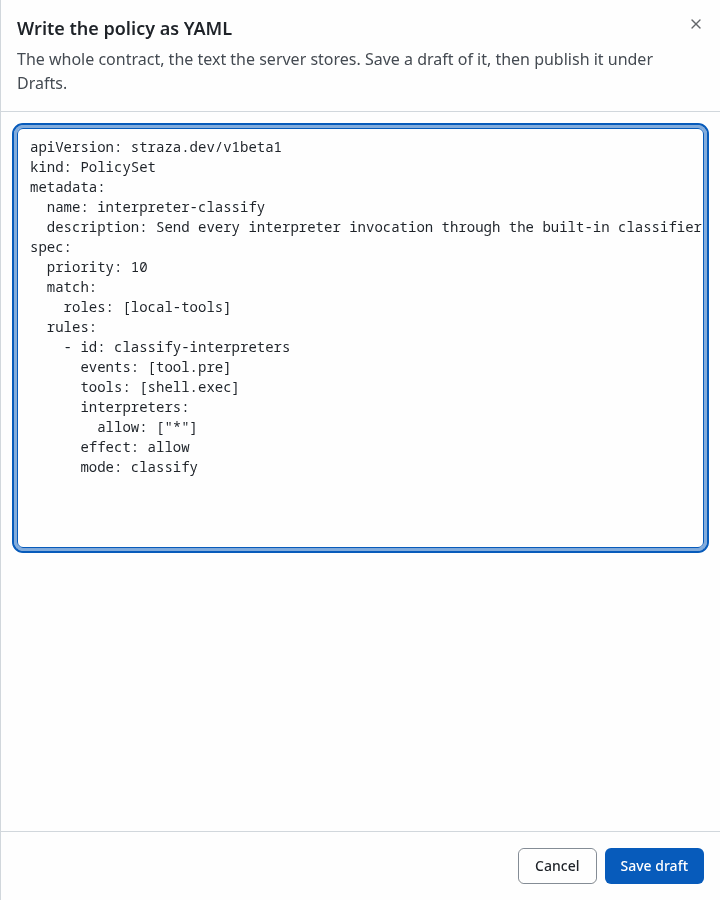
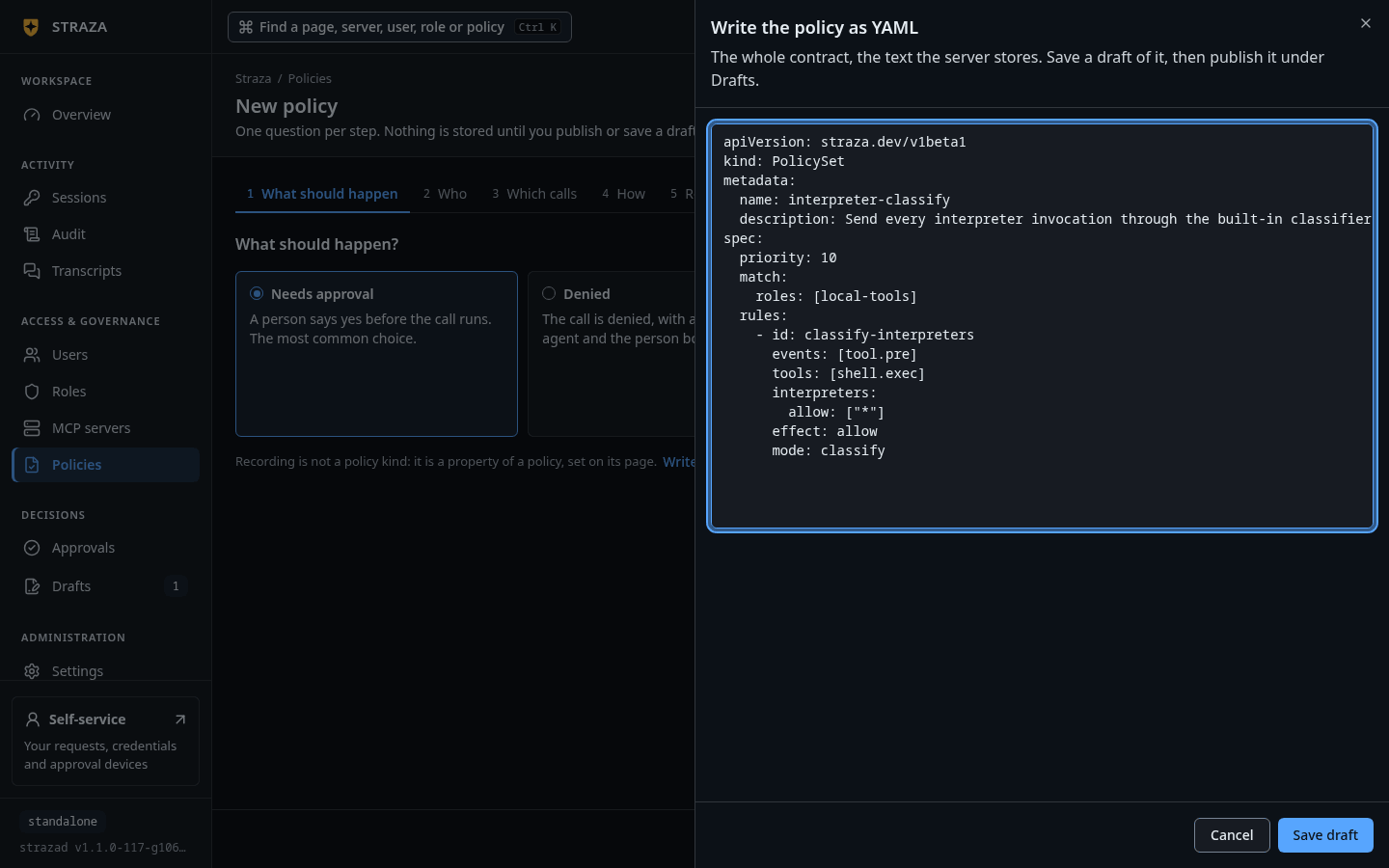
The sheet that Write YAML instead opens, shown here with another policy set in it, and Save draft at its foot. Show the whole screen Paste the document into the sheet before Save draft. The console stores it as your draft,
Add approval set local-tools-guardrails, and opens the draft’s page with the server’s checks. Publish… there opens the dialog that publishes it. The New policy wizard writes one outcome per run and a shell rule there needs a pattern, so a set like this one, an allow with no pattern beside a deny, goes in through the YAML door.applyuploads the document and stores it off, and nothing governs until you activate it, which compiles the policy snapshot again and distributes it.strazactl policy apply -f local-tools-guardrails.yaml strazactl policy activate local-tools-guardrailsapplied local-tools-guardrails (Off, 01a0e994-2698-78f5-9137-e3ea3efd8edf) published local-tools-guardrails, it is live now; new snapshot 186e5ced1e330243a67e88c285015689d8b50a0a416fa2f4a8f0bb5a8b1eaa35strazactl policy listNAME PRIORITY STATUS ID agent-guardrails 150 Live 01a0e97b-ddea-7a79-b6bd-398e34fe1a13 local-tools-guardrails 0 Live 01a0e994-2698-78f5-9137-e3ea3efd8edfThe listing is trimmed to the two sets that matter here.
A session that is already running picks up the new snapshot when its client next renews the five-minute session token, so it can decide from the old snapshot for a few minutes. To see the change at once, start a new session.
Prove the deny through the hook
CLI onlyThe hook runs on dana’s enrolled machine, where the decision is made.
Run the hook by hand with the same JSON Claude Code sends. The session start checks the machine in and prints a governance banner that names the identity, the roles and the snapshot in force.
printf %s '{"hook_event_name":"SessionStart","session_id":"7d1c2f7e-4b1a-4c3e-9e6b-0b2a5d8f1c01","cwd":"/home/dana/work","source":"startup"}' | straza hook --harness claude-code{"hookSpecificOutput":{"additionalContext":"Straza governance is active for this session. You are operating as \"dana\" (roles: local-tools) against http://localhost:8420; policy snapshot 186e5ced1e33, attestation advisory. Tool use is checked locally against signed policy and every decision is audited. A denied tool call always carries its reason: relay it to the user and do not retry or work around the denial.","hookEventName":"SessionStart"}}The output is trimmed to the context document, and the same run also prints a one-line
systemMessagefor the person.A matching command comes back as a deny with your reason, on stdout as the harness reads it and on stderr for you, and the process exits with code 2.
printf %s '{"hook_event_name":"PreToolUse","session_id":"7d1c2f7e-4b1a-4c3e-9e6b-0b2a5d8f1c01","cwd":"/home/dana/work","tool_name":"Bash","tool_input":{"command":"rm -rf /home/dana/work/build"}}' | straza hook --harness claude-code; echo "exit $?"{"hookSpecificOutput":{"hookEventName":"PreToolUse","permissionDecision":"deny","permissionDecisionReason":"Straza: recursive force-delete is denied for this role. Delete the files one by one, or ask an admin to change the local-tools-guardrails policy"}} Straza: recursive force-delete is denied for this role. Delete the files one by one, or ask an admin to change the local-tools-guardrails policy exit 2A command the first rule allows passes with exit code 0 and an allow the harness understands.
printf %s '{"hook_event_name":"PreToolUse","session_id":"7d1c2f7e-4b1a-4c3e-9e6b-0b2a5d8f1c01","cwd":"/home/dana/work","tool_name":"Bash","tool_input":{"command":"git status"}}' | straza hook --harness claude-code; echo "exit $?"{"hookSpecificOutput":{"hookEventName":"PreToolUse","permissionDecision":"allow"}} exit 0Read the audit record
Each hook run spools its record and starts a detached background upload, the hidden
straza draincommand, so both decisions land in the audit log as soon as that upload completes.- Users
- dana
- open
The link open follows
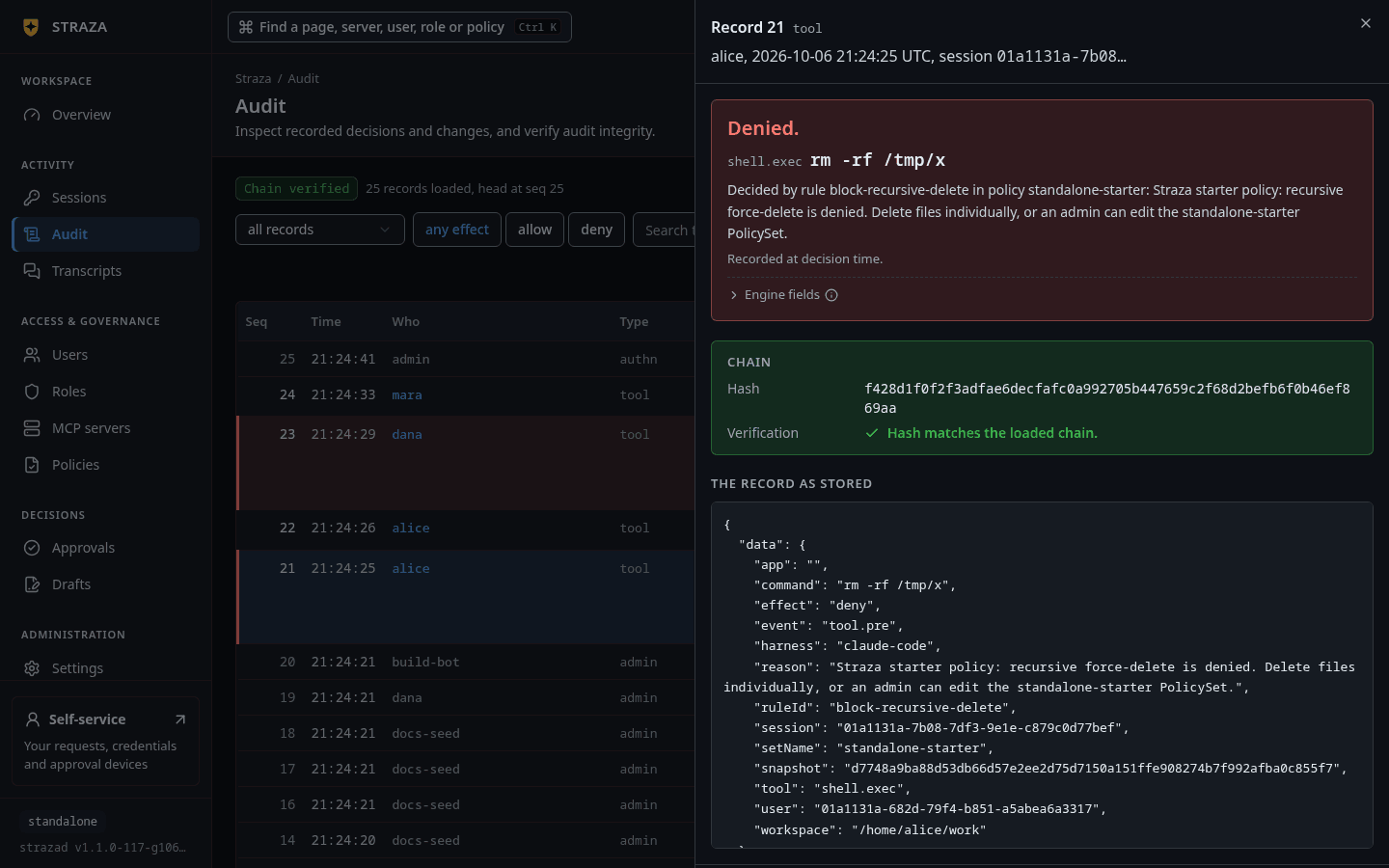
Audit trail:at the foot of dana’s sheet, and it opens Audit filtered to dana. A row opens the record with its rule, its reason and the chain check.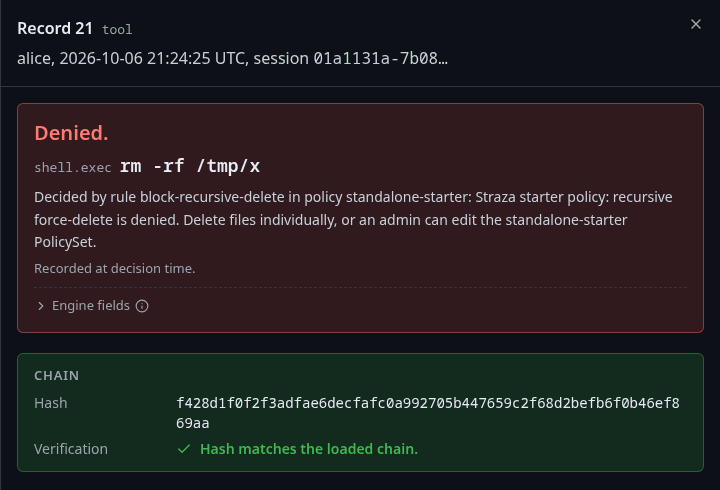
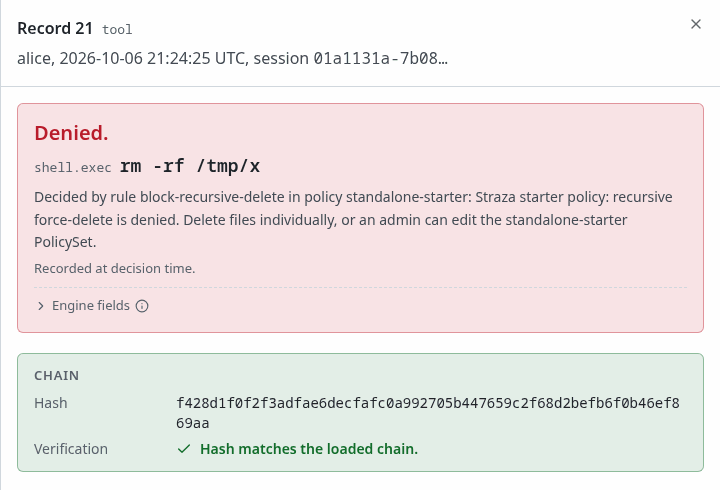
A deny record, here alice’s on a standalone server: the rule, its reason and the chain check. Show the whole screen strazactl audit tail --user dana --limit 2#213 [dana] {"data":{"app":"","command":"rm -rf /home/dana/work/build","effect":"deny","event":"tool.pre","harness":"claude-code","reason":"Straza: recursive force-delete is denied for this role. Delete the files one by one, or ask an admin to change the local-tools-guardrails policy","ruleId":"no-rm-rf","session":"01a0e995-9374-76d0-8b10-5ac35c8c3902","setName":"local-tools-guardrails","snapshot":"186e5ced1e330243a67e88c285015689d8b50a0a416fa2f4a8f0bb5a8b1eaa35","tool":"shell.exec","user":"01a0e993-ecd5-7958-bb56-b30a3f7a5ca7","workspace":"/home/dana/work"},"id":"4a949ec4-cb5c-4ea2-bcdb-7b9ed5bcf6f7","source":"straza","specversion":"1.0","time":"2026-09-28T19:54:58.351075018Z","type":"straza.audit.tool"} #214 [dana] {"data":{"app":"","command":"git status","effect":"allow","event":"tool.pre","harness":"claude-code","reason":"","ruleId":"local-tools","session":"01a0e995-9374-76d0-8b10-5ac35c8c3902","setName":"local-tools-guardrails","snapshot":"186e5ced1e330243a67e88c285015689d8b50a0a416fa2f4a8f0bb5a8b1eaa35","tool":"shell.exec","user":"01a0e993-ecd5-7958-bb56-b30a3f7a5ca7","workspace":"/home/dana/work"},"id":"ff9771fb-9811-406a-8259-5c9a2f048890","source":"straza","specversion":"1.0","time":"2026-09-28T19:54:58.381186984Z","type":"straza.audit.tool"}Both decisions are
straza.audit.toolrecords. Each names the command, the effect, the rule inruleId, the set insetName, and the session and the snapshot that decided, and the deny also carries your reason.
Undo
Turning the set off compiles the snapshot again without it. The document stays stored, so you can edit and turn it on again later.
- Policies
- local-tools-guardrails
- More
- Turn off
- Turn off
strazactl policy deactivate local-tools-guardrailsturned local-tools-guardrails off; new snapshot 18fb94f4ae40f36d31d05a1d39ed427f4a51de152c862d9544bdd34843a4368cTwo things trip new authors. A deny in any live set overrides an allow in every other set, so a broad allow elsewhere never rescues a command you deny here. A glob such as rm -rf * matches whole tokens and whole strings, so rm -r -f build passes it. When the variants matter, add a second pattern or a re: regular expression.
Deny a tool of an MCP server
A tool of an MCP server is the event mcp.call. Rules name the server in apps and the tool in toolNames. Access to a server’s tool comes from a role’s access row, so an MCP rule never needs an allow. A deny rule matters when the row reaches more than the role should run, such as a row stored as every tool, including tools added later. This set keeps get-env of the scout-tools server from Add a server away from scout-tools-readers, because that tool prints the server’s environment:
apiVersion: straza.dev/v1beta1
kind: PolicySet
metadata:
  name: scout-tools-no-env
  description: Keep get-env of scout-tools away from scout-tools-readers
spec:
  match:
    roles: [scout-tools-readers]
  rules:
    - id: block-get-env
      events: [tool.pre]
      tools: [mcp.call]
      apps: [scout-tools]
      toolNames:
        deny: ["get-env"]
      effect: deny
      reason: "Straza: get-env prints the server's environment, which holds its secret. Ask an admin for the value you need"
The New policy wizard writes this rule whole:
- Policies
- New policy
- Denied
- Next
- A role
- scout-tools-readers
- Next
- MCP tool
Pick scout-tools under Server and tick get-env. On the next step, type the reason under Reason the agent reads, then name the set on Review and press Save and publish, then Publish.
strazactl policy validate -f scout-tools-no-env.yaml
strazactl policy apply -f scout-tools-no-env.yaml
strazactl policy activate scout-tools-no-env
The validate step prints scout-tools-no-env.yaml: PolicySet "scout-tools-no-env" OK (1 rules, priority 0) and the same note as above.
The gateway hides a tool that policy denies from the session’s tools list, so the agent never sees get-env, and a call to it answers unknown tool, the same answer a misspelled name gets. With apps.catalog.policyFilter set to false in the strazad config, the tool stays listed and its call is denied with your reason. strazactl catalog preview --role scout-tools-readers shows the tool as hidden_policy with the reason, as Access per role explains.
Next
Hold a call for a person lets a person say yes before a call runs.
Walked on v1.1.0 on 2026-09-28. Linux, against the enterprise demo stack under the enterprise profile with the minimum attestation lowered to none, with strazactl logged in as an administrator and the hook events fed to straza hook by hand in a Linux container enrolled as dana. Console screenshots show strazad v1.1.0-117-g106081a8, standalone.