Standalone host
Run strazad on one Linux host in the standalone profile, with its settings in a file and all its state in one directory.
- Who
- You, as the operator of the host
- Where
- A terminal on the host, and a browser for the sign-in
- Profile
- Standalone
On this page
You run strazad as one binary on one Linux host in the standalone profile, from a terminal on that host. You need the strazad and strazactl binaries from Install. At the end the server runs from a config file, you are signed in as its first administrator, and you know which directory holds everything it knows.
In the standalone profile strazad is its own login provider. It keeps users, policy and the audit record in one SQLite file and runs the event bus inside the process, so a single directory holds all of its state. The standalone profile binds its main listener to 127.0.0.1:8420. Unless server.approverTLS.autoMint is false, it also serves the phone approver routes on port 8443 on every interface, with a self-signed certificate it creates in the data directory.
This shape runs on exactly one host, because a second copy of the binary is a second, unrelated server. Standalone and enterprise compared lists what the other profile changes.
Start the server
CLI onlyA server starts from a terminal on its host. The console opens once it runs.
Put the two binaries on your path and start the server from an empty directory. Without a config file it uses the built-in defaults of the profile: the data directory
dataunder the current directory, the listener127.0.0.1:8420, and JSON logs at levelinfoon stderr.strazad serve --profile standaloneYou should see
The last line is
strazad servingwith the profilestandaloneat127.0.0.1:8420.{"time":"2026-10-06T21:36:47.616367119Z","level":"INFO","msg":"approver TLS pair minted","cert":"data/approver-tls/cert.pem","expires":"2029-01-03T21:36:47Z"} {"time":"2026-10-06T21:36:47.661829986Z","level":"INFO","msg":"store ready","driver":"sqlite"} {"time":"2026-10-06T21:36:47.672023617Z","level":"INFO","msg":"project identity","id":"prj_01a11325-d034-7581-abc8-b0549819034c","name":"straza-034c"} {"time":"2026-10-06T21:36:47.782946047Z","level":"WARN","msg":"bootstrap admin created. Store this password now, it will not be shown again","username":"admin","password":"7d2f"} {"time":"2026-10-06T21:36:47.78488454Z","level":"INFO","msg":"starter policy seeded. Recursive force-delete (rm -rf) is denied with a reason; edit or delete PolicySet standalone-starter to change this"} {"time":"2026-10-06T21:36:47.895298696Z","level":"WARN","msg":"break-glass admin created. Store this password in your vault now, it will not be shown again; rotate on-box via `strazactl users set-password break-glass`","username":"break-glass","password":"4a21"} {"time":"2026-10-06T21:36:47.923022969Z","level":"INFO","msg":"event bus ready","embedded":true} {"time":"2026-10-06T21:36:47.933341583Z","level":"INFO","msg":"policy snapshot ready","id":"df8d228ad19c00ed378201df30c89a2051e6d36546f3947c282fc365c99a6395"} {"time":"2026-10-06T21:36:48.015473807Z","level":"INFO","msg":"strazad serving","addr":"127.0.0.1:8420","profile":"standalone","publicUrl":"http://127.0.0.1:8420","tls":false,"version":"v1.1.0-117-g106081a8"}The output is trimmed to the lines that matter, and the lines for the harness-config hashes, the apps watcher and the approver listener are left out. Both passwords are masked to their first four characters here.
Store both passwords now
The first boot prints them once and never again.
adminis your first administrator.break-glassis the standing emergency account, which the server refuses to deactivate, lock or delete, so that no mistake in an identity manager can lock you out.The first boot created the data directory and everything in it. List it from a second terminal in the same directory:
ls -la data data/approver-tlsdata: drwx------ 2 root root 4096 Oct 6 21:36 approver-tls drwxr-x--- 2 root root 4096 Oct 6 21:36 apps drwx------ 3 root root 4096 Oct 6 21:36 nats -rw------- 1 root root 32 Oct 6 21:36 secret.key -rw-r--r-- 1 root root 4096 Oct 6 21:36 straza.db -rw-r--r-- 1 root root 32768 Oct 6 21:36 straza.db-shm -rw-r--r-- 1 root root 1380232 Oct 6 21:36 straza.db-wal data/approver-tls: -rw-r--r-- 1 root root 672 Oct 6 21:36 cert.pem -rw------- 1 root root 227 Oct 6 21:36 key.pemEntry What it is straza.db, with-shmand-walThe SQLite store, with its write-ahead log beside it. natsThe storage of the embedded event bus. appsThe directory the server watches for declarative MCP server manifests. secret.keyThe 32-byte key-encryption key that seals stored credentials. approver-tlsThe self-signed certificate and key that the Straza approver app pins. The server never replaces the approver pair on its own. A new pair is a new pin, and every enrolled phone would have to enroll again.
Sign in as the first administrator
In this profile the sign-in page is served by strazad itself, and you complete it in a browser with the
adminusername and the password from the boot log.Open
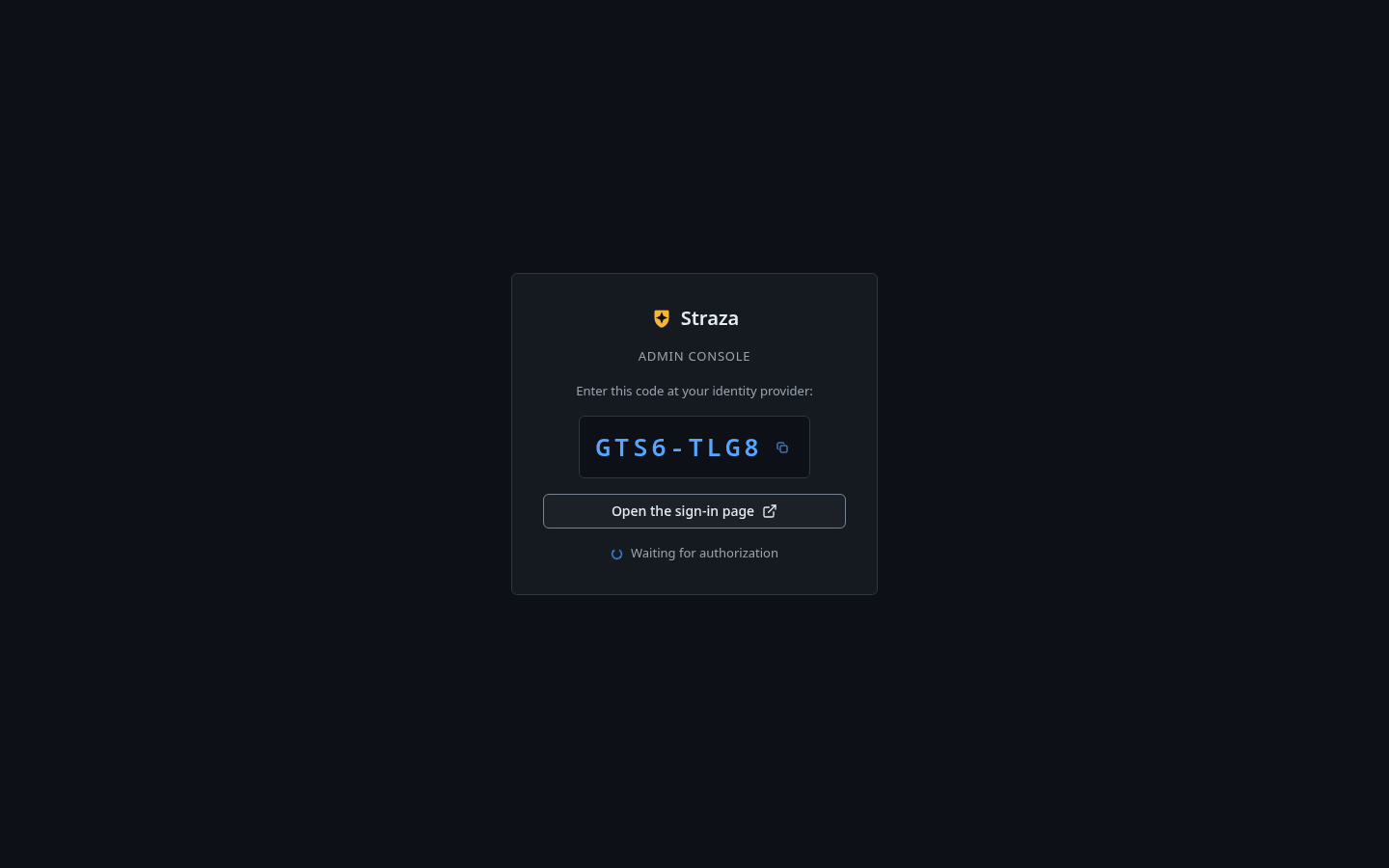
http://127.0.0.1:8420/console/in a browser on the host and press Sign in with a code.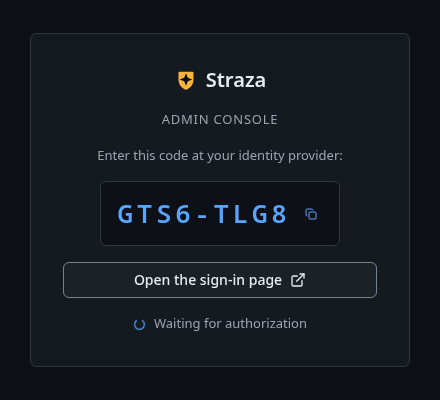
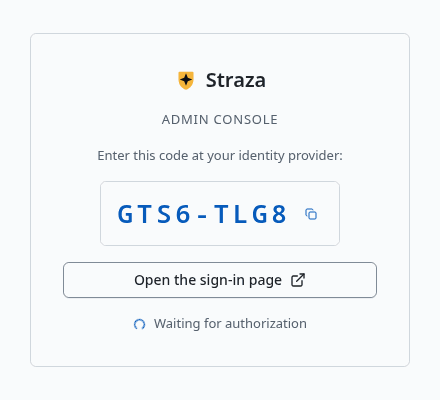
The console shows a one-time code. Your code is different. Show the whole screen Press Open the sign-in page, check that the code matches, enter
adminand the password, and press Sign in. The tab then saysSigned in. You can close this tab.You should see
The console opens on Overview, and Users lists
adminandbreak-glass.Log in with
strazactl. The command prints an address and a code, and waits until you finish the sign-in in a browser.strazactl login --server http://127.0.0.1:8420Open http://127.0.0.1:8420/oidc/device?user_code=2DB5-J28V and confirm code 2DB5-J28V Logged in as admin. note: this login can change Straza's configuration. Keep it away from coding agents. Automation uses an admin API token in STRAZA_API_TOKEN, and an agent proposes config changes through the built-in straza MCP server.The login lands in
~/.straza/credentials.json. List the users the first boot made to confirm the session works:strazactl users listUSERNAME STATUS ORIGIN EMAIL ID admin active local 01a11325-d09e-79d1-9a05-5994634f951f break-glass active local 01a11325-d112-7aee-99ae-9d474ff1a878Move the settings into a file
strazad reads one config file, and these rules decide which one:
- It looks for
straza.yamlin the directory it starts in, unless--configor theSTRAZA_CONFIGvariable names another path. - A named file that does not exist stops the boot. A missing default file is fine.
- Settings layer in a fixed order: the profile’s defaults, then the file, then environment variables, then command-line flags.
- The profile itself is read first, from flag, environment or file, so it can pick the defaults the other layers override.
A data directory in a system location and a text log format are the two settings most hosts want in the file. Stop the first server with Ctrl-C, because the next one listens on the same address, 127.0.0.1:8420.
The block below creates directories under
/srvand/var/lib, so run it as root. Or create the two directories withsudo mkdir -pand hand them to the user that runs strazad withsudo chown.mkdir -p /srv/straza /var/lib/straza cat > /srv/straza/straza.yaml <<'EOF' profile: standalone dataDir: /var/lib/straza log: level: info format: text EOF cd /srv/straza && strazad serveYou should see
Text log lines, ending in a serving line, with the paths under
/var/lib/straza.time=2026-10-06T21:37:33.546Z level=INFO msg="approver TLS pair minted" cert=/var/lib/straza/approver-tls/cert.pem expires=2029-01-03T21:37:33Z time=2026-10-06T21:37:33.589Z level=INFO msg="store ready" driver=sqlite time=2026-10-06T21:37:33.687Z level=WARN msg="bootstrap admin created. Store this password now, it will not be shown again" username=admin password=8fbd time=2026-10-06T21:37:33.893Z level=INFO msg="apps GitOps watcher ready" dir=/var/lib/straza/apps time=2026-10-06T21:37:33.897Z level=INFO msg="strazad serving" addr=127.0.0.1:8420 profile=standalone publicUrl=http://127.0.0.1:8420 tls=false version=v1.1.0-117-g106081a8This is a fresh store, so the boot minted a new administrator password, masked to four characters again, and a new approver pair. It also logged a new break-glass password, trimmed here with the other lines that do not show the new paths. Store both new passwords, and sign in again, because the login you made against the first store does not open this one. The old
datadirectory is untouched.Configuration lists every key of the file with its environment variable.
For a one-off run, flags override the file:
--config,--profile,--data-dir,--listen,--log-leveland--store-dsn.--store-dsntakes the path of the SQLite file, or a PostgreSQL connection string. Started with--data-dirand--store-dsnpointing at two different directories, strazad keeps the key, the event bus and the apps directory in the first and the database files at the path of the second.strazad completion bashprints a completion script for bash, andzsh,fishandpowershellwork the same way.strazad completion bash --helpsays how to load it.- It looks for
Verify
Three unauthenticated endpoints tell you the server is up:
/healthzanswers as soon as the process serves./readyzalso pings the store and the event bus./versionnames the build and the profile.
curl -s http://127.0.0.1:8420/healthz
curl -s http://127.0.0.1:8420/readyz
curl -s http://127.0.0.1:8420/version
You should see
"status":"ok"from the first two, the second withbusandstorebothok, and a version answer with the profilestandalone.{"status":"ok"} {"status":"ok","components":{"bus":"ok","store":"ok"}} {"version":"v1.1.0-117-g106081a8","commit":"106081a8","go":"go1.26.6","os":"linux","arch":"amd64","profile":"standalone","runtimes":["remote","command"],"approver":{"public_url":"https://172.17.0.4:8443","tls_spki_pin":"sha256/0/a6IgEJ2vSWckKKADsDBYt0ZyD2m+Aix9Fdjr6iNkw=","cert_not_after":"2029-01-03T21:37:33Z","auto_minted":true,"cert_file":"/var/lib/straza/approver-tls/cert.pem"}}
Reach it from other machines
The listener binds 127.0.0.1:8420 by default and server.publicUrl defaults to match. The public URL is also the issuer written into every session token. A server that agents on other machines dial therefore needs three things in the file:
server.listenset to an address they reach.server.publicUrlset to the URL they use.- TLS in front of that listener or on it.
A standalone listener on a routable address gets no plaintext warning, so adding TLS is your step. TLS and exposure covers both listeners, and Docker is the container form of the same server.
Undo
Stop the process and the server is gone. Deleting the data directory deletes the store, the audit record, the key-encryption key and the approver certificate, so any phone that enrolled against this server enrolls again after the next first boot.
Walked on v1.1.0-117-g106081a8 on 2026-10-06. An Alpine 3.20 container with the static binaries and curl, in the standalone profile, where every terminal block on this page ran in order and the login was answered with the form post the built-in sign-in page sends. The console sign-in was not clicked, because the server listened on the container's loopback address, so its steps were checked against the console's source. Console screenshots show strazad v1.1.0-117-g106081a8, standalone.