Policies
You read which rules decide each call, build a policy with the New policy wizard, change a policy on its own page, and test a call before and after you publish.
- Who
- You, as an admin
- Where
- The console in a browser
- Profile
- Standalone and enterprise
On this page
Policies holds the rules that decide every call: what is denied, what needs approval, and what runs at once. This page walks the area as an admin uses it, from reading the rules to changing one and testing the result. Policies in Concepts explains how the rules combine, and the PolicySet grammar lists every key a policy can hold.
Before you start
- A console sign-in that holds the
policyarea. - A role to write rules for. The wizard offers application roles, the kind that carries tool access, and Everyone for rules that hold for every session.
Read the policy list
- Policies
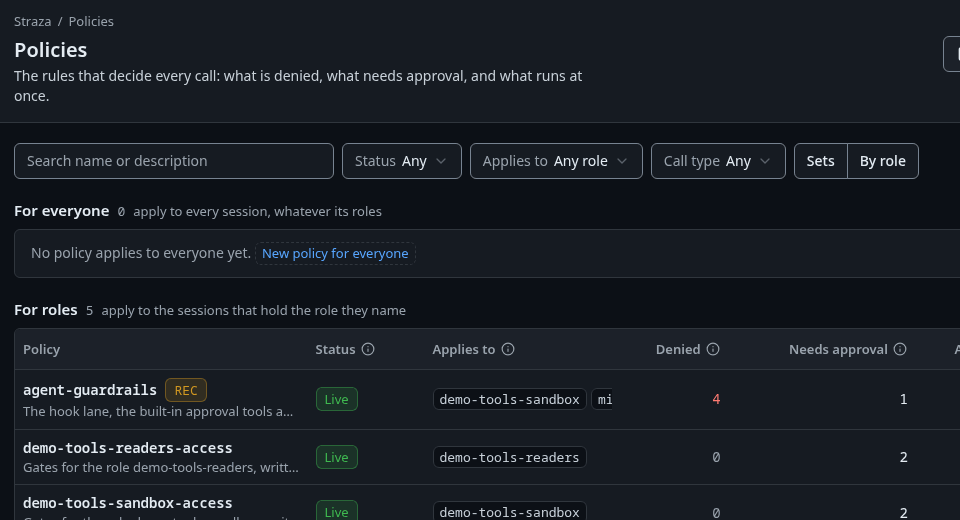
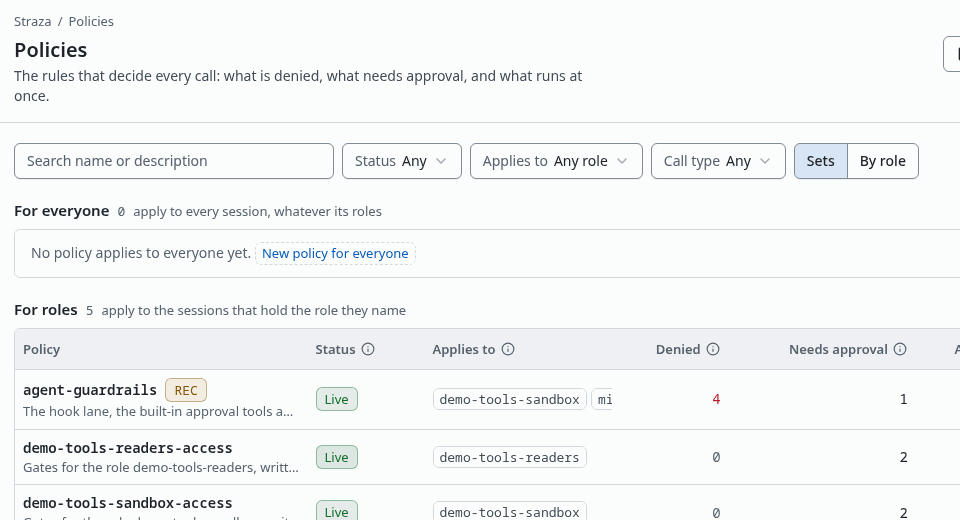
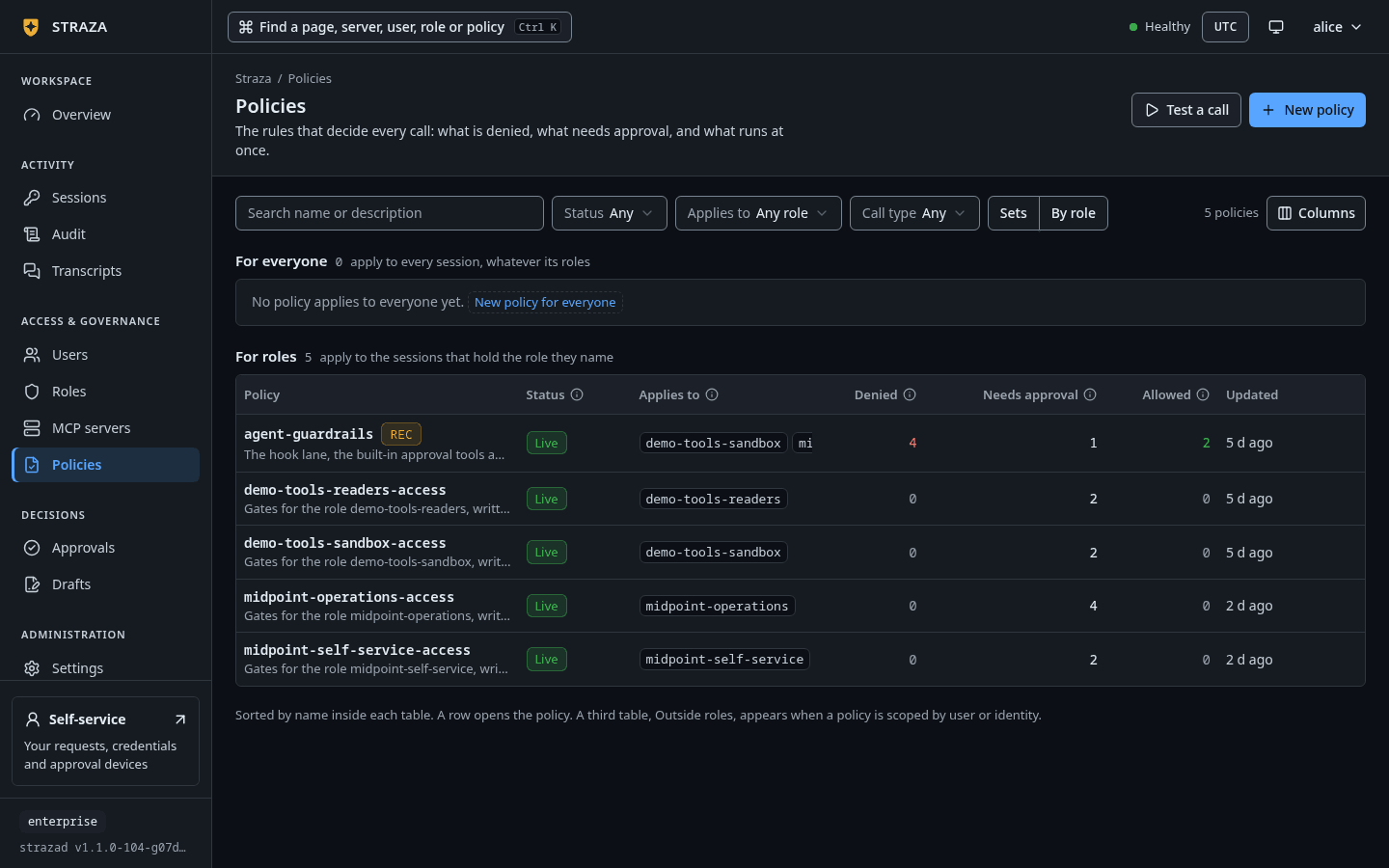
The Sets view on the demo stack, with each policy’s status, the roles it applies to, its counts and a RECbadge. Show the whole screenThe list opens on the Sets view. Policies that hold for every session sit under For everyone, and policies that name a role sit under For roles. A third table, Outside roles, appears when a policy is scoped by user or identity. Each row shows the Status, the roles it Applies to, and how many of its rules deny, need approval or allow.
Liveruns now,Offis stored and gates nothing, anda draft edits itmeans a saved edit waits under Drafts while the published version keeps running. ARECbadge marks a policy that records conversations. The filters narrow the list by status, role and call type.- Policies
- By role
By role shows one row per application role, plus Everyone, the floor under every role. Each row counts the role’s own live denials, approval gates and allows, and says whether its sessions are recorded. An empty Denied or Needs approval cell opens New policy with that role already picked.
Open a policy
- Policies
- standalone-starter
The head shows the status, the description and a count such as
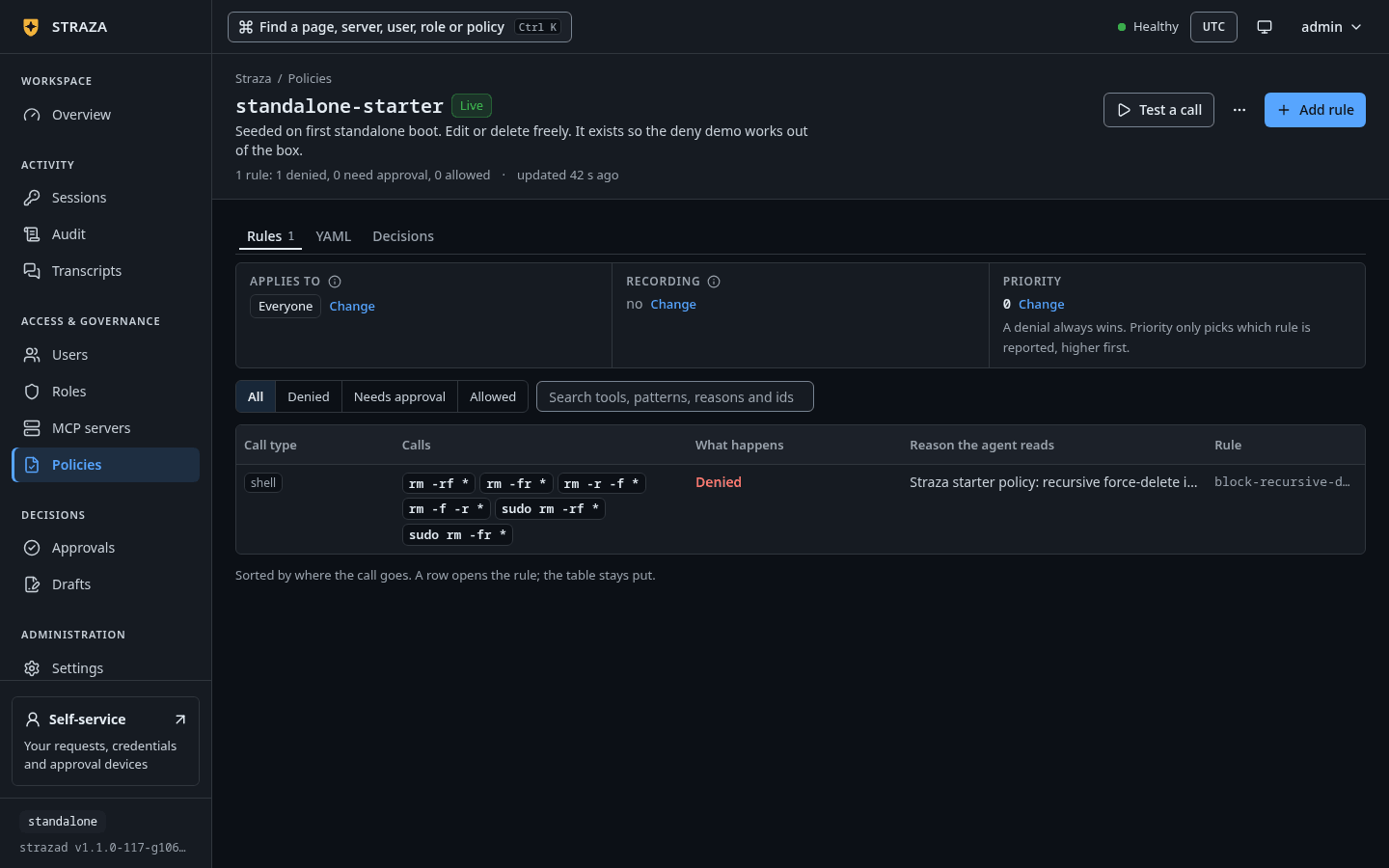
1 rule: 1 denied, 0 need approval, 0 allowed. Three facts sit above the rules, each with its own Change: Applies to, Recording and Priority. A denial always wins across every policy that matches, so the priority only picks which rule is reported as the reason.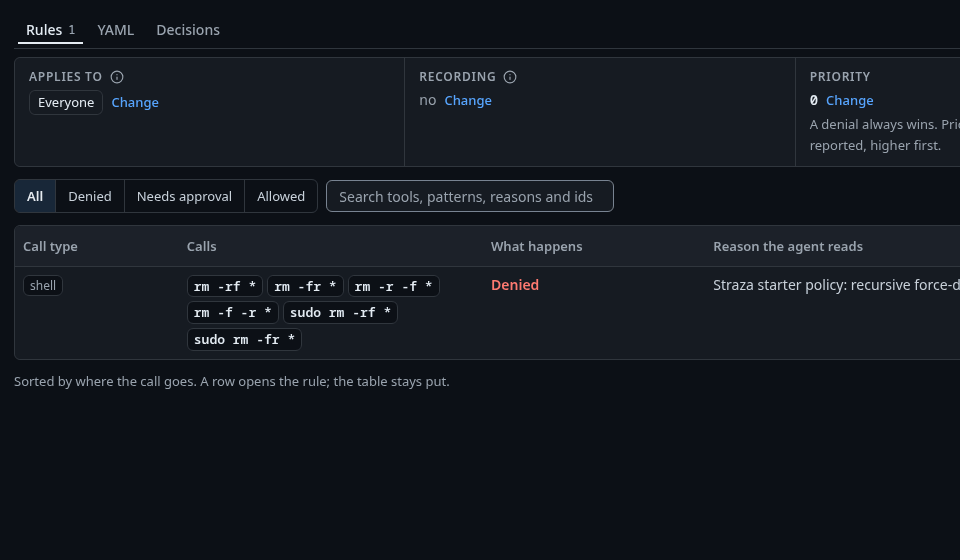
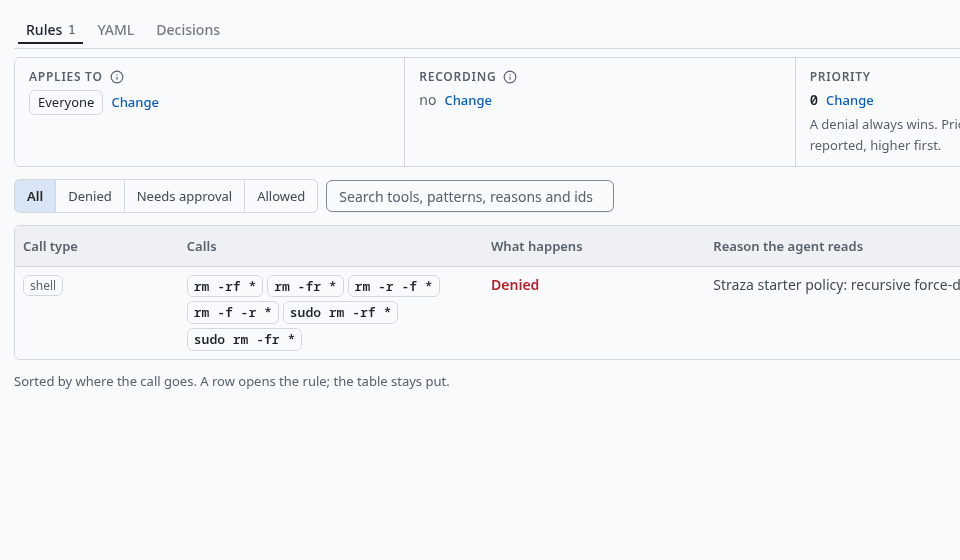
The starter policy of a standalone server on its Rules tab: the shell patterns it denies, the reason the agent reads, and the rule id. Show the whole screen The Rules tab lists each rule with its call type, the calls it matches, what happens, the reason the agent reads and the rule id. A rule that only an automated check decides, such as a classify rule, reads
An automated check, kept as written. Change it on the YAML tab.The YAML tab holds the whole policy as stored, comments included, with Validate and Copy. The Decisions tab lists the calls this policy decided, newest first, from the audit chain, and a row opens the same record sheet that Audit opens.Build a policy with the wizard
- Policies
- New policy
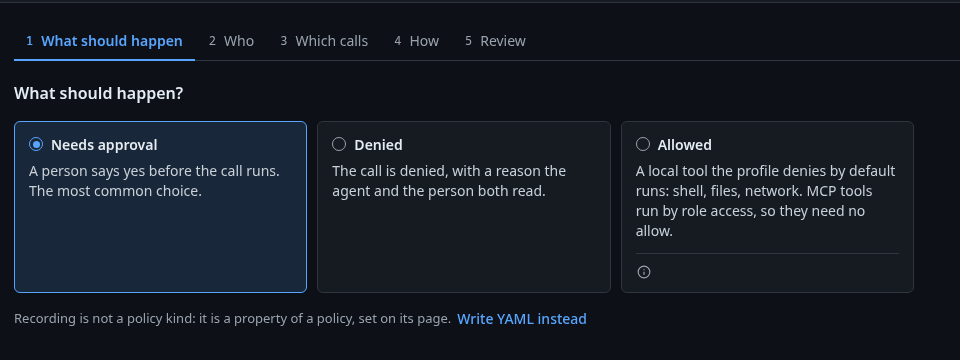
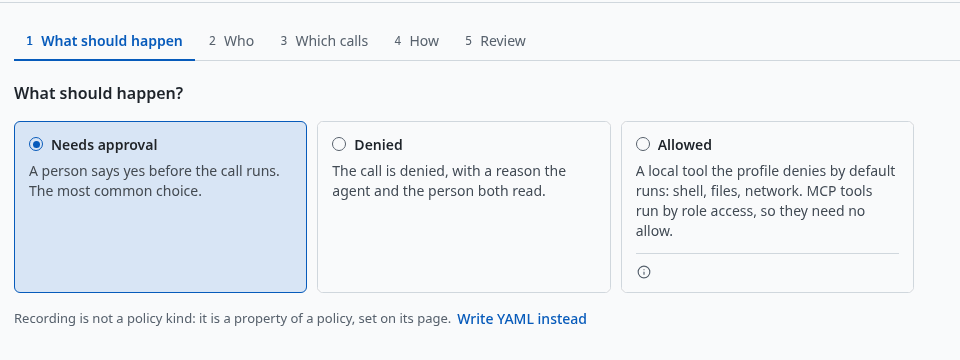
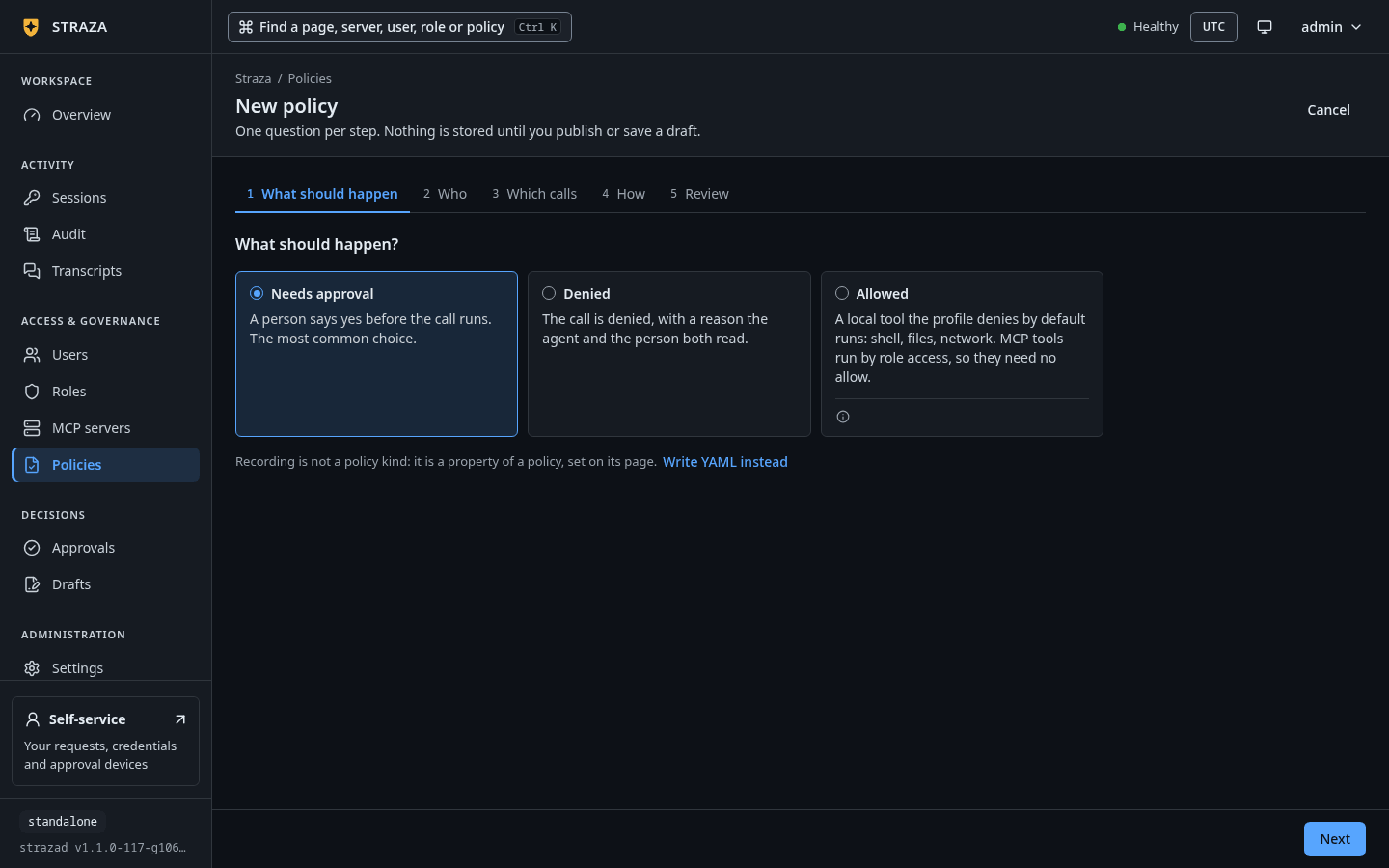
The first step, What should happen, with Needs approval picked and Write YAML instead under the cards. Show the whole screen The wizard asks one question per step: What should happen, Who, Which calls, How and Review. Nothing is stored until you save a draft or publish.
- What should happen: Needs approval, Denied or Allowed. Allowed is for a local tool the profile denies by default, such as a shell command under the enterprise profile, because an MCP tool runs by role access and needs no allow.
- Who: Everyone or A role. Only application roles are offered, because a business role governs one assignment path only.
- Which calls: pick the call type, then the tools of a server, the Command patterns or the Paths. A pattern is a shell-style glob over the whole command line, such as
kubectl apply *. - How, for an approval: Who decides is The person behind the agent or An approver role, and the wait is A hold, up to a time for a call the agent waits on, or A ticket a person grants within a time for planned work. For a denial, write the Reason the agent reads.
- Review: the name, the facts in words and the policy text as the server stores it, then Save draft or Save and publish.
Write YAML instead opens the whole policy as text, for a rule the wizard does not write, such as a classify rule. What you write there is saved as a draft, which you then publish under Drafts. Hold a call for a person and Tickets build a full approval rule with the wizard, and Your first deny writes a deny.
Change a policy and publish it
A change on a policy’s page stays on the page until you save it. As an example, record the conversations of every session the policy matches.
- Policies
- kubectl-apply-hold
- Change
- Secrets masked
- Add to unpublished changes
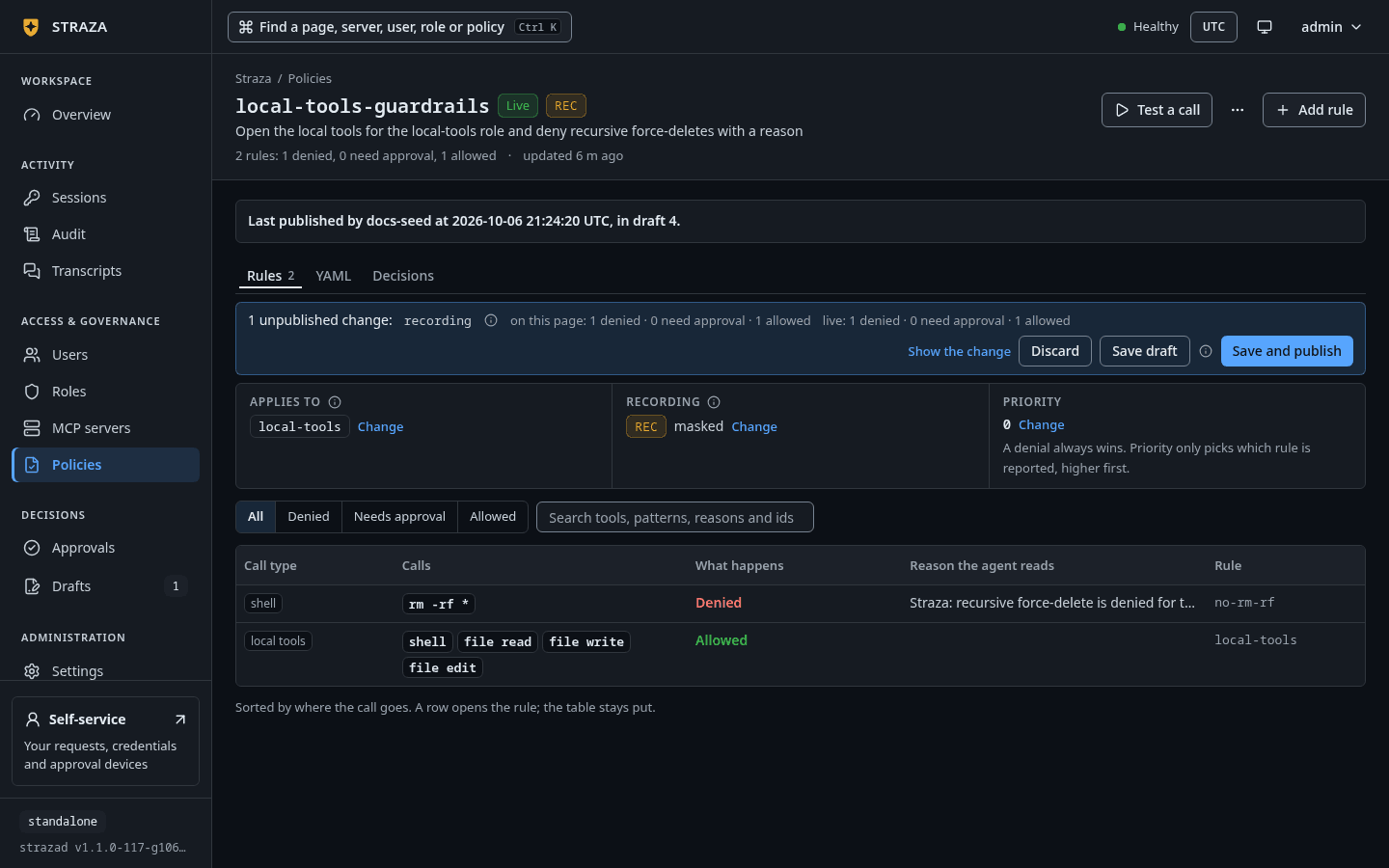
The Change to press is the one beside Recording. A strip at the top then holds the change, such as
1 unpublished change: recording, with the rule counts on the page and live side by side, Show the change, Discard, Save draft and Save and publish. Leaving the page asks first, because the edits are not stored anywhere yet.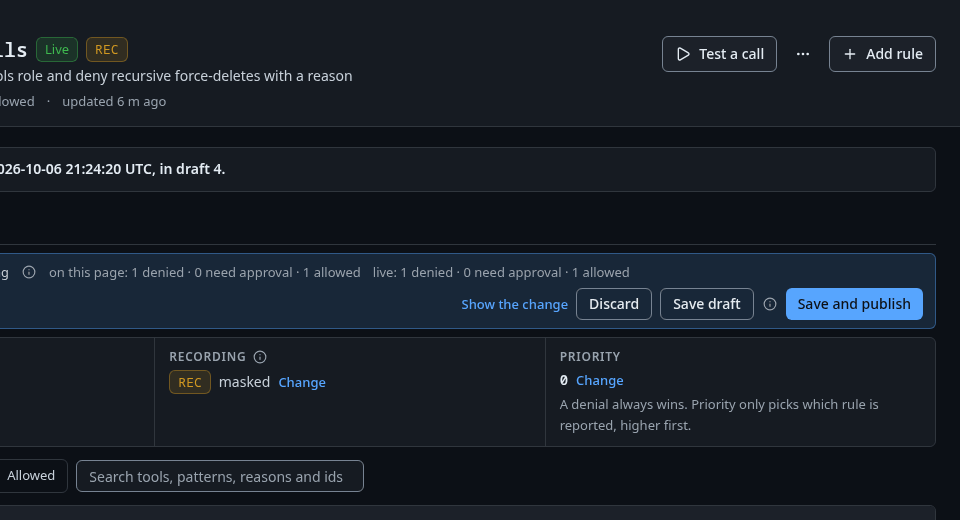
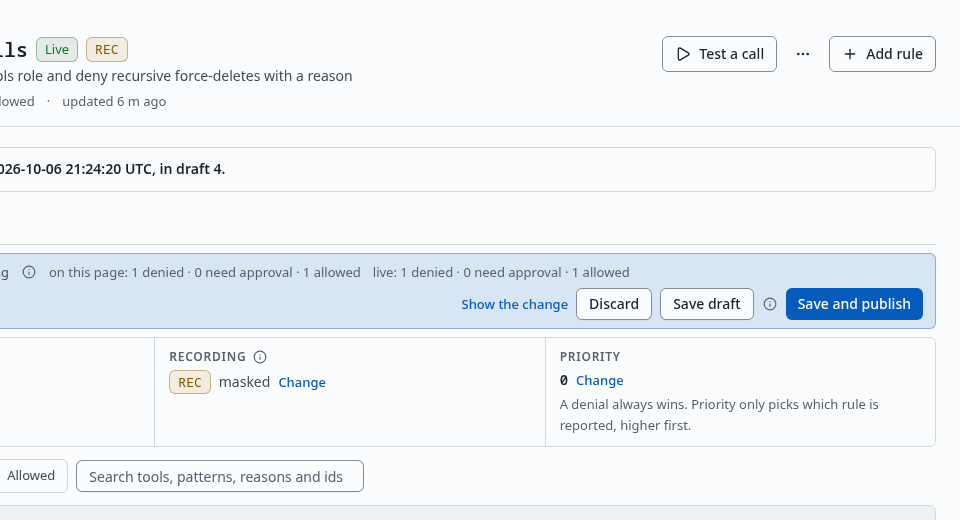
The strip of unpublished changes, with Show the change, Discard, Save draft and Save and publish. Show the whole screen Save draft stores the new text as a draft and keeps the published version running. The page then says
kubectl-apply-hold is saved as a draft. The version that runs stays live until you publish it., the status readsa draft edits it, and the draft waits under Drafts, where Propose and publish a change takes it on.Save and publish asks
Publish kubectl-apply-hold?first. The question says what changes for which roles, what a call that matches did before and does after, and how many active sessions pick up the new version within about 30 seconds. Test a call first opens the test from the same question.You should see
After the publish, the page reads
Live, and the line under the head names the draft that carried the change.Test a call
- Policies
- Test a call
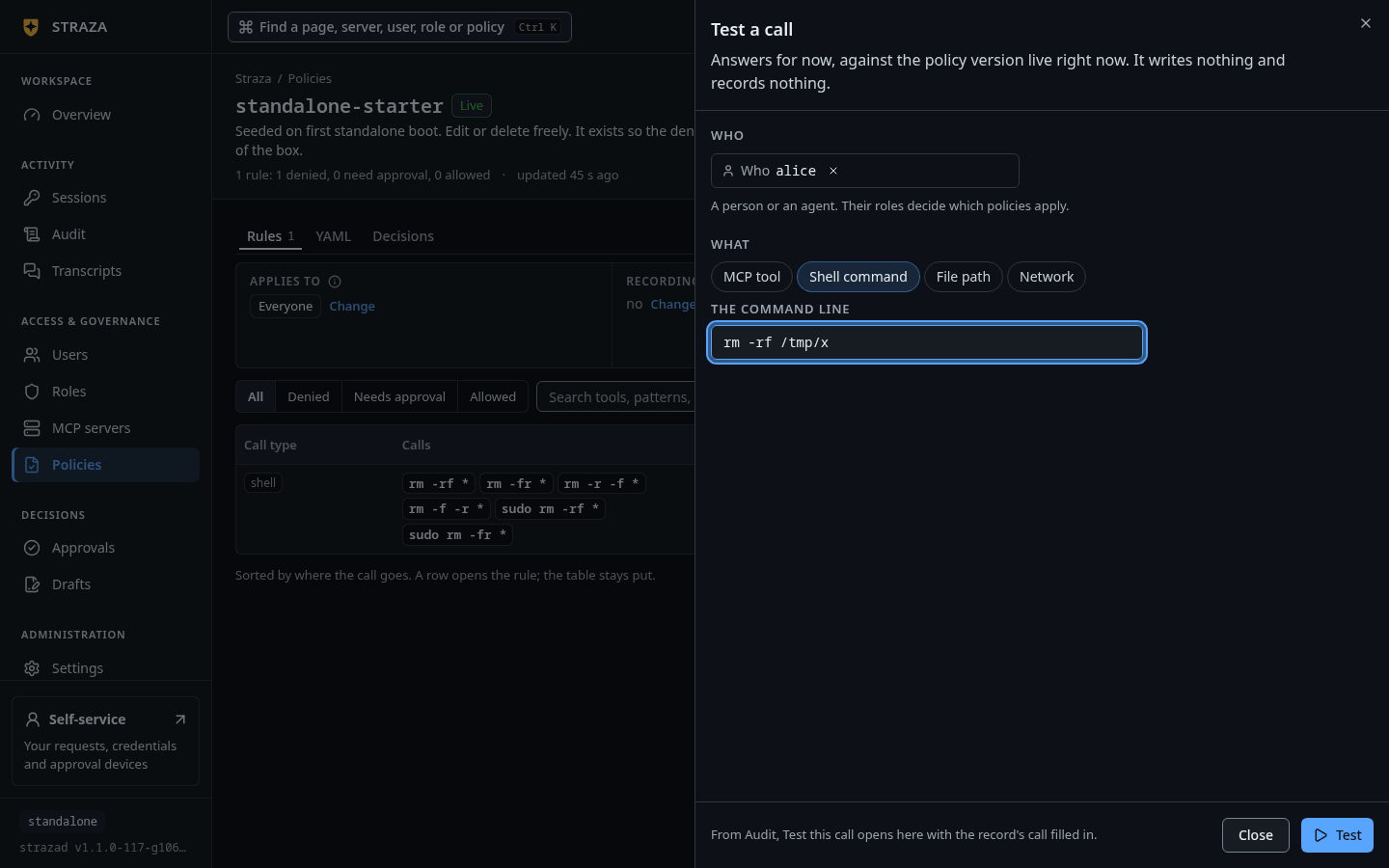
Under Who, type a person or an agent and pick them, because their roles decide which policies apply. Under What, pick MCP tool, Shell command, File path or Network, and give the tool, the command line or the path. Press Test.
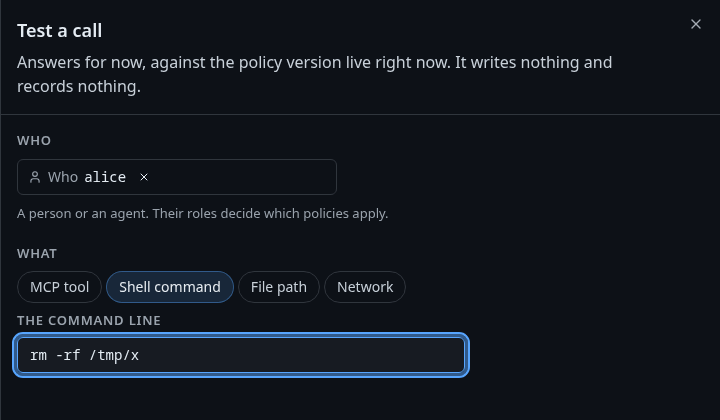
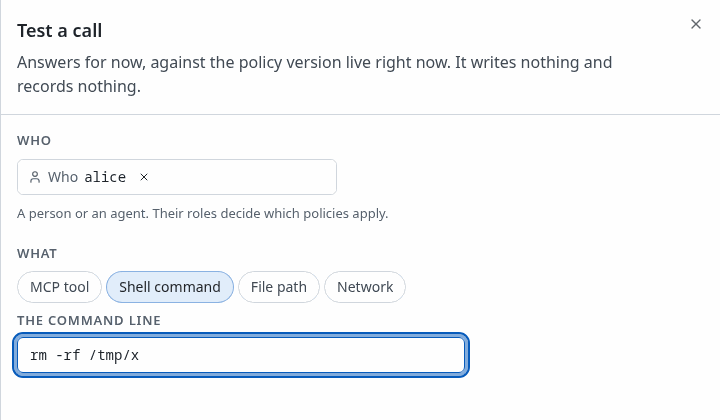
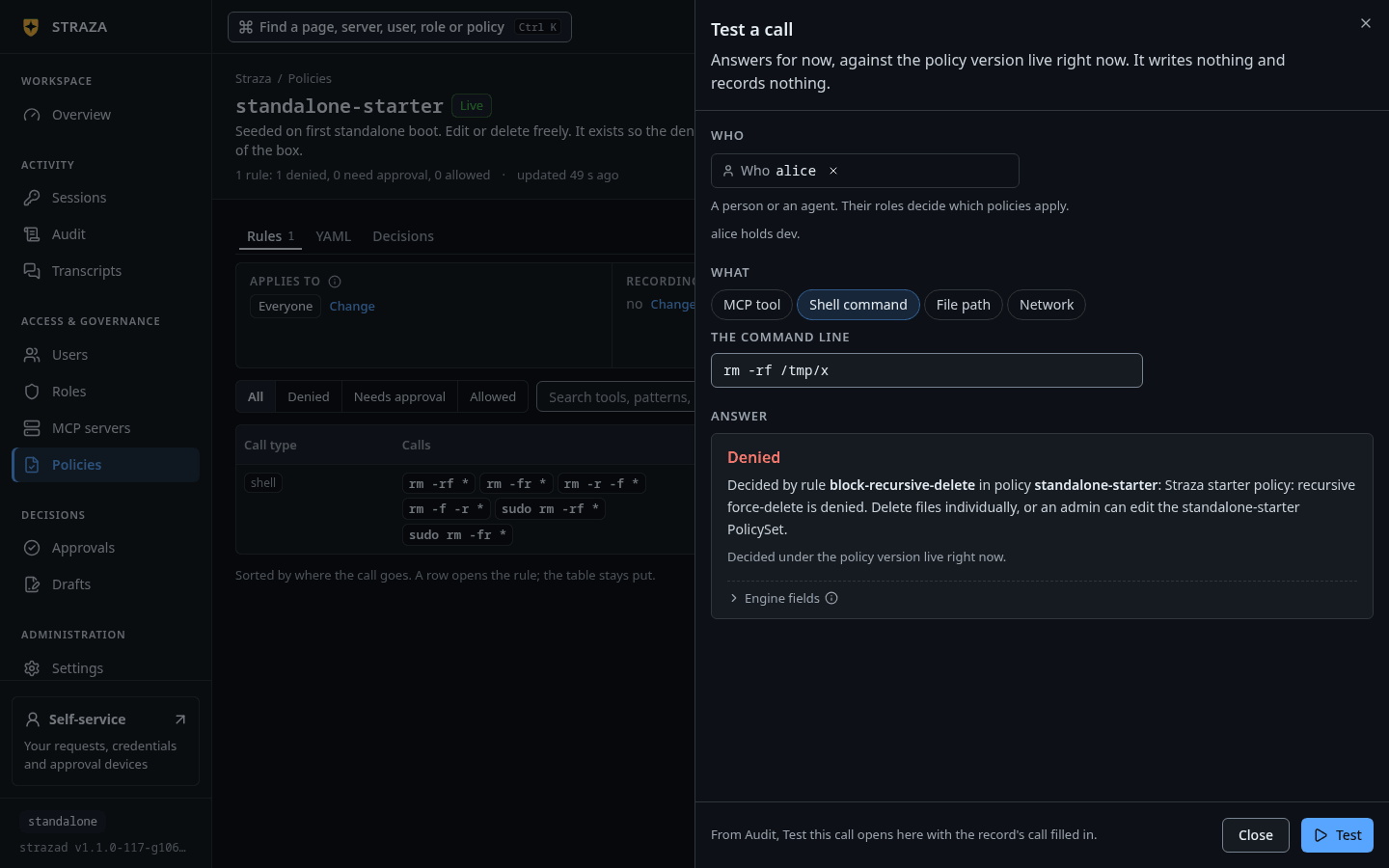
Test a call with alice under Who, Shell command picked and rm -rf /tmp/xas the command line. Show the whole screenThe Answer says what the call would get and which rule decides it. It answers for now and writes nothing and records nothing. On a policy’s page with unpublished changes, it answers twice, under Live now and under With your unpublished changes, so you see the effect before you publish.
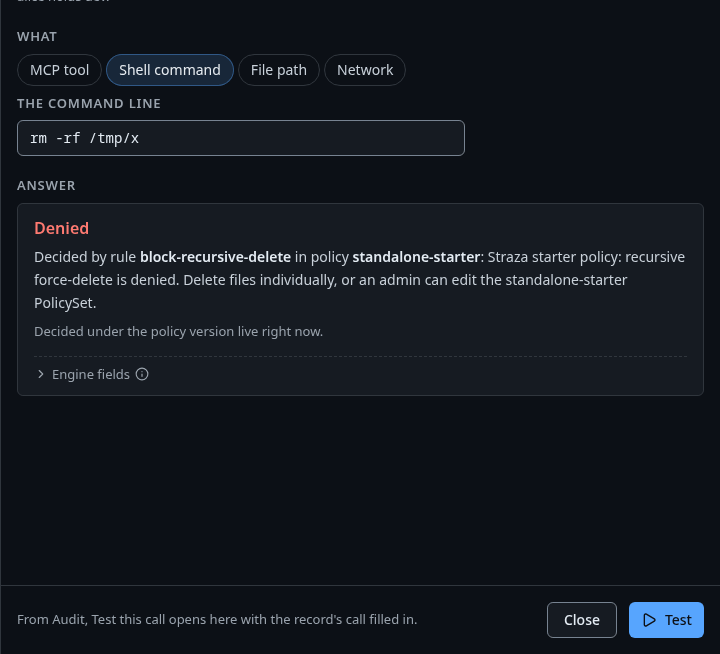
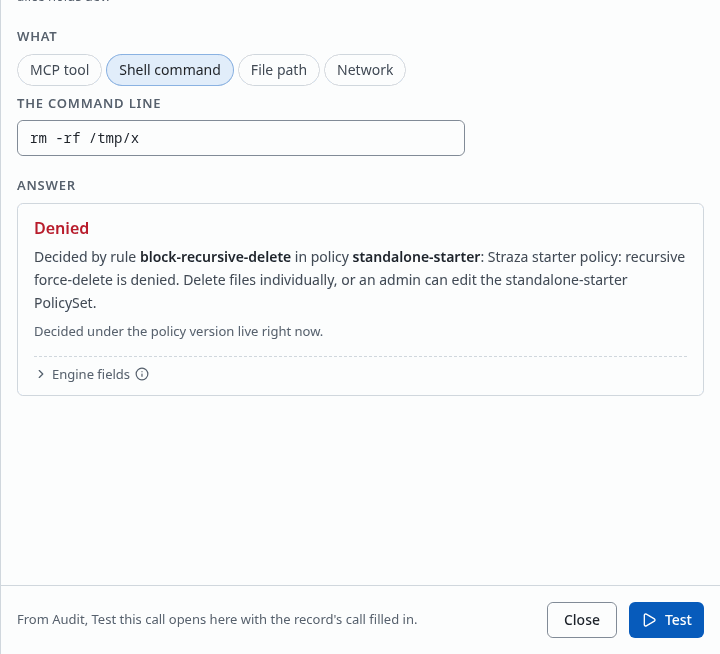
The answer: Denied, decided by rule block-recursive-deletein policystandalone-starter. Show the whole screenThe test takes a person, never a bare role. Simulate a call shows the CLI form, which also tests roles nobody holds.
Turn a policy off or delete it
- Policies
- kubectl-apply-hold
- More
- Turn off
- Turn off
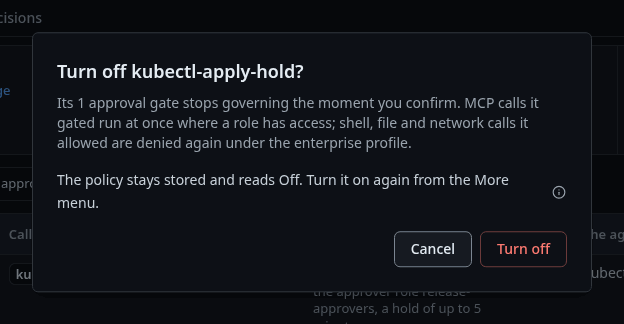
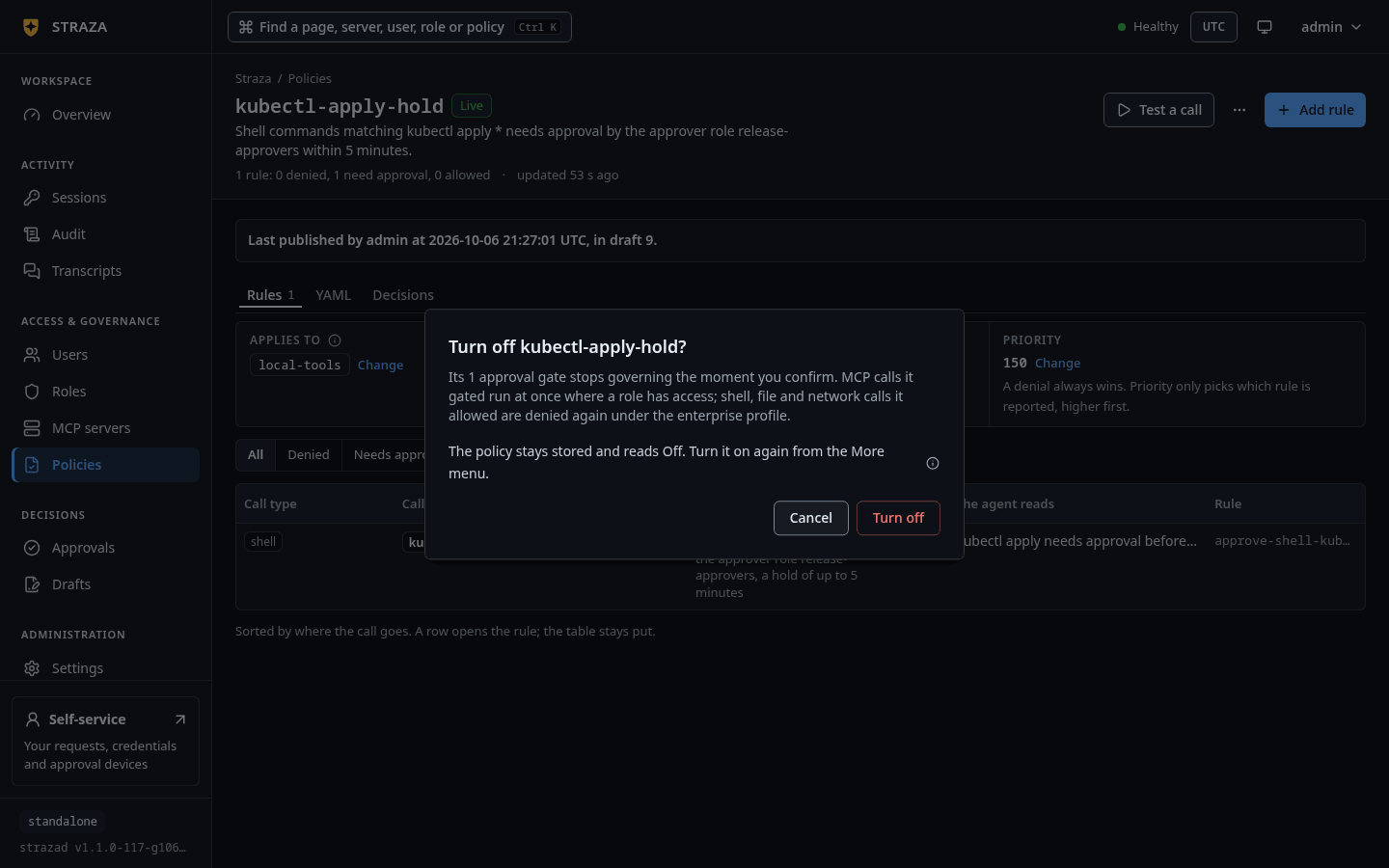
The question that turns kubectl-apply-hold off, which says what stops governing. Show the whole screen The question says what stops governing the moment you confirm, and that MCP calls the policy gated then run at once where a role has access. The policy stays stored and reads
Off, and Turn on in the same menu brings it back. Sessions that hold the roles pick up the change within about 30 seconds, and a call held for approval right now keeps its hold. Turning a policy off or on acts at once, without a draft.Delete in the More menu works only on a policy that is off. On a live one it says
Only a policy that is off can be deleted. Turn a live policy off first.Export YAML in the same menu downloads the policy as a file.
Next
- Propose and publish a change reviews and publishes a saved draft.
- Capture turns recording on for a role and reads the transcripts.
- Roles shows the roles that the rules match.
Walked on v1.1.0-117-g106081a8 on 2026-10-06. A throwaway standalone server on Linux with the starter policy and a hold policy for the role dev, read and edited as the admin in headless Chromium. The wizard was opened and not saved. Console screenshots show strazad v1.1.0-104-g07d2df0e, enterprise and strazad v1.1.0-117-g106081a8, standalone.