Approve on a phone
A person's phone is enrolled as an approver device, decides a held call in the Straza approver app, and signs each answer with its own key.
- Who
- You, as the admin, and the person who decides on their phone
- Where
- The console or a terminal with strazactl, and the Straza approver app on the person's phone
- Profile
- Standalone and enterprise
On this page
You, as the admin, enroll a person’s phone so they answer held calls in the Straza approver app. Each answer is signed by a key the phone keeps in its secure hardware. By the end of this page a phone is enrolled as an approver device, has decided a held call, and shows in the list of approver devices.
You mint a one-time enroll token for the person, and the person scans it with the app. From then on the phone holds a signing key the server knows. When a rule holds a call, Straza sends the request to the phone, the app fetches it over its own connection to the server, and a tap signs the verdict against a challenge that works once. The server checks who decided, never where from, so the phone can sit on any network.
A person whose account holds the straza-enroll-mobile role can mint their own token, with no admin involved, from Add a phone on the This browser tab of the self-service page.
Before you start
- An admin login, in the console or with
strazactl. - A person a rule names as a decider, such as the person behind an agent or a holder of an approver role.
- The Straza approver app on that person’s phone, from the App Store or Google Play.
- A server address the phone can open. Make the address reachable from the phone covers how.
- A pending request to decide, such as the one Hold a call for a person raises.
Push delivery is recommended, so the phone learns of a request while the app is closed. Without push, the app sees a request only while it is open. Choose how push reaches the phone sets it up.
A person without the app can decide from a browser instead, as Approve in the browser shows.
Mint the enroll token
The token works once and expires after ten minutes, so mint it with the person and their phone next to you.
- Approvals
- Approver devices
- Add a phone
Add a phone sits in the page head while the Approver devices tab is open. Pick the person under Person and press Create the QR code.
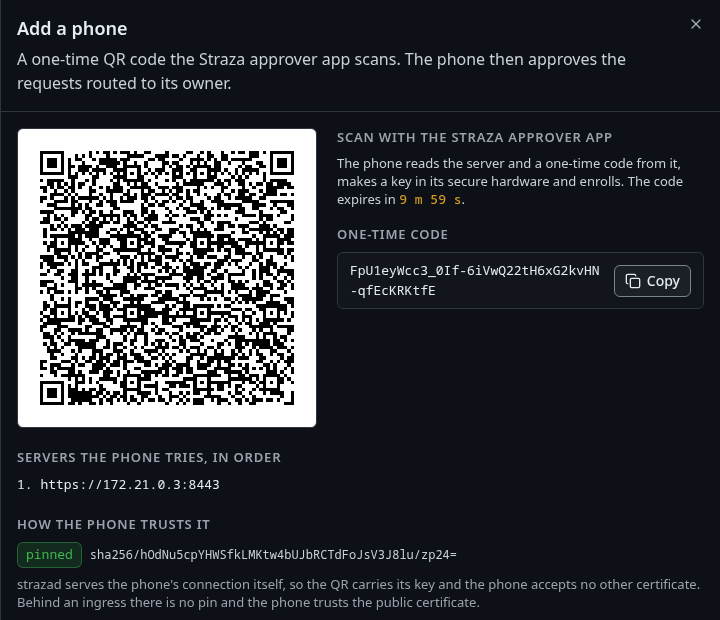
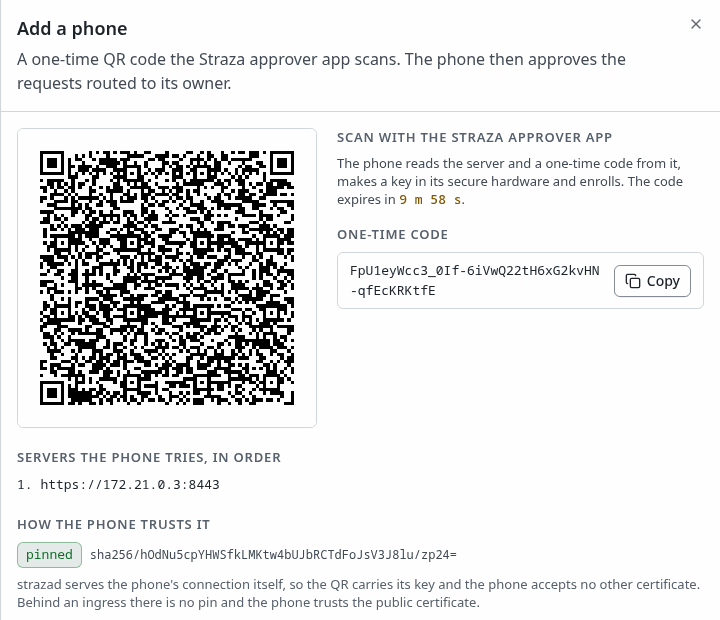
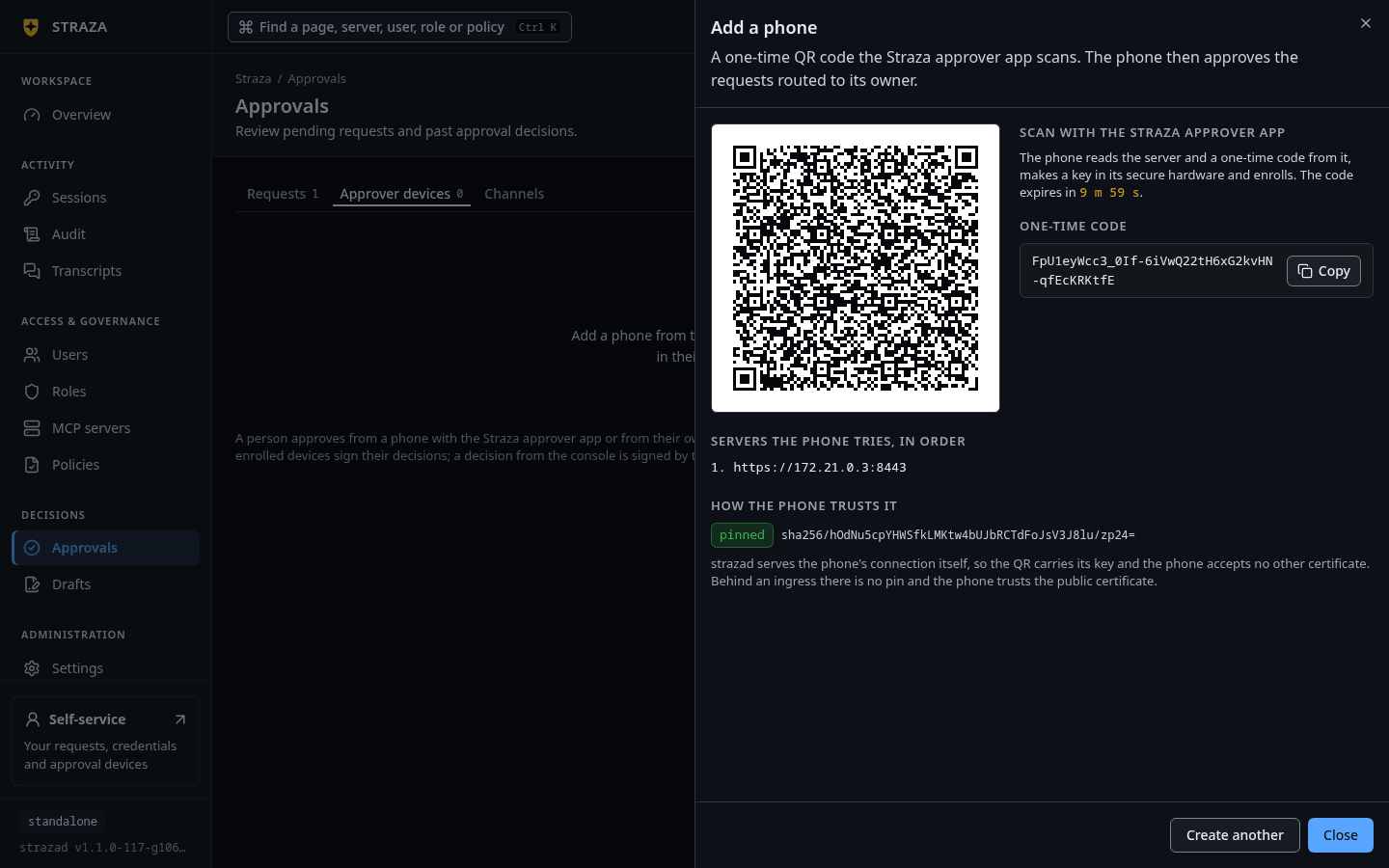
The QR code for lena, with the one-time code, the servers the phone tries and how it trusts them. Show the whole screen You should see
The QR under
Scan with the Straza approver app, with the lineThe code expires inand the time left.The sheet also shows the code itself under
One-time code. It names the servers the phone tries underServers the phone tries, in order, and how the phone trusts each one underHow the phone trusts it.If this fails
<name> is an agent and cannot approve. Pick a person.- An AI agent never approves. Pick the person who decides.
The code expired before a phone scanned it. Create another.- The ten minutes ran out. Press Create another with the person and the phone beside you.
This code is too large to draw. Use strazactl approvals enroll-token instead.- The sheet cannot draw this QR. Mint the token with the CLI form of this step.
Mint the token for the person’s username. The fields go to stdout for scripts, and the scannable QR is drawn on stderr.
2>/dev/nullmutes the picture without touching what a script reads.strazactl approvals enroll-token alice 2>/dev/nullEnroll token (one-time, expires in 600s): FGq1 Project: straza-30b9 (prj_01a11309-3832-7b68-b5c3-f869493330b9) Servers: https://172.17.0.3:8443 TLS SPKI pin: sha256/nlNwm71p7W6IFFBxAq4rwjuVIqwQTUIMBkORV2QGFa8= QR payload (encode as a QR for the app): {"v":1,"servers":["https://172.17.0.3:8443"],"token":"FGq1","pin":"sha256/nlNwm71p7W6IFFBxAq4rwjuVIqwQTUIMBkORV2QGFa8=","project":{"id":"prj_01a11309-3832-7b68-b5c3-f869493330b9","name":"straza-30b9"}}Only the first four characters of the enroll token are shown. The rest of the value is masked here.
The QR carries everything the app needs to trust your server:
- The server list, which names the dedicated approver listener when one exists.
- A pin of that listener’s certificate, so the phone verifies that it reached your server without any public certificate authority.
- Your project’s identity, so a phone that serves several deployments keeps them apart.
Behind an ingress that terminates TLS with a public certificate, the pin line reads
noneand the phone trusts the system store instead.The pin is the anchor of trust. Replacing the approver listener’s certificate strands every enrolled phone until each one enrolls again, so plan that as a fleet event. Known limits lists it with what reduces it.
Pair the phone
On the phone, the person opens the Straza approver app, chooses to add a server and scans the QR.
Enrollment makes a P-256 key in the phone’s secure hardware. It sends the token and the public key to
/v1/approver/enrollon the approver listener and receives a device credential. The credential lasts 30 days and renews itself with a signature of the same key, as Lifetimes and timeouts lists.A failed pairing needs a fresh token. The first attempt that reaches the server with a well-formed key spends it, whatever happens after that. The listener serves only the approver routes, which is why a browser opened at that address sees nothing.
In the example run, a script that speaks the app’s contract performed the same exchange with a token minted in the first step. The server answered with the device id
apd_01a1130f-0376-7385-9c96-c1c9252ab7cb, a credential valid for2592000seconds and the project reference. The device credential is a bearer secret and is not shown.Decide from the phone
When a rule holds a call, Straza sends the request to the person’s phone as a push notification. Its payload is only a version, a reference and a kind, never the command, the arguments or a name. The app fetches the detail itself from your server. While the app is open it also polls the pending queue, at an interval the app sets, so a phone without push still decides.
The app shows the request with the requester, the rule, the tool and the redacted call preview, and a fresh challenge that is valid for one decision. The person approves or denies, and the app signs the request id, the verdict, the challenge and the time with the phone’s key.
{"id":"01a1130f-1ad9-7546-a960-0be1759b7fce","expires_at":"2026-10-06T21:16:59Z","requester":{"username":"dana","kind":"human"},"rule_id":"hold-kubectl-apply","set_name":"kubectl-apply-hold","summary":{"tool":"shell.exec"},"challenge":"JMte","class":"hold","args_preview":"kubectl apply -f deploy/app.yaml"}This is the pending row the example device fetched, trimmed to the fields that matter, with the challenge masked to its first four characters. Signing it produced
{"state":"approved"}from the server, and dana’s retry of the held call was allowed.The server verifies the signature against the enrolled key and refuses a timestamp more than five minutes off. It consumes the challenge, so a replay fails. Then it runs the same checks every surface runs: a fresh check that the device’s owner is a decider the request names, the request’s self-approval setting, and no AI agent as a decider.
Because the phone signs, it is also where a person confirms a request of their own. In the audit log, the resolution record names the channel
phoneand the deciding device.#52 [dana] {"data":{"approvalId":"01a1130f-1ad9-7546-a960-0be1759b7fce","channel":"phone","decidedBy":"01a1130b-64c0-7016-9be3-4ad1a237f431","decidedDeviceId":"apd_01a1130f-0376-7385-9c96-c1c9252ab7cb","phase":"resolution","rule":"hold-kubectl-apply","set":"kubectl-apply-hold","state":"approved","summary":"shell.exec: kubectl apply -f deploy/app.yaml"},"type":"straza.audit.approval"}This record is trimmed to the fields that matter here.
See and revoke devices
- Approvals
- Approver devices
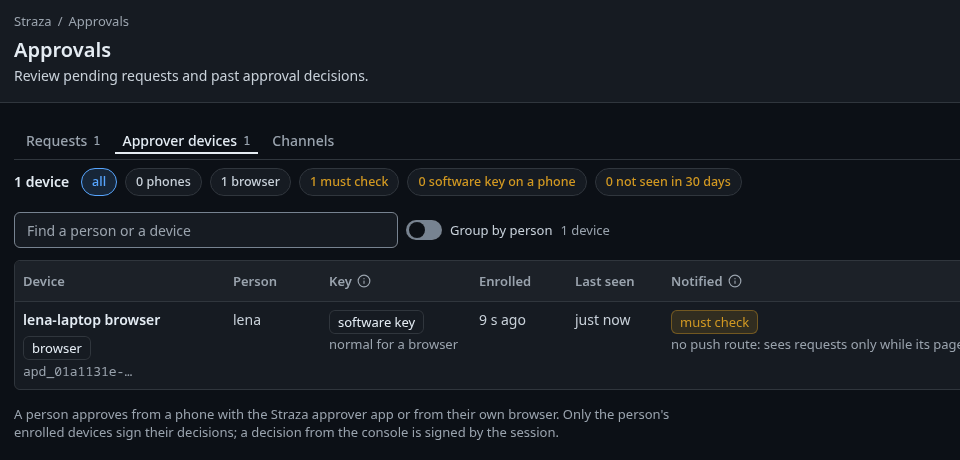
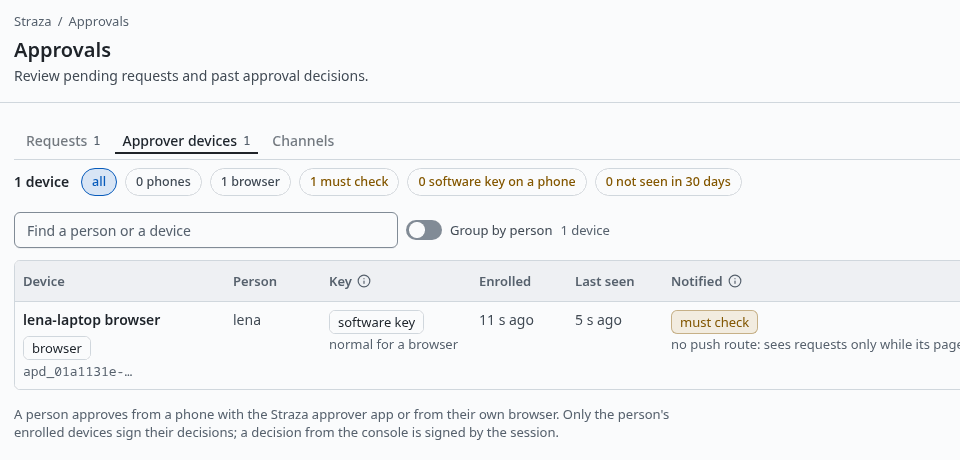
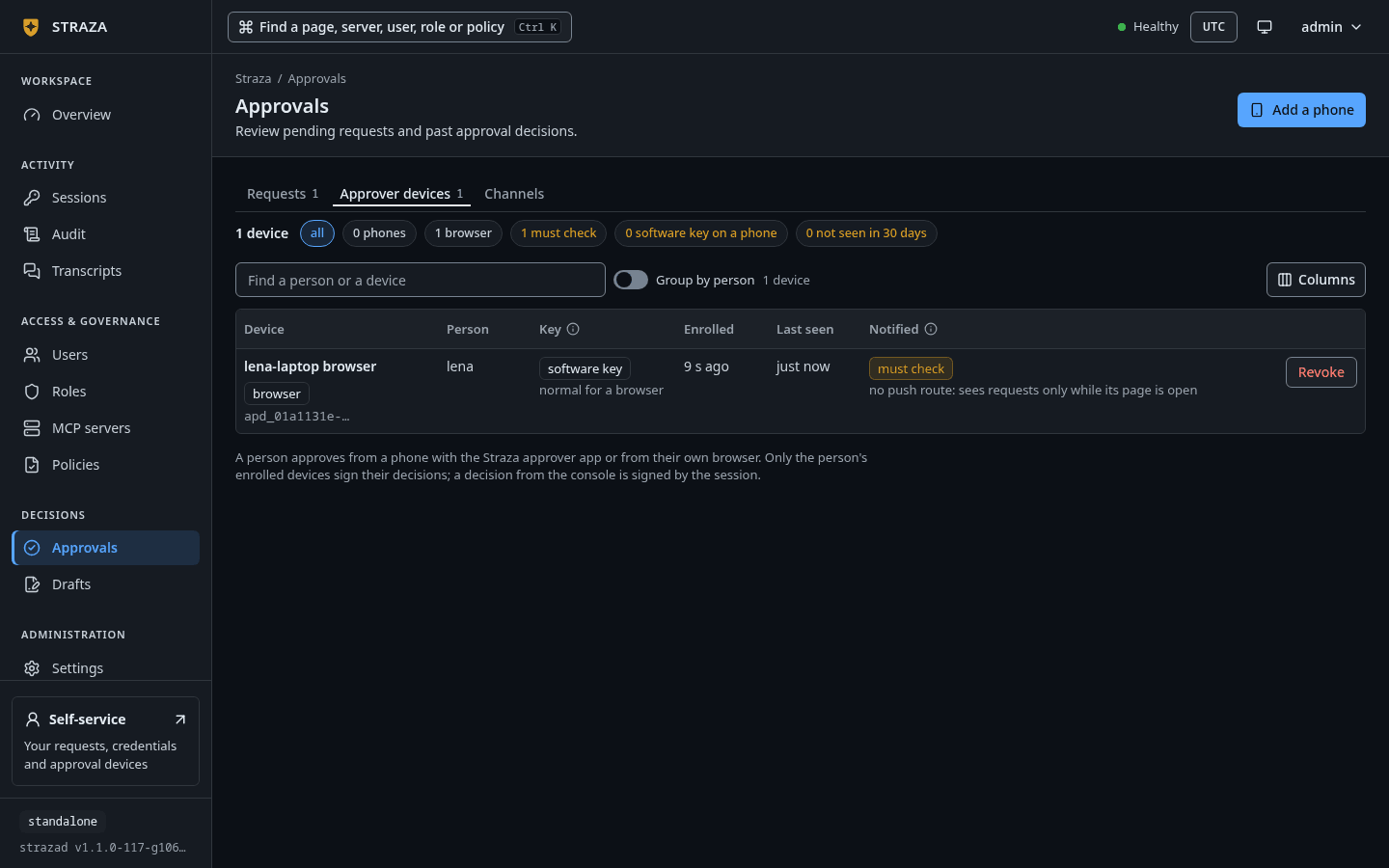
Approver devices with one enrolled browser, its key and whether it is notified. Show the whole screen The tab lists every enrolled phone and browser under the columns Device, Person, Key, Enrolled, Last seen and Notified. The Key column reads
hardware keyfor a key held in the phone’s secure hardware, orsoftware key. On a phone a software key shows in amber, with the linethe phone's own claim, not attestedunder it.To revoke a lost or retired phone, press Revoke on its row, then Revoke device.
You should see
Revoked., followed by who can no longer approve from which device.strazactl approvers listshows every enrolled device with its owner, key posture and push routes. A device with no push route still decides when the app is open, and the row says so.strazactl approvers listID USER NAME PLATFORM KEY ATTESTATION PUSH ENROLLED LAST SEEN apd_01a1130f-0376-7385-9c96-c1c9252ab7cb alice stand-in phone android software none none (never notified) 2026-10-06 21:11:53 2026-10-06 21:11:59The example’s device reports a software key with no attestation, which is what a script or a browser produces. A real phone enrolls a key held in its secure hardware.
Revoke a lost or retired phone by its id.
strazactl approvers revoke apd_01a1130f-0376-7385-9c96-c1c9252ab7cbrevoked approver device apd_01a1130f-0376-7385-9c96-c1c9252ab7cb: its credential is dead; re-enrolling needs a fresh QRThe credential fails on the device’s next call, and its push routes stop. Its person is untouched, and their other devices keep working. To use the phone again, enroll it with a fresh token.
Next
- Push delivery and connectivity gives the phone an address it can reach and wakes it for each request.
- Approve in the browser lets a person decide from a browser they enabled.
- Approvals explains who may decide which request, and why a person’s own request needs a signed device.
Walked on v1.1.0-117-g106081a8 on 2026-10-06. A throwaway standalone server in a Linux container. A shell script with an openssl P-256 key stood in for the phone. It paired with an enroll token from strazactl, fetched the pending request and signed the decision against the approver listener on port 8443, and the call it decided was a real hold that dana's hook call raised. The QR scan and the tap in the app on a real phone were not run, and the console form was not walked in a browser. Console screenshots show strazad v1.1.0-117-g106081a8, standalone.