Roles
You read what a role gives and who holds it on the role's own page, and you change its access, its composition, its holders and its knowledge packs from there.
- Who
- You, as an admin
- Where
- The console in a browser
- Profile
- Standalone and enterprise
On this page
Roles is where you read what holding a role gives a person or an agent. Straza has four kinds of role. An application role reaches tools on one MCP server, a business role composes other roles into one assignment, an approver role decides approval requests, and a Straza role administers Straza itself. Every role has its own page, and the page offers what fits its kind. Identities and roles explains the kinds, and the task guides linked below walk each change in full.
Before you start
- A console sign-in that holds the
identityarea, which opens Users and Roles. The Reach and Tools columns also read the MCP servers, which needsapps:read, and a column your session may not read says so in its cells. - When your identity manager writes role membership over SCIM, it masters who holds each role. A change you make here lasts until its next reconciliation.
Find a role
- Roles
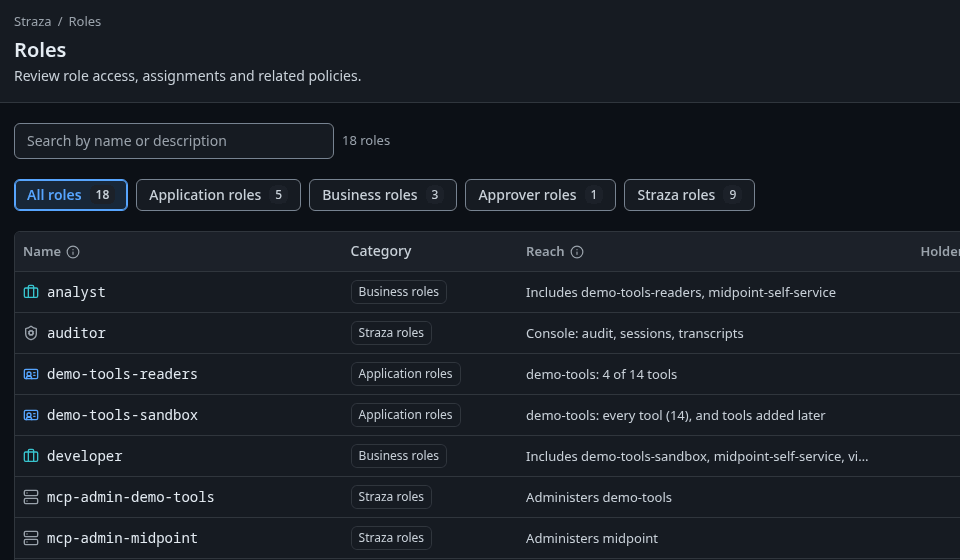
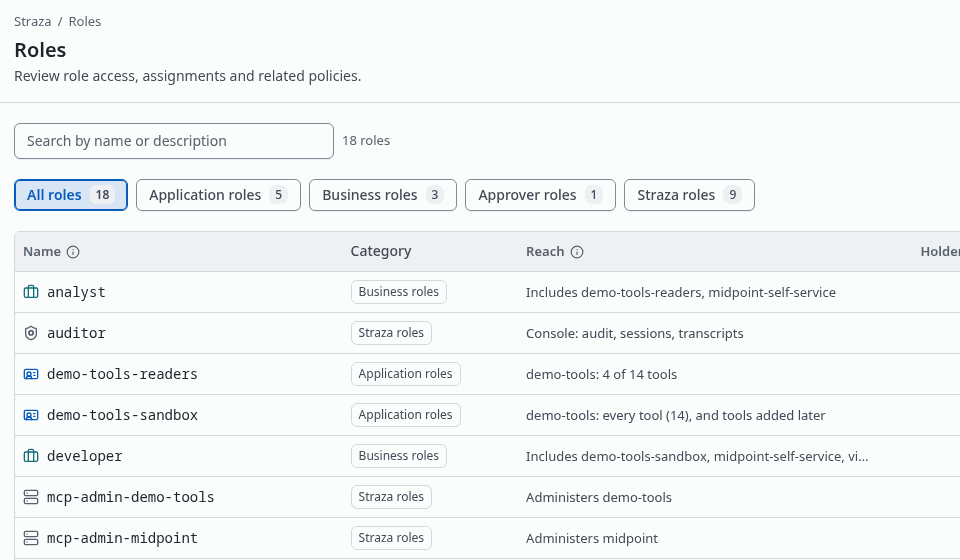
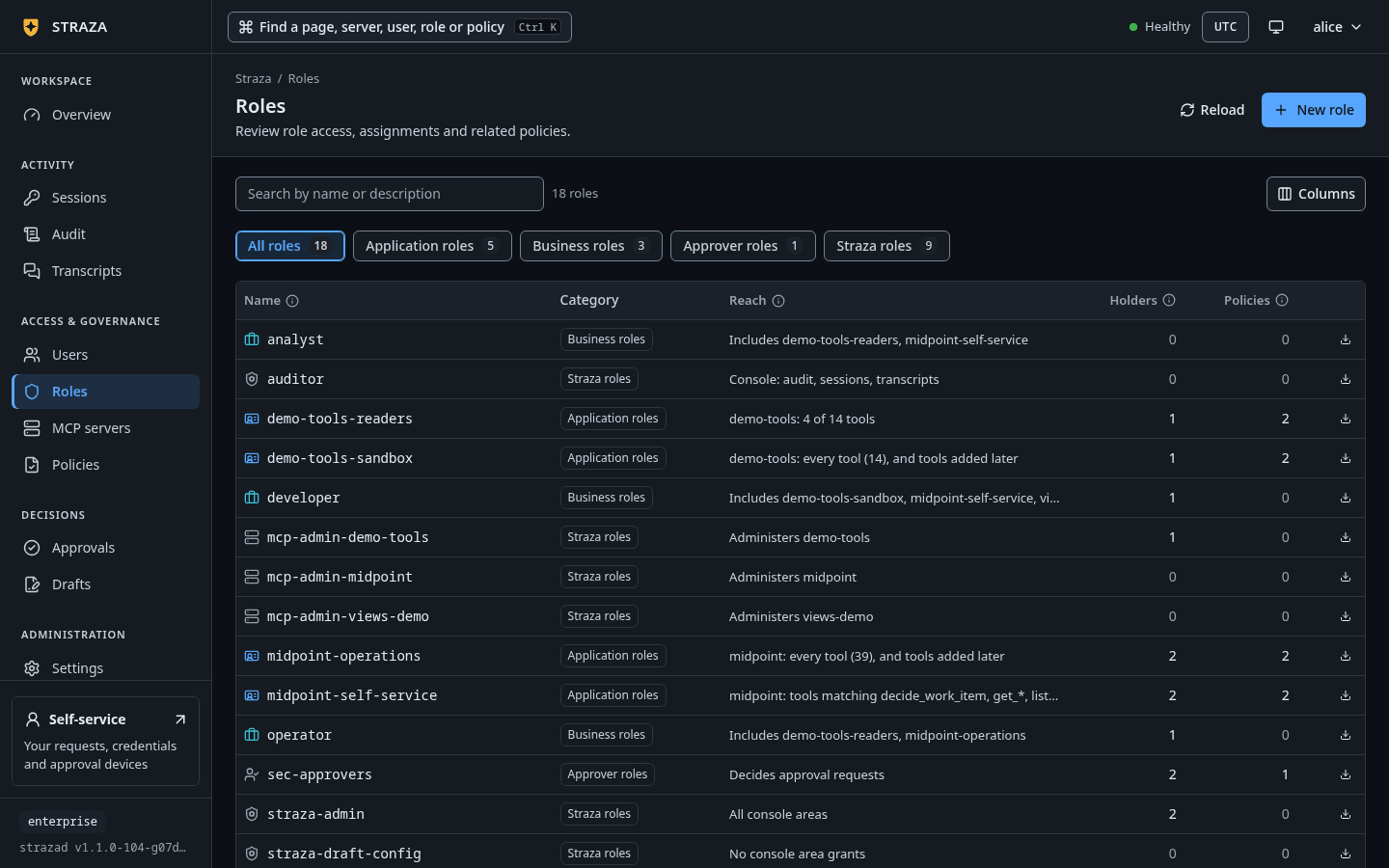
Roles on the demo stack, with a chip per kind and what each role reaches. Show the whole screen The list opens on All roles, with a chip for each kind and its count: Application roles, Business roles, Approver roles and Straza roles. Search by name or description. The Reach column says what holding each role gives, in words such as
demo-tools: echo and get-sum,Includes demo-tools-readers,Decides approval requests,Administers demo-toolsorAll console areas. Holders counts the people and agents who hold the role, directly or through a business role, and Policies counts the policy sets that name it.Select a row to open the role’s page.
Read a role’s page
The head shows the name, a badge with the kind, such as
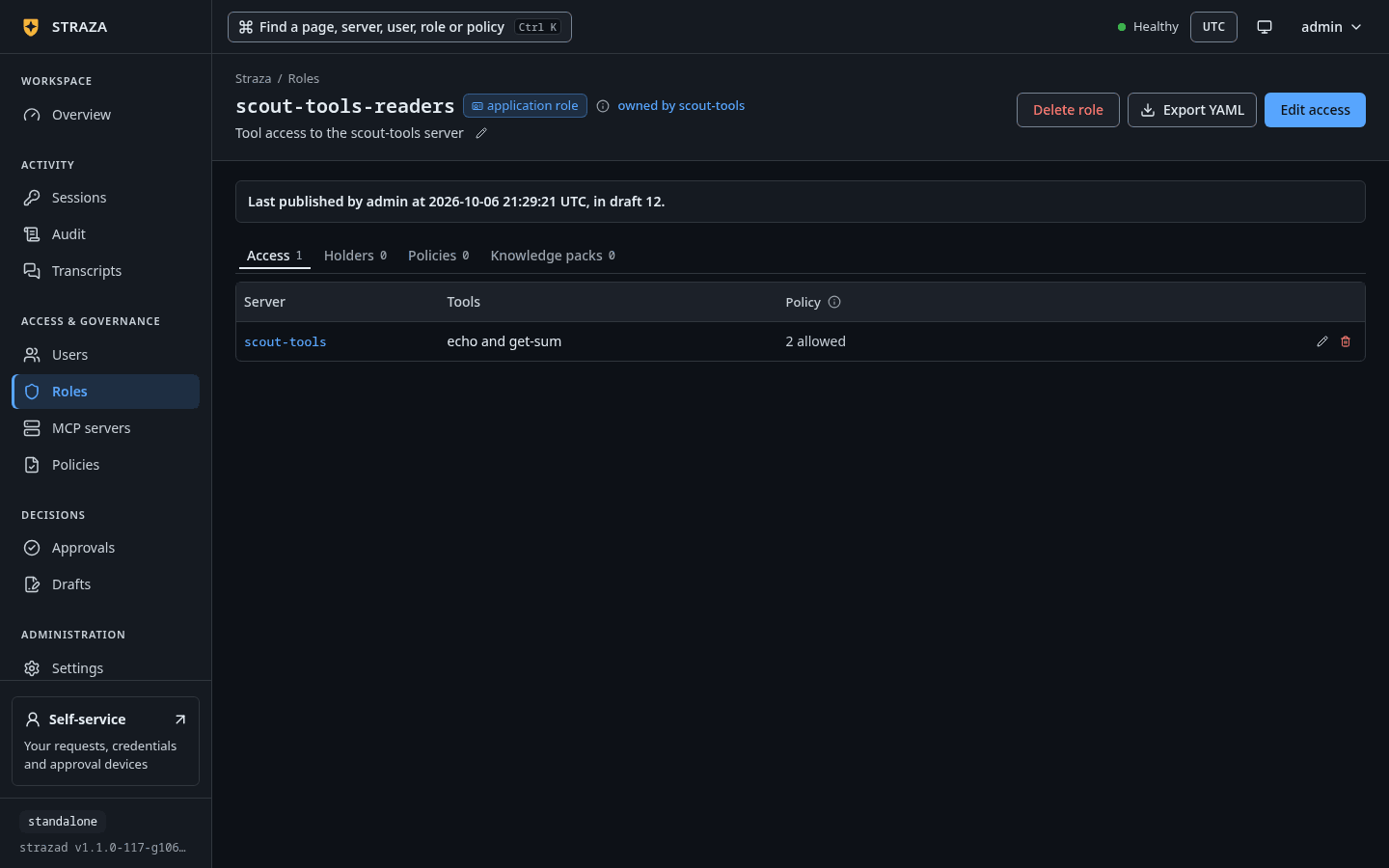
application roleandowned by demo-toolsfor a role that belongs to a server, and the description. A line under it names the last publish, such asLast published by admin at 2026-10-06 20:05:31 UTC, in draft 11., because a change to a role goes through a draft, even one made in a single step.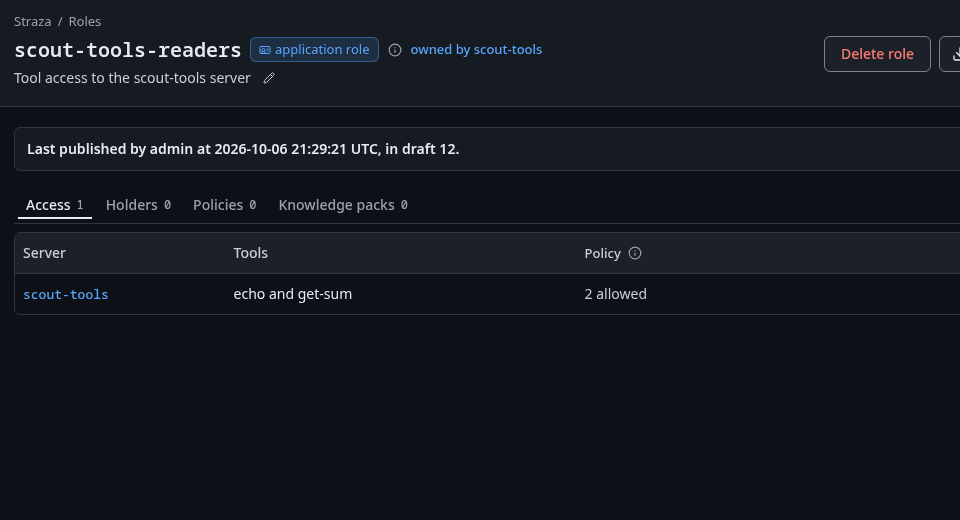
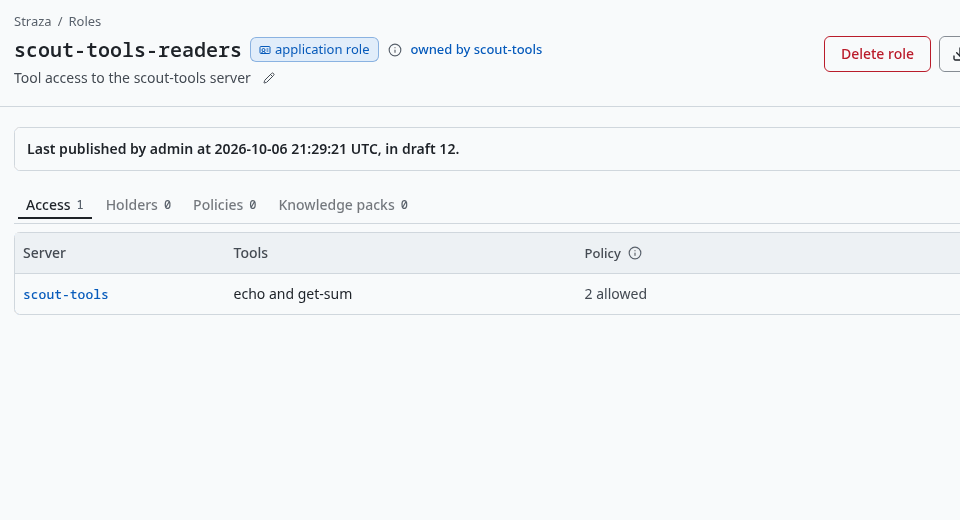
The head of an application role, with its kind, owned by scout-tools, the last publish and the tabs. Show the whole screenThe tabs depend on the kind.
Kind Tabs Application role Access, Holders, Policies, and Knowledge packs once a pack exists Business role Composes, Holders, Policies, and Knowledge packs once a pack exists Approver role Holders, Policies Straza role Areas, Administers when it is a server’s admin role, Holders, Policies The buttons in the head follow the kind as well. An application role offers Edit access when it belongs to a server or has an access row, a business role offers Compose a role, and an approver or Straza role offers Assign to a user. Export YAML downloads the role as the document
strazactl roles exportprints. Delete role is missing on a role the product made, such asstraza-admin, and on a server’s admin role, which goes with its server.Change what an application role reaches
- Roles
- demo-tools-readers
- Edit access
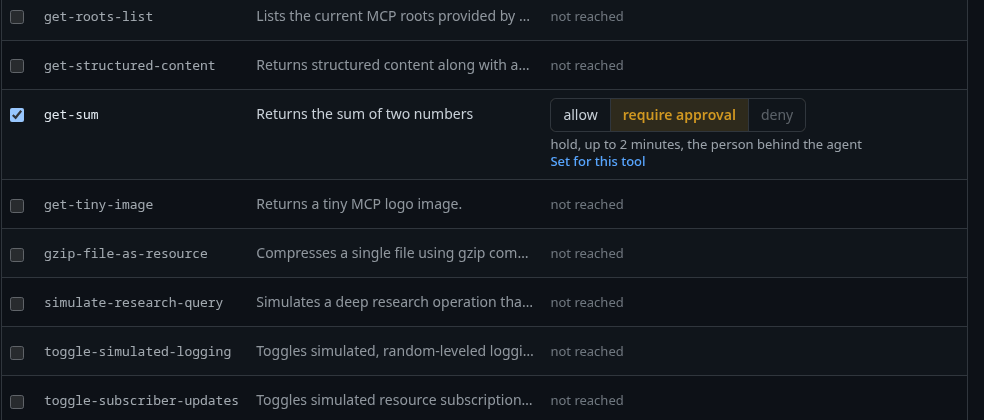
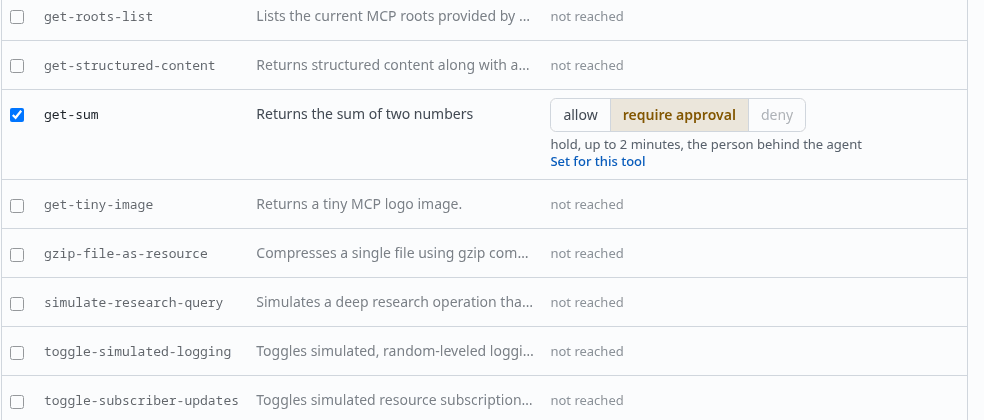
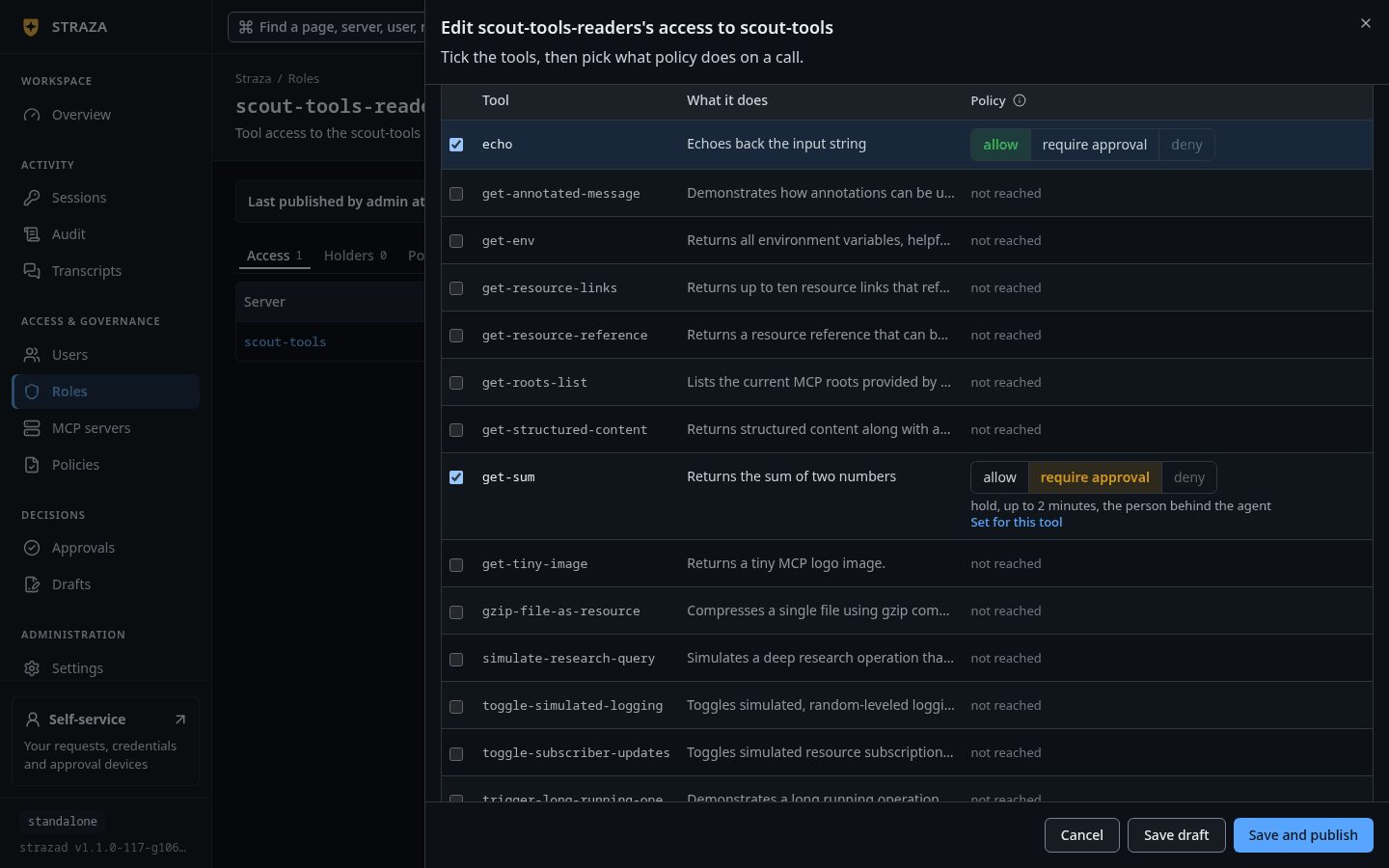
A tool’s row under Choose per tool, here get-sumof scout-tools-readers set to require approval. Show the whole screenThe sheet is titled
Edit demo-tools-readers's access to demo-tools. Which tools chooses what the access row stores: Only the tools you tick, Every tool it has today, or Every tool, and tools added later. On a call chooses what a call does: Allow every call, Require approval for every call, or Choose per tool, which putsallow,require approvalanddenyon each tool’s row. A sentence under the choices says the result in words, such asHolders of demo-tools-readers reach 2 of 14 tools of demo-tools. No call needs approval from this role.Save draft keeps the change in a draft, and Save and publish makes it live. The rules you pick here go into the role’s own policy set, named
demo-tools-readers-access. Access per role walks this change end to end.Compose a business role
- Roles
- developer
- Compose a role
Pick a role in Pick a role to compose, then press Compose role. A business role composes application roles and the admin roles of MCP servers, so a person who needs several servers holds one role. The Composes tab lists what the role composes, with Remove on each row, and What holders reach lists the servers and tools that arrive through them, such as
2 tools via demo-tools-readers. Holders gain or lose them at their next check-in.Give the role to a person
The Holders tab lists everyone who holds the role, directly or through a business role, with their type, their roles, where they came from and when they were last seen. A row opens the person’s sheet.
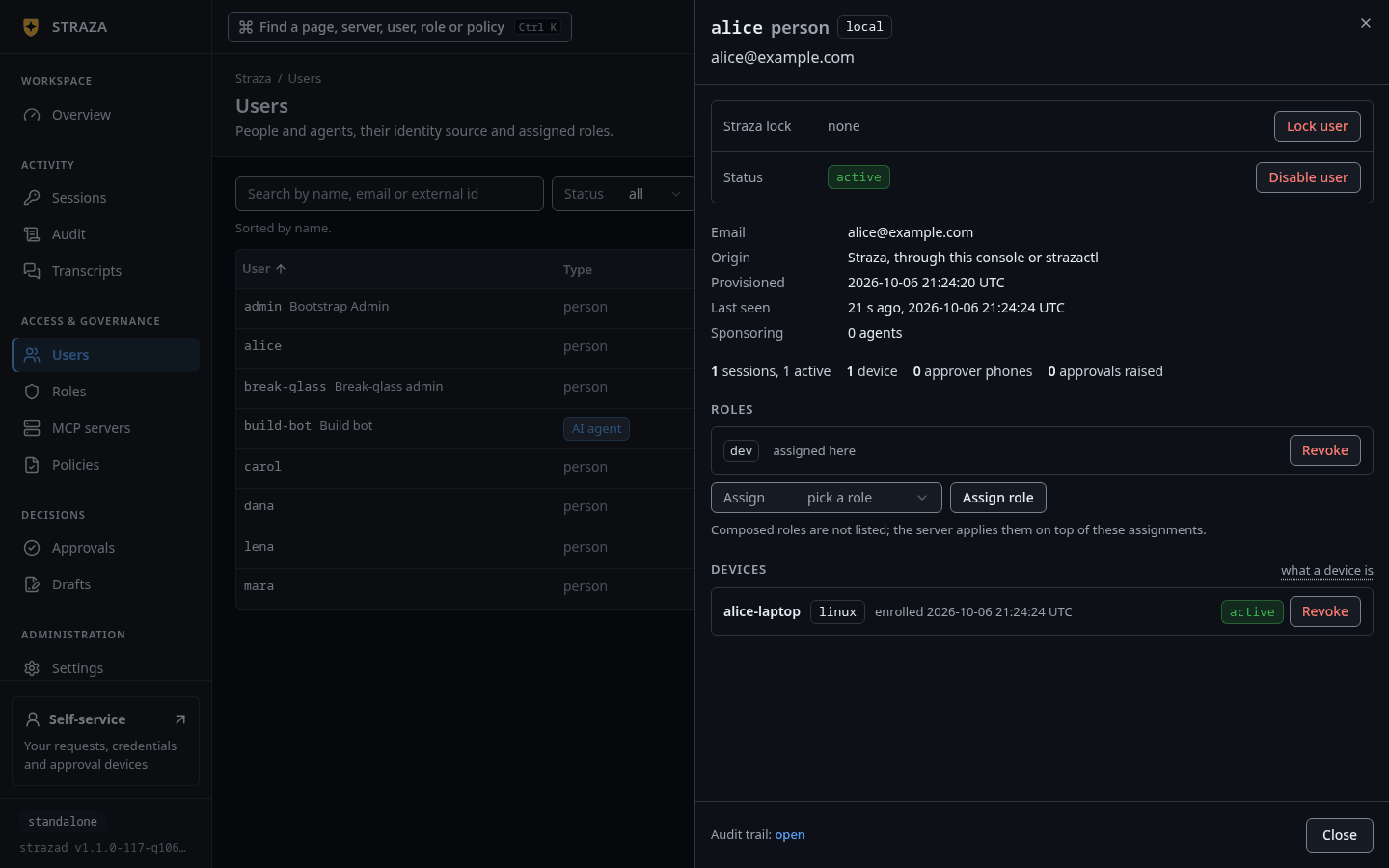
An approver or Straza role is given from its own page. Press Assign to a user, pick the person under User, and press Assign role. An application or business role is given from the person’s sheet under Users instead.
- Users
- alice
- Assign
- dev
- Assign role
- Assign role
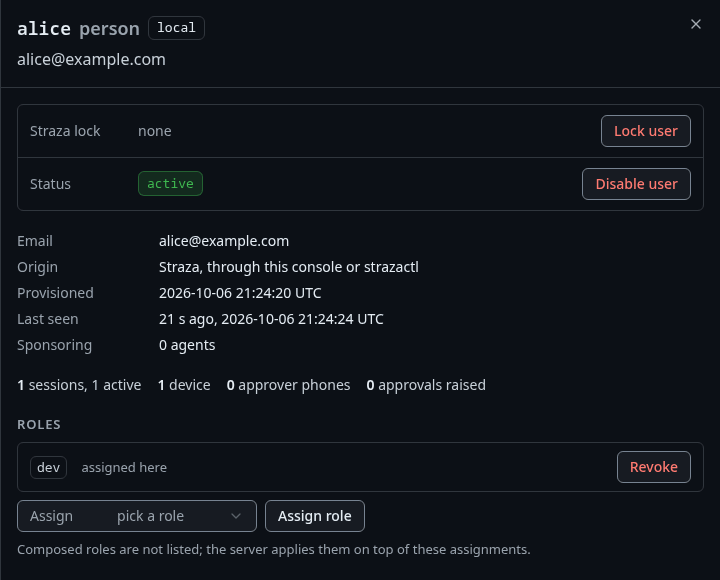
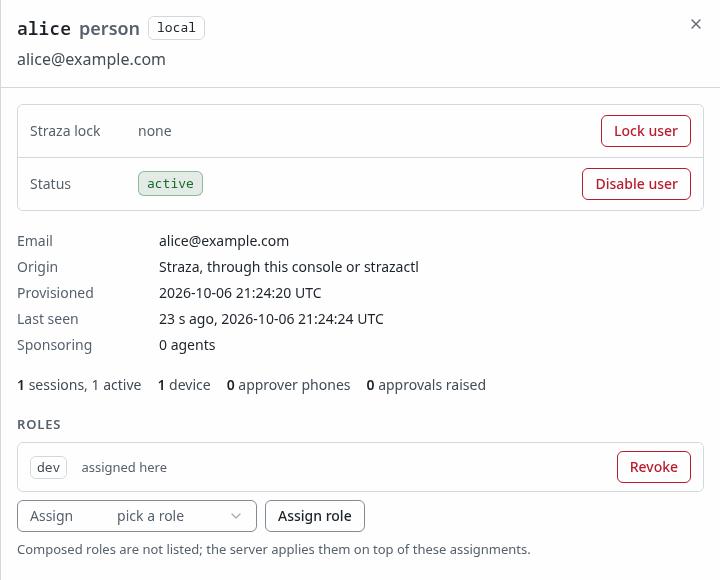
alice’s sheet under Users, with devassigned and the Assign picker under her roles. Show the whole screenThe assignment takes effect at the person’s next check-in, within 5 minutes. When your identity manager writes the role’s membership over SCIM, the console warns that a change made here is drift, which the next reconciliation can undo. Make that change in the identity manager for it to stay.
See which areas a Straza role opens
- Roles
- straza-enroll-browser
- Areas
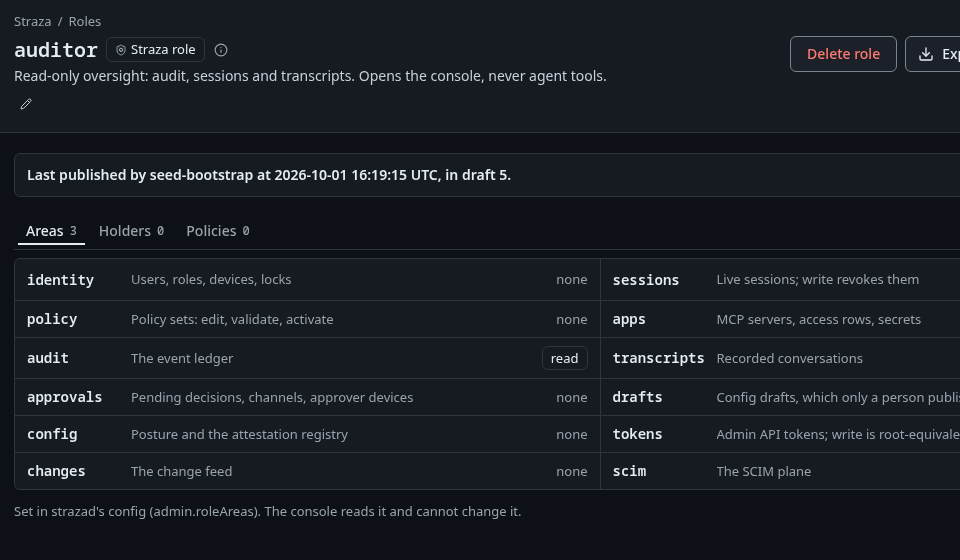
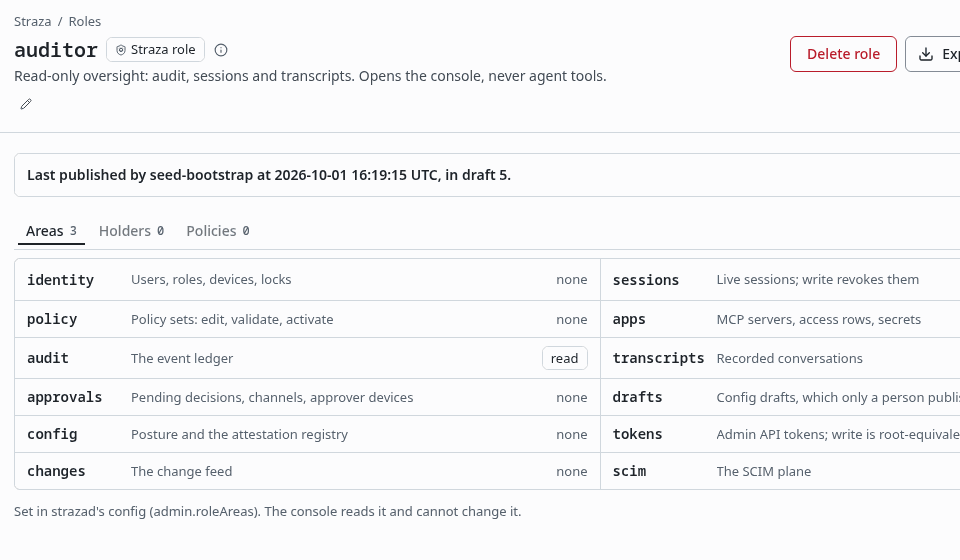
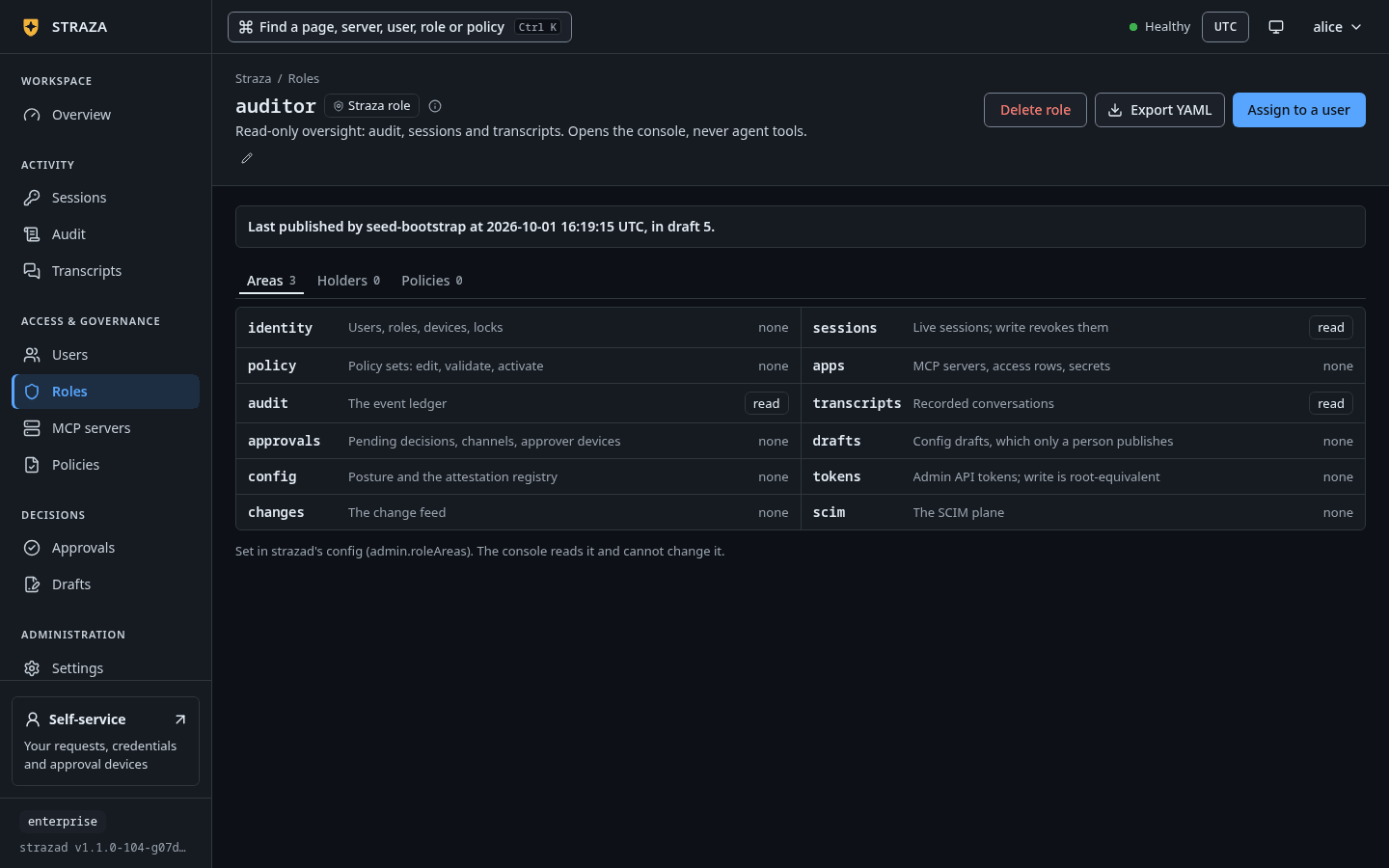
The Areas tab of the demo stack’s auditorrole, with the level it holds in each area. Show the whole screenThe Areas tab lists the twelve admin areas, from
identitytoscim, with what each covers and the level the role holds:none,readorread+write. Its map comes fromadmin.roleAreasin strazad’s config, and the tab saysSet in strazad's config (admin.roleAreas). The console reads it and cannot change it.Delegated administration sets the map and makes the Straza role it names.Bind a knowledge pack
- Roles
- demo-tools-readers
- Knowledge packs
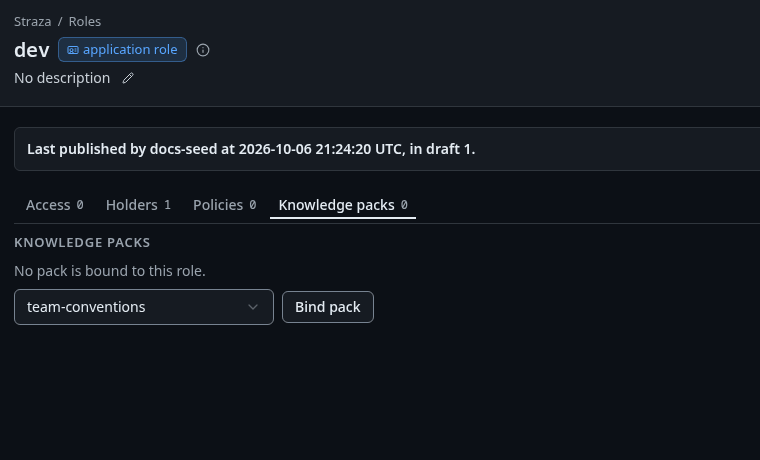
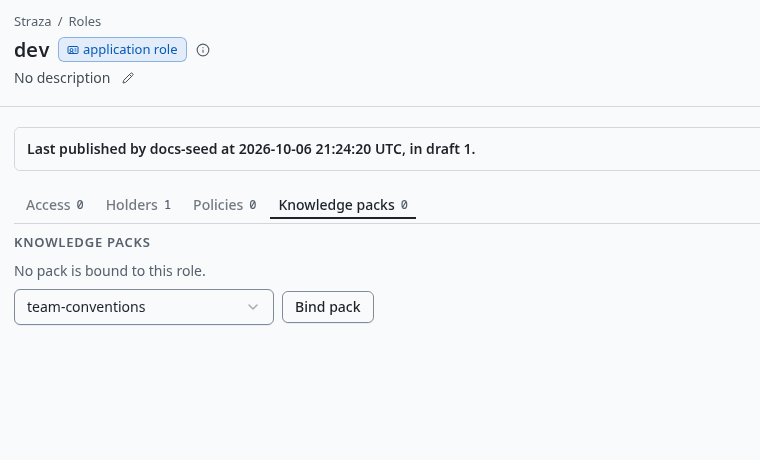
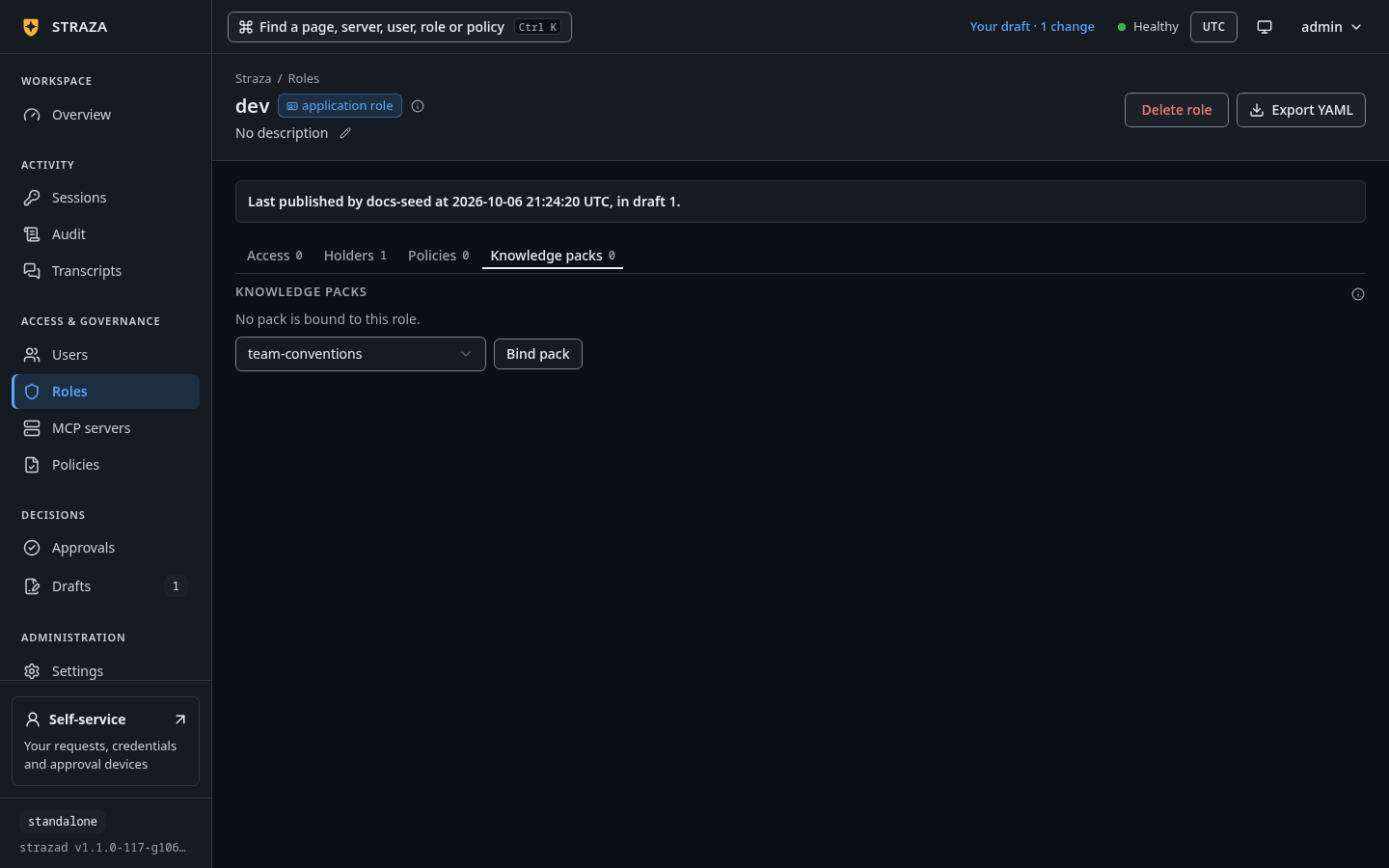
The Knowledge packs tab of dev, with a pack picked under Pick a pack and Bind pack. Show the whole screenBound packs reach a session holding the role at check-in, before its first prompt, and the Knowledge packs tab lists them. Choose one in Pick a pack and press Bind pack, or press Unbind on a row. Sessions stop receiving an unbound pack at their next check-in, and the pack itself is kept. The console binds and unbinds only.
CLI onlyA pack is made with
strazactl packs createand removed withstrazactl packs delete.Knowledge packs writes a pack, binds it and shows what the agent receives.
Make a new role
- Roles
- New role
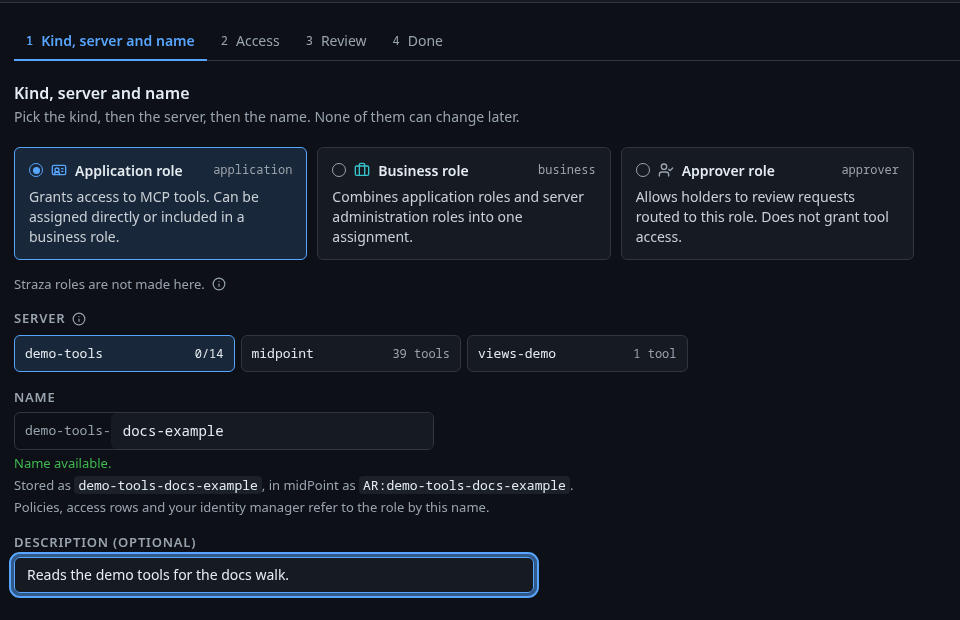
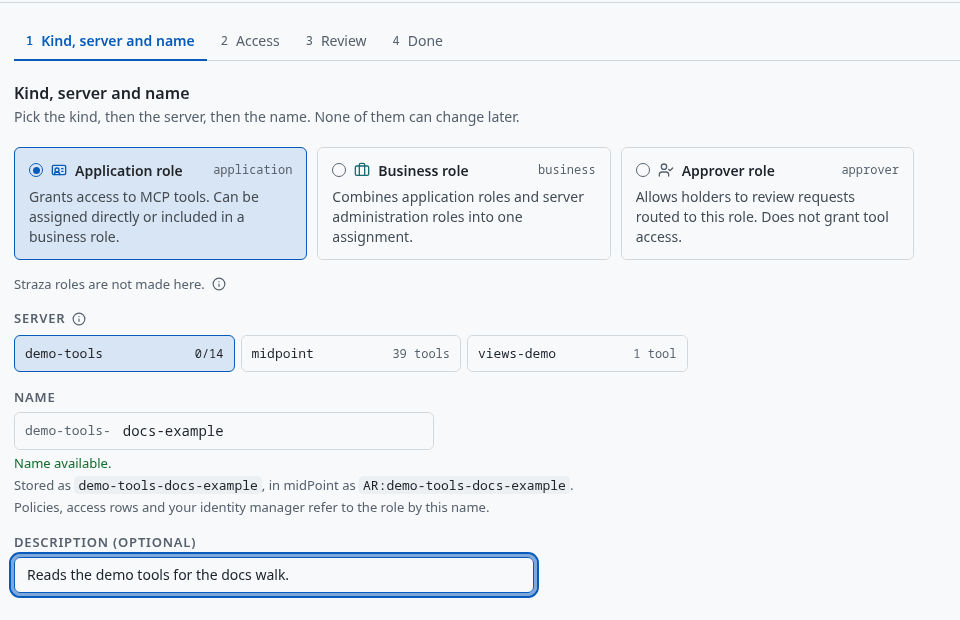
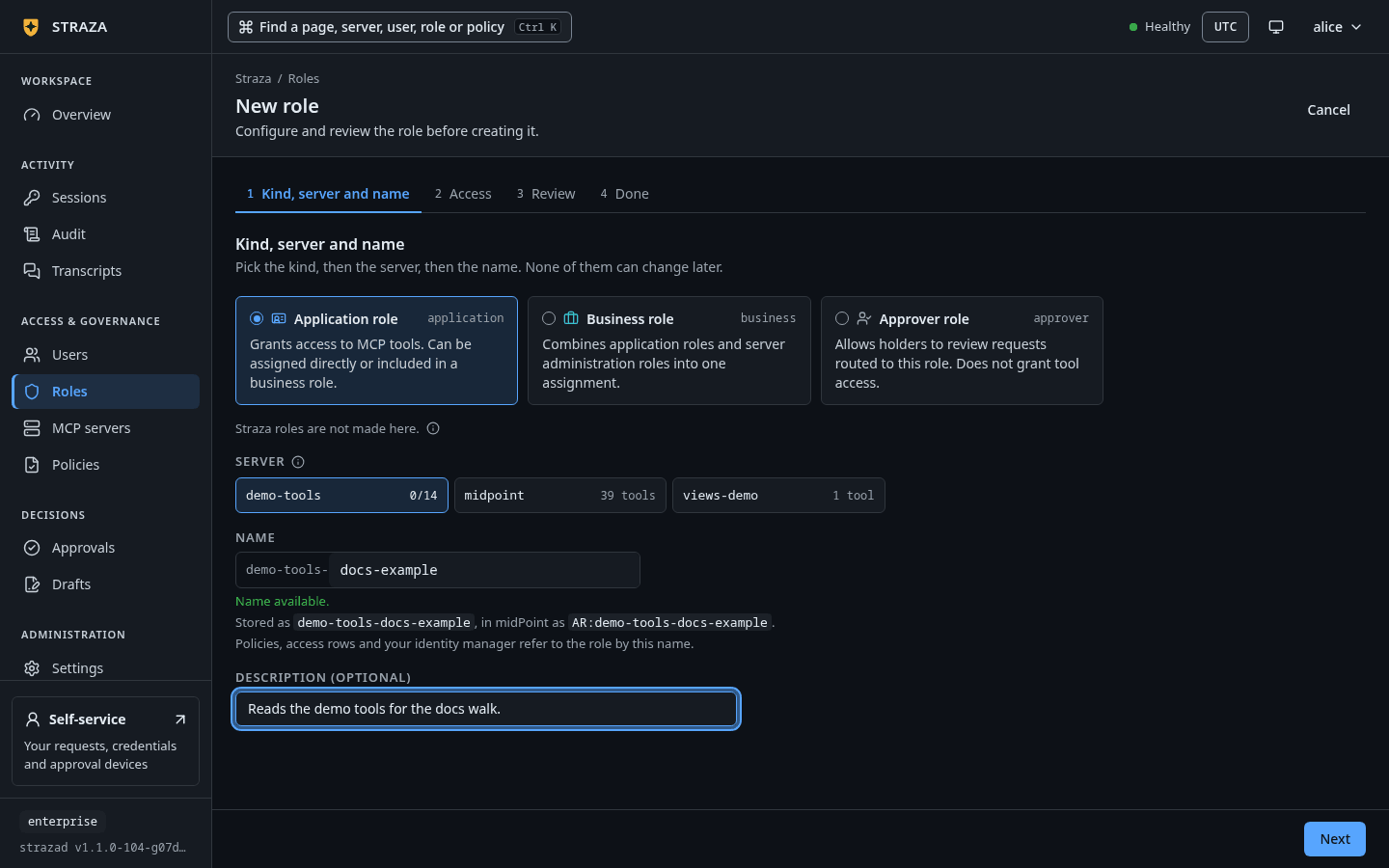
The first step for an application role on demo-tools, with the stored name and the name midPoint sees. Show the whole screen The wizard asks one thing per step. For an application role the steps are Kind, server and name, Access, Knowledge packs when a pack exists, Review and Done. Pick Application role, Business role or Approver role, and for an application role pick its server. The name of a server’s role starts with the server’s name, which the field fixes, and a line under it shows the stored name and the name your identity manager sees, such as
Stored as demo-tools-, in midPoint as AR:demo-tools-.Review ends with Save draft and Save and publish.If this fails
No MCP server is running with tools. Install and start one first: an access row can only name tools the server serves.- The wizard makes an application role on a server only. Add the server first, as Add a server shows. An application role with no server, which policy rules match by name, comes from
strazactl roles create <name> --kind application. Straza roles are not made here.- The product makes
straza-adminand the enroll roles. A delegated admin role comes fromstrazactl roles create <name> --kind strazaand its line underadmin.roleAreas. Names beginning with straza- are reserved for product-defined roles. Pick a name without the prefix.- Choose a name that does not start with
straza-.
Delete a role
Delete role asks first, and the question says who loses the role and what goes with it, such as
Nobody holds it. Your identity manager's writes to this group start failing.Its assignments and access rows are deleted with it. A live policy set whose match names only this role is turned off with the delete, and the message after the delete names it.
Next
- Access per role gives a role a server’s tools and gates them in policy.
- Policies walks the area where the rules that match a role live.
- Propose and publish a change follows a saved draft until it is live.
Walked on v1.1.0-117-g106081a8 on 2026-10-06. A throwaway standalone server on Linux with the MCP reference server registered as demo-tools, read and edited as the admin in headless Chromium. Assigning from a role's page, composing and binding a pack were set up with strazactl and read back in the console, and no role was saved from the New role wizard. Console screenshots show strazad v1.1.0-104-g07d2df0e, enterprise and strazad v1.1.0-117-g106081a8, standalone.