midPoint
midPoint provisions people and AI agents into Straza over SCIM, hands them Straza roles through access packages, and takes both away again.
- Who
- You, as the admin of Straza and of midPoint
- Where
- A terminal with strazactl and curl, and your midPoint
- Profile
- Standalone and enterprise
On this page
You connect midPoint to Straza once, as the admin of both, from a terminal that reaches each of them. At the end midPoint provisions a person into Straza, hands an AI agent an access package, and cuts the access again. midPoint stays the master of who exists and who holds which role.
How midPoint and Straza share the work
Straza is one resource in midPoint. A person or an AI agent gets a Straza account by holding a midPoint role that carries the account. Access comes from Straza roles, which are born in Straza and imported into midPoint. Assigning an imported role in midPoint writes that role’s membership over SCIM.
Deactivating a user in midPoint deactivates the Straza account, revokes every session it has and removes its per-user grants on connected servers. Deleting the user deactivates the account too. Straza keeps the row, so the audit history stays whole.
Before you start
- A Straza administrator login for
strazactl. - A midPoint 4.10 administrator, and a midPoint that can reach your strazad address.
- On a standalone server, a password for each midPoint-born person who signs in, because the built-in issuer checks one. Set it with
strazactl users set-password.
The examples ran on the demo stack. There midPoint answers at http://localhost:8087/midpoint as administrator with the demo stack’s default password StrazaEval5ecr3t!, and it reaches strazad as http://strazad:8420. The SCIM endpoint is the same in both profiles.
Mint the token
midPoint holds one admin API token for both directions. It writes users and role membership over SCIM, and it reads the MCP servers and the change feed over the admin API. Straza stores only the token’s SHA-256 hash. The token needs six scopes, and the console’s job card gives each one this reason:
Scope Why midPoint needs it scim:readreads users and membership over SCIM scim:writeprovisions users and membership over SCIM identity:readreads users and roles apps:readreads the server catalog changes:readpolls the change feed config:readthe connection test reads Overview - Settings
- API tokens
- New API token
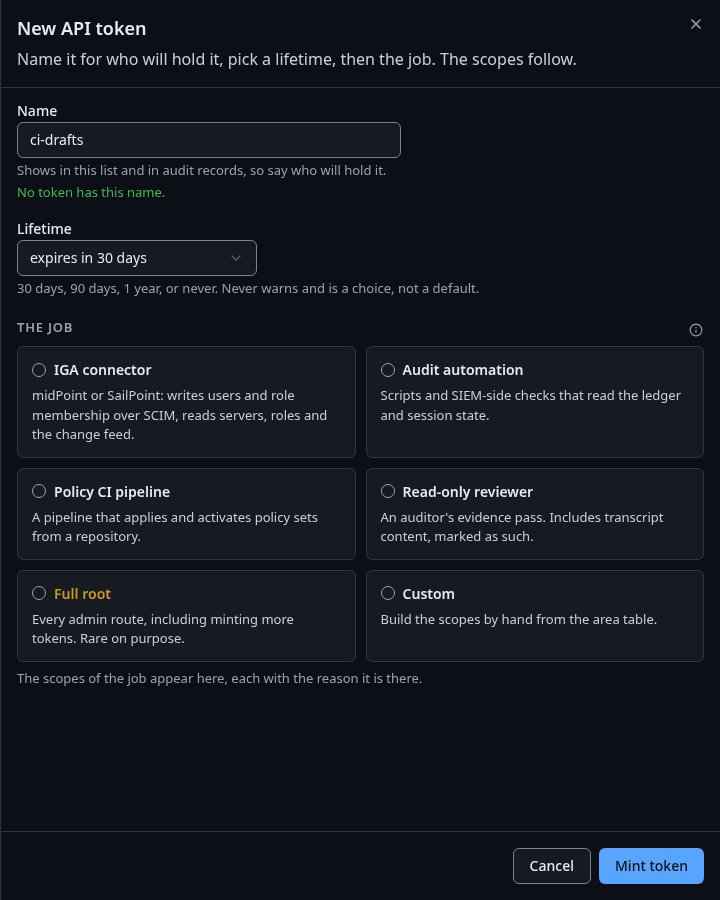
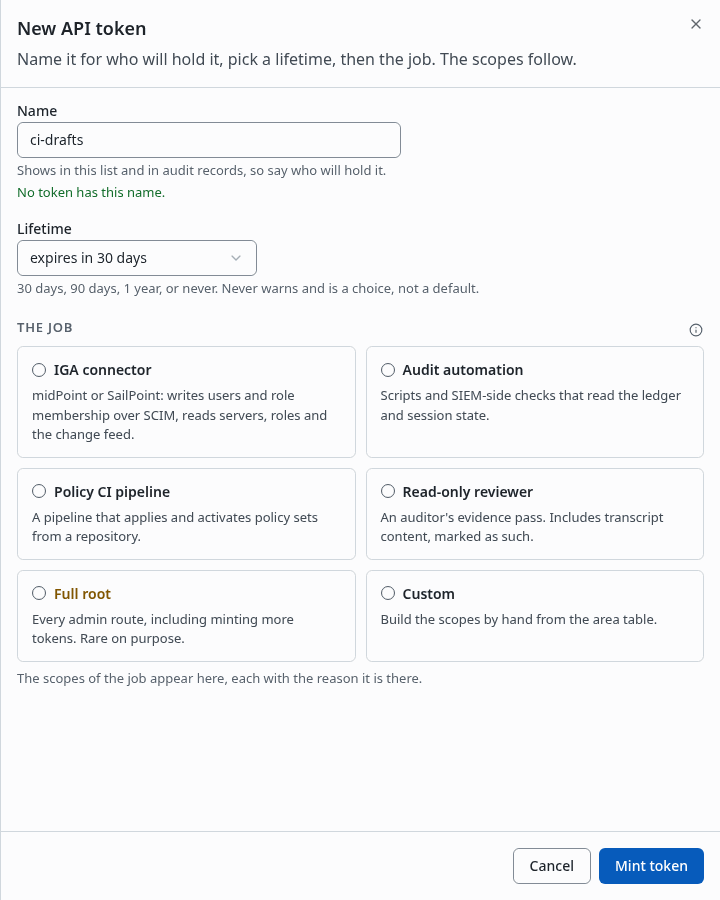
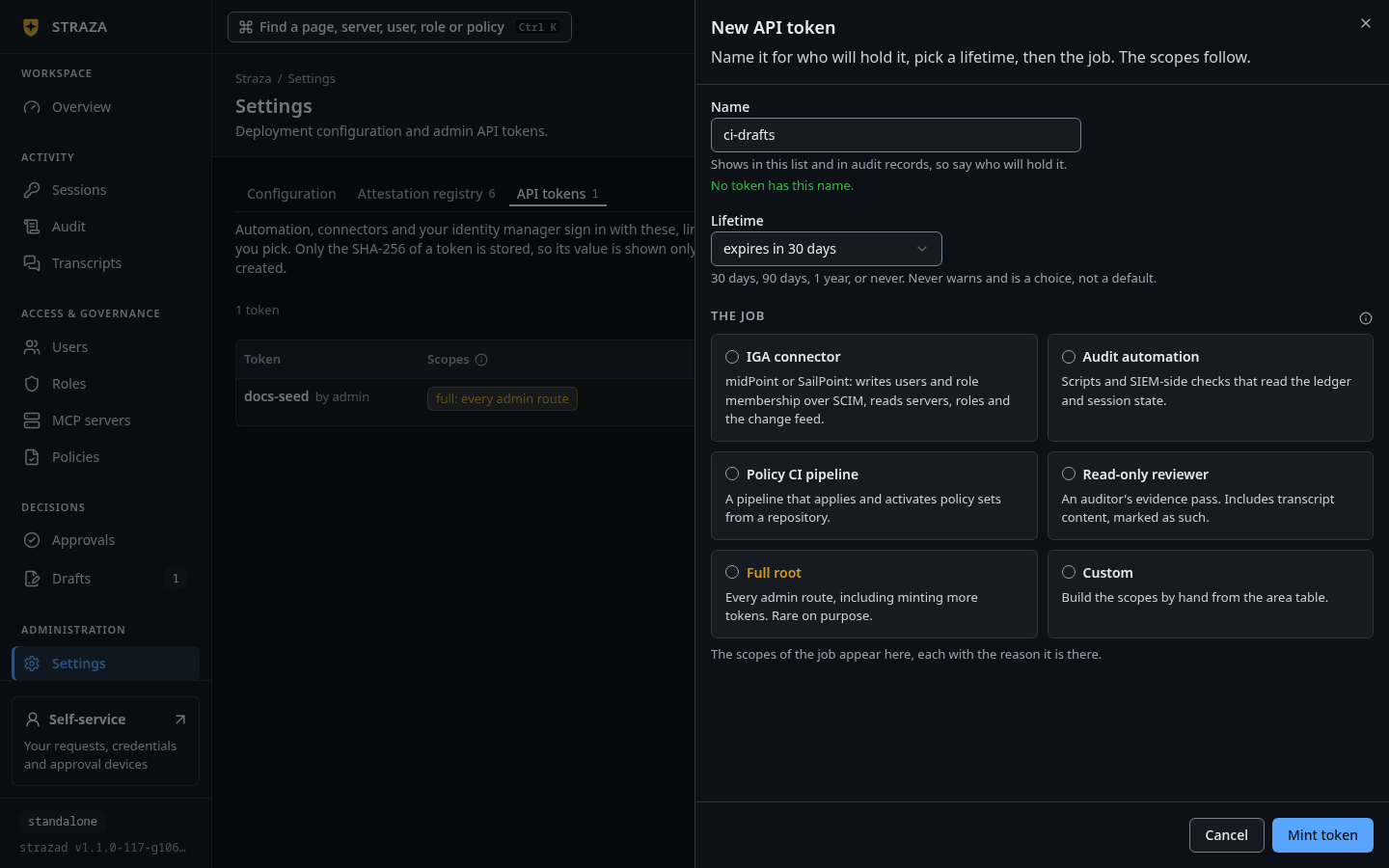
The New API token sheet, shown with another name, where IGA connector is the first of the job cards. Show the whole screen Enter
midpoint-produnder Name and pick a Lifetime. Under The job, pick IGA connector, which fills in the six scopes. Press Mint token.You should see
The sheet
midpoint-prod is minted, with the token and a Copy button.The console’s lifetime starts at
expires in 90 days. Once the token expires, Straza refuses every request midPoint sends with it, so note the date or mint a token that never expires.strazactl api-token create --name midpoint-prod --scope scim:read,scim:write,identity:read,apps:read,changes:read,config:readYou should see
Store this token now. It is not retrievable again.under the token.id: eb6cee34-7d20-499e-9c9b-7ff750f6810d name: midpoint-prod scope: apps:read,changes:read,config:read,identity:read,scim:read,scim:write expires: never token: wat_ Store this token now. It is not retrievable again.The token is cut after its first four characters here. The scope comes back sorted, whatever order you typed it in. A token minted without
--ttlnever expires.Copy the token now
Straza shows the value once. Paste it into the resource definition below and nowhere else.
Name the token after the system that holds it. The demo stack’s seeder names its own
midpoint. Lifetimes and timeouts says how long each credential lasts.Install the connector
The reference integration is one midPoint resource on universal-rest-connector. It is a separate ConnId connector under its own license, Apache-2.0, and its connector class is
ai.straza.connector.rest.UniversalRestConnector.A prebuilt copy sits in the repository as
deploy/compose/eval-stack/midpoint/connectors/universal-rest-connector.jar. TheSHA256SUMSfile beside it pins the jar, and its license and notice files sit there too. Add the jar to your midPoint’s connector bundles. The demo stack loads it from midPoint’sicf-connectorsdirectory.Import the midPoint objects
The objects live under
deploy/compose/eval-stack/midpoint/objects/. Import them in this order, because each one uses what the ones before it define. The demo stack’s seeder runs the same imports in the same order.schema/straza-extension.xsd, the Straza items on users and roles. The seeder uploads it as a midPoint schema object, with the file as its definition. It must exist before any object that carries one of its items.templates/straza-agent-template.xml, which derives an agent’sstrazaSponsorusername from the sponsor referencestrazaSponsorRef. The two agent archetypes use it.- The archetypes in
archetypes/. The persona archetypes set a user’s type and agency mode, and the role archetypes file each imported role under its kind. roles/role-straza-metarole.xmlandroles/role-ar-straza-account.xml. The metarole must exist before the resource, because the resource assigns it to every role it imports.system/admin-gui-views.patch.xml, if you want the Straza lists in the menu. It is a modification of the system configuration object,00000000-0000-0000-0000-000000000001, sent over midPoint’s REST interface. It adds views and keeps the stock ones.resources/straza-resource.xml, with your values in three configuration properties:baseUrlis your strazad address,apiTokenis the token from the first step, andschemaFilePathis where midPoint readsdeploy/compose/eval-stack/midpoint/straza-schema.json.tasks/livesync-tasks.xml, three LiveSync tasks for accounts, roles and MCP servers. Each one reads the admin API change feed,GET /v1/admin/changes, every ten seconds.tasks/initial-recon-tasks.xml, three one-time reconciliations that pull what already exists, because LiveSync starts from the moment it first runs. The role reconciliation must finish before you assign an imported role.
The resource presents the token on
/scim/v2for users and role membership. It presents the same token on the admin API to read MCP servers and the change feed. Roles reach midPoint as SCIM groups and never cross the admin API.The resource’s account object type maps these items.
agencyMode,sponsor,swarmId,kindandoriginsit in the Straza user extension,urn:straza:params:scim:schemas:extension:2.0:User.midPoint item SCIM attribute Note nameuserNamerequired, the account identifier fullNamedisplayNametitletitlejob or function line emailAddressemails[primary=true].valueextension strazaUserTypeuserTypehumanoragent, induced by the persona archetypeextension strazaAgencyModeagencyModeautonomous,supervisedorinteractiveextension strazaSponsorsponsorthe person behind the agent extension strazaSwarmIdswarmIda fleet label policy can match extension strazaExternalIdexternalIdan agent’s subject at your identity provider, sent only when the item is set extension strazaPersonakindread back from Straza, humanornhiextension strazaOriginoriginread back from Straza, localorscimactivation administrativeStatusactivenative activation, the kill switch Check the imported roles
Every Straza role arrives as one imported midPoint role. Its name is a code plus the Straza role name. A business role reads
BR:, because it composes other roles. Every other kind readsAR:, because it carries access inside one system. A strong inbound mapping onroleKindassigns the archetype of the role’s kind while the role is born, so nothing is filed by hand.Straza role kind midPoint archetype The list in the menu business Straza business role Straza business roles application Straza application role Straza application roles approver Straza approver role Straza approver roles straza Straza role Straza roles The labels carry the word Straza because midPoint 4.10 ships stock archetypes named Business role and Application role with lists of their own. A certifier must never confuse the two families. Four more lists read the rest of the mirror. MCP servers and MCP tools hold the catalog Straza pushes over the same resource, and AI agents holds the governed agents. BR Roles holds the access packages you build in midPoint itself.
The role object type maps the SCIM group like this. Membership is the one attribute midPoint writes.
SCIM group attribute midPoint item Note displayNamenamewith the BR:orAR:code in frontmembersthe association strazaRoleMembershipfrom each accountwritten when you assign the imported role, through the Straza role metarole roleKindextension strazaKind, and the archetypefixed when Straza creates the role serverextension strazaServer, column Owning MCP serveronly on an application role that belongs to one MCP server administersextension strazaAdministers, column Administersthe MCP servers the role administers descriptiondescriptionthe role’s description in Straza appsthe association strazaAppGrantto each MCP serverwhich servers the role grants, for a certifier role,plane,tools,policiesresource attributes only Role (raw), Plane, Tools granted and PolicySets on the shadow A role that belongs to one MCP server says so in a column, never in its name. The Straza application roles list carries Owning MCP server, and the Straza roles list carries Administers. Read both facts on the wire to see what midPoint shows:
for role in demo-tools-readers mcp-admin-demo-tools; do
  curl -s -H "Authorization: Bearer $ADMIN_API_TOKEN" -G http://localhost:8420/scim/v2/Groups \
    --data-urlencode "filter=displayName eq \"$role\"" \
    | jq -c '.Resources[0] | {displayName, ext: (.["urn:straza:params:scim:schemas:extension:2.0:Group"] | {roleKind, server, administers})}'
done
You should see
serveron the application role, andadministerson the server’s admin role.{"displayName":"demo-tools-readers","ext":{"roleKind":"application","server":"demo-tools","administers":null}} {"displayName":"mcp-admin-demo-tools","ext":{"roleKind":"straza","server":null,"administers":["demo-tools"]}}Generic SCIM lists every attribute of the group’s Straza extension.
Build a business role in Straza
midPoint hands out the roles Straza has, so you build the roles a job needs in Straza first. The demo stack seeds analyst, a business role that composes demo-tools-readers and midpoint-self-service. On your own server you build one like it once.
- Roles
- New role
Pick Business role. The wizard then walks Name and kind, Compose and Review, and Review ends with Save draft and Save and publish. On an existing business role, press Compose a role on its page, pick the role under Pick a role to compose, and press Compose role. The pencil beside the description, Change the description, edits it.
strazactl roles create analyst --kind business --description "Reads on demo-tools and the midPoint self-service tools"
strazactl roles implications add analyst demo-tools-readers
strazactl roles implications add analyst midpoint-self-service
You should see
added: holding analyst now also holds demo-tools-readers, and the same line for the second role.
strazactl roles implications analyst lists what the role composes, and strazactl roles implications remove analyst demo-tools-readers takes one away. A role’s name and kind are fixed at create. strazactl roles update analyst --description "..." changes the description, the one field an update changes.
A business role composes application roles and the admin roles of MCP servers, and Straza refuses a composition that would close a cycle. The role’s group lists in apps and tools what the composed roles reach, so a certifier sees the reach on the business role itself. The resource maps the description onto the imported role’s own description, so a certifier reads your words in midPoint after the next sync.
Create a person and watch it arrive
A user needs two assignments, the account role and a persona archetype. The two object identifiers below are the demo stack’s
AR:Straza:Accountand itsemployeearchetype.cat > dana-kovac.xml <<'EOF' <?xml version="1.0" encoding="UTF-8"?> <user xmlns="http://midpoint.evolveum.com/xml/ns/public/common/common-3"> <name>dana-kovac</name> <fullName>Dana Kovac</fullName> <emailAddress>dana.kovac@example.com</emailAddress> <title>Platform engineer</title> <assignment> <targetRef oid="b6f9f2c8-0d5a-4e77-9a1e-9d3c0e5a1c0b" type="RoleType"/> </assignment> <assignment> <targetRef oid="b6f9f2c8-0d5a-4e77-9a1e-9d3c0e5a1c20" type="ArchetypeType"/> </assignment> </user> EOF curl -s -D - -o /dev/null -u 'administrator:StrazaEval5ecr3t!' -H 'Content-Type: application/xml' \ -X POST --data-binary @dana-kovac.xml http://localhost:8087/midpoint/ws/rest/usersYou should see
HTTP/1.1 201and aLocationheader that ends in the person’s object identifier.HTTP/1.1 201 Location: http://localhost:8087/midpoint/ws/rest/users/f42b4b57-e501-4997-a22e-9216430f291aThe headers are trimmed to the two that matter. midPoint provisions the account while it answers, so the person is already in Straza.
- Users
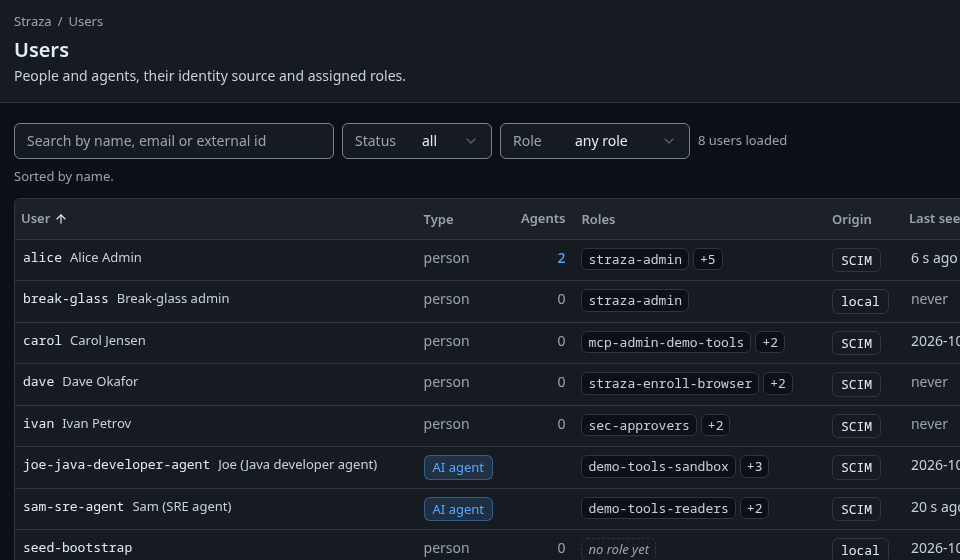
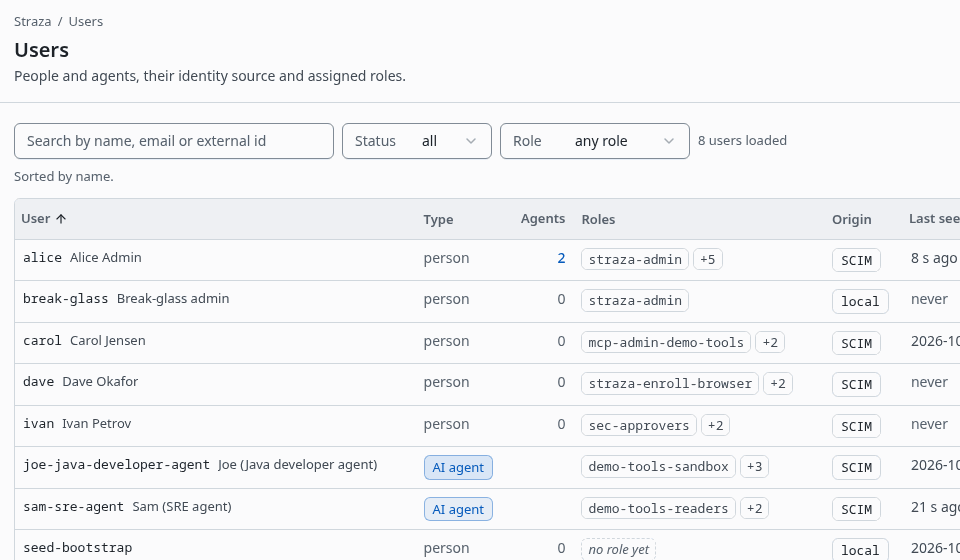
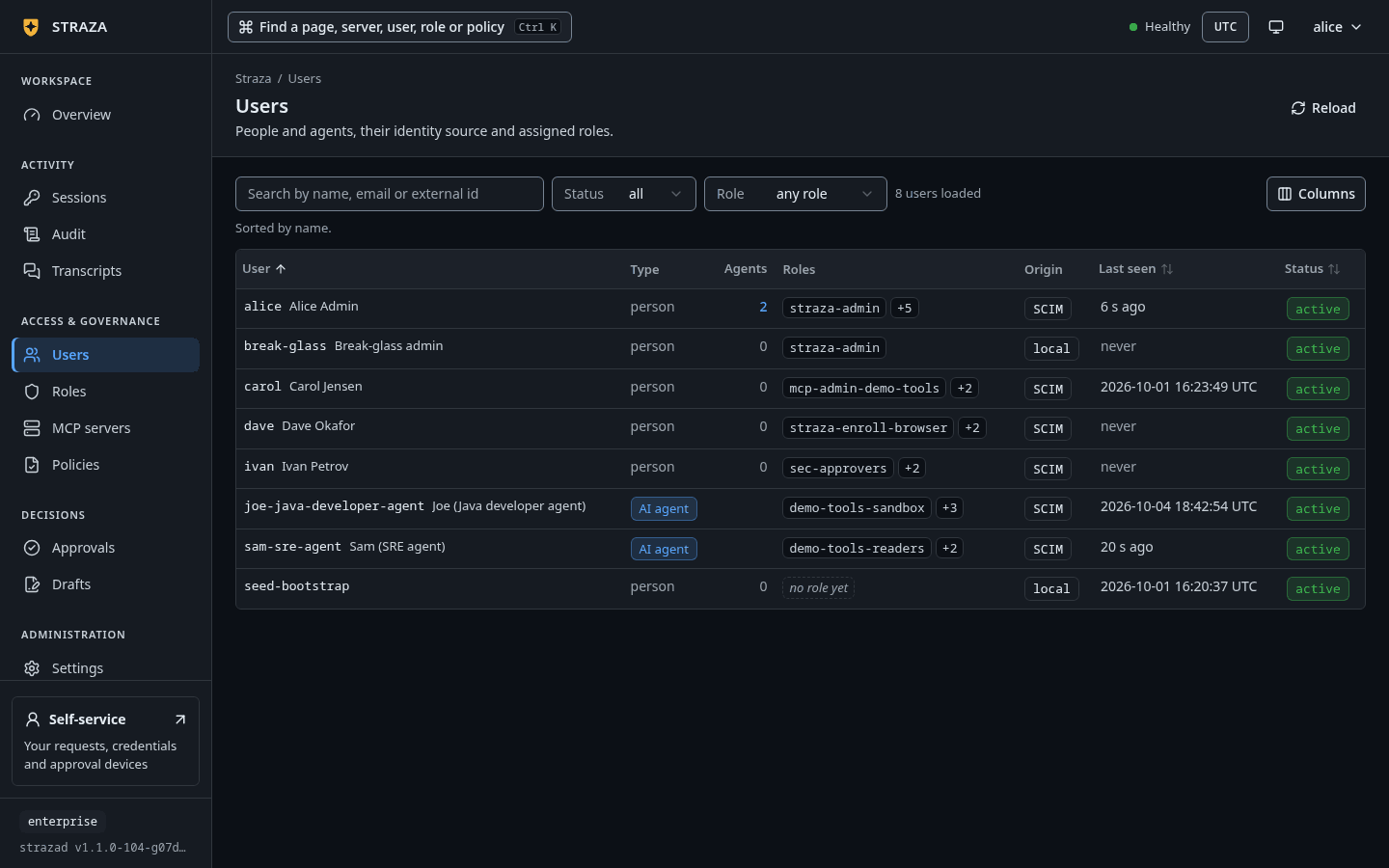
Users on the demo stack, where each person and agent that midPoint provisioned carries the origin SCIM. Show the whole screenYou should see
A
dana-kovacrow with the origin badge SCIM.strazactl users listYou should see
dana-kovacwithSTATUSactiveandORIGINscim.USERNAME STATUS ORIGIN EMAIL ID dana-kovac active scim dana.kovac@example.com 01a0e99b-69c3-7012-9829-58407bcf70ffThe listing is trimmed to the new row.
The SCIM render of the same account shows what midPoint sent and what Straza concluded.
kindandoriginare read-only facts of Straza’s own:curl -s -H "Authorization: Bearer $ADMIN_API_TOKEN" -G http://localhost:8420/scim/v2/Users \ --data-urlencode 'filter=userName eq "dana-kovac"' | jq -c '.Resources[0] | {userName, title, userType, active, ext: .["urn:straza:params:scim:schemas:extension:2.0:User"]}'{"userName":"dana-kovac","title":"Platform engineer","userType":"human","active":true,"ext":{"kind":"human","locked":false,"origin":"scim"}}Assign an access package
Access is a midPoint assignment. What a certifier hands out is usually an access package, an ordinary midPoint role you build yourself. It induces the imported roles a job needs and files itself under BR Roles, and a human holder picks up a login on your identity provider from the same package.
The demo stack renders one package per business role from
roles/role-br-straza-access.xml.tmpl, namedBR:Straza-<role>-access, and each one induces the imported business roleBR:<role>. Two objects can therefore readBR:on one list. The archetype tells them apart: BR Role for a package you built, and Straza business role for a role Straza sent.Dana needs no access for the rest of this page. The example assigns the analyst package to
nina-data-analyst-agentinstead, the seeded AI agent that holds nothing at boot:ROLE_OID=b6f9f2c8-0d5a-4e77-9a1e-9d3c0e5a1c51 cat > assign.xml <<EOF <objectModification xmlns="http://midpoint.evolveum.com/xml/ns/public/common/api-types-3" xmlns:c="http://midpoint.evolveum.com/xml/ns/public/common/common-3" xmlns:t="http://prism.evolveum.com/xml/ns/public/types-3"> <itemDelta> <t:modificationType>add</t:modificationType> <t:path>c:assignment</t:path> <t:value><c:targetRef oid="$ROLE_OID" type="c:RoleType"/></t:value> </itemDelta> </objectModification> EOF curl -s -o /dev/null -w 'HTTP %{http_code}\n' -u 'administrator:StrazaEval5ecr3t!' -H 'Content-Type: application/xml' \ -X PATCH --data-binary @assign.xml http://localhost:8087/midpoint/ws/rest/users/b6f9f2c8-0d5a-4e77-9a1e-9d3c0e5a1c05You should see
HTTP 204.ROLE_OIDis the identifier of the package in your midPoint, or of a single imported role when that is what you hand out. The long identifier in the URL is the person. Within seconds the agent’s SCIM render listsanalystundergroups, and the catalog preview resolves the agent to the tools the business role composes.CLI onlyThe console previews a role, never a person, so this check runs in a terminal.
strazactl catalog preview --user nina-data-analyst-agentYou should see
analystand the two roles it composes on thesubjectline.subject: user=nina-data-analyst-agent roles=analyst,demo-tools-readers,midpoint-self-service SERVER TOOL STATUS REASON demo-tools echo visible has access, no policy gates it demo-tools get-annotated-message visible has access, no policy gates it demo-tools get-env approve_gated has access; demo-tools-readers-access, rule demo-tools-get-env-approve, the first call raises a ticket for the person behind the agent to decide within 24 hours, and the approval is good for 1 hourThe preview is trimmed to its first three rows, and the whole answer covers every tool of every server the role reaches. One assignment gave the agent three Straza roles, because
analystcomposes two application roles.midPoint is meant to be the only writer of membership for the roles it imports. A role you grant a midPoint-managed person in the Straza console or with
strazactl assignworks at once, but it is drift. The console badges it with “Your identity manager masters this membership and can undo it.” The grant also shows up in the account’s groups in midPoint, so review it there as you would any account drift.Cut access from midPoint
Disable dana in midPoint. The body is the same modification shape with
replaceas the modification type, the pathc:activation/c:administrativeStatusand the valuedisabled, and midPoint answersHTTP 204. midPoint sendsactive: false. Straza sets the account todisabled, revokes its sessions, removes its per-user grants and emits the revocation on the audit stream.- Users
- Status
- disabled
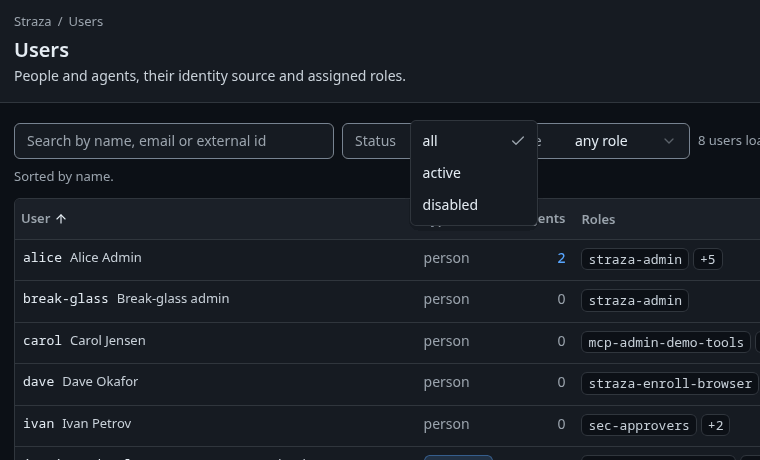
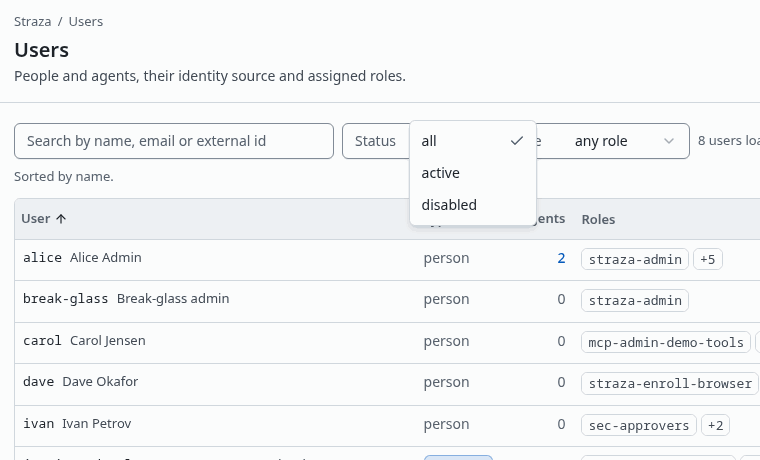
The Status filter of Users, open on all,activeanddisabled. Show the whole screenYou should see
The
dana-kovacrow.strazactl users listYou should see
dana-kovacwithSTATUSdisabled.USERNAME STATUS ORIGIN EMAIL ID dana-kovac disabled scim dana.kovac@example.com 01a0e99b-69c3-7012-9829-58407bcf70ffSetting the status back to
enabledre-activates the account, and the render returns toactive: true. Sessions revoked in between stay revoked, so the person enrolls again. A lock placed in Straza withstrazactl users locksurvives the enable on purpose. An enable from the identity manager can never lift a lock your security team placed, and midPoint sees the lock read-only in the user’s extension.Undo
Remove the package from nina with the same modification body and
deleteas the modification type. The agent’s SCIM render then carries nogroupsat all, and its effective roles in Straza are empty. The package was the agent’s only role, so its account goes with it, and Straza shows the row asdisabled. A session that is already running keeps the removed roles until its next check-in, while a deactivation cuts sessions at once.Delete dana in midPoint. midPoint deprovisions her account, and Straza answers by deactivating it:
curl -s -o /dev/null -w 'HTTP %{http_code}\n' -u 'administrator:StrazaEval5ecr3t!' \
  -X DELETE http://localhost:8087/midpoint/ws/rest/users/f42b4b57-e501-4997-a22e-9216430f291a
You should see
HTTP 204.The row stays in Straza as
disabled, originscim, with its id. Creating a person with the same name later revives that same row. This costs a growing list of disabled rows, and it buys an audit history that never loses an identity.
Caveats
Every Straza role renders on the SCIM wire, straza-admin included. Anyone who can assign AR:straza-admin in midPoint can therefore make a person an administrator through the token’s scim:write scope. An AI agent that holds the role still gets no admin route, because only a person can use the admin API. Guard that assignment with the approval and certification policy you apply to any admin-grade role. Generic SCIM states the same rule for every SCIM client.
A LiveSync task that hits a fatal error stays suspended, and midPoint does not resume it by itself. A strazad restart in the middle of a cycle can cause exactly that. Check the four tasks after any strazad restart. If a new Straza role has not appeared as an imported role, run an import of the group object class from the resource once.
Next
- AI agents as identities gives a provisioned agent a key, so it signs in with no browser.
- Access per role gives an application role a server’s tools.
- Identities and roles explains the four role kinds.
Walked on v1.1.0 on 2026-09-28. A Linux container against the demo stack, with midPoint 4.10 driven over its REST interface. The midPoint browser console was not opened, so its archetype labels, list names and two role columns were read from the live system configuration over the same REST interface. Console screenshots show strazad v1.1.0-117-g106081a8, standalone and strazad v1.1.0-104-g07d2df0e, enterprise.