The enterprise shape
Run strazad as identical replicas behind one load balancer, all sharing one database, one event bus and one key file.
- Who
- You, as the operator who outgrew one host
- Where
- The shared config of every replica, and a terminal with kubectl or docker
- Profile
- Enterprise
On this page
You run strazad as several identical replicas behind one load balancer, as the operator who has outgrown one host. You write one shared config for every replica and check the boot with kubectl or docker. At the end every replica boots against the same database, event bus and key, and answers ready through the load balancer.
In the enterprise profile a strazad process keeps no state of its own that a request depends on. Users, roles, policy, sessions, the signing keys and the audit chain live in one Postgres database. Every revocation, policy change and audit event travels over one NATS server with JetStream, the event bus, so any replica can serve any session and a replica that dies loses nothing. The one file every replica must hold is the key that seals stored credentials, and the cost of the shape is three moving parts to run and back up instead of one directory.
Point every replica at the same three things
Three settings make a set of processes one deployment:
Setting What it shares store.driver: postgreswith onestore.dsnThe system of record, the same database for every replica. events.urlwithevents.embedded: falsebeside itThe NATS server, with the embedded bus turned off. STRAZA_EVENTS_URLalone does both.secrets.kekFileThe 32-byte key that seals stored credentials, mounted from the same secret on every replica. A replica holding its own key cannot open the credentials another one sealed, and fails those MCP servers closed. The enterprise profile changes other defaults as well, such as refusing a person whom your identity manager has not provisioned first. Standalone and enterprise compared lists every difference with the setting that changes it.
profile: enterprise
server:
  listen: 0.0.0.0:8420
  publicUrl: https://straza.example.com
  tls: { certFile: /etc/straza/tls/tls.crt, keyFile: /etc/straza/tls/tls.key }
store:
  driver: postgres
  dsn: postgres://straza:REPLACE_ME@db.internal:5432/straza?sslmode=require
events:
  embedded: false
  url: nats://nats.internal:4222
secrets:
  kekFile: /etc/straza/secret.key
oidc:
  issuer: https://idp.example.com/realms/prod
  clientId: straza
The same knobs have environment variables, which is how the compose file in the repository and the Helm chart set them. Three values in the example are yours to fill:
server.publicUrlmust be set in this profile, because its defaulthttp://127.0.0.1:8420is wrong for every client that is not on the host. It is the issuer inside every session token and must be the URL clients dial, so a load balancer in front means the load balancer’s name here.- Your own database password goes in the DSN.
oidc.issuernames your identity provider, which people sign in through. Straza runs discovery against it at boot. Without it, their sign-in fails withno login issuer configured, and only the emergency break-glass administrator signs in, on its own local path.
Watch one replica boot
Each replica’s boot log names every shared part as it comes up. On the Helm chart, read one replica’s log. With the repository compose file,
docker compose logs strazadprints the same lines.kubectl -n straza logs deployment/straza-straza | head -20You should see
store readywith the driverpostgres,external OIDC configuredwith your issuer, andevent bus readywithembeddedset to false, which means the replica joined the shared NATS server. The boot ends withstrazad serving, the profileenterpriseand your public URL.Doctor and logs shows these lines in full and explains each one.
Migrations run on every boot before
store readyis logged, from the migration files embedded in the binary. The first boot on an empty database also creates the session and snapshot signing keys. Several replicas can start together on a new database, and the store keeps one active key of each kind between them.They also create one break-glass admin between them, and only the replica that created it prints its password. Read the log of every replica for the
break-glass admin createdline:kubectl -n straza logs -l app.kubernetes.io/name=straza,app.kubernetes.io/instance=straza --prefix --tail=-1 | grep 'break-glass admin created'Store the break-glass password now
It is printed once, by one replica, and never again.
Verify from the outside
Every replica answers
/readyzwith the two components it depends on. Ask through the load balancer, and letstrazactl statusask the server you logged into.curl -s https://straza.example.com/readyz; echo strazactl statusYou should see
A ready replica answers
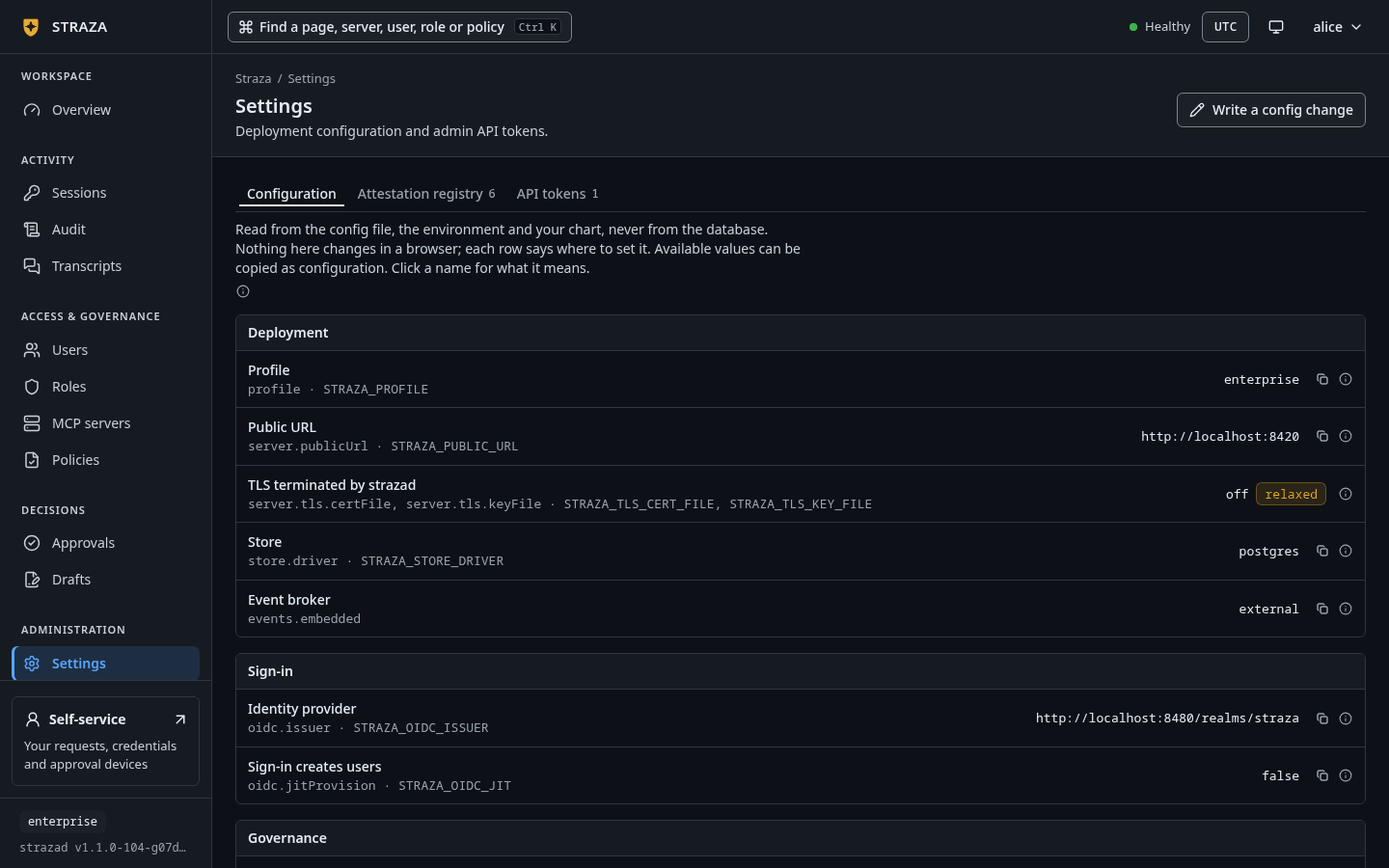
{"status":"ok","components":{"bus":"ok","store":"ok"}}.strazactl statusnames the server, the strazad build with the profileenterprise, andokfor the bus, the store and the overall status.In the console, Settings, then Configuration, shows Store as
postgresand Event broker asexternalon a replica that joined the shared bus. That page reads the running configuration and never edits it.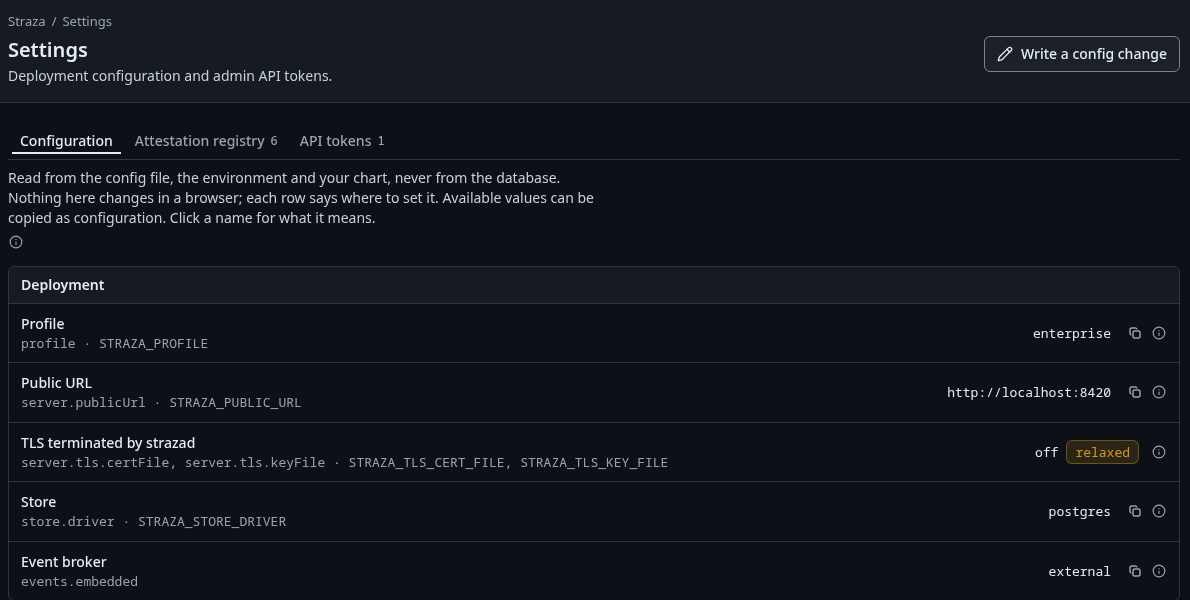
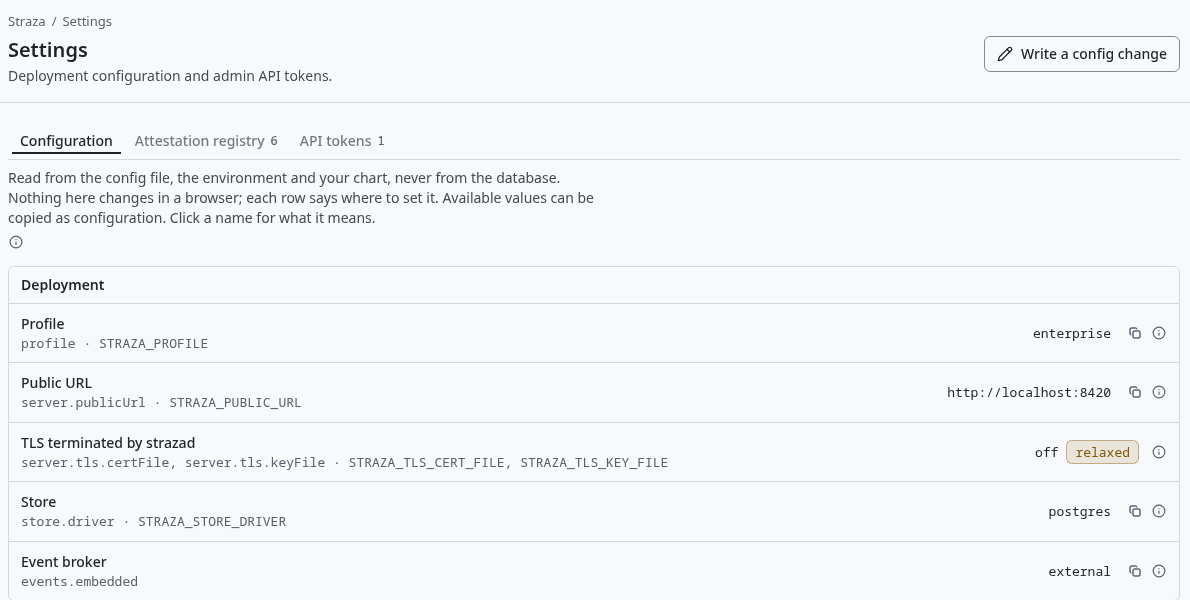
The demo stack’s Configuration tab, where Store reads postgresand Event broker readsexternal. Show the whole screenA session that lands on a replica which has never seen it gets one 401 and the client checks in again with the same token, so a rolling restart behind the load balancer costs one bounce per session and no re-login. A kill switch pulled on one replica reaches the others over the event bus, which is why the bus is required above one replica and why the Helm chart refuses to render several replicas without it.
When the database is down
Replicas keep deciding from memory while the database is down, and every server decision still leaves its audit record in an in-memory queue of 4,096 records. What happens next depends on governance.auditBackpressure.
Under block, the enterprise default, nothing runs without its record:
- strazad keeps trying the oldest record until the database answers, and logs
audit queue waiting for the databaseonce. - The queue fills after 4,096 decisions, about 7 minutes at 10 decisions per second or 41 seconds at 100.
- After that, each new decision waits up to 25 seconds for room and is refused with a reason that names the database. strazad logs one fail-closed line for each.
- When the database is back, strazad writes the queue and logs
audit queue moving again.
The queued records live in memory only, so a stop or a crash during the outage loses them.
To keep agents working through an outage and lose the records instead, set governance.auditBackpressure: drop-with-counter, the standalone default, in the configuration file. strazad then tries each record four times over about 1.4 seconds, logs audit record lost with its type and id, and counts it in straza_audit_lost_total. Watch that counter and straza_audit_dropped_total, as Metrics and alerts shows. The setting has no environment variable, because it decides the enforcement posture.
What is shared and what is not
| Shared through | What |
|---|---|
| The database | Users, roles and assignments, PolicySets and the compiled snapshot, sessions and revocations, the session and snapshot signing keys, approver devices and the hash-chained audit log. |
| The event bus | Audit events on their way to the chain and to sinks, revocations, policy activations, and the push lane that tells enrolled machines to stop. |
| A mounted file | The key-encryption key. |
| Nothing, local to a replica | Anything auto-minted into the data directory, which is a problem when it is not deliberate. |
The approver certificate and the WebPush key are the two local items that clients pin. In this shape you bring both as secrets, and the chart refuses to mint the approver pair for you. The push relay token is minted again at each start and needs no backup. For the TLS choices of each listener, read TLS and exposure.
MCP servers are not part of a replica in this shape. The enterprise profile refuses the command runtime, because a child process of strazad could read the key-encryption key and reach the database. Run each server as its own service or pod and add it as a remote server, the way the chart runs its demo server as a separate pod that only strazad reaches.
Undo
Scaling back to one replica needs no change beyond the replica count. Going back to the standalone profile is a migration of data you do yourself, because the SQLite store and the Postgres store are separate databases and nothing copies one into the other.
Walked on v1.1.0-117-g106081a8 on 2026-10-06. Alpine 3.20 container running one enterprise strazad from this page's config, with a local Postgres 16, a local NATS server with JetStream and the built-in issuer of a second, standalone strazad standing in for the identity provider, for the boot lines, the break-glass line, /readyz, strazactl status, the refusal of a key that is not 32 bytes, the missing-issuer sentence, STRAZA_EVENTS_URL on its own and the auditBackpressure values. The kubectl commands, the load balancer, the several-replica claims and the database outage were not run, because this host has no cluster and the walk stayed at one replica, and the console sentence was not clicked. Console screenshots show strazad v1.1.0-104-g07d2df0e, enterprise.