Hold a call for a person
The command kubectl apply waits for a holder of an approver role, and the agent runs it once after the approval.
- Who
- You as the admin, and lena as the approver
- Where
- The console or a terminal with strazactl, and the agent's machine for the call
- Profile
- Standalone and enterprise
On this page
A hold is an allow that needs approval first. A rule with mode: approve lets the call through only after someone in a named approver role says yes. The call is denied when the wait times out, when the decider says no, or when the approval service is unreachable. The agent is told that the call is waiting, where a person decides, and that it may retry the exact same call once the decision lands. Because the wait is bounded, a request nobody answers ends in a deny after minutes.
Before you start
- An administrator’s login, in the console or with
strazactl. - The
local-toolsallow rule from Your first deny live for your role, and an enrolled machine held by a user of that role, heredana. - A person who decides, here
lena.
Create the approver role
Approvers are a role of kind
approver. It carries the right to decide and never a tool, and it is the only kind a policy may name inapprove.rolesbesidesstraza-admin. In a deployment fed by your identity manager, the assignment comes over SCIM instead.- Roles
- New role
- Approver role
- Next
- Save and publish
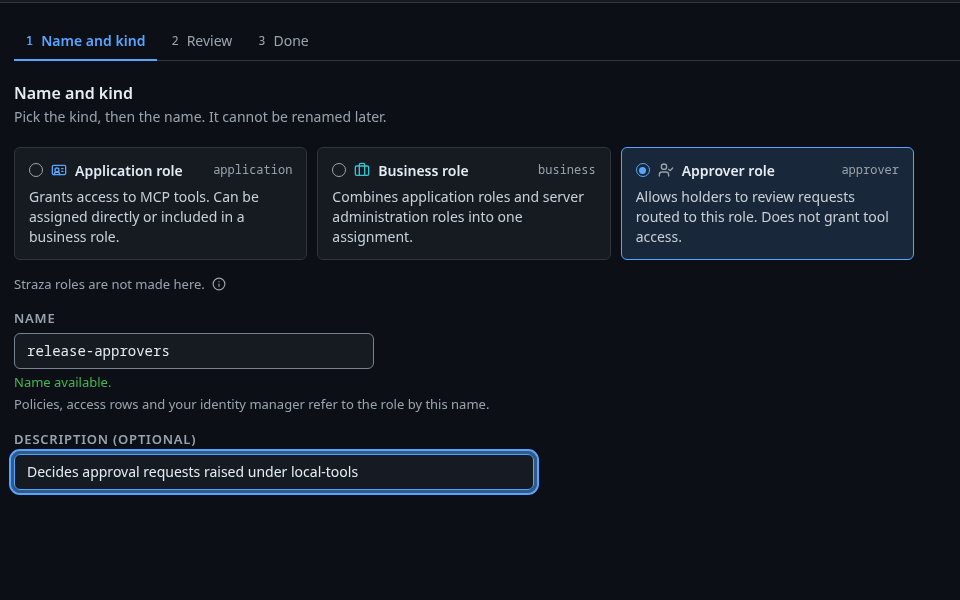
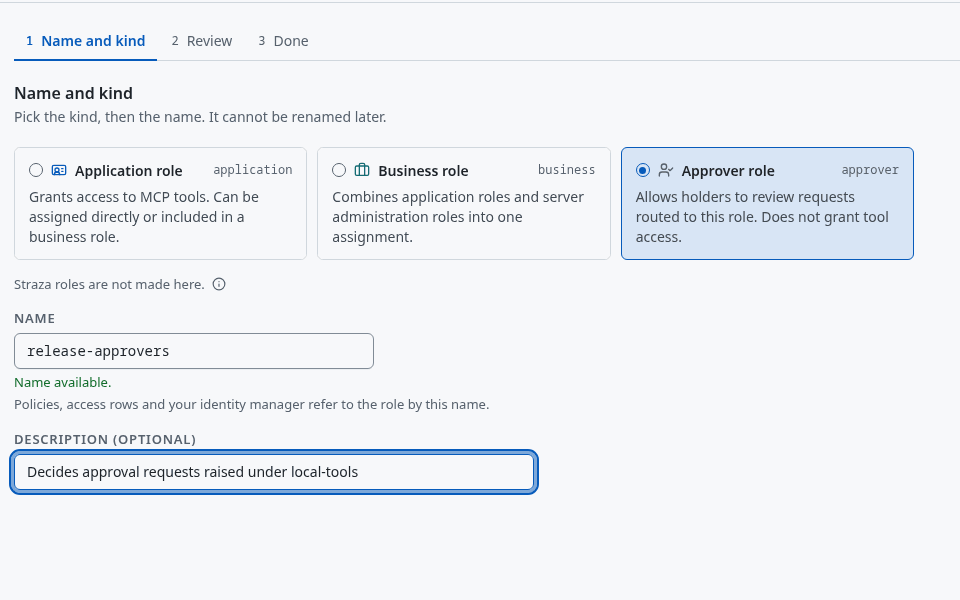
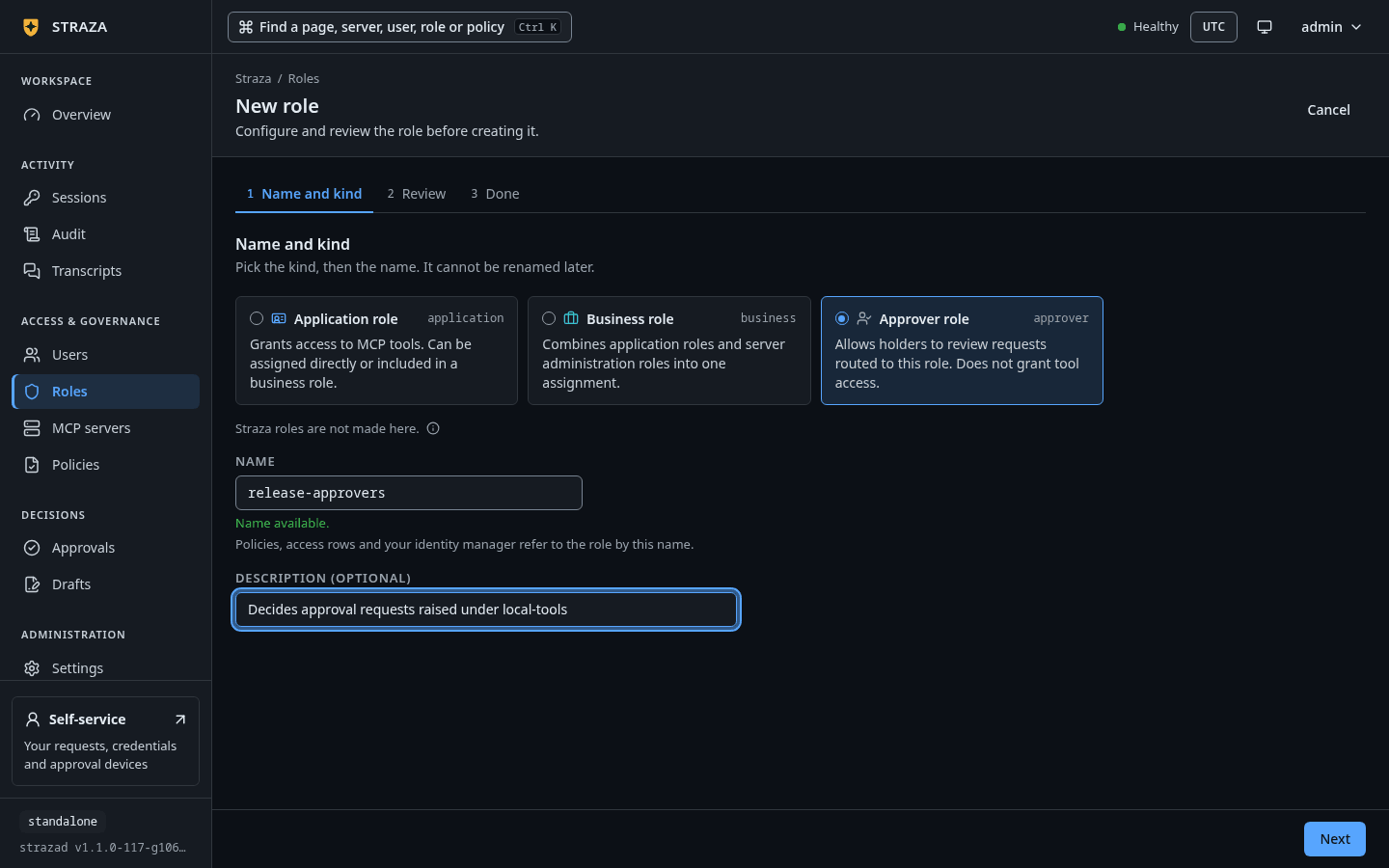
New role with Approver role picked and the name release-approvers. Show the whole screenType
release-approversunder Name before Next. Then assign it to the person who decides:- Roles
- release-approvers
- Assign to a user
- lena
- Assign role
strazactl roles create release-approvers --kind approver --description "Decides approval requests raised under local-tools"
strazactl assign release-approvers --user lena
created role release-approvers (01a0e996-0900-76b1-9ad1-5224e9fc1f79) assigned release-approvers to lenaWrite the rule
The New policy wizard writes this rule whole, one question per step:
- Policies
- New policy
- Needs approval
- Next
- A role
- local-tools
- Next
- Shell command
- Under Command patterns, type
kubectl apply *and press Add, then Next. - Under Who decides, pick An approver role and
release-approvers. Under How, pick A hold, up to and set 5 minutes. Type the reason under Reason the agent reads, then press Next. - On Review, name the set
kubectl-apply-holdand press Save and publish, then Publish.
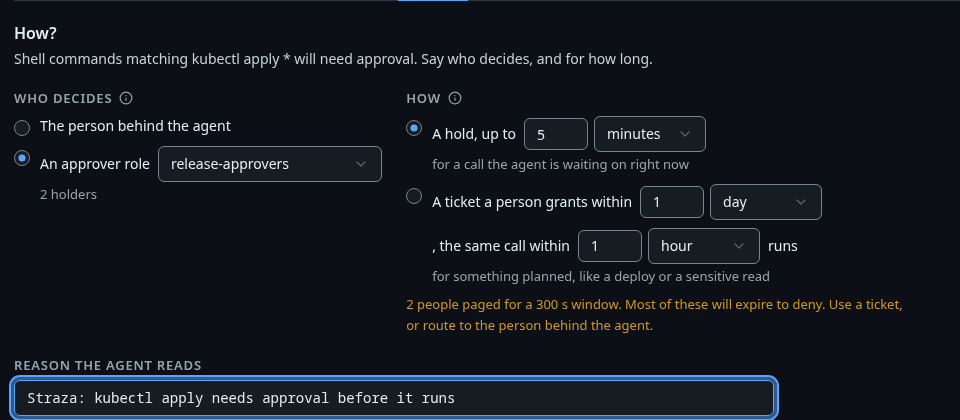
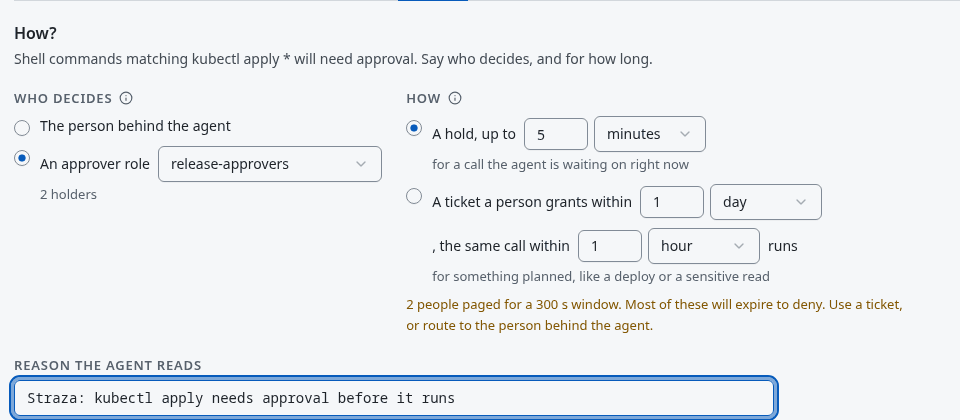
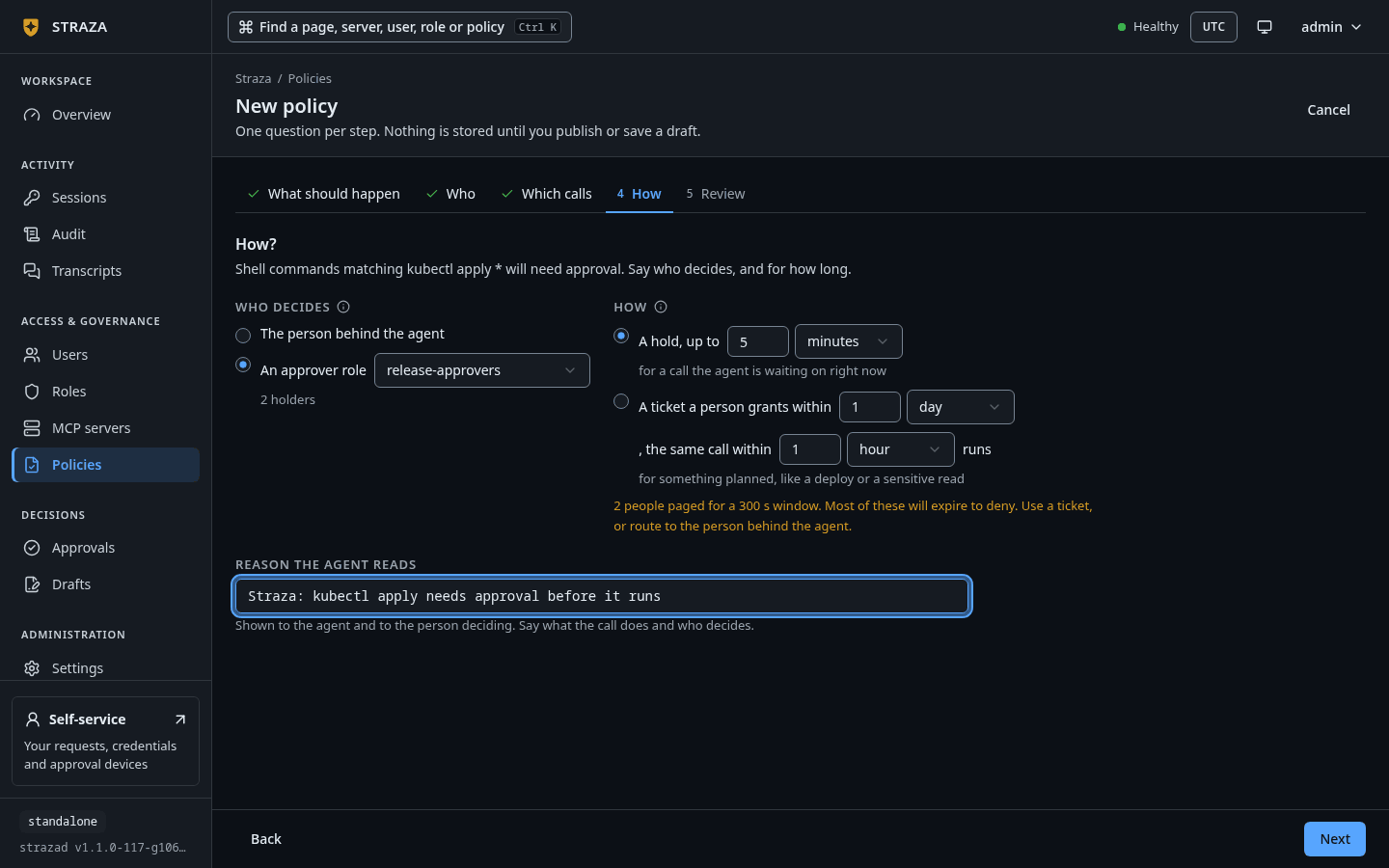
The How step, with release-approversdeciding and a hold of up to 5 minutes. Show the whole screenThe wizard stores the set at priority 150, names the rule itself, and leaves the retry window at its default of 60 seconds. Later records name that rule where this page shows
hold-kubectl-apply.Save this as
kubectl-apply-hold.yaml:apiVersion: straza.dev/v1beta1 kind: PolicySet metadata: name: kubectl-apply-hold description: Hold a cluster change until a release-approvers holder decides spec: priority: 10 match: roles: [local-tools] rules: - id: hold-kubectl-apply events: [tool.pre] tools: [shell.exec] command: allowPatterns: ["kubectl apply *"] effect: allow mode: approve approve: roles: [release-approvers] timeoutSeconds: 300 retryTTLSeconds: 300 reason: "Straza: kubectl apply needs approval before it runs"strazactl policy apply -f kubectl-apply-hold.yaml strazactl policy activate kubectl-apply-holdapplied kubectl-apply-hold (Off, 01a0e996-09ff-7256-b67a-5a49d2f0f2ac) published kubectl-apply-hold, it is live now; new snapshot 0094bf062e44cc47e98b921d390041e930b728de6b540e0f37785593bb29ff38priority: 10only orders which rule a decision is reported under when several plain allows fire, and an approval record always names the approve rule.The rule allows
kubectl applyand marks that allow as needing approval.timeoutSecondsbounds how long the request stays open, 90 seconds by default and at most 3600.retryTTLSecondsbounds how long the agent has to retry after the approval, 60 seconds by default and at most 600. Five minutes for the wait gives the approver time to reach the console. Lifetimes and timeouts lists every approval window with what happens when it runs out.Leave the approver role out and the request routes to the person behind the agent. For an agent, that is its sponsor, the accountable person your identity manager records on it. A person who runs their own agent and has no sponsor confirms the call themselves, on their enrolled phone or browser. When a person does have a sponsor, that sponsor decides. An agent with neither an approver role on the rule nor a usable sponsor is denied at request time with a reason that names the fix, because a request nobody is told about could only expire.
Raise the request
CLI onlyThe call comes from dana’s enrolled machine, where the hook decides it.
Start a new session so the snapshot is current, then run the gated command. The hook never waits, because harnesses kill a slow hook on their own clock. Instead the server opens a pending record, and the hook answers with a deny that carries the reference, the roles that were notified and where a person decides.
printf %s '{"hook_event_name":"PreToolUse","session_id":"c3f1b8d2-5e7a-4f60-9b3c-1a2d4e6f8a03","cwd":"/home/dana/work","tool_name":"Bash","tool_input":{"command":"kubectl apply -f deploy/app.yaml"}}' | straza hook --harness claude-code; echo "exit $?"{"hookSpecificOutput":{"hookEventName":"PreToolUse","permissionDecision":"deny","permissionDecisionReason":"Straza: approval requested (notified roles [release-approvers]); a person decides on the self-service page (http://localhost:8420/self-service/), the console, or an enrolled phone. Retry this exact call after approval (ref 01a0e996-3036-7f10-8c30-b2317bb9f09c)"}} Straza: approval requested (notified roles [release-approvers]); a person decides on the self-service page (http://localhost:8420/self-service/), the console, or an enrolled phone. Retry this exact call after approval (ref 01a0e996-3036-7f10-8c30-b2317bb9f09c) exit 2An MCP tool call through the gateway behaves differently: the gateway holds the call open and returns the result when the decision lands. The wait is capped at 120 seconds by
approval.gatewayHoldSeconds, after which the model gets a structured pending reason and the same retry path.Decide
This step is lena’s. The console, the self-service page, an enrolled phone and
strazactldecide the same record, and the first decision wins.An approver who is also an administrator decides in the console. Approvals opens on the Waiting filter, and a row opens the request with its parameters and who decides.
- Approvals
- Requests
- kubectl apply -f deploy/app.yaml
- Approve
- Approve request
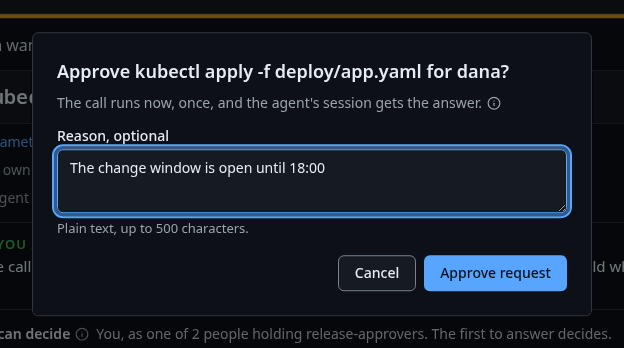
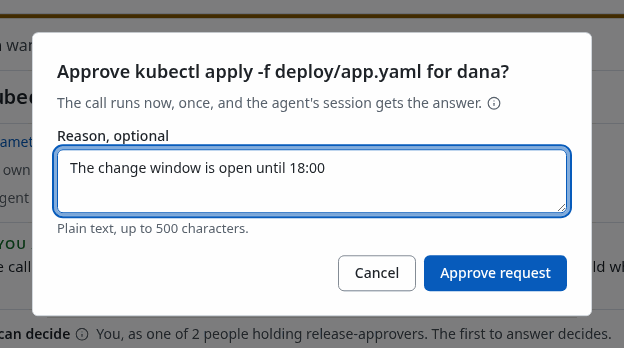
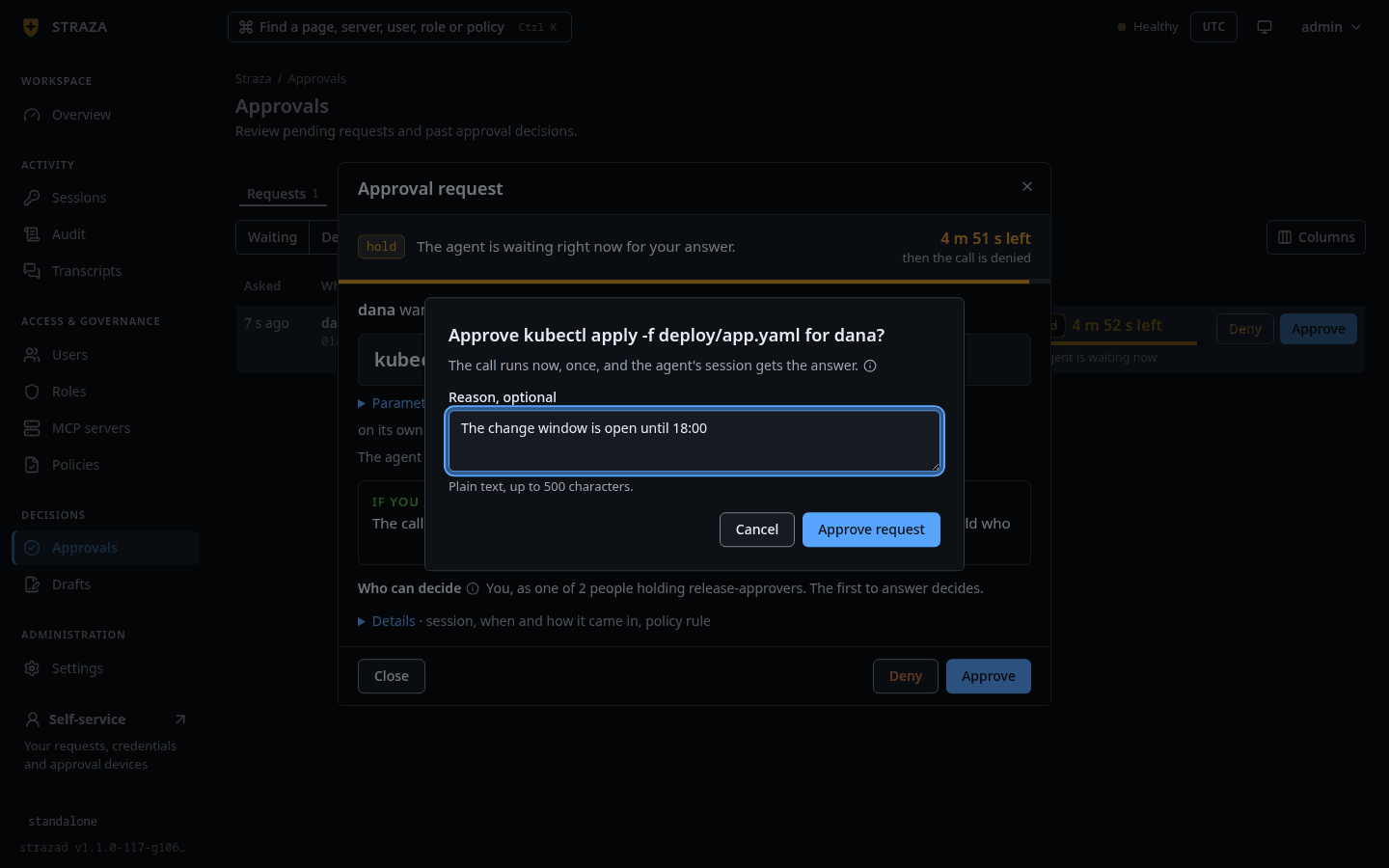
The Approve question for dana’s kubectl apply, with the optional reason. Show the whole screenA reason is optional, under
Reason, optional. An approver who is no admin decides on the self-service page instead. Once the browser is enabled under This browser, which needs the rolestraza-enroll-browserorstraza-admin, its Requests tab lists the calls that are theirs to decide. Until then the tab saysThis browser is not enrolled to decide.and lists nothing. Approve in the console shows that screen in detail.Administrators see the pending record at once. The wide view adds the redacted call preview and says exactly what an approval covers.
strazactl approvals list --wide01a0e996-3036-7f10-8c30-b2317bb9f09c [pending] dana shell.exec: kubectl apply -f deploy/app.yaml roles: release-approvers expires: in 5m0s parameters (preview): kubectl apply -f deploy/app.yaml preview only; this approval covers the exact call (sha256:d43b1452c5b4)This listing is trimmed to dana’s request. The approver decides from their own
strazactllogin:strazactl approvals approve 01a0e996-3036-7f10-8c30-b2317bb9f09cYou should see
approved 01a0e996-3036-7f10-8c30-b2317bb9f09c (by lena)Retry the call
CLI onlyThe retry comes from dana’s machine. The records are read in either form.
Retrying the identical call now succeeds. The approval left one run of the call, keyed on the session, the rule and the call’s fingerprint, so a different command, a different session or a second run of the same command raises a new request.
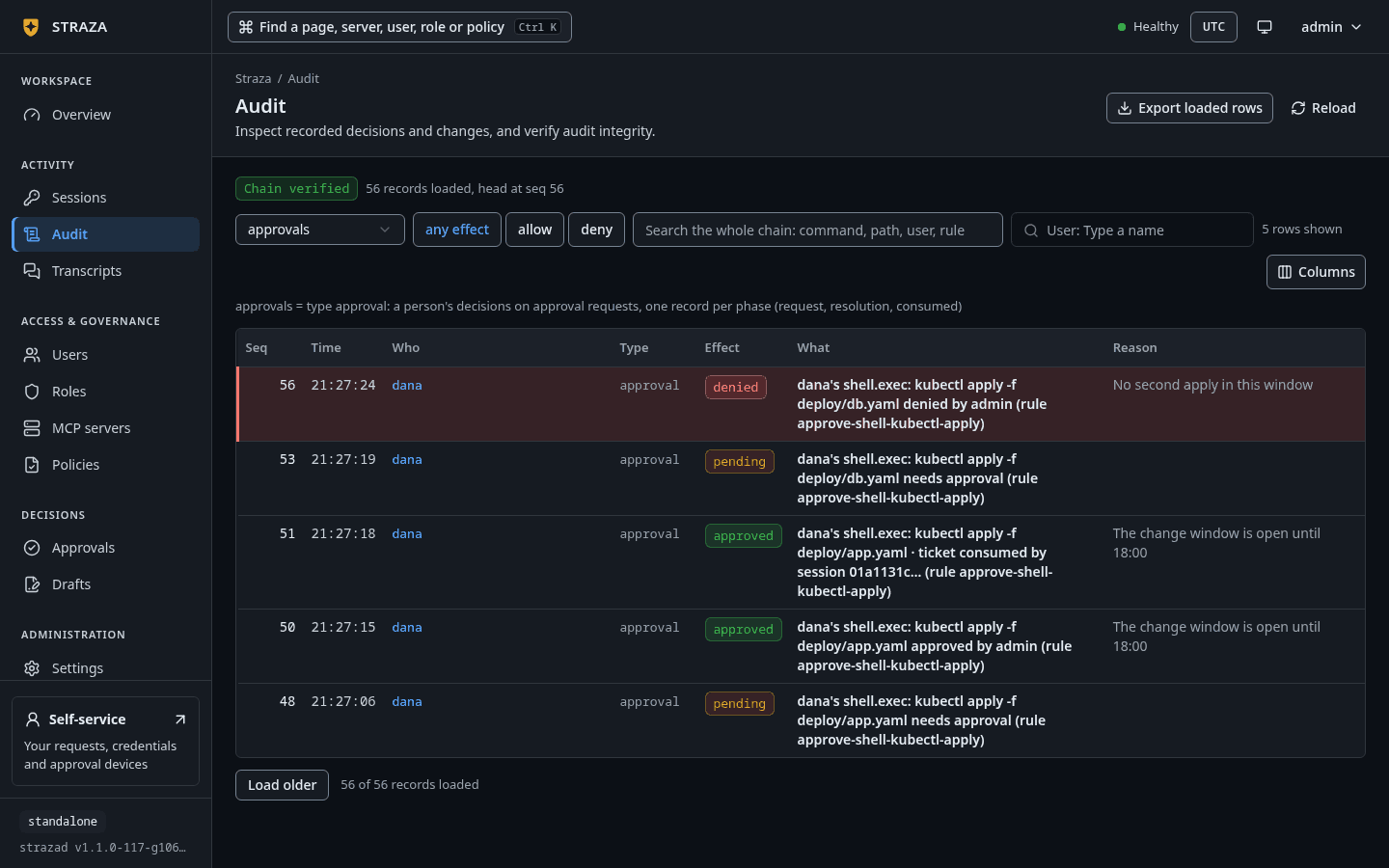
printf %s '{"hook_event_name":"PreToolUse","session_id":"c3f1b8d2-5e7a-4f60-9b3c-1a2d4e6f8a03","cwd":"/home/dana/work","tool_name":"Bash","tool_input":{"command":"kubectl apply -f deploy/app.yaml"}}' | straza hook --harness claude-code; echo "exit $?"{"hookSpecificOutput":{"hookEventName":"PreToolUse","permissionDecision":"allow"}} exit 0The approval writes a record of its own for each phase: the request, the resolution and the retry that used it. That retry also writes its allow. The resolution names the decider and the channel, and a decision made with
strazactlis recorded under the channelconsole.- Audit
- Lens
- approvals
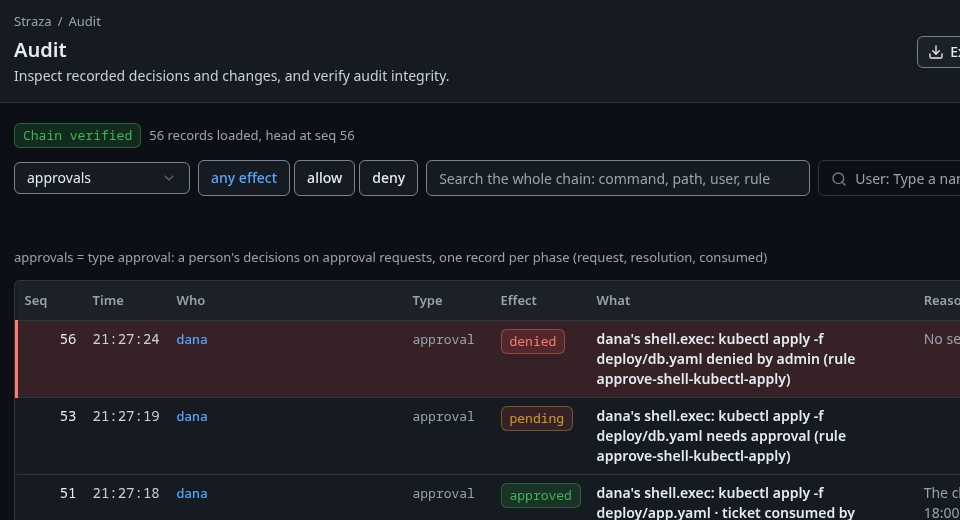
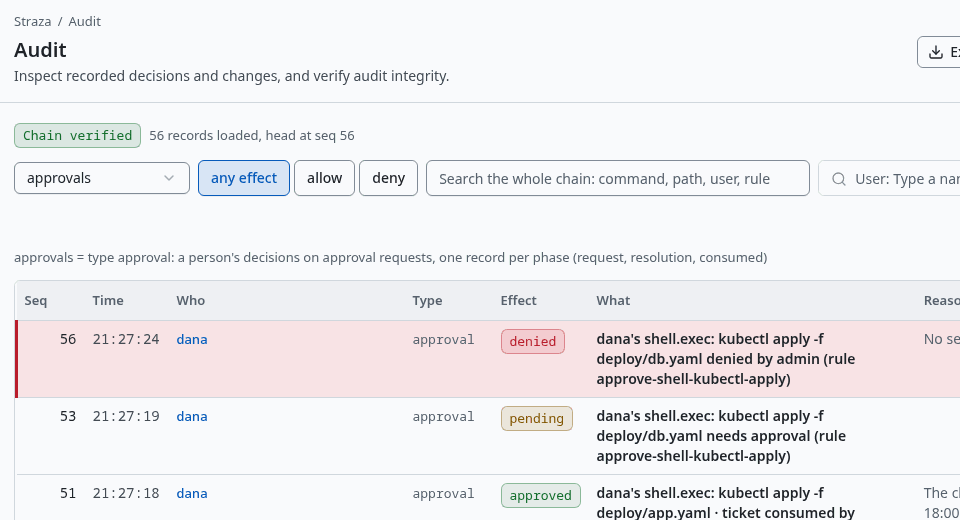
The approvalslens, with one record for each phase of dana’s requests. Show the whole screenstrazactl audit tail --limit 30#233 [dana] {"data":{"approvalId":"01a0e996-3036-7f10-8c30-b2317bb9f09c","lane":"hook","phase":"request","rule":"hold-kubectl-apply","set":"kubectl-apply-hold","state":"pending","summary":"shell.exec: kubectl apply -f deploy/app.yaml"},"type":"straza.audit.approval"} #235 [dana] {"data":{"approvalId":"01a0e996-3036-7f10-8c30-b2317bb9f09c","channel":"console","decidedBy":"01a0e993-ed60-7df4-915f-8c00baa3accd","lane":"hook","phase":"resolution","rule":"hold-kubectl-apply","set":"kubectl-apply-hold","state":"approved","summary":"shell.exec: kubectl apply -f deploy/app.yaml"},"type":"straza.audit.approval"} #236 [dana] {"data":{"approvalId":"01a0e996-3036-7f10-8c30-b2317bb9f09c","channel":"console","consumedAt":"2026-09-28T19:55:46Z","decidedBy":"01a0e993-ed60-7df4-915f-8c00baa3accd","lane":"hook","phase":"consumed","rule":"hold-kubectl-apply","set":"kubectl-apply-hold","state":"approved","summary":"shell.exec: kubectl apply -f deploy/app.yaml"},"type":"straza.audit.approval"} #238 [dana] {"data":{"command":"kubectl apply -f deploy/app.yaml","effect":"allow","event":"tool.pre","reason":"Straza: approved by lena (ref 01a0e996-3036-7f10-8c30-b2317bb9f09c)","ruleId":"hold-kubectl-apply","setName":"kubectl-apply-hold","tool":"shell.exec"},"type":"straza.audit.tool"}This listing is trimmed to the four records and to the fields that matter here.
Let the requester confirm instead
A rule with mode: confirm holds the call until the person driving the session confirms it themselves. It defends against an agent’s mistake and a prompt injection, and deliberately not against that person. Only the requester decides, and nobody else can, straza-admin included. The decider is not configurable, so the rule names no approver role.
apiVersion: straza.dev/v1beta1
kind: PolicySet
metadata:
  name: kubectl-delete-confirm
  description: The person at the session confirms a kubectl delete before it runs
spec:
  match:
    roles: [local-tools]
  rules:
    - id: confirm-kubectl-delete
      events: [tool.pre]
      tools: [shell.exec]
      command:
        allowPatterns: ["kubectl delete *"]
      effect: allow
      mode: confirm
      approve:
        timeoutSeconds: 300
reason: "Straza: kubectl delete needs your own confirmation before it runs"strazactl policy validate -f kubectl-delete-confirm.yamlYou should see
kubectl-delete-confirm.yaml: PolicySet "kubectl-delete-confirm" OK (1 rules, priority 0) and the note about roles that every validate prints.
Its approve block keeps the timeouts, the class and the binding of a hold. The New policy wizard has no confirm outcome, so in the console the rule goes in through Write YAML instead, and its card reads The requester confirms it themselves. Change it on the YAML tab.
When the rule fires, the hook denies the call at once with a reason that starts Straza: this call needs the requester's confirmation, on their enrolled phone, or the self-service page under This browser, followed by the page’s address and the reference. Once the person confirms there, the agent retries. An autonomous agent has no person to confirm, so the same rule denies its call outright with Straza: rule kubectl-delete-confirm/confirm-kubectl-delete requires the requester's confirmation; an autonomous session has no human to confirm.
If this fails
mode confirm may not set approve.roles (the requester is the decider)- Remove
rolesfrom theapproveblock, or usemode: approvefor a rule that someone else decides.
Hold a tool of an MCP server
A hold on an MCP tool is the same rule with tools: [mcp.call], the server in apps and the tool in toolNames.allow, as Access per role writes it. approve.binding decides what an approval of an MCP call covers. call, the default, covers the call’s arguments, so any real change in them raises a new request. binding: tool covers the server and the tool alone, a deliberate loosening for a frequent tool whose arguments change on every call. PolicySet grammar lists every key of the approve block.
Undo
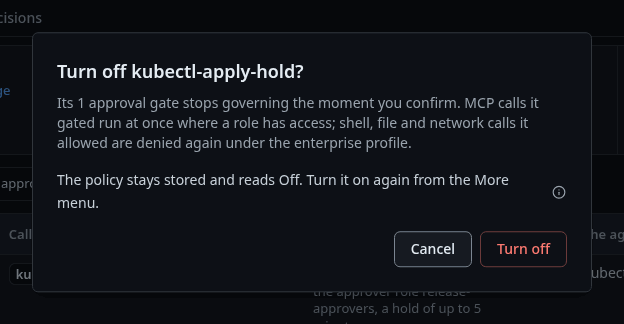
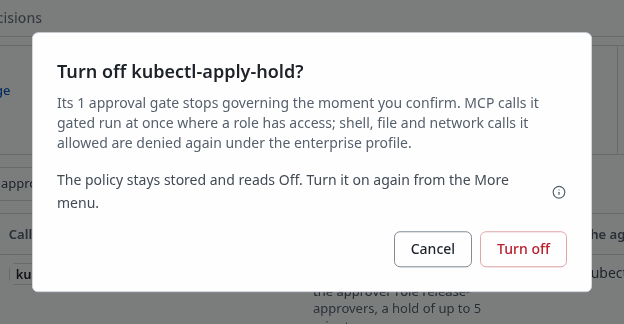
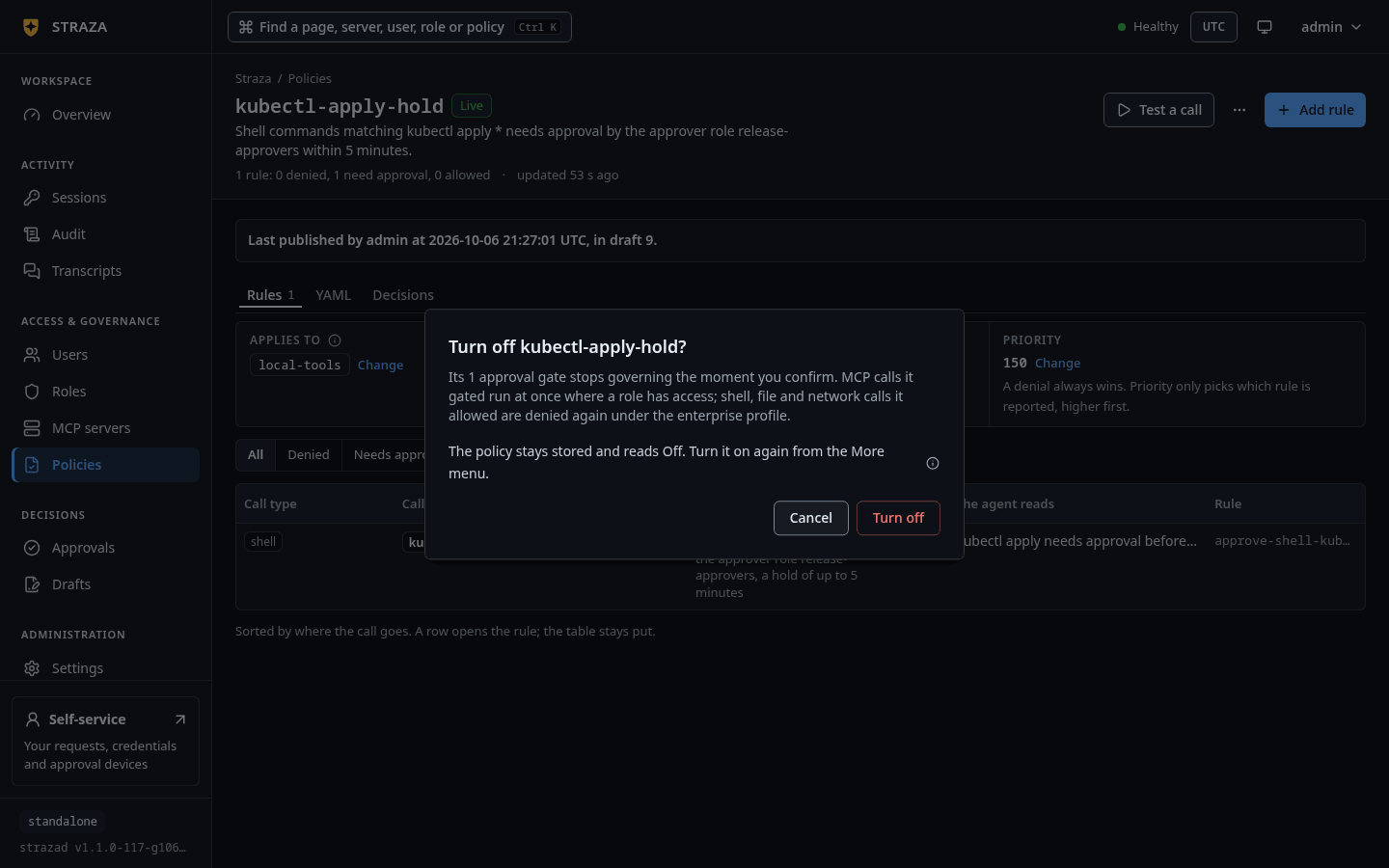
- Policies
- kubectl-apply-hold
- More
- Turn off
- Turn off
A request that is still waiting is denied from its row with Deny, then Deny request, which is final for that request.
strazactl policy deactivate kubectl-apply-hold turns the set off and compiles the snapshot again. A request that is still pending can be denied with strazactl approvals deny <id>, which is final for that request.
Limits
Five limits apply before the first real use:
- On a rule that names roles, the requester never decides their own request unless the rule says
selfApproval: true, and an autonomous agent never gets that right whatever the rule says. - An AI agent never decides anything, even if an approver role was assigned to it by mistake.
- A person who may decide their own request decides it on their enrolled phone, or on the self-service page under This browser, because those sign the decision with the device’s own key. The console and strazactl refuse it and say where to go, unless the operator set
approval.unsignedOwnDecisionsto true in the server config and accepted that an agent on the person’s machine can then approve its own calls. When the person may enroll an approval device, an agent that can read theirstrazactllogin can enroll a device of its own and decide with it, as Known limits says. - A session that a coding harness checked in never decides a request for anybody.
- An approve rule only ever marks an allow. A deny from any set still wins, so a command that another set denies is denied, and no request opens.
Next
When the wait should be a day rather than minutes, use a ticket.
Walked on v1.1.0 on 2026-09-28. Linux, against the enterprise demo stack under the enterprise profile, with the hook events fed to straza hook by hand in a Linux container enrolled as dana. The waiting row was read in the console and on the self-service page in a headless browser, and the approver decided with strazactl from her own login, which reaches the endpoint the console decides on. Console screenshots show strazad v1.1.0-117-g106081a8, standalone.