AI agents as identities
An AI agent provisioned by your identity manager signs in to Straza with its own key and no browser, and leaves again when the identity manager retires it.
- Who
- You, as the admin, and the AI agent's machine
- Where
- A terminal with strazactl and curl, and a terminal on the agent's machine
- Profile
- Standalone and enterprise
On this page
Your identity manager creates and retires AI agents the way it does people, and each agent reaches Straza with its own identity and a key instead of a password. You work as the admin in one terminal and on the agent’s machine in another. At the end one agent is provisioned over SCIM, enrolled with a key and no browser, and retired again.
How an agent differs from a person
An AI agent is an identity like a person, born in your identity manager and provisioned over SCIM. Two things differ. Its record says it is an agent and names the person behind it, so policy can treat it as an agent and approvals can reach that person. Its credential is an Ed25519 key registered on the identity, so it enrolls with no browser and no password.
The identity manager cuts an agent the way it cuts a person. Once the record is deactivated, the next token grant fails and every running session is revoked.
Before you start
- A Straza administrator login for
strazactl, or a console session that holds the identity area. - The
strazabinary on the agent’s machine. - An admin API token in
ADMIN_API_TOKEN, for the SCIM request and the two admin API reads below. Mint it withstrazactl api-token create --name idm-agents --scope scim:read,scim:write,identity:read. In the console, mint it under Settings, API tokens, New API token with the job Custom, scim set to read and write and identity set to read.
The examples ran against the demo stack at http://localhost:8420, with the agent’s side on the same host.
Provision the identity
Send the user with the agent schema in
schemas,userTypeagent, and the Straza extension carryingagencyModeandsponsor. In the demo stack midPoint sends this request. Here it is sent with curl:curl -s -H "Authorization: Bearer $ADMIN_API_TOKEN" -H 'Content-Type: application/scim+json' \ -X POST http://localhost:8420/scim/v2/Users -d '{"schemas":["urn:ietf:params:scim:schemas:core:2.0:User","urn:ietf:params:scim:schemas:extension:agent:2.0:Agent","urn:straza:params:scim:schemas:extension:2.0:User"],"externalId":"idm-agent-0001","userName":"scout-bot","displayName":"Scout bot","title":"Scout agent","userType":"agent","active":true,"urn:straza:params:scim:schemas:extension:2.0:User":{"agencyMode":"autonomous","sponsor":"alice"}}' \ | jq -c '{id, userName, userType, active, ext: .["urn:straza:params:scim:schemas:extension:2.0:User"]}'You should see
"kind":"nhi"and the sponsoraliceunderext.{"id":"01a0e998-c864-7011-a0fd-3f959fe0a63e","userName":"scout-bot","userType":"agent","active":true,"ext":{"agencyMode":"autonomous","kind":"nhi","locked":false,"origin":"scim","sponsor":"alice"}}Each field tells Straza something different.
Field What Straza does with it The agent schema, or userTypeagentRecords the identity as an AI agent. An AI agent never decides an approval, and it may sign in with a key. Either signal is enough, for a connector that cannot send the schema. agencyModePolicy can match it with match.identity.agencyMode. Withautonomous, a rule that asks for the requester’s own confirmation denies, because no person stands behind the session.supervisedandinteractivechange nothing beyond what a policy matches on them.sponsorThe username of the person behind the agent. An approval rule that names no deciders and no approver roles goes to this person, and a rule can name them beside approver roles with deciders: [sponsor].The read-only
kindin the SCIM render isnhionly when the create carried the agent schema, and it never changes after creation. A row created withuserTypeagentalone readskindhumanthere for good, while the admin surface and the key sign-in treat it as an agent. The mismatch stays visible to a certifier.In midPoint the persona archetype and a sponsor reference on the user produce these values, so the seeded agent
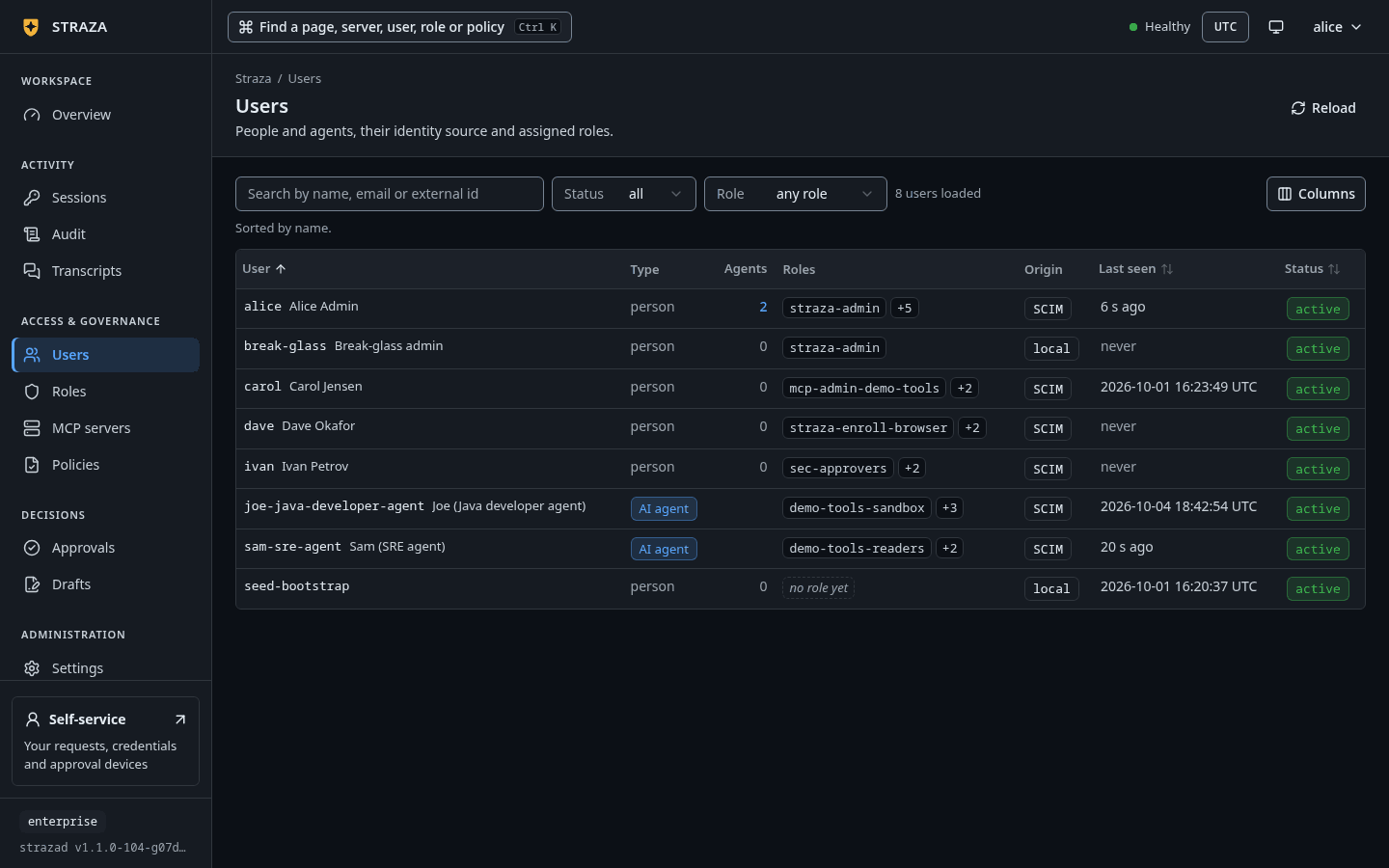
sam-sre-agentarrives this way with no mapping of its own. The demo stack’s PolicySet routes the seeded agent’s gated calls withdeciders: [sponsor]. Every identity selector a policy can use is in the PolicySet grammar.- Users
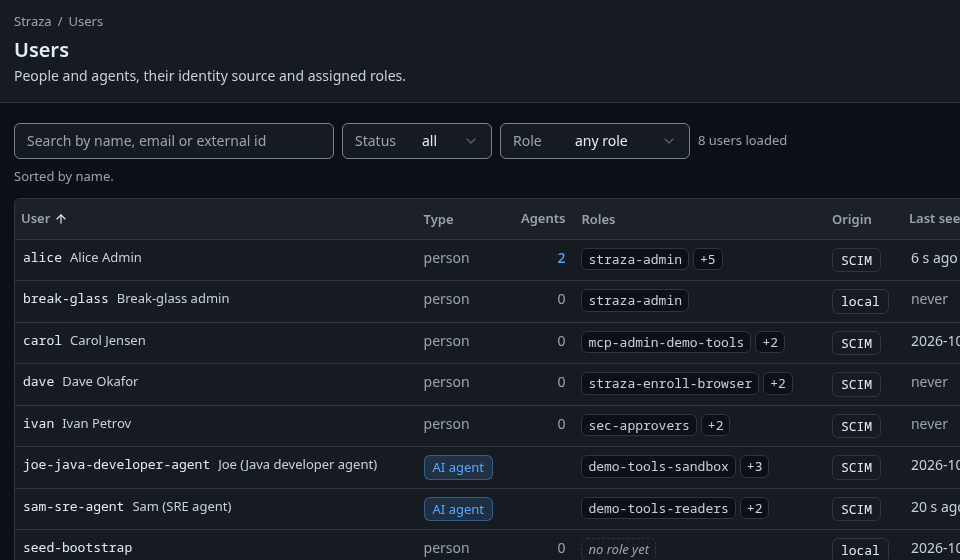
Users on the demo stack, where the agents carry the badge AI agent and the origin SCIM. Show the whole screenYou should see
A
scout-botrow with the kind badge AI agent and the origin badge SCIM.strazactl users listYou should see
scout-botwithORIGINscim.USERNAME STATUS ORIGIN EMAIL ID scout-bot active scim 01a0e998-c864-7011-a0fd-3f959fe0a63eThe listing is trimmed to the new row.
Generate the key
CLI onlyThe key is made on the agent’s machine, so this step runs in its terminal.
Generate the key on the agent’s machine. The private half stays there, and the command prints the exact registration line:
straza keygen --user scout-botYou should see
The
Public key:line, which the next step registers.NHI key generated (private half stays in /home/agent/.straza/state/nhi-key.json). Public key: YNw6V5UQxROrLSHGY4eiRCOY4POchjr60rZev41NsQ8= An administrator registers it with: strazactl users nhi-key set scout-bot YNw6V5UQxROrLSHGY4eiRCOY4POchjr60rZev41NsQ8= (or: PUT /v1/admin/users/{id}/nhi-key {"public_key":"YNw6V5UQxROrLSHGY4eiRCOY4POchjr60rZev41NsQ8="}) Then enroll headless: straza enroll --server <strazad-url> --headless --user scout-botRegister the public key
Register the public half on the identity, as the admin. One key belongs to each identity, so registering again rotates it, and Straza refuses a key for a human identity.
- Users
- scout-bot
- Register key
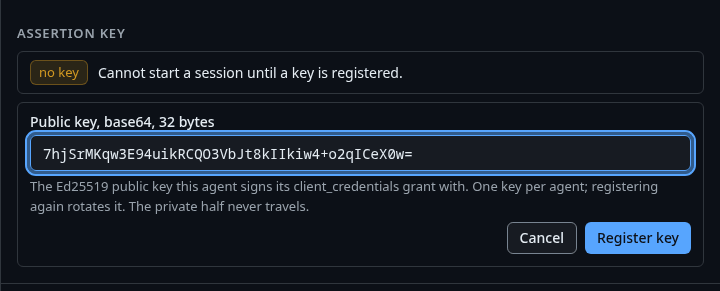
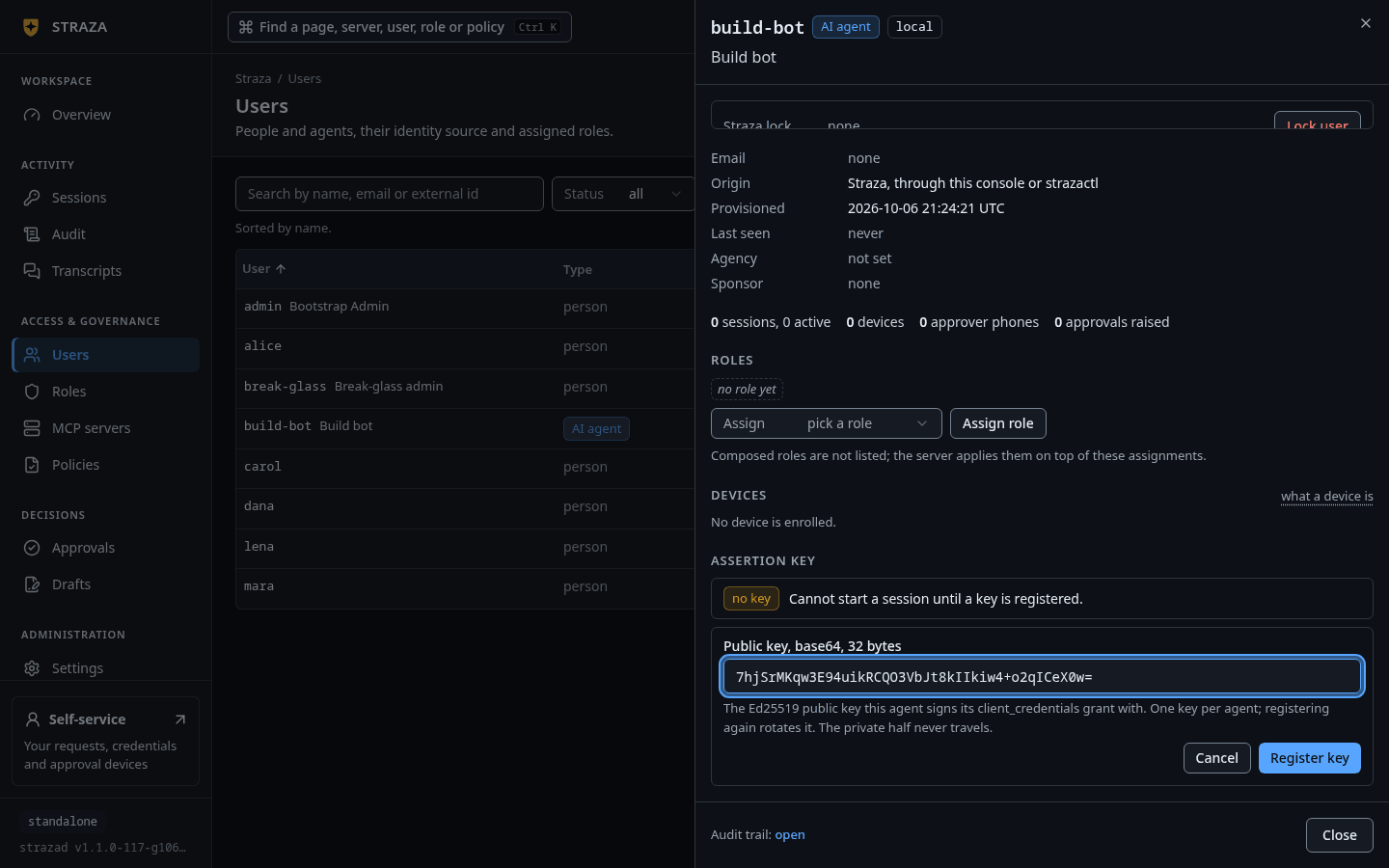
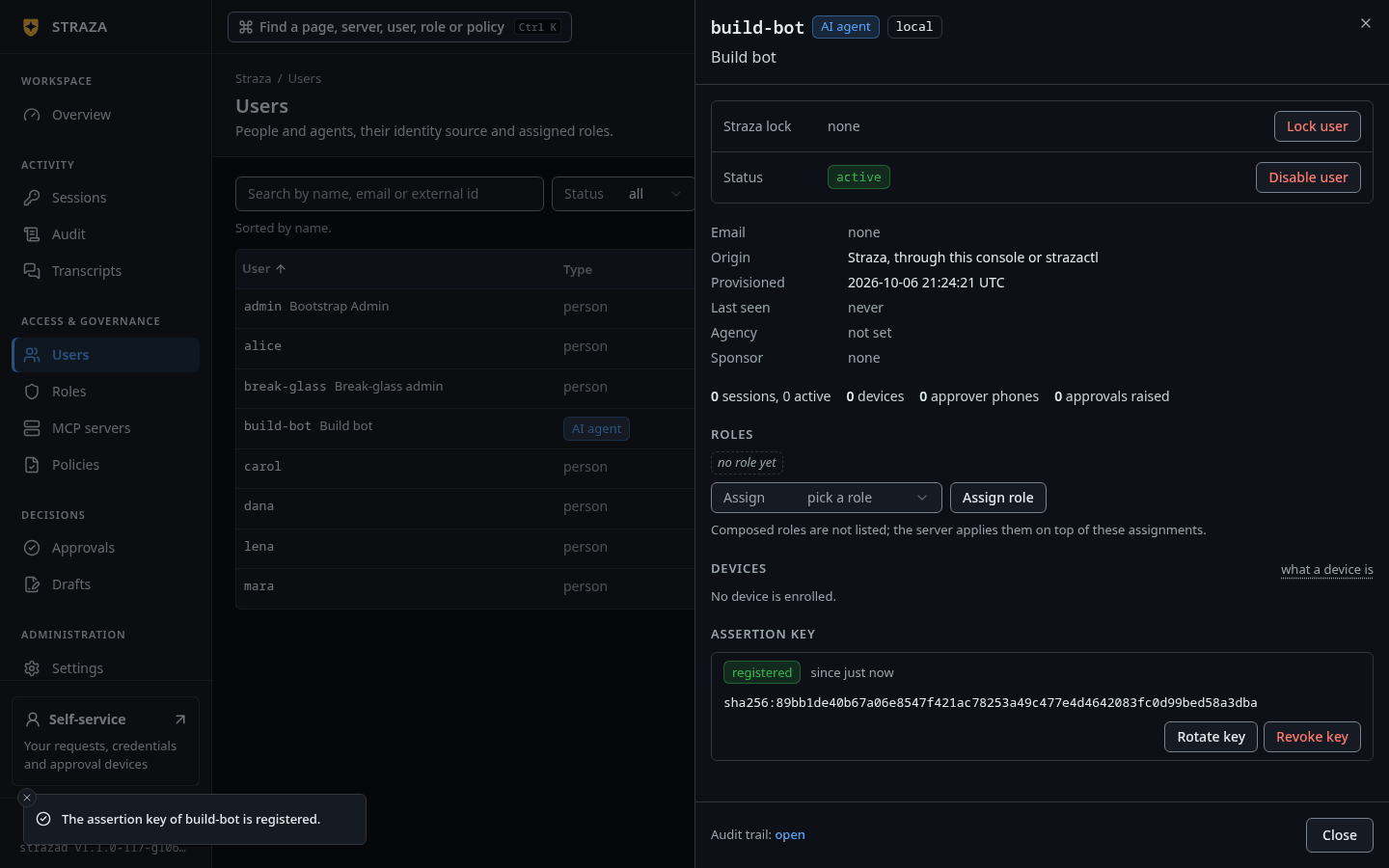
The Assertion key section with the public key pasted and Register key. Show the whole screen The Assertion key section shows only on an AI agent. Paste the key under Public key, base64, 32 bytes and press Register key.
You should see
The badge registered with the key’s fingerprint.
If this fails
Paste the public key. The server refuses anything that is not exactly a 32-byte Ed25519 key.- The field was empty. Paste the whole value from the
Public key:line, with its closing=.
strazactl users nhi-key set scout-bot YNw6V5UQxROrLSHGY4eiRCOY4POchjr60rZev41NsQ8=You should see
key registered for scout-bot.key registered for scout-bot. The agent can now `straza enroll --headless --user scout-bot`strazactlhas no read of the key’s posture. The admin API answers it and never returns the key itself:curl -s -H "Authorization: Bearer $ADMIN_API_TOKEN" http://localhost:8420/v1/admin/users/01a0e998-c864-7011-a0fd-3f959fe0a63e/nhi-key{"created":"2026-09-28T19:58:38.022919495Z","fingerprint":"sha256:73f8ea006bb4bca644f6cba92a499e25c3752bd6dcea854112df45a42466e342","registered":true,"user_id":"01a0e998-c864-7011-a0fd-3f959fe0a63e"}Assign a role and enroll
Roles arrive the way they do for a person: the identity manager adds the identity to the role’s group. The example added
scout-botto the application rolescout-tools-readerswith a members PATCH, the request Generic SCIM shows. The identity’sgroupsthen listed the role.Enrollment needs no person, because the key signs a short-lived token. strazad’s discovery document names the issuer that accepts the key as
nhi_issuer. On the agent’s machine, enroll and check the client:straza enroll --server http://localhost:8420 --headless --user scout-botYou should see
Enrolled headless as scout-bot.Enrolled headless as scout-bot (nhi-key; sessions are deviceless, and the local credential mints each session's token).straza statusserver http://localhost:8420 identity scout-bot (headless, nhi-key lane, no device) session none (start a harness session)No harness has started a session yet, so the session line says so. Once one starts, the line names the session with its roles and attestation, such as
01a0e999-b481-7406-8821-e792b25c31c0 (roles [scout-tools-readers], attestation advisory). Two more lines then name the policy snapshot and the kill-switch lane. The identity line names the key sign-in instead of a device, because the key mints every session token and no device credential exists. Headless agents proves a governed call from such an agent.Verify
An administrator’s view of the identity shows every fact in one record.
- Users
- scout-bot
You should see
Origin that starts
your identity manager, over SCIM, Agencyautonomous, Sponsoralice, the rolescout-tools-readers, and the Assertion key badge registered.curl -s -H "Authorization: Bearer $ADMIN_API_TOKEN" http://localhost:8420/v1/admin/users/01a0e998-c864-7011-a0fd-3f959fe0a63e \ | jq -c '{username, kind, user_type, origin, sponsor, agency_mode, effective_roles, nhi_key_registered}'{"username":"scout-bot","kind":"nhi","user_type":"agent","origin":"scim","sponsor":"alice","agency_mode":"autonomous","effective_roles":["scout-tools-readers"],"nhi_key_registered":true}Undo
Revoking the key is the immediate cut for the credential, and the next enrollment attempt fails. A session that is already running keeps going until you revoke it or the identity is deactivated.
- Users
- scout-bot
- Revoke key
- Revoke key
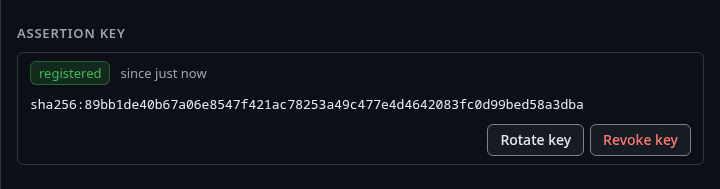
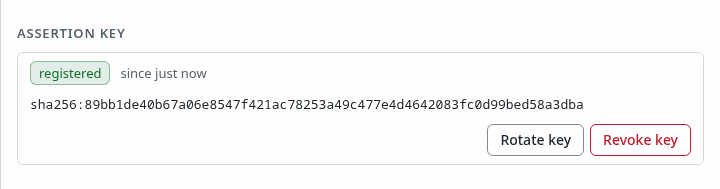
A registered key with its fingerprint, Rotate key and Revoke key. Show the whole screen The question reads
Revoke the assertion key of scout-bot?and saysscout-bot can no longer mint sessions with the client_credentials grant.strazactl users nhi-key unset scout-botkey revoked for scout-botA new enrollment on the agent’s machine is then refused:
straza enroll --server http://localhost:8420 --headless --user scout-botstraza: headless login refused (invalid_client): client authentication failed. Check the registered key/client and that the identity is an active NHIRetiring the identity is the identity manager’s act. A SCIM deactivation or delete disables the account, revokes its sessions and removes its per-user grants. An administrator can also soft-delete it with
DELETE /v1/admin/users/{id}, which answers{"status":"deleted"}and removes the row fromstrazactl users list. Neither the console norstrazactlhas a delete.
Caveats
Humans are excluded from the key grant on purpose, so a stolen key can never become a password-equivalent login for a person.
In the enterprise profile an agent has a second way to sign in, the identity provider’s own client-credentials grant. There the agent holds a client id and secret at the identity provider, and strazad resolves the token’s subject to the provisioned identity’s externalId. An agent with a registered key uses the key, and an agent without one uses the identity provider. A deployment that registers no keys has nothing to configure. Standalone and enterprise compared shows both profiles.
Next
- Headless agents enrolls an agent that no identity manager feeds and proves its first governed call.
- midPoint hands an agent an access package from midPoint.
Walked on v1.1.0 on 2026-09-28. A Linux container against the demo stack, with the administrator's commands and the agent's commands run as two users of the same container. Console screenshots show strazad v1.1.0-104-g07d2df0e, enterprise and strazad v1.1.0-117-g106081a8, standalone.