Add a server
Register an MCP server, check that Straza reaches it, and give a role access to its tools.
- Who
- You, as the admin
- Where
- The console, or a terminal with strazactl
- Profile
- Standalone and enterprise
On this page
Registering a server tells Straza how to reach it and which credential to add to its calls. It gives nobody access. A session sees the server’s tools only once a role it holds has access to them, and a catalog preview shows the result.
Before you start
- A login that may install MCP servers: a holder of
straza-adminorstraza-global-mcp-admin. The CLI and the API also take an admin API token with theapps:writescope. The holder of one server’s own admin role seesAdd MCP server is not available to this account. - An address the Straza server reaches. Test it from the Straza host or container, because your browser can take a different network path. A Compose service address such as
http://demo-tools:3001/mcpworks only from the Compose network that provides it.
Some addresses Straza never dials, whatever the network allows: a link-local address, a cloud metadata address, and an unspecified address such as 0.0.0.0. Under the enterprise profile it also refuses a loopback address, such as 127.0.0.1 or localhost, unless apps.allowLoopbackUpstreams is true. The standalone profile allows loopback by default, because a server there often runs on the same machine. Private addresses always pass. The check runs on every address a name resolves to, so a name that points at a refused address is refused like the address itself. The install still succeeds, and the server stays degraded with a sentence that names the address and why. Standalone and enterprise compared lists this beside the other differences between the profiles.
Describe the server
- MCP servers
- Add MCP server
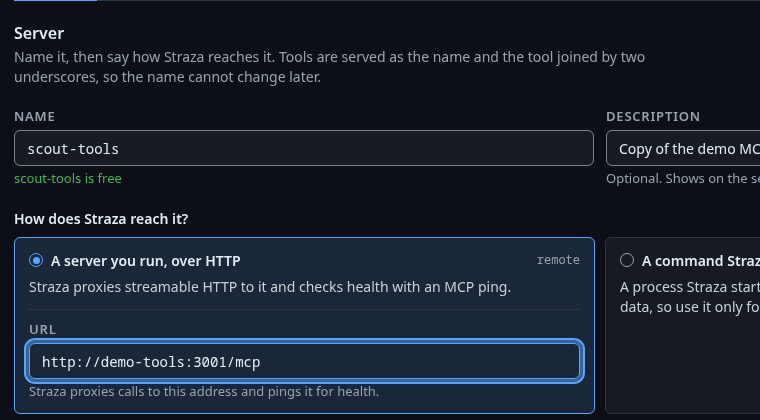
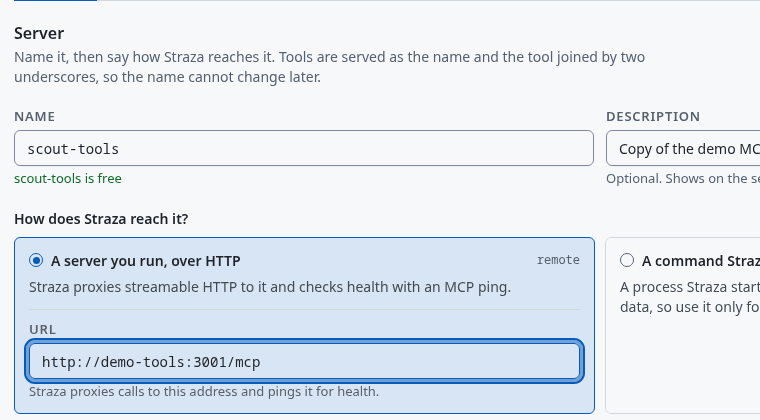
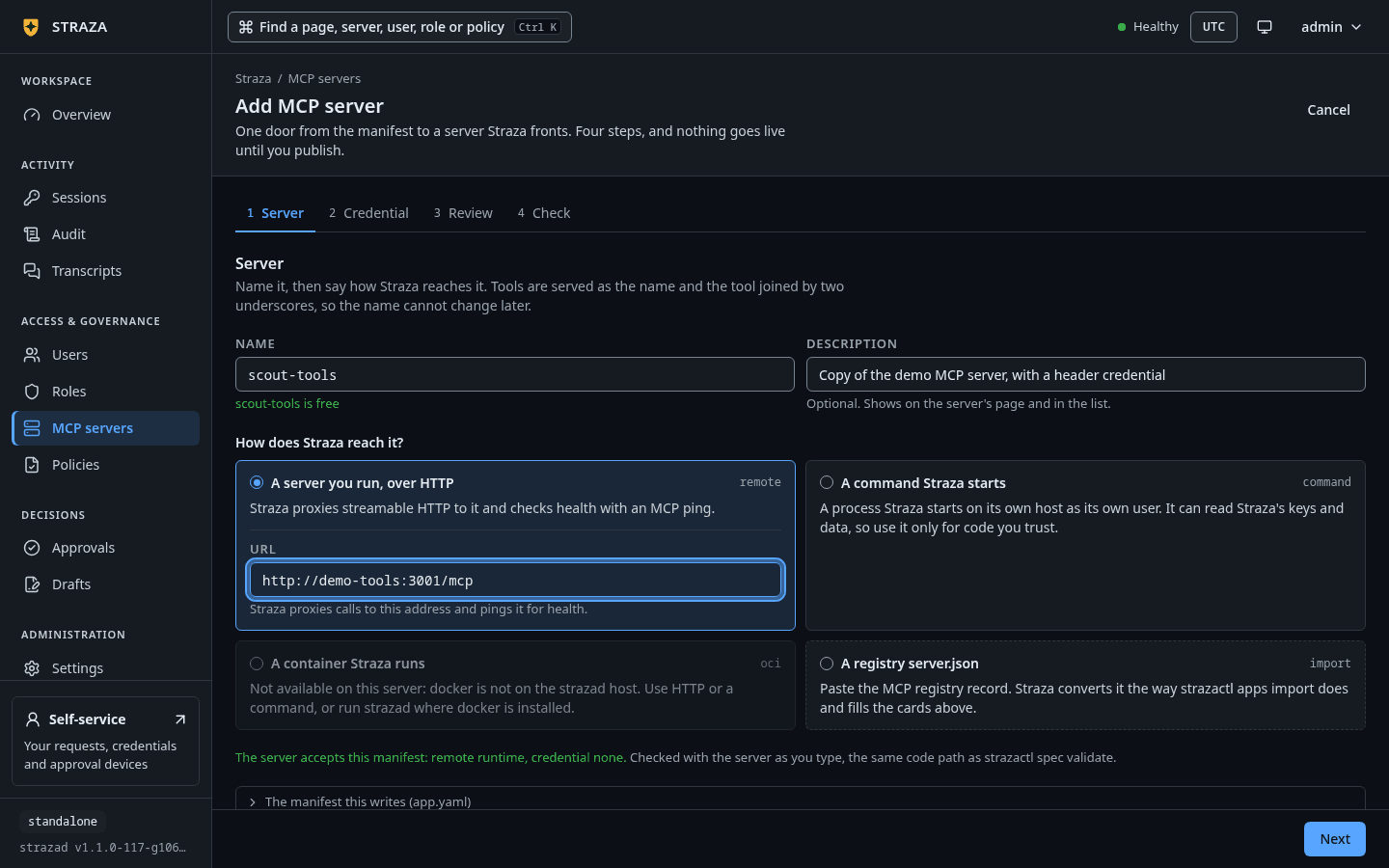
The Server step with the name scout-tools, the card A server you run, over HTTP and the address Straza dials. Show the whole screenThe wizard has four steps: Server, Credential, Review and Check. On Server, type the name, then pick how Straza reaches the server:
Card What the card says A server you run, over HTTP Straza proxies streamable HTTP to it and checks health with an MCP ping. A command Straza starts A process Straza starts on its own host as its own user. It can read Straza’s keys and data, so use it only for code you trust. A container Straza runs An image Straza runs with docker on the strazad host, restarted with backoff. A registry server.json Paste the MCP registry record. Straza converts it the way strazactl apps import does and fills the cards above. For a server you run, enter its address. The step checks the manifest it writes on the server as you type. Under the enterprise profile the command card is off and reads
Not available on this server: the enterprise profile does not run servers inside Straza. Run it as its own service or pod and pick HTTP.The example uses the
demo-toolsserver of the demo stack and registers it again asscout-tools. Its address is reachable from Straza on the Compose network and from no other host, so put your own endpoint in its place on another deployment.metadata.nameis the server’s identity in policy and the prefix of its tool names on the wire. Straza keeps theserverblock, the server’s registry record, as data. What Straza needs sits in thestrazablock.cat > scout-tools.yaml <<'EOF' apiVersion: straza.dev/v1beta1 kind: App metadata: name: scout-tools description: Copy of the demo MCP server, with a header credential server: name: scout-tools version: "0" straza: runtime: kind: remote remote: url: http://demo-tools:3001/mcp credential: kind: static inject: as: header name: X-Demo-Key template: "{{secret}}" exposure: tools: ["echo", "get-sum", "get-env"] EOF strazactl spec validate app -f scout-tools.yamlYou should see
scout-tools.yaml: app OKThe manifest names three tools in
exposure.tools, because the upstream serves more than these guides use.The name becomes part of every tool name, such as
scout-tools__echo, so a server cannot be renamed later.Choose whose credential Straza adds
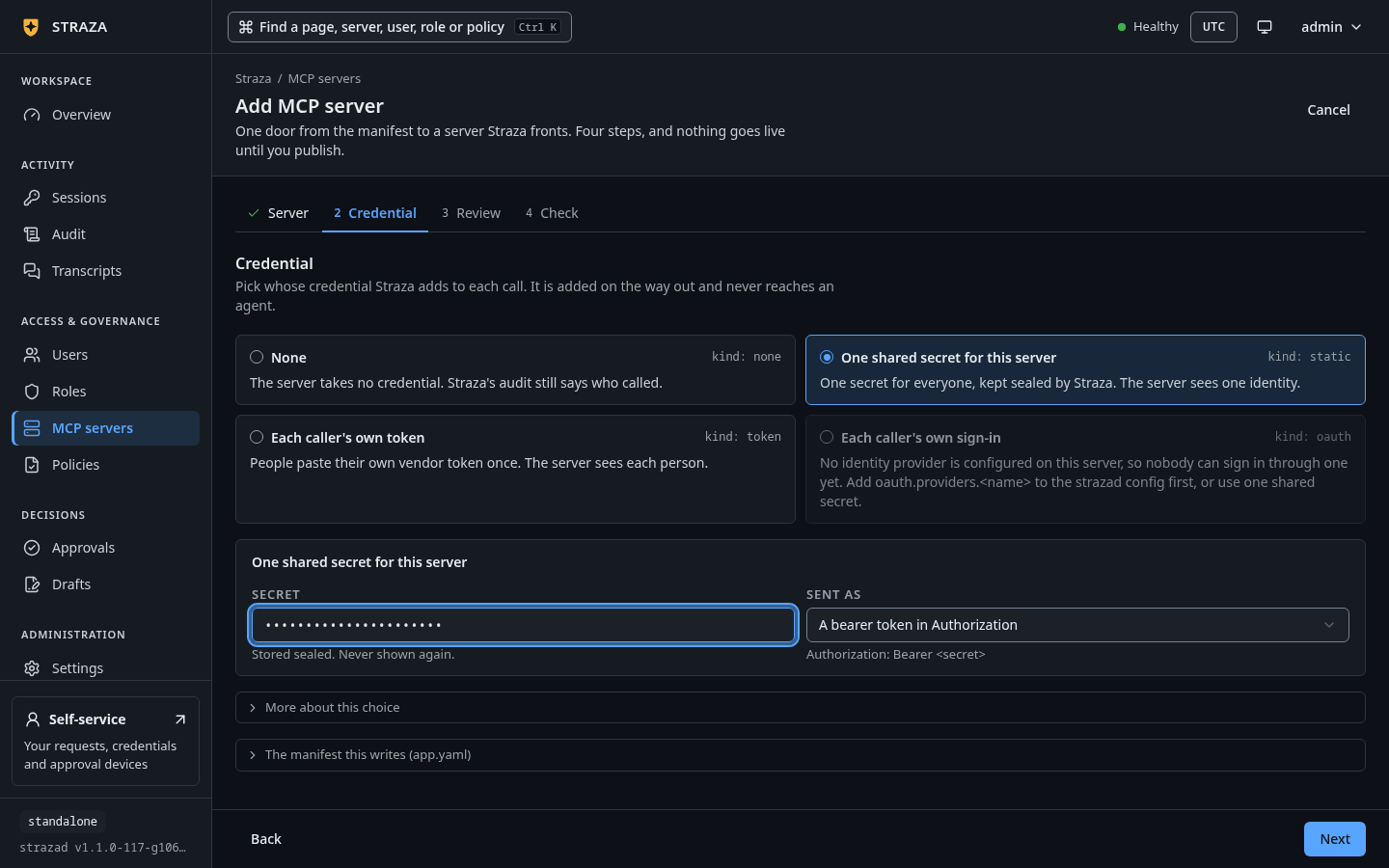
On Credential, pick one of four cards. Each card has one line, and the chosen card’s fields open in a box below them:
Card Its line None The server takes no credential. Straza’s audit still says who called. One shared secret for this server One secret for everyone, kept sealed by Straza. The server sees one identity. Each caller’s own token People paste their own vendor token once. The server sees each person. Each caller’s own sign-in People sign in once through keycloak. The server sees each person. Your provider’s name stands in place of keycloak. 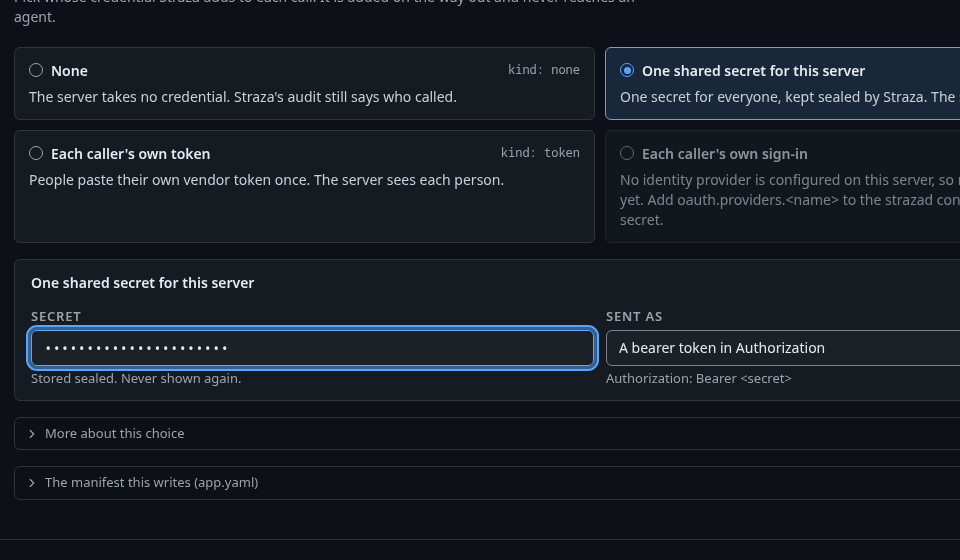
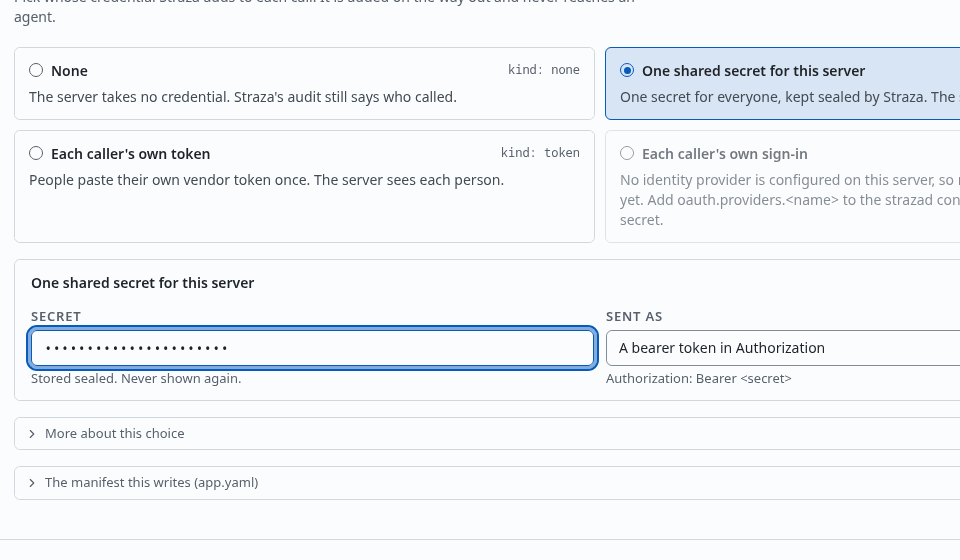
One shared secret for this server picked, with the box for the secret under the cards. Show the whole screen For one shared secret, type the secret in the box. On a command or container server the two caller cards are off and read
Not on a command or container server: one process is one identity.When strazad has no identity provider configured, the sign-in card is off and readsNo identity provider is configured on this server, so nobody can sign in through one yet. Add oauth.providers.<name> to the strazad config first, or use one shared secret.The two caller cards also ask what agents with no token or sign-in of their own run on:
Card Choices for agents Each caller’s own token Get nothing, the default,Run on their sponsor's tokenandUse this server's shared secretEach caller’s own sign-in Get nothing,Run on their sponsor's sign-in, the default, andUse a shared accountA fold under the cards,
More about this choice, holds the long form of the chosen card and of each agent choice.Your manifest declares its credential in
straza.credential: one shared secret,kind: static, sent as the headerX-Demo-Key. You store the secret after the install.Credentials explains the shared secret, and Each caller’s own credential explains the token and sign-in kinds, the agent choices and the provider block of the config.
Publish the server
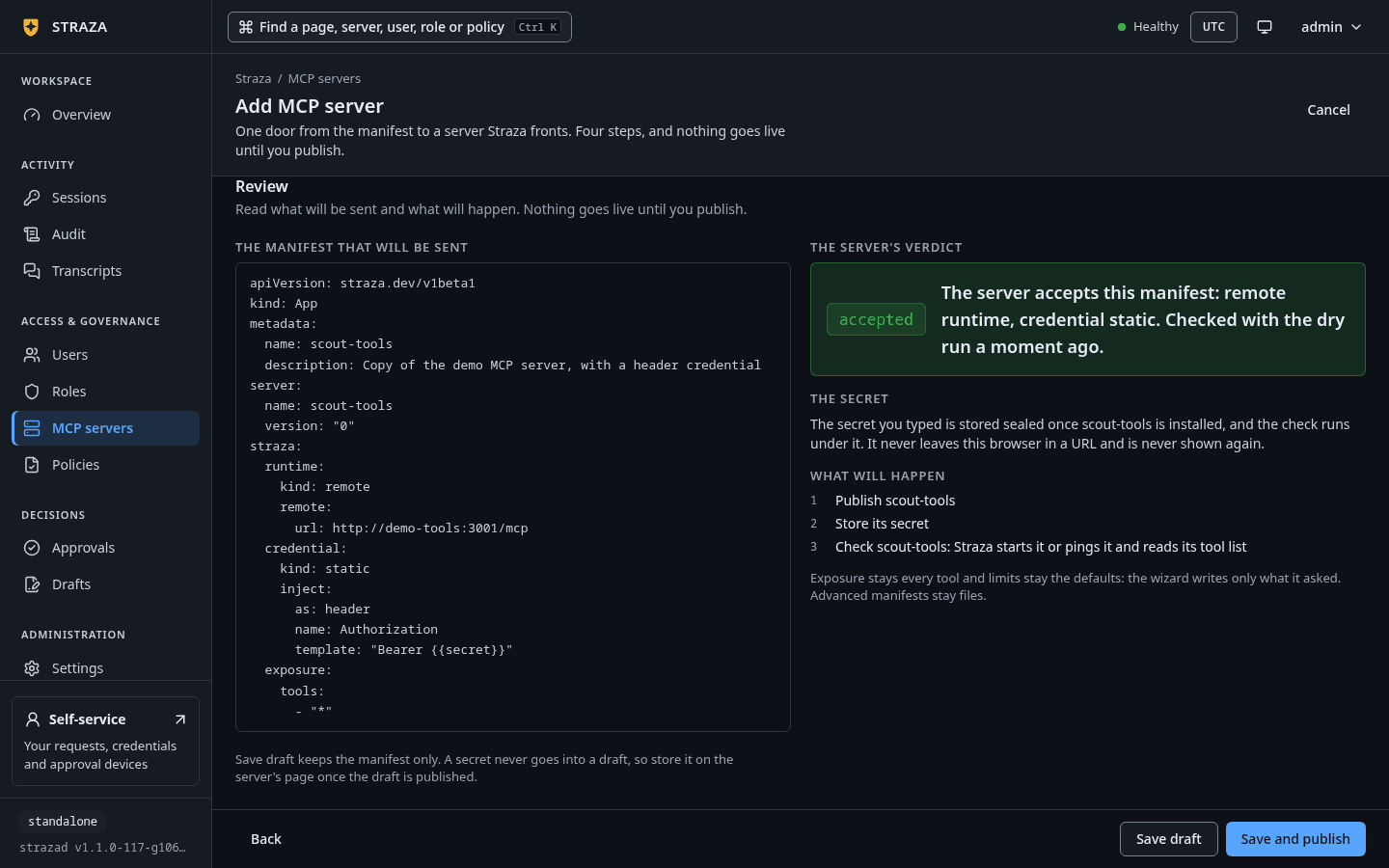
On Review, read the summary of what the console sends, then press Save and publish. The console publishes the server, stores the secret you typed and checks the connection. Save draft adds the server to your working draft instead. When your choice needs a secret, the step then says
Save draft keeps the manifest only. A secret never goes into a draft, so store it on the server's page once the draft is published.Once the server is published, leaving the wizard does not remove it.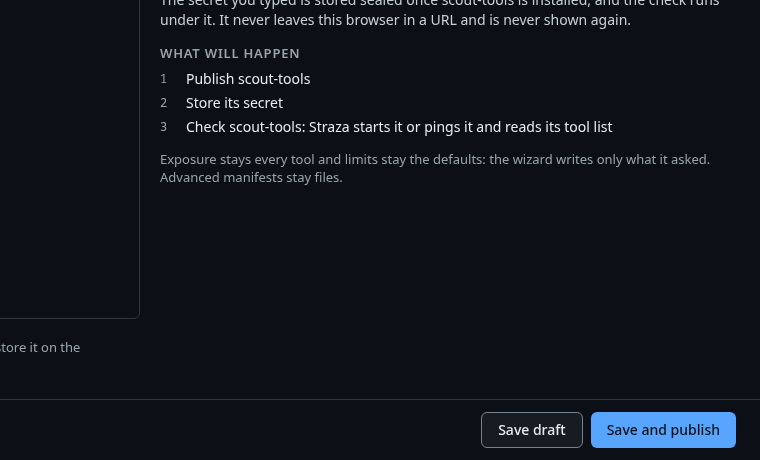
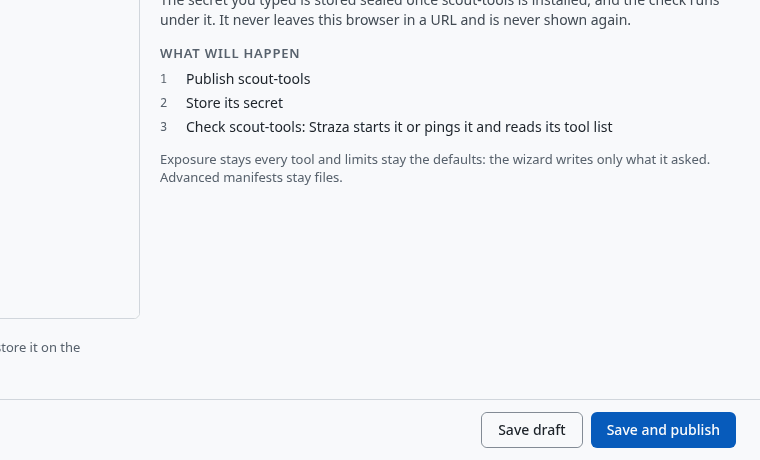
The foot of Review, with what will happen and the buttons Save draft and Save and publish. Show the whole screen Installing validates locally first, so a bad manifest fails offline, and then uploads it.
strazactl apps install -f scout-tools.yamlYou should see
One line with the health, the reason and the command that follows from it:
installed scout-tools (remote runtime). Health: degraded, requires a credential and none is stored. Set one with strazactl apps secret set scout-tools, which asks for the value at a hidden prompt.Store the secret as Credentials shows. A manifest with no credential block, like the demo stack’s own
demo-tools, printsHealth: runningand its number of tools at once.Installing the same name again updates the server in place, which is how you roll out a new version. A paused server takes the update and stays paused until an administrator enables it, and the command says so:
installed scout-tools (remote runtime). Health: stopped. It stays paused: run strazactl apps enable scout-tools to start it with this manifest.A manifest whose credential is each caller’s own sign-in, through a provider strazad does not know, is refused with
credential.oauth.provider "github" is not configured on this server. Add oauth.providers.github to the strazad config, or pick one of: keycloak.Check the connection
The Check step shows what landed and what the server answered. If authentication was refused, correct the credential. If the address is unreachable, check it and the network path, then press Recheck. You can leave and finish later on the server’s own page:
- MCP servers
- scout-tools
- Recheck
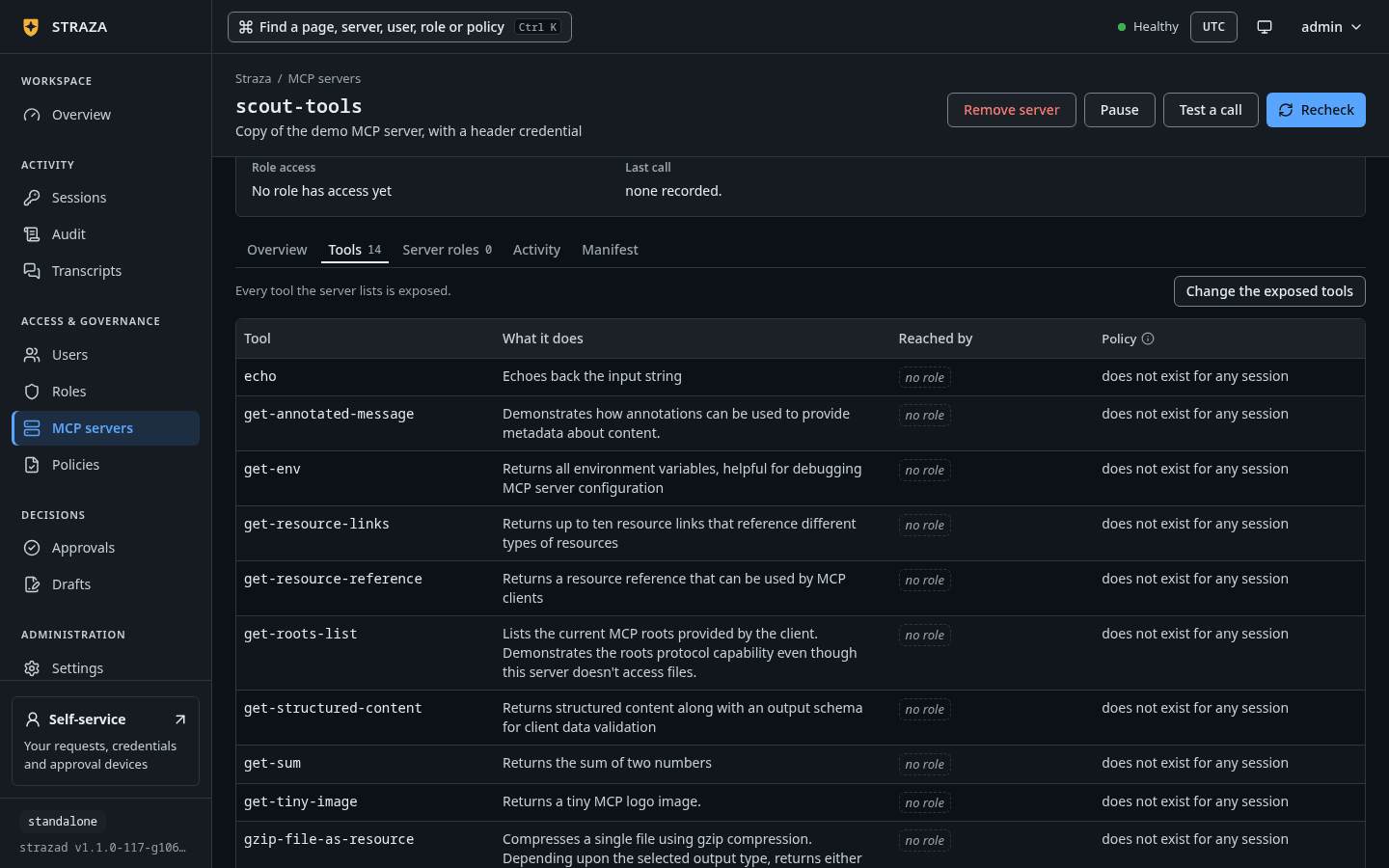
The server’s page has the tabs Overview, Tools, Server roles, Activity and Manifest. Overview holds the cards Connection, Server authentication, Tools and limits, and Server administration. Tools lists each tool with its description. Activity holds Straza’s own record of the server, and for a command or container server it also shows the process’s log.
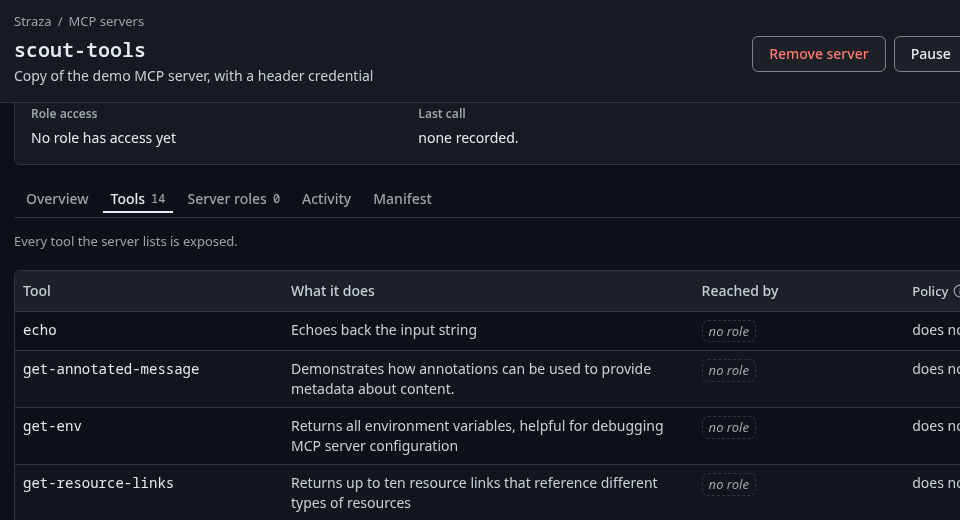
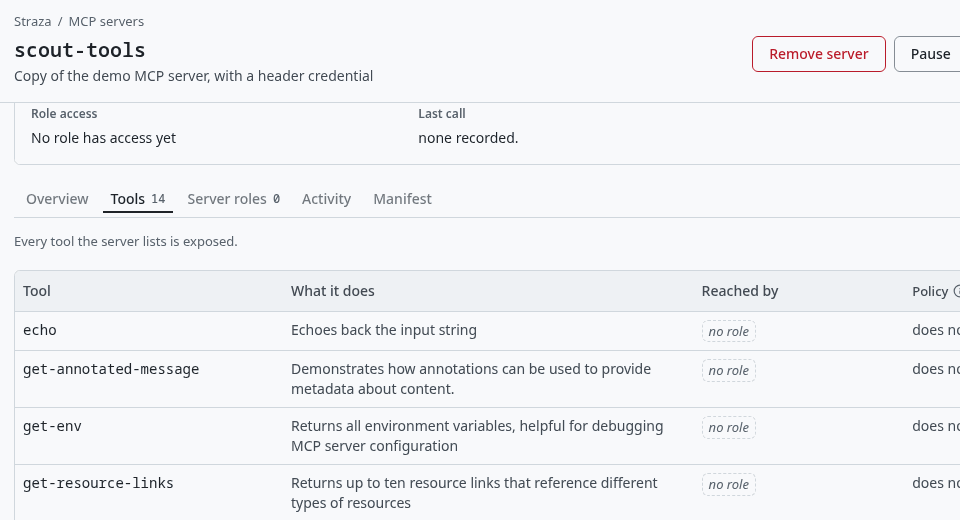
The Tools tab right after the install, with every tool the server lists and no role that reaches one yet. Show the whole screen The listing carries the reason and the roles that reach each server. A long reason is cut to its column, and
strazactl apps showprints it whole.strazactl apps listNAME VERSION RUNTIME STATUS REASON SOURCE TOOLS REACHED BY CHECKED demo-tools 2026.8.31 remote running - api 14 demo-tools-readers,demo-tools-sandbox 16s ago midpoint 0.3.1-dev remote running - api 27 midpoint-operations,midpoint-self-service 16s ago scout-tools 0 remote degraded requires a credential and none is stored api 0 - 1s agostrazactl apps show scout-toolsis one read of the server: its health with the full reason, its tools, the role that administers it, every access row with how each tool runs for that role, and the stored secrets by fingerprint. Right after the install it readsdegradedwith the missing credential as the reason, andtools: none known. Under ACCESS it saysno role has access to scout-tools. Create one with strazactl roles create scout-tools-<word> --app scout-tools --tools <tool,...>., and under SECRETS it saysnone stored.strazactl apps tools --app scout-toolslists the tools with their upstream descriptions.strazactl apps logs scout-toolsprints the server’s recent runtime lines, oldest first, 100 unless--limitsays otherwise. For every server they hold Straza’s connection attempts and status changes. For a command or container server they also hold what the process wrote to its standard error.A server that has never answered a probe has no tool list to serve, so its tools are missing from every catalog. A server that answered once and then turned degraded keeps serving the list it last reported, and the call itself fails with the reason. Straza creates the server’s own admin role,
mcp-admin-scout-tools, with the server, and the console shows it on the Server administration card. Give it to the people who own the server, and they administer it without administering the rest of Straza, as Delegated admin shows.If this fails
requires a credential and none is stored- Store the server’s secret, as Credentials shows. The server turns running within seconds.
Straza does not dial 127.0.0.1 for the server scout-tools because it is a loopback address on strazad's own host. An administrator publishes an address other machines can reach, or sets apps.allowLoopbackUpstreams when strazad runs beside the server on purpose.- Register the server at an address other machines reach. When strazad runs beside the server on purpose, set
apps.allowLoopbackUpstreams: truein the strazad config and restart strazad. Straza does not dial 169.254.169.254 for the server scout-tools because it is a cloud metadata address, which reaches the metadata service of strazad's cloud. An administrator publishes an address other machines can reach.- No setting lifts this refusal. Give the server a private or a public address.
this server cannot run containers (no docker on the strazad host). Use the remote or command runtime, or run strazad where docker is installed.- Install docker on the strazad host, or run the server yourself and register it over HTTP. Under the enterprise profile the sentence names the remote runtime alone.
Give a role its tools
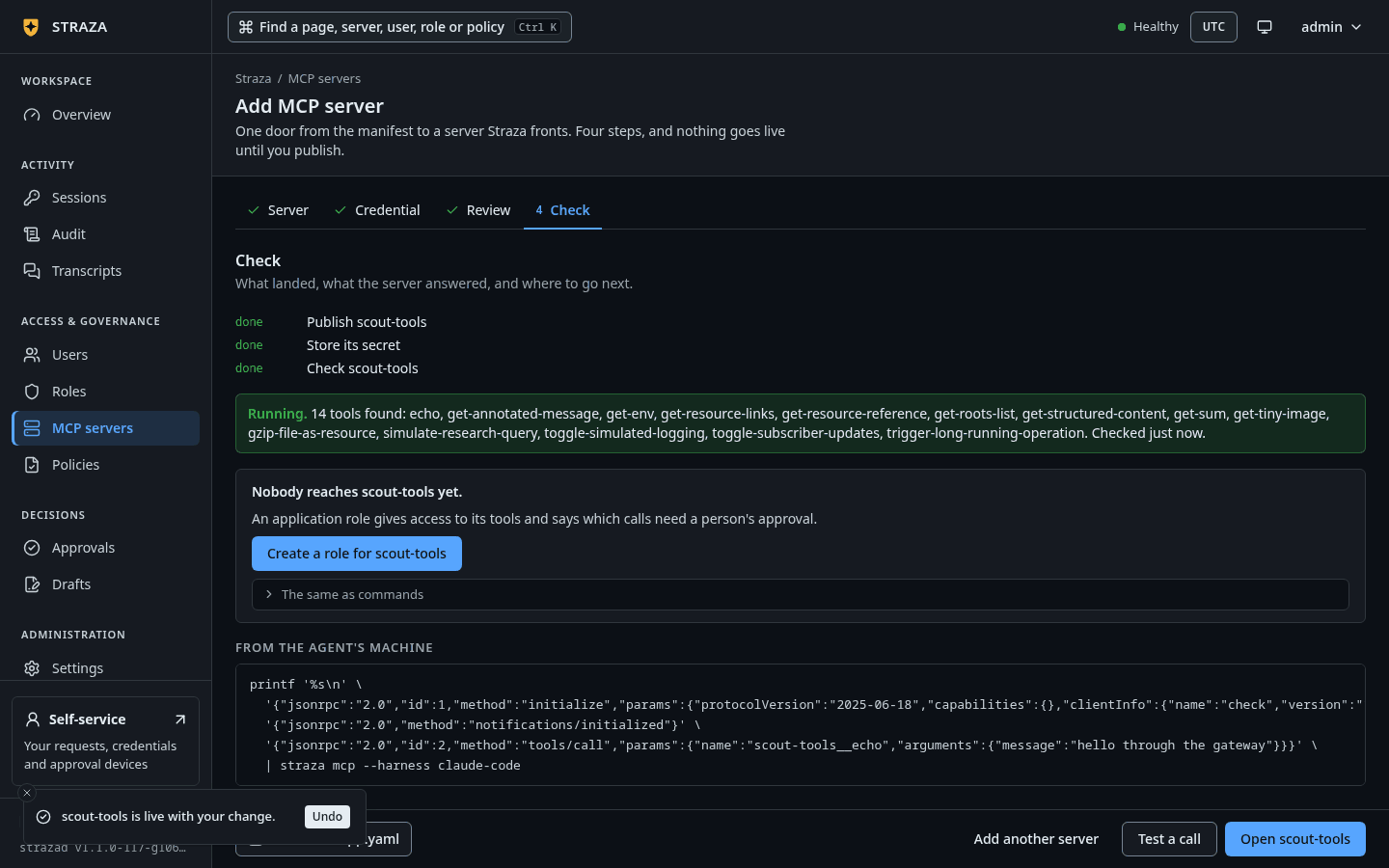
Once the server runs, the Check step says
Nobody reaches scout-tools yet.and offers one button:- Create a role for scout-tools
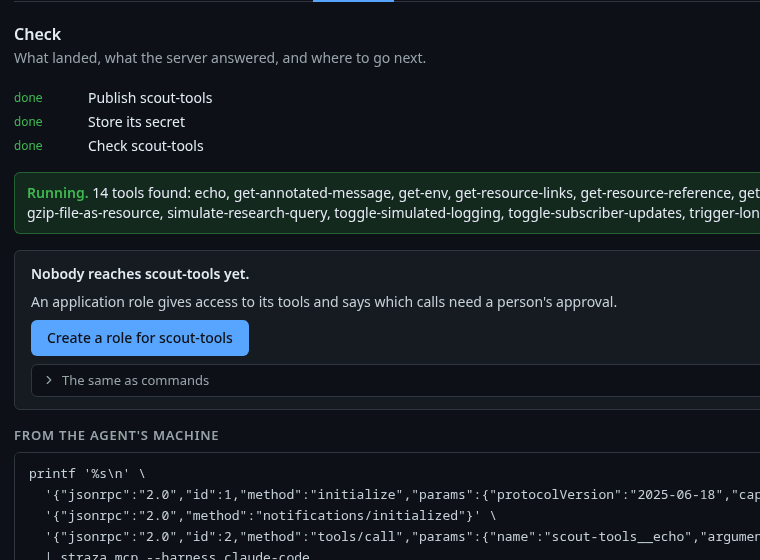
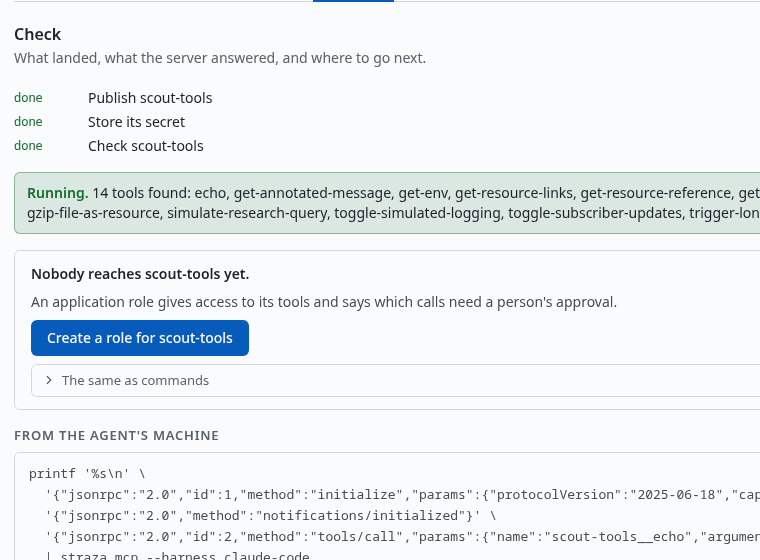
The Check step once the server runs, with the tools it found, the line Nobody reaches scout-tools yet.and the button. Show the whole screenNew role opens on Application role with
scout-toolspicked. Type the word that completes the role’s name after the server’s name, then tick the tools on the Access step and say which calls need a person’s approval. The foldThe same as commandsunder the button holds the same role as onestrazactl roles createline.strazactl roles create scout-tools-readers --app scout-tools --tools echo,get-sum --description "Tool access to the scout-tools server"An application role that reaches a server belongs to that server, so the identity manager shows it as that server’s role. Assign the role to the person or agent through Users or your identity manager. Access per role walks this step and checks which tools the holder’s session can call and which need approval.
Runtimes, limits and timeouts
runtime.kind selects exactly one of three runtimes, and the manifest is invalid when the matching block is missing or a second one is present.
| Kind | Block | How Straza runs it |
|---|---|---|
remote |
remote: {url, auth} |
streamable HTTP to a server you run, health by MCP ping |
command |
command: {exec, args, env, workdir} |
a child process over stdio, restarted with backoff, refused under the enterprise profile |
oci |
oci: {image, sandbox, env} |
a container over stdio, which installs but stays degraded and never starts where strazad finds no docker |
A command server is a process of strazad itself, on strazad’s host and as strazad’s user, so it can read Straza’s keys and data. The enterprise profile therefore refuses the command runtime, with no setting to turn it back on. An install or a draft that names one is refused with a sentence that says why, a stored one stays degraded and never starts, and /version leaves command out of its runtimes. Run such a server as its own service or pod and add it as remote. The standalone profile still runs command servers, so use one there only for code you trust.
oci.sandbox is default unless you set it. The default runs the container with a read-only root file system, every capability dropped, no new privileges, at most 256 processes and no network. sandbox: none runs the image with docker’s own defaults, which gives the container a network and a writable file system.
remote.auth is inject unless you set it, and the gateway then adds the credential that straza.credential declares. passthrough is reserved for a later token exchange and today means that the gateway adds no credential. In both modes the gateway never forwards the agent’s own Authorization header, because it carries the Straza session token.
exposure.tools caps what exists in any catalog, ["*"] by default, and a role’s access row narrows it further. limits.rps bounds the calls of one session to the server at the gateway. limits.timeoutSeconds caps one upstream call, and without it the server-wide apps.upstreamTimeout applies, 30 seconds by default. limits.cpu and limits.mem are parsed and stored, and nothing enforces them yet. strazad checks each server’s health and compares its tools with the last list every apps.healthInterval, 20 seconds by default. Both server-wide settings live in the strazad config file, and Lifetimes and timeouts lists them with the other intervals.
Import a registry record
A registry server.json converts into a manifest without touching the server. Its first streamable-http remote becomes a remote runtime, a stdio container package becomes oci, an npm or PyPI package becomes command, and one secret header or variable becomes a static credential. When a record offers several, the remote wins, then the container, then npm, then PyPI. --runtime remote, --runtime oci or --runtime command restricts the choice to one kind, and the import fails with a sentence such as registry import: no stdio oci package in server.json when the record has none. Under the enterprise profile, a record whose only package is npm or PyPI converts to a command server, which the install then refuses. In the console, the card A registry server.json runs the same conversion and fills the wizard’s cards.
cat > server.json <<'EOF'
{
  "name": "io.modelcontextprotocol/server-everything",
  "description": "Reference MCP server exercising every protocol feature.",
  "version": "2026.7.4",
  "remotes": [
    {
      "type": "streamable-http",
      "url": "http://demo-tools:3001/mcp",
      "headers": [
        { "name": "X-Demo-Key", "value": "Bearer {demo_key}", "isSecret": true }
      ]
    }
  ]
}
EOF
strazactl apps import server.json --name scout-imported
apiVersion: straza.dev/v1beta1
kind: App
metadata:
name: scout-imported
namespace: io.modelcontextprotocol
server:
name: io.modelcontextprotocol/server-everything
version: 2026.7.4
straza:
runtime:
kind: remote
remote:
url: http://demo-tools:3001/mcp
auth: inject
credential:
kind: static
inject:
as: header
name: X-Demo-Key
template: Bearer {{secret}}
exposure:
tools:
- '*'That output is trimmed of the verbatim server fields the input carried. Write it to a file with -o, review it, and install it as above.
Register through the API
The API takes the manifest as the request body and answers with the server’s record. The same request with ?dryRun=1 validates the manifest without installing anything, which is what the wizard’s Server step does as you type. ADMIN_API_TOKEN holds an admin API token minted with strazactl api-token create --name docs --scope apps:write:
curl -s -X POST http://localhost:8420/v1/admin/apps -H "Authorization: Bearer $ADMIN_API_TOKEN" \
  -H 'Content-Type: application/yaml' --data-binary @scout-tools.yaml
The answer is one JSON object: the server’s id, name, version, runtime, status and source, the reason in detail, the probe times, reached_by with the roles that reach it, its server admin role in admin_role and admin_role_id, and its tools once a probe has listed them. For this manifest status reads degraded, detail reads requires a credential and none is stored, and tools is left out until the secret is stored. An invalid manifest answers 422 with the parser’s sentence, the same one the CLI prints.
Remove the server
Removing the server stops its runtime and drops its tools from every catalog. It removes the server’s access rows and every stored credential, the per-user sign-ins included, so a server installed again under the same name starts with none. It also deletes the server’s admin role and every role the server owns, with their memberships. The removal is an audit record that names who did it and which roles lost access.
- MCP servers
- scout-tools
- Remove server
- Remove server…
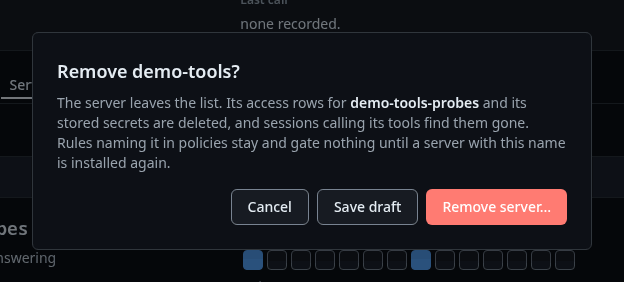
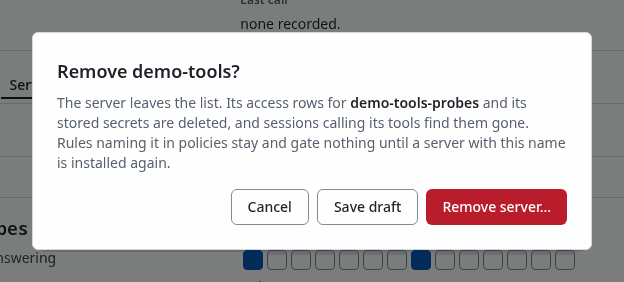
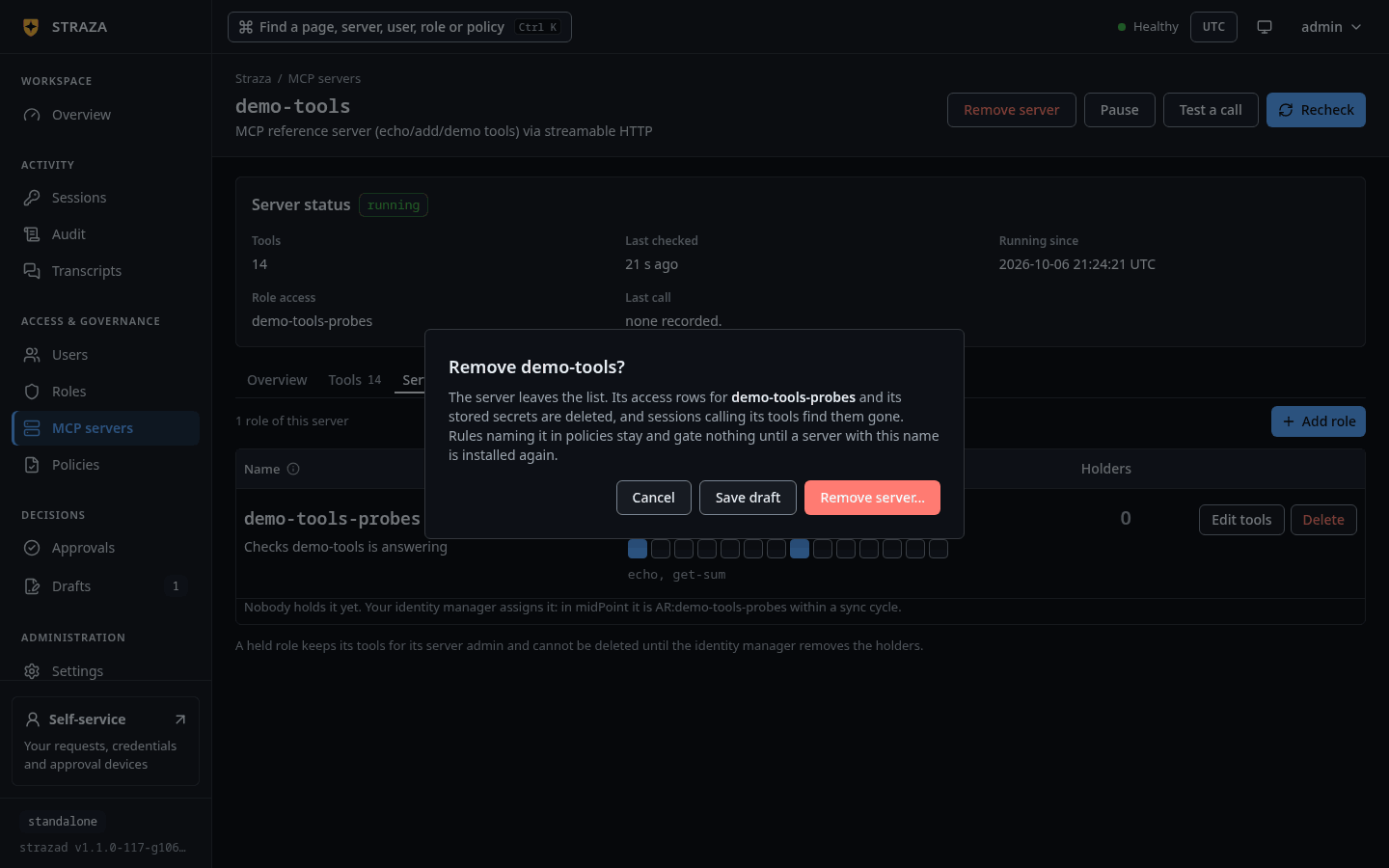
The console publishes the removal through a draft. Save draft in the same dialog keeps it as a draft for later.
strazactl apps remove scout-toolsYou should see
removed scout-tools, and nothing of it stays in strazactl apps list.
Next
Credentials stores the secret this server waits for.
Walked on v1.1.0 on 2026-09-28. Linux, against the enterprise demo stack, with strazactl logged in as an administrator and curl from the host. The server was installed under a name of the tester's own, and the install, list and removal lines shown here match what it printed apart from that name. The console steps were read from the console's source, not run in a browser. Console screenshots show strazad v1.1.0-117-g106081a8, standalone.