Slack
strazad posts each held call to a Slack channel as a card, and a tap on Approve or Deny there decides it.
- Who
- You, as the admin, with admin rights on the Slack workspace
- Where
- The Slack app settings, the strazad configuration and the console
- Profile
- Standalone and enterprise
On this page
You, as the admin, connect one Slack channel so the people who decide held calls answer them there. strazad posts each held call as a card with Approve and Deny buttons. By the end of this page the channel is configured and checked, and you know what a tap on each button does.
Not run against a Slack workspace
The steps were written from the code and have not been run against a live Slack workspace. Check each one against your workspace the first time.
Slack is a notifier with buttons. A tap on a button is a real decision when the person tapping maps to a Straza user the request names as a decider. The card carries no command text beyond the redacted preview, and the agent’s own justification stays off Slack unless you opt in. The console keeps working underneath, so a Slack outage costs you a notification, never a decision.
Before you start
- Admin rights on the Slack workspace.
- Write access to the strazad configuration.
- Deciders whose Slack profile email equals their Straza email, because that is how a tap is attributed.
Check each approver's Slack email first
A Slack account whose profile has no email, or an email that differs from the Straza email your identity manager sends, cannot decide from Slack. The deployment learns about it only from the ephemeral reply and a server log line. Check the mapping for your approvers before the first real request.
Create the Slack app
In Slack’s app settings, create an app for your workspace and set three things:
- A bot token with the scopes the code calls:
chat:writeto post and update the card, andusers:read.emailto read the tapping user’s email. - Interactivity, with its request URL set to your server’s public address plus
/v1/approval/callbacks/slack. strazad receives the button taps there. - The app’s signing secret, kept at hand. strazad verifies every callback with it.
- A bot token with the scopes the code calls:
Configure strazad
Add the channel to the server configuration and restart strazad.
approval:
  channels:
    slack:
      enabled: true
      channel: C0123456789
      botTokenFile: /etc/straza/slack-bot-token
      signingSecretFile: /etc/straza/slack-signing-secret
      includeJustification: false
The small line under each setting is its environment variable.
Setting What it sets approval.channels.slack.enabledSTRAZA_APPROVAL_SLACK_ENABLEDTurns the channel on. Only trueand1count, so a typo cannot half-enable it.approval.channels.slack.channelSTRAZA_APPROVAL_SLACK_CHANNELThe Slack channel id, not its name. approval.channels.slack.botTokenFileSTRAZA_APPROVAL_SLACK_BOT_TOKEN_FILEThe file that holds the bot token. botTokentakes the value inline instead.approval.channels.slack.signingSecretFileSTRAZA_APPROVAL_SLACK_SIGNING_SECRET_FILEThe file that holds the signing secret. signingSecrettakes the value inline instead.approval.channels.slack.includeJustificationForwards the agent’s stated reason to Slack. Off by default. includeJustificationhas no environment face on purpose. Forwarding the agent’s stated reason to a third party is a privacy decision, so it stays a deliberate file edit.If this fails
approval.channels.slack: channel is required when the Slack channel is enabled- Set
channelto the Slack channel id. approval.channels.slack: botToken or botTokenFile is required when enabled- Point
botTokenFileat the file that holds the bot token. approval.channels.slack: signingSecret or signingSecretFile is required when enabled- Point
signingSecretFileat the file that holds the app’s signing secret. approval.channels.slack: set botToken or botTokenFile, not both- Keep one form of the secret, the file. The signing secret refuses both forms the same way.
Check the channel
Console onlyThe channel’s status and its test card exist only in the console.
- Approvals
- Channels
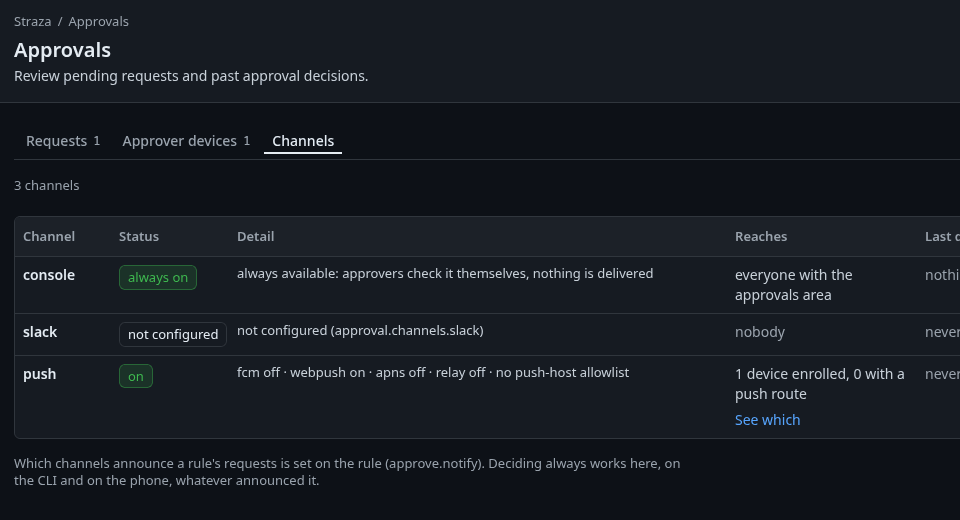
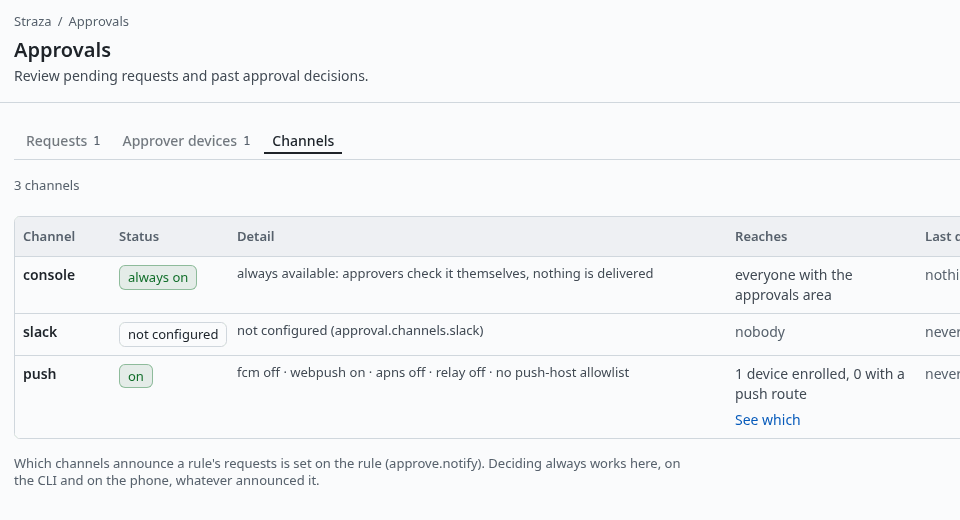
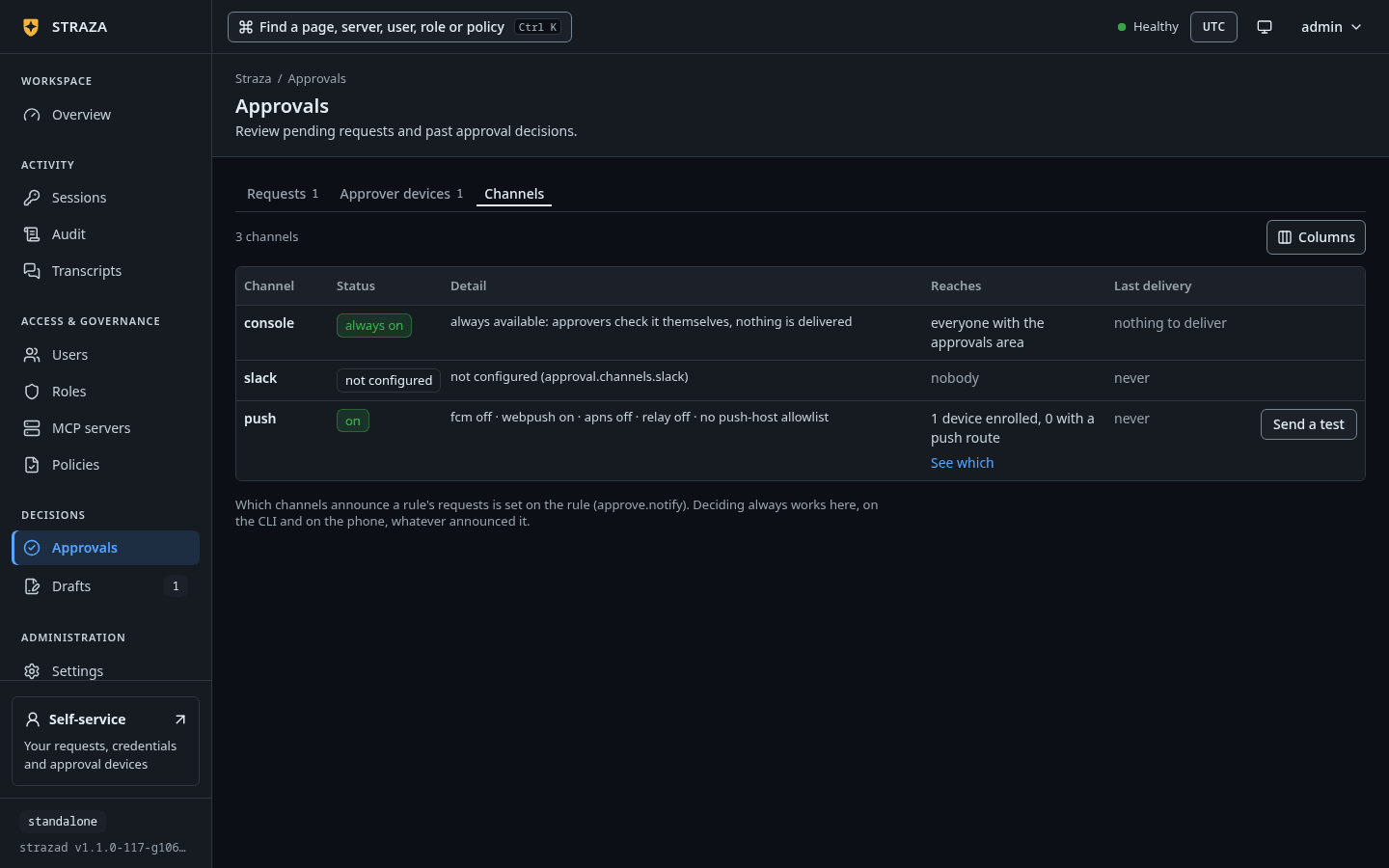
The Channels tab on a server where Slack is not configured. Show the whole screen Every channel has a row with its status, the server’s own detail line, who it reaches and the last delivery attempt. On a deployment where Slack is off, the two rows read as follows.
CHANNEL   STATUS           DETAIL                                                                  REACHES                            LAST DELIVERY
console   always on        always available: approvers check it themselves, nothing is delivered   everyone with the approvals area   nothing to deliver
slack     not configured   not configured (approval.channels.slack)                                nobody                             never
The columns and their words are the console’s own, read at source. The console row never carries a test button, because nothing is delivered to it.
A configured Slack row carries Send a test, which posts a content-free line through the real delivery path.
You should see
Straza test notification. The Slack approval channel is wired correctly.in the channel, and the attempt with its outcome under Last delivery.strazad’s Slack client follows a redirect only within the scheme, host and port of slack.com/api, and a post follows only a 307 or 308. Any other redirect fails the post with a sentence that names the address and the redirect, and the row’s last delivery shows it.
Decide from Slack
When a request is raised, strazad posts one card. It carries the header
Approval requested, the requester and the action, the redacted call parameters when a preview exists, a line that says what an approval binds, and the two buttons. The button values are decision tokens bound to that request and verdict. They expire with the request, so a stale card cannot decide anything.A person who may decide taps Approve or Deny, and strazad checks the tap in four steps:
- strazad verifies the Slack signature and rejects a callback older than five minutes as a replay.
- It checks the decision token.
- It asks Slack for the tapping user’s email and maps that email to a Straza user.
- Last, it checks that this user is a decider the request names at that moment, as the person behind the agent or as a holder of one of its approver roles.
Emails are not unique. When several Straza users carry the email, the tap maps to the oldest active person, else to the oldest disabled or locked person, and never to an AI agent or a service account. An email that matches only AI agents or service accounts maps to no user.
Some taps never decide:
- A decision on your own request is refused from Slack, because Slack carries no device signature, unless the operator sets
approval.unsignedOwnDecisions. - An AI agent never decides.
- A person whose Straza user is disabled or locked is refused before any decision. The reply names the Straza user the Slack email matched and says why. The refusal writes one
straza.audit.authnlogin failure withviaslackthat names the person, the request and the reason.
The person tapping sees a short reply in Slack. Every reply after the mapping names the Straza user the email matched.
You should see
Recorded: approved. Your Slack email matched the Straza user ana.If this fails
Your Slack identity is not linked to a Straza user, so this decision was not recorded.- The Slack profile email matches no Straza person. Make it equal the email your identity manager sends Straza.
This approval button is no longer valid.- The card is stale, because its buttons expire with the request. Decide in the console, or wait for the agent’s next request.
This request was already approved by ana in Slack at 2026-09-29 08:32:23 UTC, so this tap recorded nothing new.- The request already holds the verdict you tapped. Nothing more is needed.
Could not record decision:followed by the reason in plain words- The reason says what failed. For a disabled or locked Straza user it begins
your Slack email matches the Straza user ana, which is disabled, so it cannot decide a request.Another person who may approve must decide.
Once a request resolves on any surface, the card’s buttons are replaced by a note with the verdict, the decider and the time, such as
Approved by alice · 14:30. A request that expires undecided gets the noteExpiredin place of its buttons. A decision made from Slack is recorded under the channelslack.Choose which rules reach Slack
By default every configured channel announces every held call. A rule narrows that with
approve.notify, a list ofconsole,slackandpush.notify: [console]alone keeps a rule off Slack and off phones. PolicySet grammar lists it with the other keys ofapprove.The rule cards keep
notifyand do not edit it, so change it as text. Open the policy under Policies, editnotifyon its YAML tab, and press Save and publish.Edit
notifyin the set’s file, then store and publish the set.strazactl policy apply -f <file> strazactl policy activate <name>Routing narrows the announcement only. Who may decide stays with the rule’s decider settings. The console, the CLI and an already posted card keep working whatever the list says.
Undo
Set enabled: false and restart strazad. Cards already posted keep their buttons, but a tap no longer decides anything, because strazad stops answering the Slack callback. Decide those requests in the console, as Approve in the console shows.
Walked on v1.1.0-117-g106081a8 on 2026-10-06. Not run against a Slack workspace, so the app settings, the card, the taps and the email mapping were read at source. The five configuration refusals and the enabled switch were run at the boot of a throwaway standalone server in a Linux container, where a notify edit was also stored and published with strazactl on an admin API token. The console and slack channel rows were read from the demo stack's channel status route, and their console words at source. Console screenshots show strazad v1.1.0-117-g106081a8, standalone.