Settings
You read every configuration value with the key that sets it, compose a config change to paste into your deployment, keep the attestation registry, and mint and revoke admin API tokens.
- Who
- You, as an admin
- Where
- The console in a browser
- Profile
- Standalone and enterprise
On this page
Settings has three tabs: Configuration, Attestation registry and API tokens. The first two need the config area and the third needs the tokens area, and a tab your session cannot open is named in a line at the top instead. Your configuration itself lives in the config file, the environment or the chart, never in a browser, and this page shows what that means for each tab.
Before you start
- A console sign-in that holds the
configarea, thetokensarea, or both. - Access to the config file or the chart values of your deployment, for any change you decide to make.
Read the configuration
- Settings
- Configuration
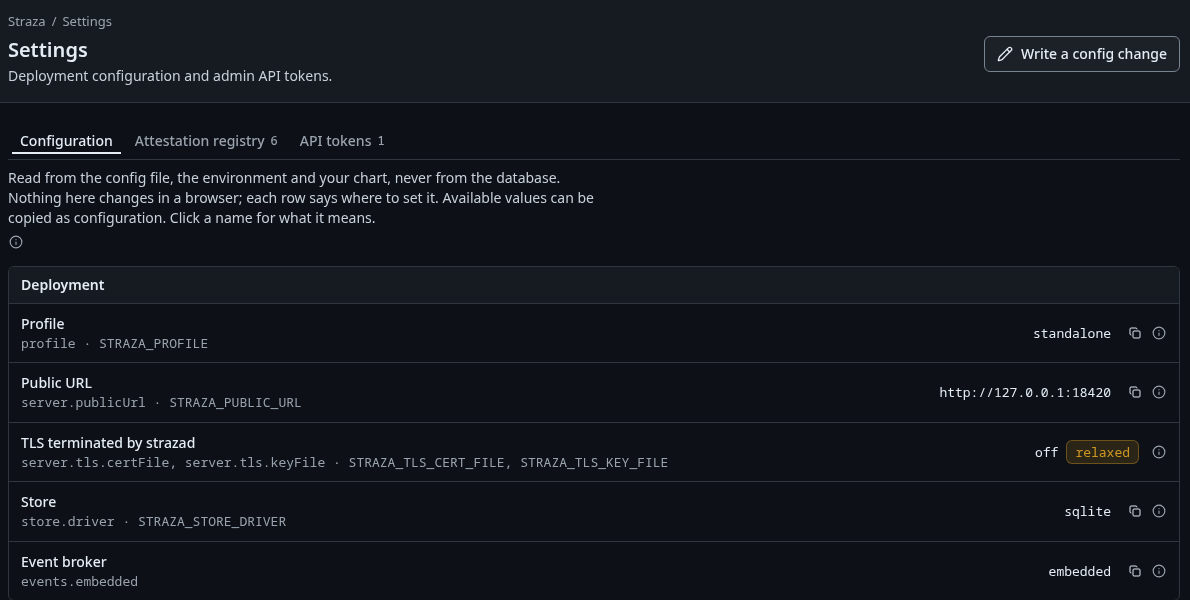
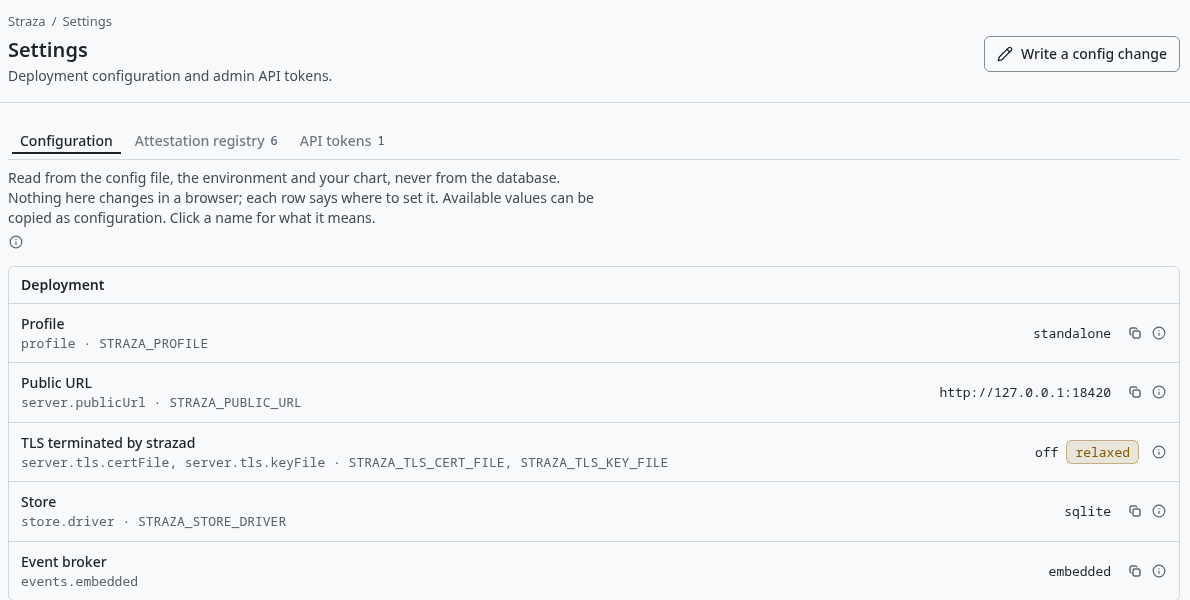
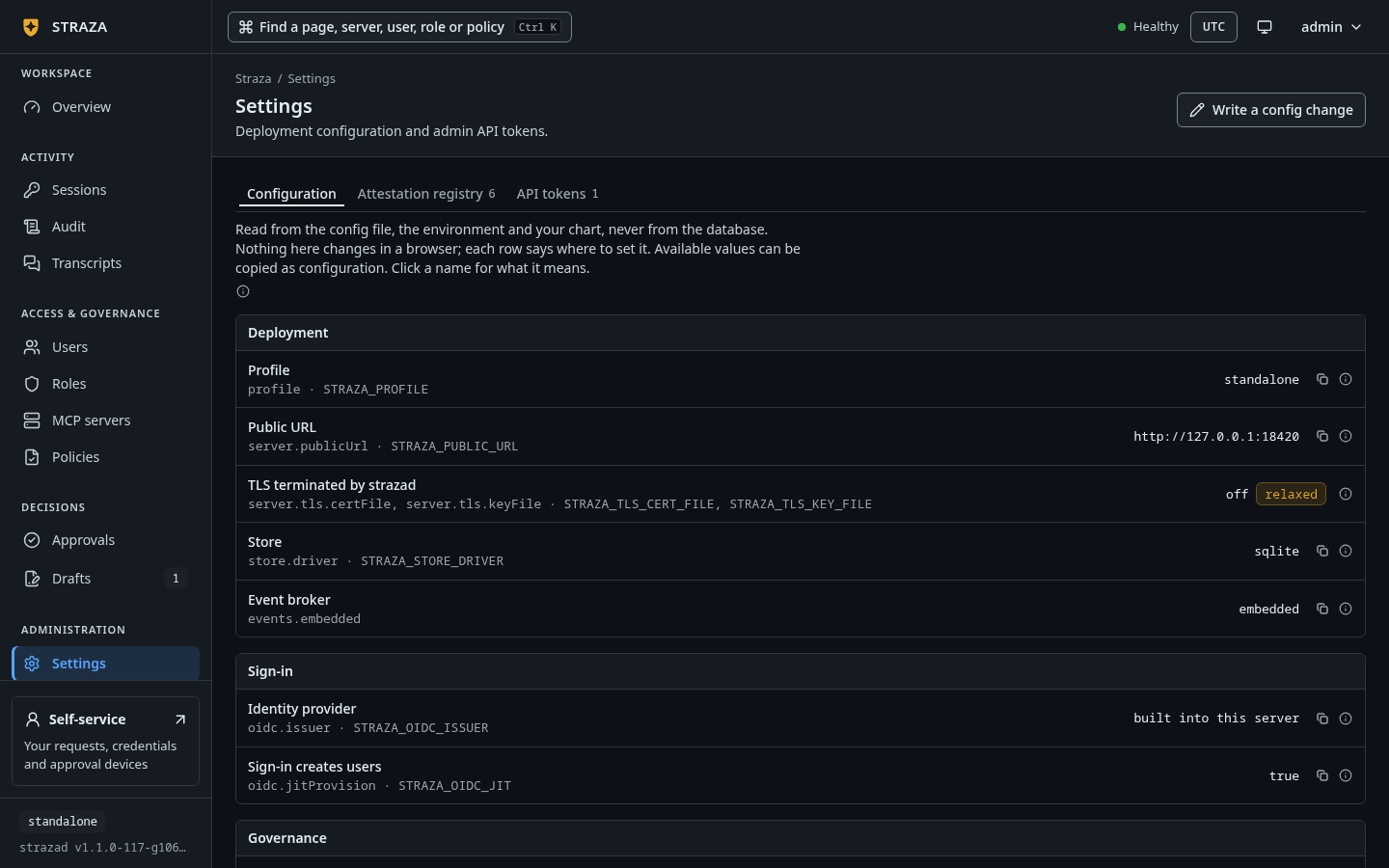
The Configuration tab, with each setting’s key, its environment variable, its value and the badge relaxed. Show the whole screenThe tab opens with
Read from the config file, the environment and your chart, never from the database. Nothing here changes in a browser; each row says where to set it.Rows sit in six groups: Deployment, Sign-in, Governance, Approvals, MCP servers and Recording. Each row shows its name, the key and the environment variable that set it, such asgovernance.minAttestation · STRAZA_MIN_ATTESTATION, and the value the server runs with. A value that loosens the server carries the badgerelaxed. Select a name to read what the setting means and its allowed values, and use the copy button to copy the line for the config file.At the foot, Console access lists each Straza role with its holders and the admin areas it opens, such as
straza-adminwithevery area. The map comes fromadmin.roleAreas, which only the config file sets.Compose a config change
- Settings
- Write a config change
The sheet writes nothing. Pick a row in Pick a setting to change and give the new value, and the sheet shows what the change costs, in the row’s own words. The fragment shows the same change three ways: for
straza.yaml, for the chart’svalues.yaml, and as environment variables where they exist. Press Copy the fragment and merge it into your deployment.Deploy it the way your deployment changes config: a restart, a rollout or a chart upgrade. Overview shows the new posture at its next read. Hardening lists the settings worth tightening before production.
Keep the attestation registry
- Settings
- Attestation registry
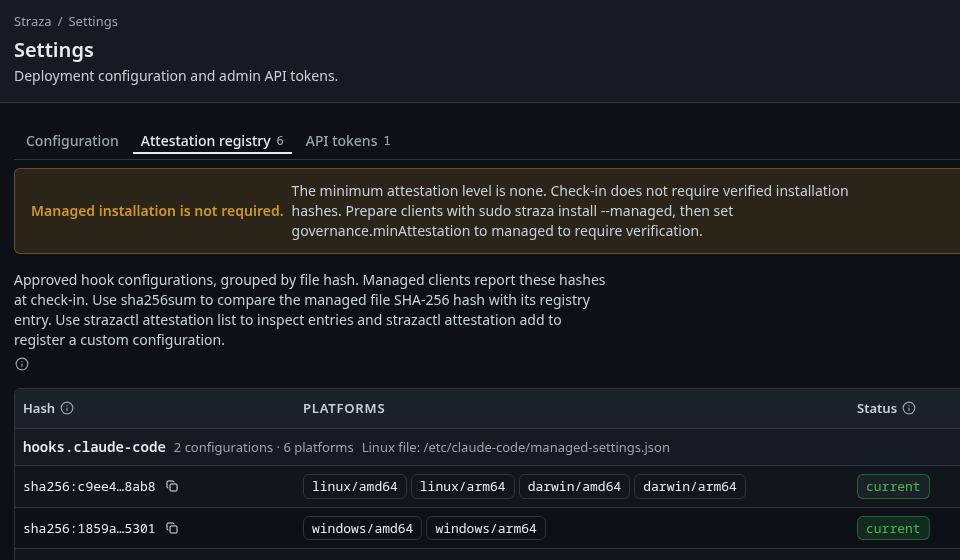
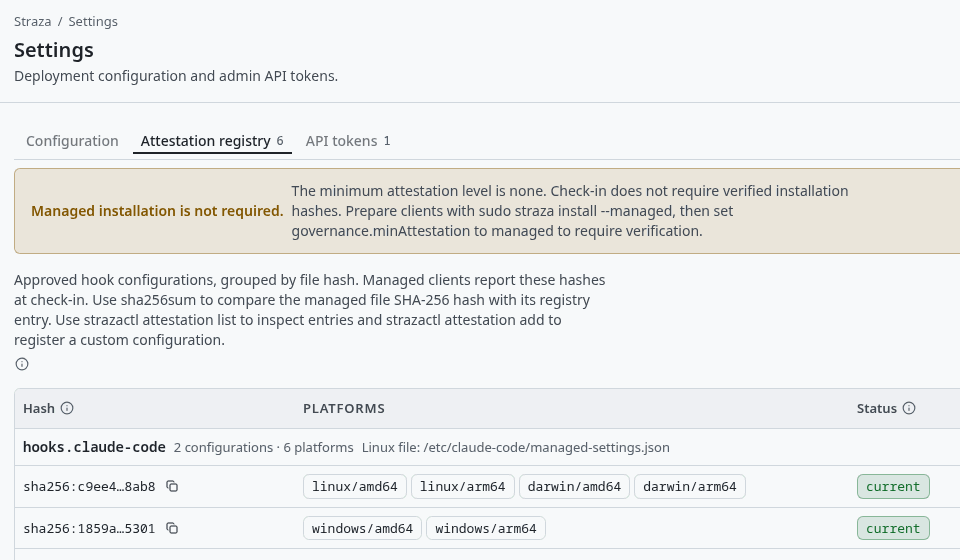
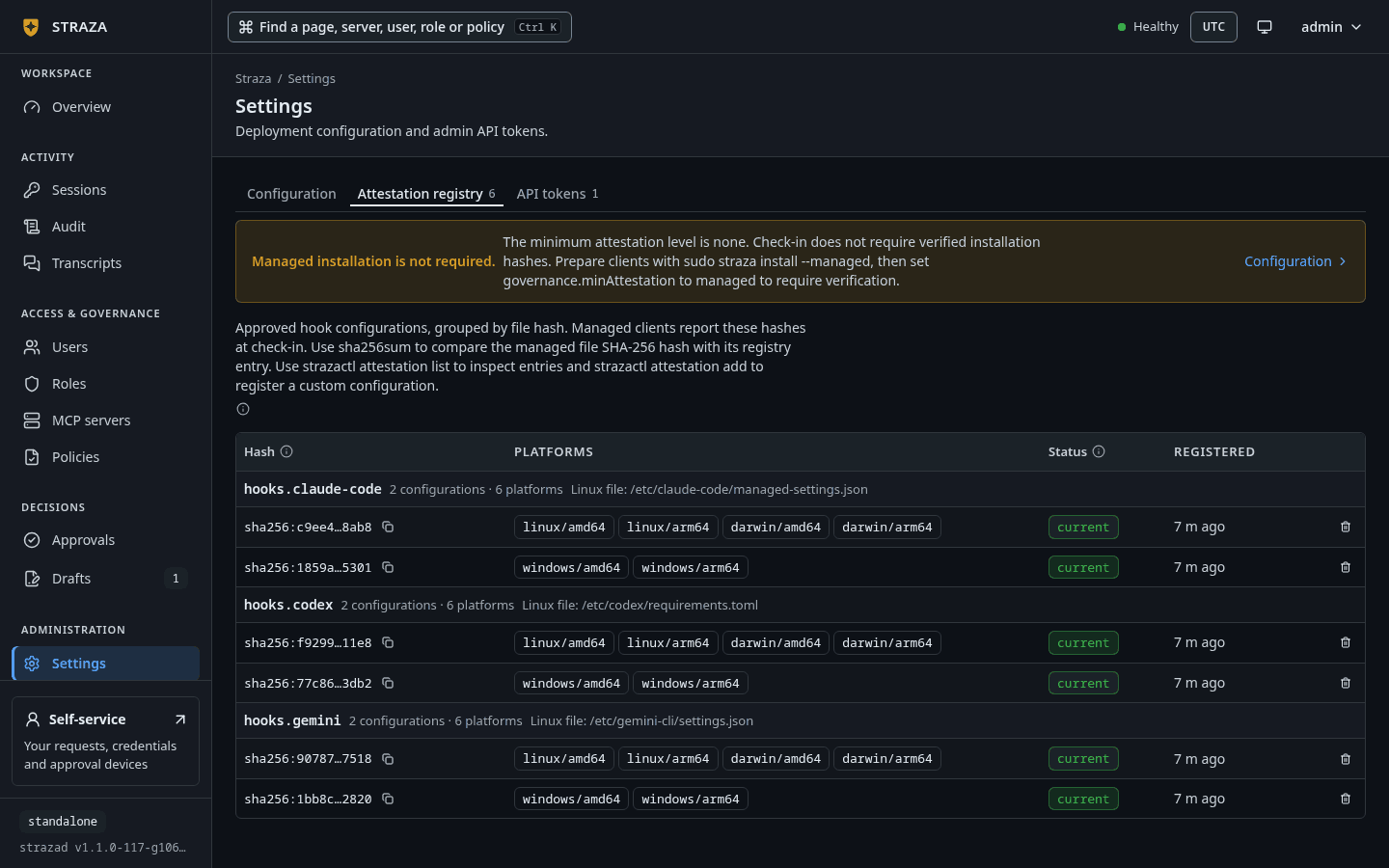
The registry under the standalone default, with the strip Managed installation is not required.and the hashes ofhooks.claude-code. Show the whole screenThe registry holds the hashes of the hook configurations a managed install writes, grouped by harness:
hooks.claude-code,hooks.codexandhooks.gemini, each with the Linux path of its file, such as/etc/claude-code/managed-settings.json. Each hash lists its platforms and its status.currentis the configuration this server generates for that harness and platform, andallowedis another accepted one, such as an earlier version. The server registers the configurations it generates when it starts.A strip at the top says how strict check-in is. Under the standalone default it reads
Managed installation is not required., becausegovernance.minAttestationisnoneand check-in does not ask for these hashes. Once that setting ismanaged, a client must present a hash this registry accepts.Retire this hash removes one. The question says
A managed box presenting this hash is refused at its next check-in., so retire a hash only after every machine that presents it has a newer configuration.CLI onlystrazactl attestation addregisters a custom configuration, andstrazactl attestation listprints the entries.Enroll a machine explains the attestation levels a machine reports.
Mint an admin API token
- Settings
- API tokens
- New API token
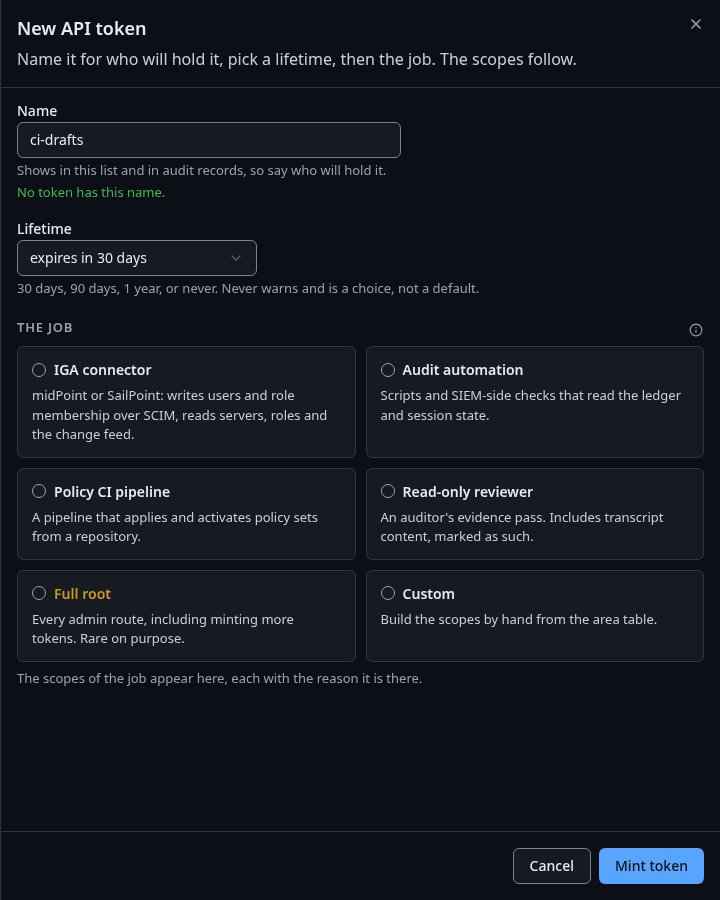
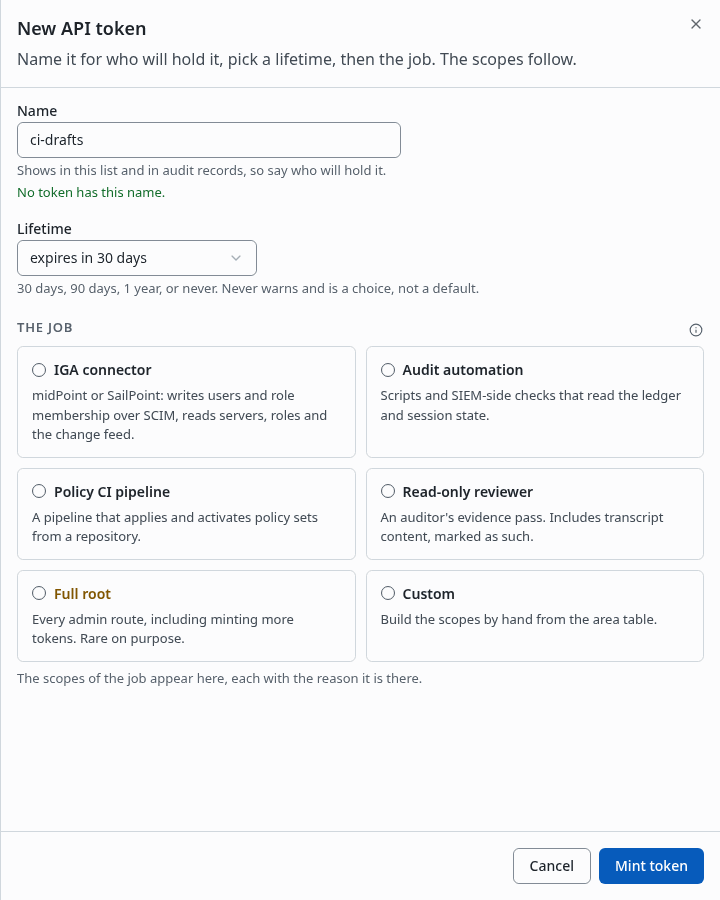
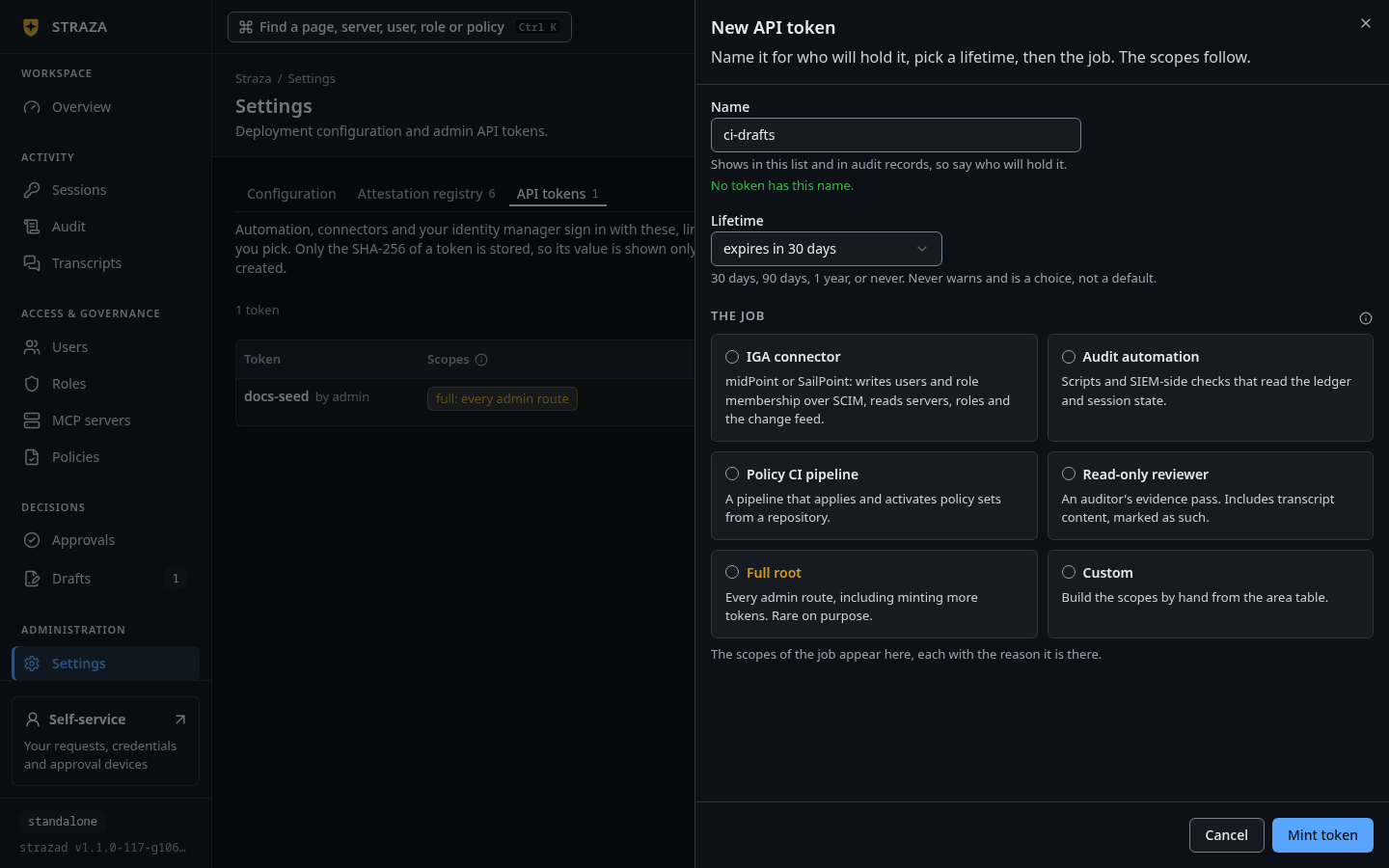
The New API token sheet, with Name, Lifetime and the six cards of The job. Show the whole screen An admin API token is a credential for automation, a connector or your identity manager, limited to the scopes you give it. Name it after the system that holds it, because the name shows in the list and in audit records. Pick a Lifetime:
expires in 30 days,expires in 90 days, which is the default,expires in 1 yearornever expires.Then pick The job. Each card carries the scopes that job needs, each with its reason, and you can remove any of them.
Job What it is for IGA connector midPoint or SailPoint: writes users and role membership over SCIM, reads servers, roles and the change feed. Audit automation Scripts and SIEM-side checks that read the ledger and session state. Policy CI pipeline A pipeline that applies and activates policy sets from a repository. Read-only reviewer An auditor’s evidence pass. Includes transcript content, marked as such. Full root Every admin route, including minting more tokens. Rare on purpose. Custom Build the scopes by hand from the area table. The scopes then show as the one string that
strazactl api-token create --scopetakes. Press Mint token.Copy the token now
The token is shown once, on the sheet that follows. Only its SHA-256 is stored, so a lost token cannot be recovered. Revoke it and mint another.
CLI onlystrazactl api-token createtakes any duration in--ttl, and a token minted without it never expires. The console offers the four fixed lifetimes above.midPoint and Generic SCIM say which scopes each connector needs.
Revoke a token
- Settings
- API tokens
- Revoke
- Revoke token
The question names what the caller loses, such as
Whatever signs in as idm-scim loses the SCIM plane within seconds.Revocation reaches every strazad replica as an event. A call in flight finishes, and the next one is refused with the reason, so mint the replacement first when that caller matters.
Next
- Delegated administration sets the
admin.roleAreasmap that Console access reads. - Overview and Audit shows the same relaxed settings under Security configuration.
Walked on v1.1.0-117-g106081a8 on 2026-10-06. A throwaway standalone server on Linux, read as the admin in headless Chromium. The New API token sheet and the config change sheet were opened and closed, and no token was minted and no hash retired. Console screenshots show strazad v1.1.0-117-g106081a8, standalone.