Credentials
Store one shared secret for an MCP server, so the gateway adds it to every call and no agent ever sees it.
- Who
- You, as the admin of the server
- Where
- The console or a terminal with strazactl, and the agent's machine for the last check
- Profile
- Standalone and enterprise
On this page
The gateway adds the credential a server declares to each upstream call. A static credential is the server’s shared secret, or the override of the caller’s role. When no credential can be found for a call that needs one, the call fails before it reaches the upstream. Every view identifies a stored secret by its scope and fingerprint, never by its value.
The server’s manifest declares whose credential the upstream sees. This page covers the shared secret, static:
| The upstream needs | Credential kind | Who completes the next step |
|---|---|---|
| No credential | none |
You register the server. |
| One shared secret for its calls | static |
You declare the injection and store the server’s secret or a role’s override. |
| A token belonging to each person | token |
You declare the server, and each person pastes their token on their self-service page or runs straza connect <server>. |
| A browser sign-in belonging to each person | oauth |
You configure the provider and declare the server, and each person signs in from their self-service page. |
none is the default. Each caller’s own credential covers token and oauth, and what agents run on there, because an agent cannot finish a browser sign-in.
Before you start
- An installed server that declares
static, such as thescout-toolsserver from Add a server. - A login of the server’s own admin, of
straza-global-mcp-admin, or of an admin whose areas include MCP servers.
Declare the credential
In the Add MCP server wizard, pick One shared secret for this server on the Credential step and type the secret there. For a server that already runs, change the credential on its page:
- MCP servers
- scout-tools
- Overview
- Change
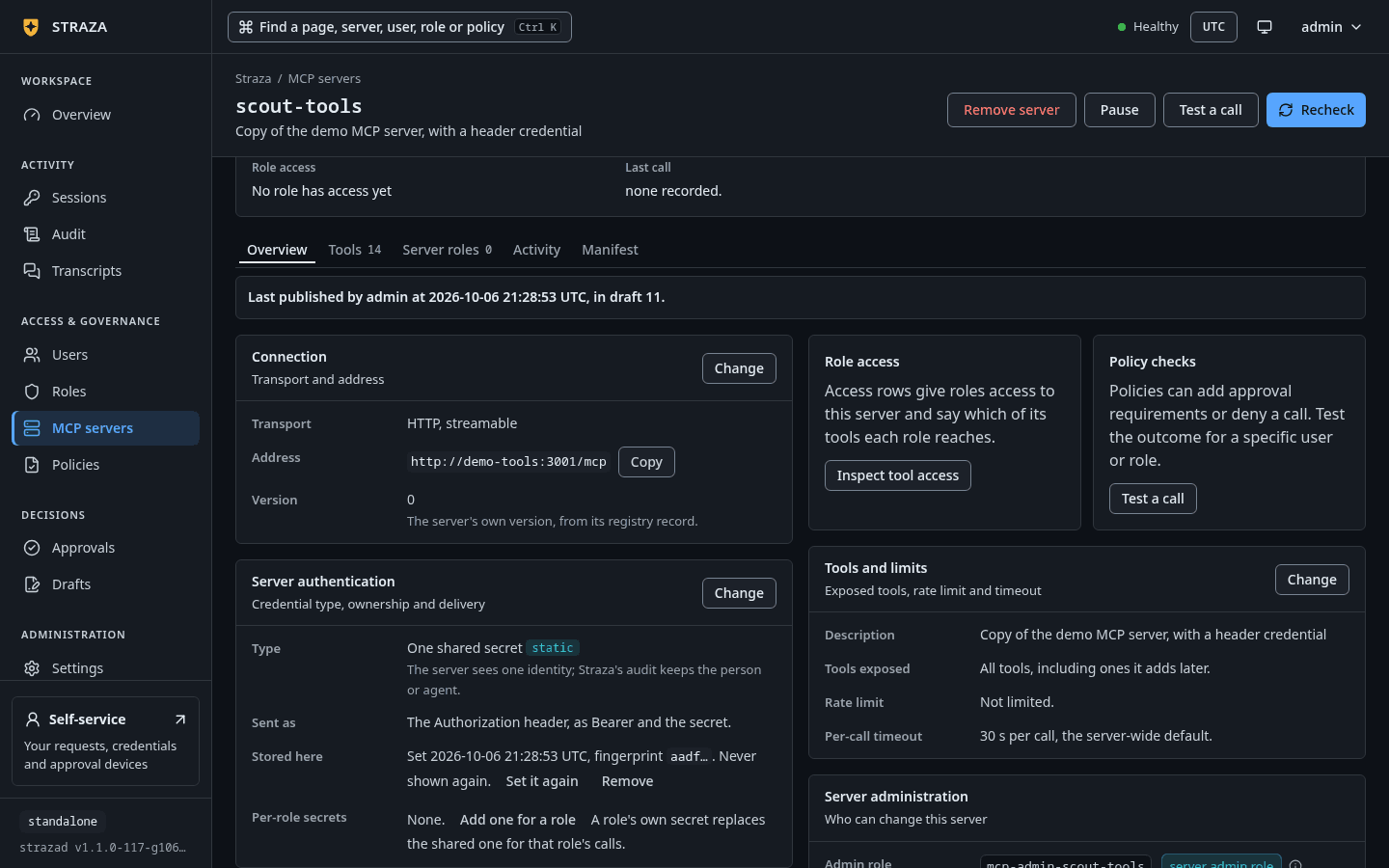
Press the Change of the Server authentication card. The sheet saves through a draft, like every change to a server.
The
credentialblock says what kind of secret the server needs and how the gateway renders it. This is the block of thescout-toolsmanifest from Add a server:straza: runtime: kind: remote remote: url: http://demo-tools:3001/mcp credential: kind: static inject: as: header name: X-Demo-Key template: "{{secret}}"Installing the manifest says what is missing and what to run:
strazactl apps install -f scout-tools.yamlYou should see
installed scout-tools (remote runtime). Health: degraded, requires a credential and none is stored. Set one with strazactl apps secret set scout-tools, which asks for the value at a hidden prompt.inject.as: headeris valid only for theremoteruntime, andinject.as: envonly forcommandandoci, because a stdio process has no headers and a remote server gets no process environment.templatemust contain{{secret}}, and the rendered value exists only on the gateway side. The parser refuses acredential.injectblock withkind: nonewithcredential.inject is forbidden with kind none. It refuses a static kind without one with a message that names the field, says why, and says what to set. For example, a header inject on a command runtime is refused with “credential.inject.as header needs a remote runtime, because a command or oci runtime starts a process that reads an environment variable and gets no request headers. Use as: env with the variable name the process reads, for example API_TOKEN”. The gateway never dials a server that takes a shared secret until that secret is stored, so a freshly installed one lists no tools until then.A
commandorociserver starts withPATH,HOMEandLANGfrom strazad, the manifest’senventries and the injected credential, and nothing else from strazad’s environment. Secrets strazad reads from its own environment, the store DSN and the metrics token among them, never reach the child. When the server needs a proxy or a certificate variable, put it in the manifest’senv. Theociruntime also passes everyDOCKER_variable to the docker command line, so a rootless or remote daemon keeps working, and the container never sees them. Because such a server holds its static secret in its environment, give no role a tool that prints the environment, such asget-env.Set the secret
- MCP servers
- scout-tools
- Overview
- Set one
Set one sits on the row Stored here of the Server authentication card. Type the secret and press Store it. The value is stored at once and never rides a draft. Once a secret is stored, the same row offers Set it again, which rotates it.
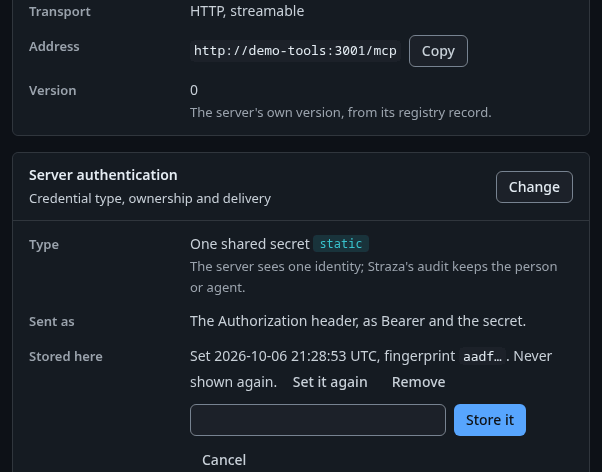
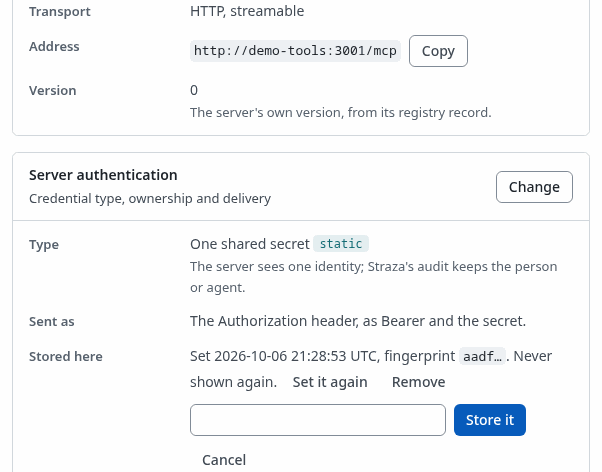
The box that opens under Stored here, where you type the secret and press Store it. Show the whole screen A role’s override goes on the row Per-role secrets: press Add one for a role, pick the role under
Pick an application role, type its secret and press Store it.Without
--role, the command sets the server’s shared secret. Run in a terminal, it asks for the value at a hidden prompt, so the secret never lands in a command line that shell history keeps.strazactl apps secret set scout-toolsSecret for the MCP server scout-tools (input hidden): secret set for the MCP server scout-tools: the server's own secret, fingerprint 19c6A script fills
STRAZA_SECRET_VALUEfrom its secret manager instead, and the command then reads it without a prompt.--valuealso works, but it puts the secret in the process arguments and the shell history.The server turns
runningwithin seconds:strazactl apps listNAME VERSION RUNTIME STATUS REASON SOURCE TOOLS REACHED BY CHECKED scout-tools 0 remote running - api 3 - 4s agoThe listing is trimmed to the one server. Setting the secret again with the same command rotates it. A role’s override is the same command with
--role, and the role must exist first, as Access per role creates it:strazactl apps secret set scout-tools --role scout-tools-readersSecret for the MCP server scout-tools, role scout-tools-readers (input hidden): secret set for the MCP server scout-tools, role scout-tools-readers, fingerprint f0b5The server seals the value with its key-encryption key, stored under the data directory unless
secrets.kekFilenames another path, and keeps only the ciphertext. It answers with a fingerprint, the first four hex characters of the value’s SHA-256, so you can tell which value is stored without ever reading it. It probes the server again under the new credential, and a rotation closes the pooled upstream sessions opened under the old value. A role’s override is used for that role’s calls in place of the server’s own secret.If this fails
the MCP server demo-tools declares no credential (credential.kind none), so a secret would never be used. Change the manifest's credential block first.- Declare a credential in the manifest, then store the secret.
An override for a business role is refused with a sentence that ends in
Set the secret for an application role instead, or for the server itself., because a business role reaches tools only through the application roles it composes. An override for an approver role or a Straza role is refused with a sentence that ends incannot hold a secret.Read what is stored
- MCP servers
- scout-tools
- Overview
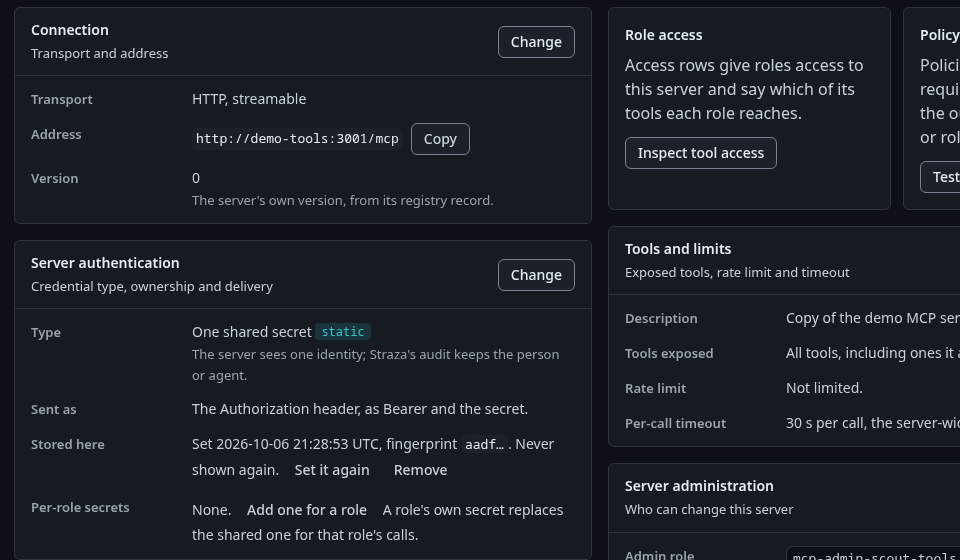
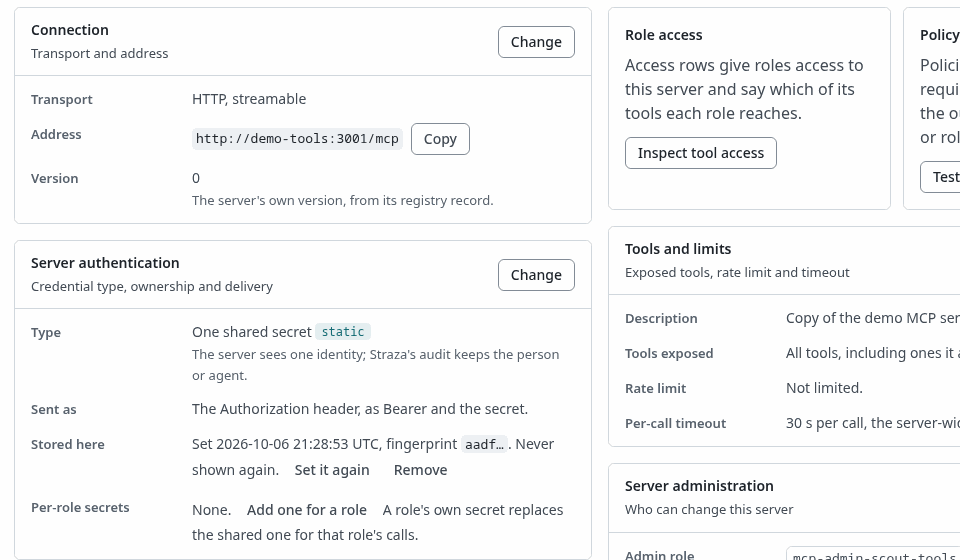
The Server authentication card, with the type, how the secret is sent and its fingerprint under Stored here. Show the whole screen The Server authentication card shows the type and how the secret is sent. Its row Stored here gives the time the secret was set, its fingerprint and
Never shown again., and its row Per-role secrets gives one line per role with the fingerprint. No row shows a value.strazactl apps show scout-toolsSECRETS SCOPE ROLE KIND FINGERPRINT SET app - static 19c6 2026-10-06T21:08:38Z role scout-tools-readers static f0b5 2026-10-06T21:09:02ZThe output is trimmed to the secrets table.
No endpoint reads a secret back. The value goes in once and is only ever decrypted in memory for an upstream call or a health probe.
Prove the agent never sees it
CLI onlyThis check runs on the agent’s enrolled machine, where the console has no part.
Drive a governed call through the gateway from a machine enrolled as a holder of the role. The proxy carries the session token, and the gateway resolves the secret in memory, renders the header, calls the server and returns the result:
{ printf '%s\n' \
  '{"jsonrpc":"2.0","id":1,"method":"initialize","params":{"protocolVersion":"2025-06-18","capabilities":{},"clientInfo":{"name":"docs-example","version":"1"}}}' \
  '{"jsonrpc":"2.0","method":"notifications/initialized"}' \
  '{"jsonrpc":"2.0","id":3,"method":"tools/call","params":{"name":"scout-tools__echo","arguments":{"message":"hello through the gateway"}}}'; sleep 5; } \
  | straza mcp --harness claude-code
{"jsonrpc":"2.0","id":3,"result":{"content":[{"type":"text","text":"Echo: hello through the gateway"}]}}A
sleepholds the pipe open while the replies come back, because the proxy stops when its input ends. The initialize reply is trimmed from the output. Nothing beyond the echo reached the agent, and the audit record of the call names the credential row that was used, by id, never by value. On your side, the server record the API returns carries health, tool names and the roles that reach it, and no field that holds a stored secret.
When a session has no secret
Resolution runs role first, then server. When one of the session’s roles holds an override for the server, that row is used, and when two roles hold one, the role that carries the access row wins. Otherwise the server’s own secret is used. When neither exists the call fails closed, the upstream is never contacted, and the agent reads “upstream call failed: app scout-tools requires a credential and none is stored for the server or bound to your roles. An administrator sets one with strazactl apps secret set scout-tools, which asks for the value at a hidden prompt”. The health probe resolves the same way, so a server with only per-role rows is probed under the row of the role whose name sorts first.
Remove a secret
A secret is removed on its own, without touching the server. Removing the server’s own secret leaves every role’s override stored. Each removal is an audit record with the actor. With no secret left, the server reads degraded again, with the same reason as before the first set.
On the Server authentication card, press Remove on the row of the secret, then Remove secret. The dialog says what changes first, such as Calls by scout-tools-readers fall back to the shared secret, or run without one when none is stored.
strazactl apps secret remove scout-tools --role scout-tools-readers
strazactl apps secret remove scout-tools
removed the secret for the MCP server scout-tools, role scout-tools-readers
removed the server's own secret for the MCP server scout-toolsRemoving a row that is not there answers “no secret is stored for the MCP server scout-tools (role scout-tools-readers)”.
Keep secrets out of the manifest
Straza stores each server’s manifest in plain text, exactly as it was written. The database, every backup of it and a file in the apps directory therefore hold every environment value, argument and address of a manifest in clear, and the host’s process list shows a command server’s arguments. Straza shows these values masked, as [REDACTED], ?… and #…, on the admin API, in strazactl apps export, on the console, in a health reason and in the server log. That covers every environment value, every value and default in the server block, each argument or other value the secret scan reads as a secret, and the user part, the query, the fragment and a generated path part of every address. A value the scan does not flag still prints in the server log when the server itself writes it there. Keep a secret in a stored credential with credential.inject, which Straza keeps encrypted. Straza injects one secret per server, as a header or an environment entry.
The gateway never forwards the agent’s own Authorization header upstream. That header carries the Straza session token, which has no business at the server, and the injected header wins even when a client sends one. A server that expects the client’s own bearer therefore needs the oauth or the token kind, where the credential is the person’s, as Each caller’s own credential shows.
Next
Access per role gives a role the server’s tools.
Walked on v1.1.0-117-g106081a8 on 2026-10-06. A throwaway standalone server in an Alpine container on Linux, beside the demo stack's MCP reference server, with strazactl on an admin API token minted in the console and the gateway call made through straza mcp from alice's enrolled machine in a second container. Every CLI step ran. The console steps were read from the console's source and not clicked. Console screenshots show strazad v1.1.0-117-g106081a8, standalone.