Simulate a call
You have asked the live policy about one call, tested a change before it is live, replayed a recorded call, and read which policies govern each role.
- Who
- You, as the admin
- Where
- The console or a terminal with strazactl
- Profile
- Standalone and enterprise
On this page
A simulation asks the live engine what one call would do for one subject, without any client. It writes nothing and records nothing. It runs against the policies active right now, and you can lay a change over them to see what publishing it would do, or replay an event the audit log already holds. The console’s By role view looks the other way: instead of one call, it counts for every application role how many live rules deny, how many need approval and how many allow, and marks the roles no policy names yet.
Before you start
- An administrator’s login.
- At least one live policy set for a role, such as the ones from Your first deny and Hold a call for a person.
Simulate one call
- Policies
- Test a call
Under Who, pick
dana. Under What, pick Shell command, typerm -rf /home/dana/work/buildunder The command line, and press Test. The answer names the outcome, the rule and the set that decided, and the roles dana holds.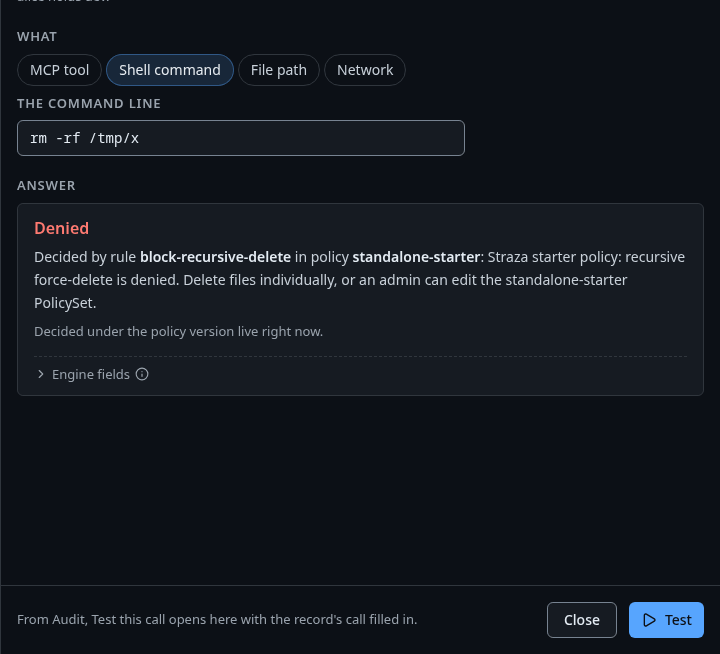
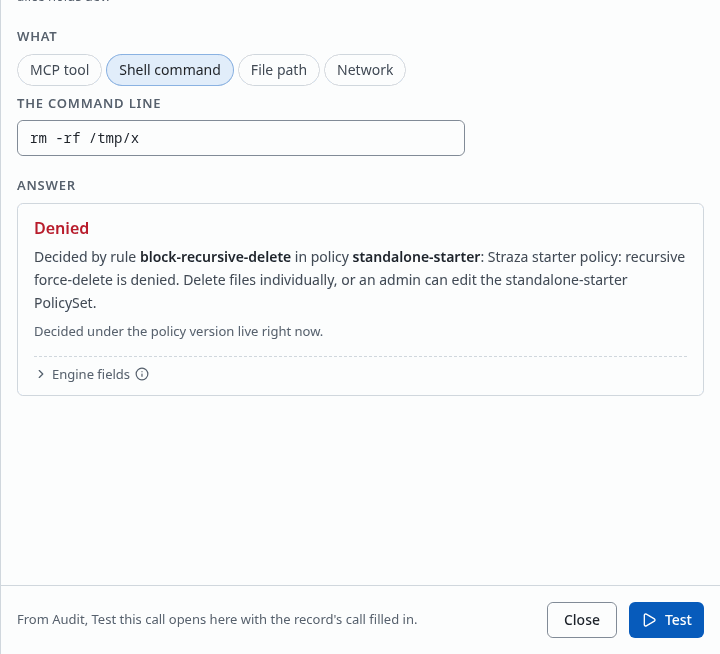
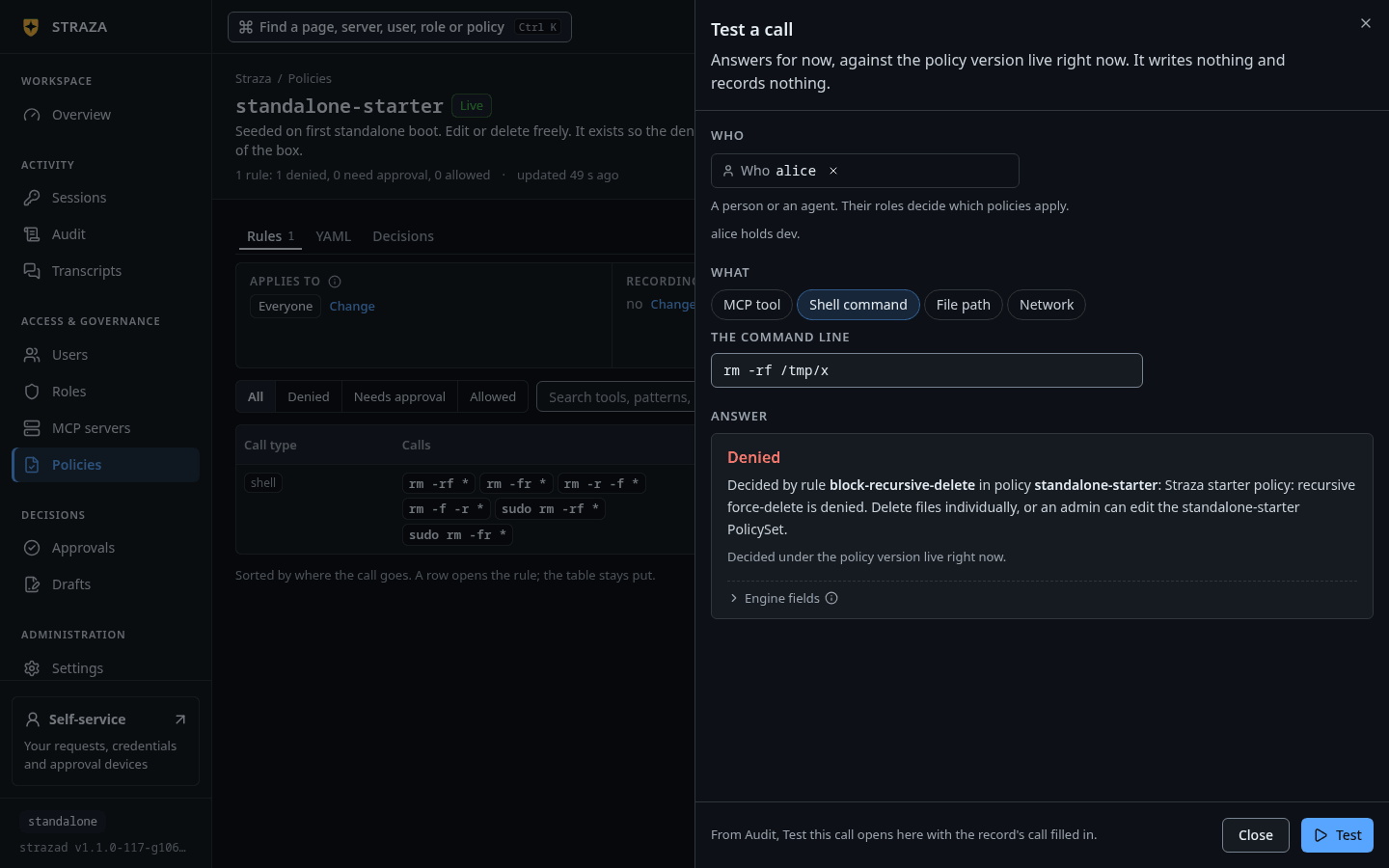
The same sheet on a standalone server, asking about alice: the starter policy’s rule denies the call. Show the whole screen Name a real user, whose roles the server resolves, or a set of roles nobody needs to hold. Describe the event with
--tooland--command, or with--path,--appand--tool-namefor files and MCP calls. The answer names the rule and the set that decided, and a footer says that the verdict reaches a client only once the snapshot does.strazactl policy simulate --user dana --tool shell.exec --command "rm -rf /home/dana/work/build"This call would be denied. Decided by rule no-rm-rf in policy local-tools-guardrails: Straza: recursive force-delete is denied for this role. Delete the files one by one, or ask an admin to change the local-tools-guardrails policy. Simulated against the policies live right now, your file included if you passed one. This is today's answer, not a replay of any past decision. subject dana · roles local-tools · attestation none snapshot 30ebb90e7a8eb4fbb7e6c4b3567590fc40d565f47e82468ff291ab9515e8d041 (live) wire effect=deny · ruleId=no-rm-rf · setName=local-tools-guardrails · snapshot=30ebb90e note this verdict applies once this snapshot reaches the client; straza doctor proves a client is governedA call that a rule holds says so in a gate line before the decided-by sentence, in plain words with the deciders named.
--rolesasks for roles instead of a person, which the console’s sheet cannot do:strazactl policy simulate --roles local-tools --tool shell.exec --command "kubectl apply -f deploy/app.yaml"This call would be allowed. gate needs approval: 5-minute approval hold, deciders release-approvers Decided by rule hold-kubectl-apply in policy kubectl-apply-hold: Straza: kubectl apply needs approval before it runs.The output is trimmed to the verdict lines. The subject, snapshot and wire lines follow as above.
Test a change before it is live
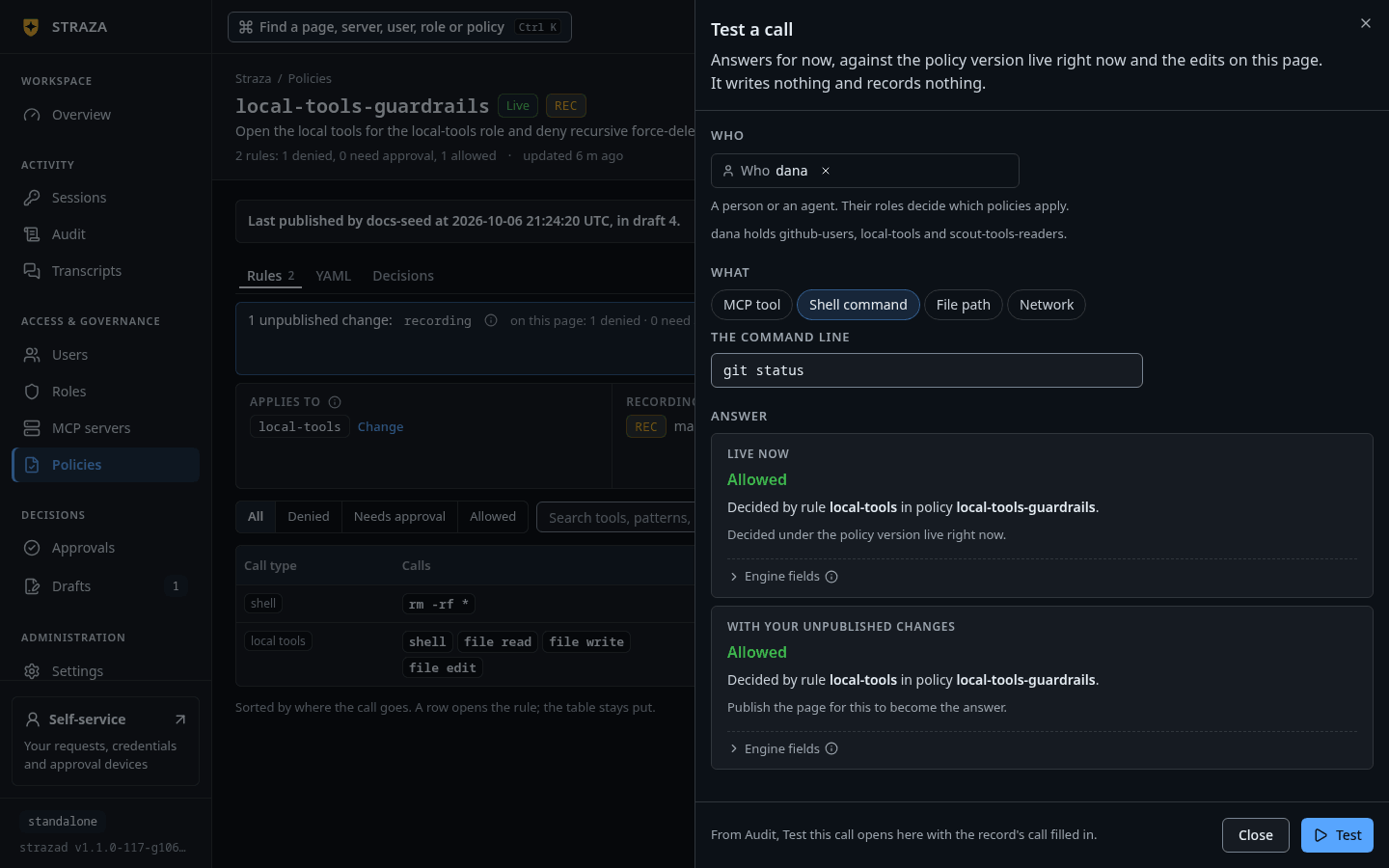
Edit a policy on its page and leave the change unpublished. Test a call on that page then answers twice, under
Live nowand underWith your unpublished changes, with the linePublish the page for this to become the answer.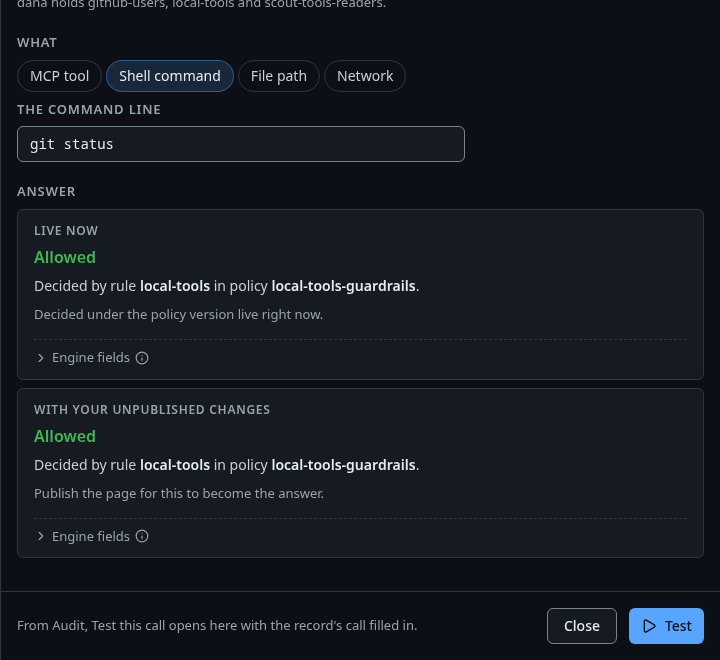
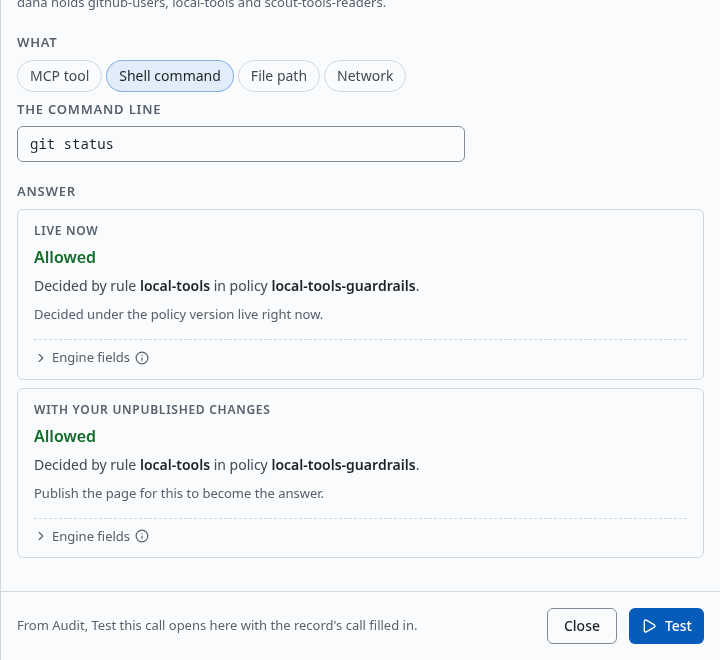
Two answers for dana’s git status, under Live now and under With your unpublished changes. Show the whole screenPass a file with
-fand the server evaluates twice: once against the live policies and once with the file standing in for its same-named stored set. Here the file is the document from Your first deny withgit push --force*added to the deny patterns of itsno-rm-rfrule:cat > local-tools-guardrails-draft.yaml <<'EOF' apiVersion: straza.dev/v1beta1 kind: PolicySet metadata: name: local-tools-guardrails description: Open the local tools for the local-tools role and deny recursive force-deletes with a reason spec: match: roles: [local-tools] rules: - id: local-tools events: [tool.pre] tools: [shell.exec, file.read, file.write, file.edit] effect: allow - id: no-rm-rf events: [tool.pre] tools: [shell.exec] command: denyPatterns: ["rm -rf *", "git push --force*"] effect: deny reason: "Straza: recursive force-delete is denied for this role. Delete the files one by one, or ask an admin to change the local-tools-guardrails policy" EOF strazactl policy simulate --user dana --tool shell.exec --command "git push --force origin main" -f local-tools-guardrails-draft.yamllive ALLOW Decided by rule local-tools in policy local-tools-guardrails. file DENY Decided by rule no-rm-rf in policy local-tools-guardrails: Straza: recursive force-delete is denied for this role. Delete the files one by one, or ask an admin to change the local-tools-guardrails policy. the live policy says ALLOW; this file says DENY Simulated against the policies live right now, your file included if you passed one. This is today's answer, not a replay of any past decision. subject dana · roles local-tools · attestation none snapshot 30ebb90e7a8eb4fbb7e6c4b3567590fc40d565f47e82468ff291ab9515e8d041 (live)The file row also shows why one reason per rule can mislead: the new pattern sits in the
no-rm-rfrule, so a force-push is denied with the force-delete reason. Give each pattern family its own rule and reason before activating.Replay a recorded call
Every audit record of a tool decision carries the event that was judged.
- Audit
- rm -rf /home/dana/work/build
- Test this call
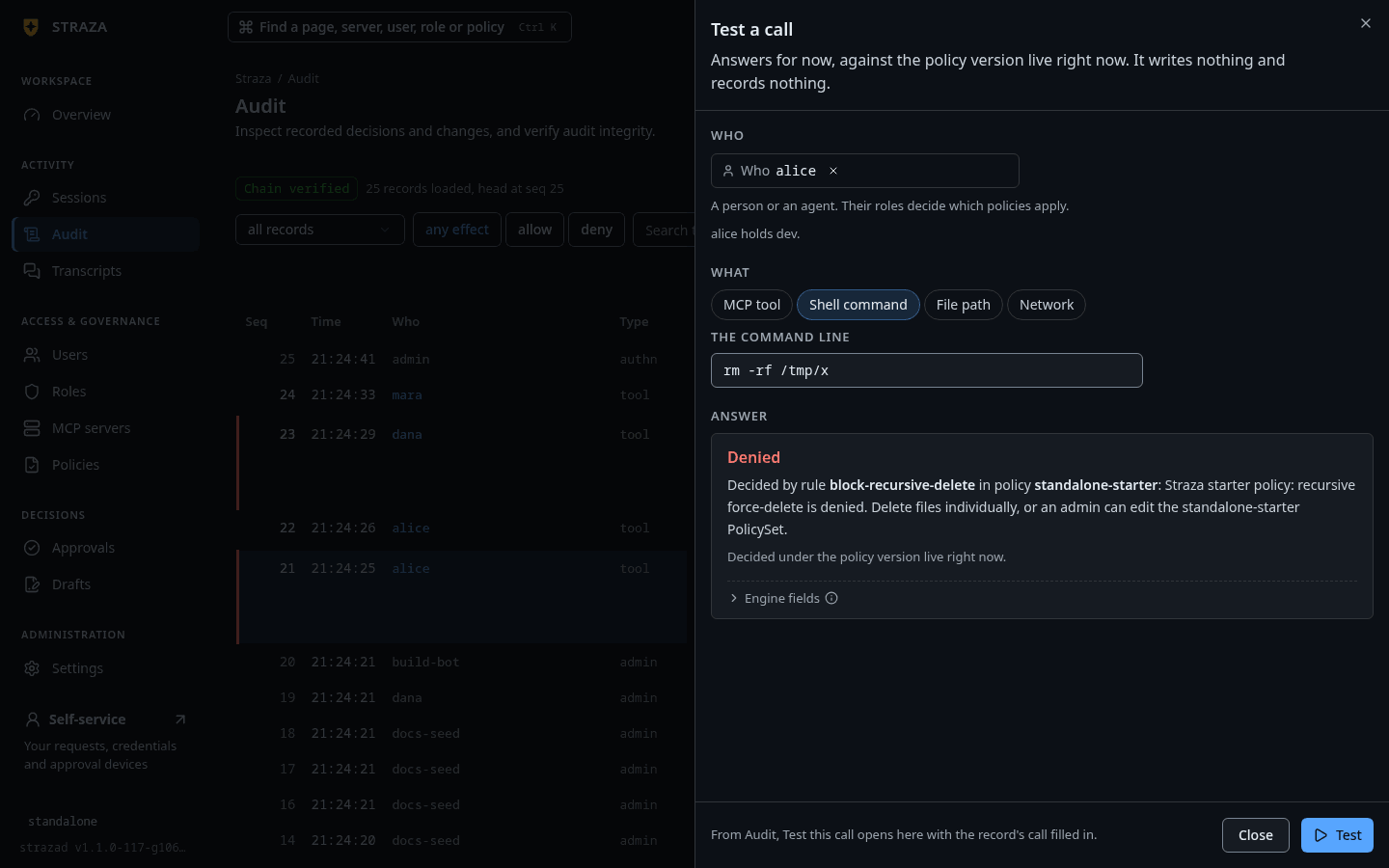
The record’s Test this call opens the Test a call sheet with that record’s call already filled in. Press Test.
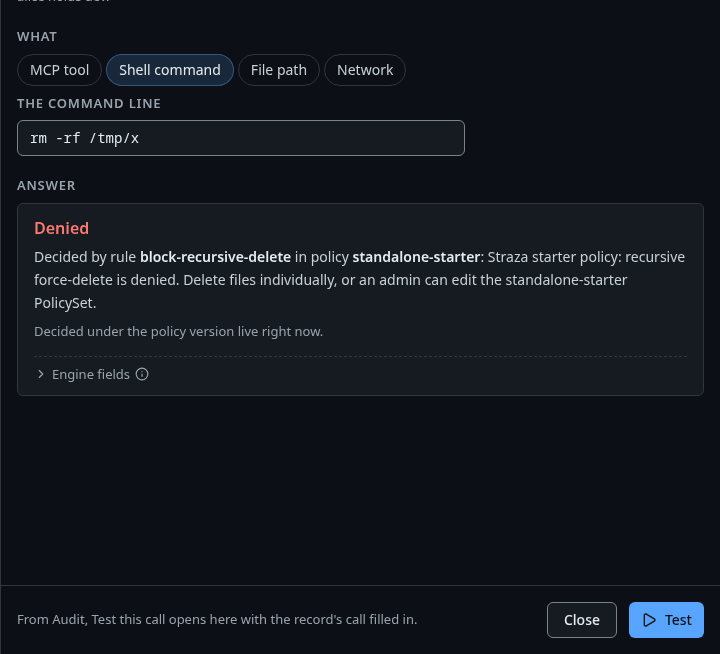
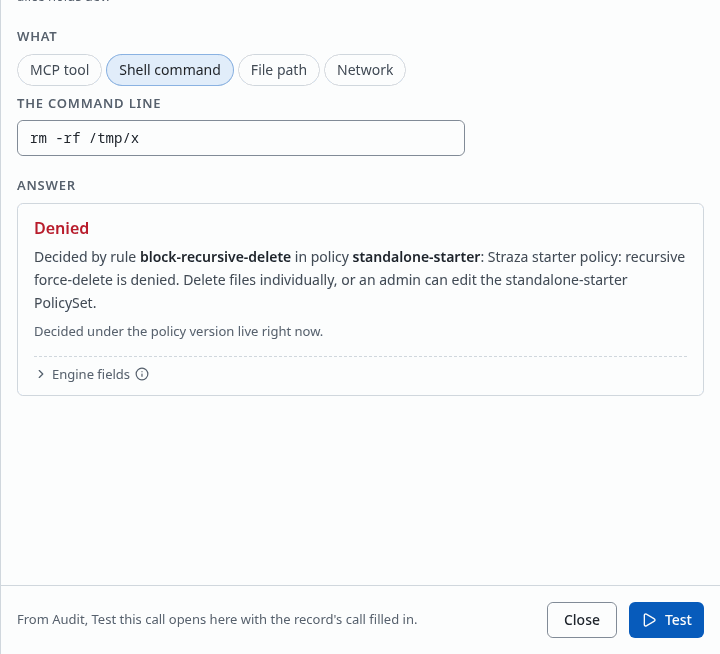
The sheet opened from a record, here alice’s rm -rf /tmp/xon a standalone server, with its answer. Show the whole screenWith
jqinstalled, save the event fields as a JSON file and hand it to--event-json, which replaces the per-field flags.strazactl audit tail --user dana --limit 400 | grep '"command":"rm -rf' | head -1 | sed 's/^#[0-9]* \[[^]]*\] //' | jq -c '{kind: .data.event, tool: .data.tool, command: .data.command}' > recorded-event.json strazactl policy simulate --user dana --event-json recorded-event.jsonrecorded-event.jsonthen holds one line withkind,toolandcommand, and the simulation answers, trimmed to the verdict lines:This call would be denied. Decided by rule no-rm-rf in policy local-tools-guardrails: Straza: recursive force-delete is denied for this role. Delete the files one by one, or ask an admin to change the local-tools-guardrails policy.What comes back is today’s answer, against the current snapshot, and not a replay of the decision the record holds.
Read what governs each role
Console onlyThe By role view exists in the console only.
- Policies
- By role
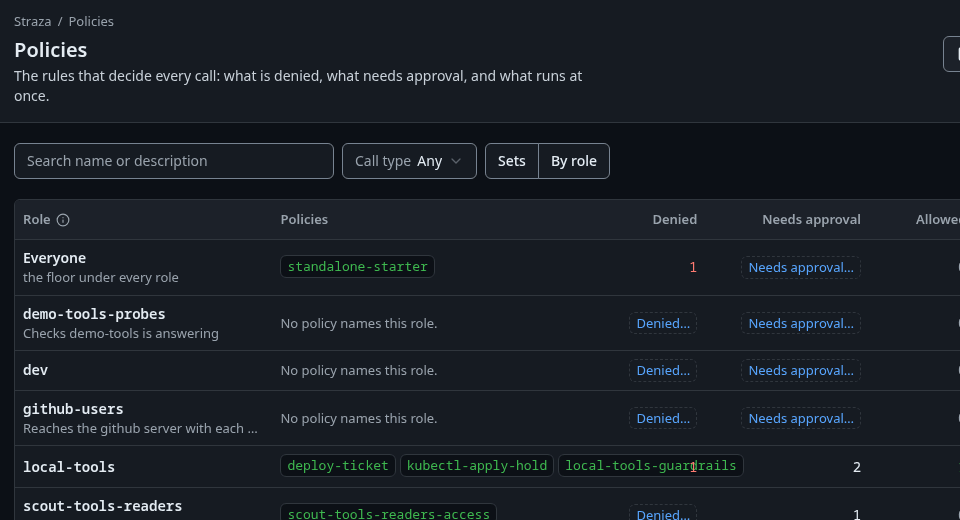
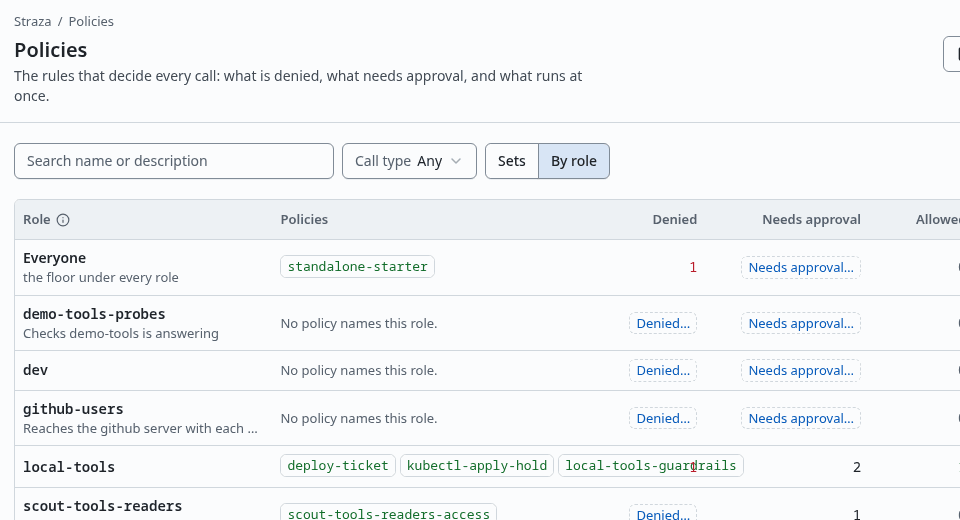
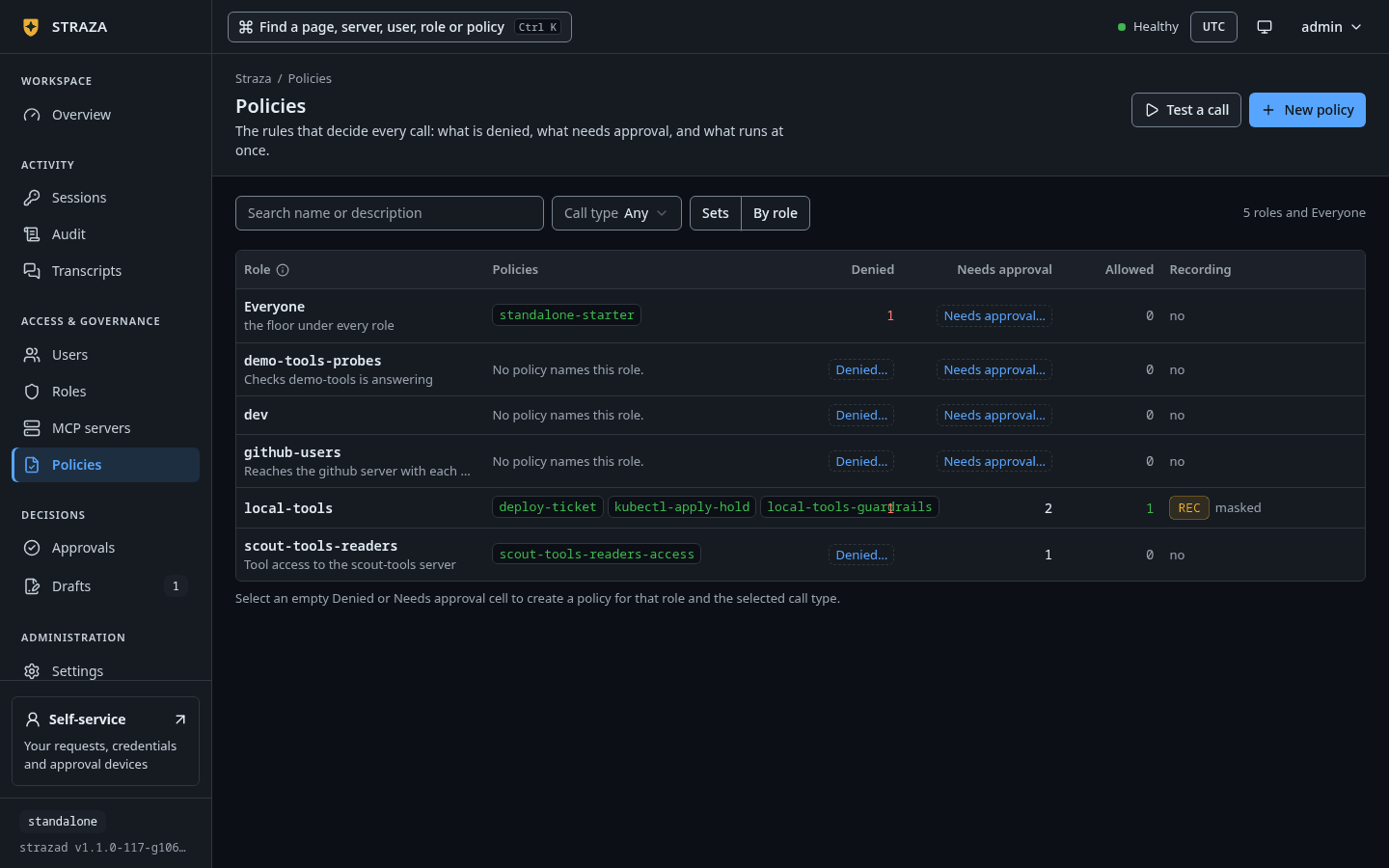
The By role view, with Everyonefirst and a link in place of each empty count. Show the whole screenSwitch the View from Sets to By role. The table has one row per application role,
Everyoneabove them as the floor under every role, and anOutside rolesrow below when a policy is scoped by user or identity instead. Its six columns areRole,Policies,Denied,Needs approval,AllowedandRecording. The Policies cell lists the policies that name the row as one chip each, and a chip’s hover says whether it is live, live with a draft that edits it, or off and gating nothing.Each of the three counts sums the row’s own live policies, because a policy that is off governs nothing. The
Everyonefloor is not added to a role’s number. It is named in the hover of that role’sDeniedcount instead. An emptyAllowedcell is normal under the enterprise profile, and its hover says so, because a local tool that nothing allows is denied there anyway.Hover a count for the split behind the word. A
Needs approvalhover gives one line per policy, each naming the policy and then its split, such as4 holds · 1 day-scale ticket · 2 checked before it runs, so an automated check reads apart from a call a person decides. An emptyDeniedorNeeds approvalcell shows a link instead of a zero. It readsDenied…orNeeds approval…and opens the New policy wizard with that role already picked, and with the call type too when the Call type filter names one.
Limits
A simulation proves the decision, never that a machine is governed. straza doctor on the machine proves that. Simulating a user who does not exist fails with a request to pass roles explicitly. The subject’s attestation defaults to none, so a rule that requires managed denies in a simulation unless you pass --attestation managed.
Walked on v1.1.0 on 2026-09-28. Linux, against the enterprise demo stack under the enterprise profile, with strazactl logged in as an administrator. The By role view was read in the console in a headless browser. Console screenshots show strazad v1.1.0-117-g106081a8, standalone.