Approve in the console
You approve a held call from the console or with strazactl, and the agent's retry runs on your decision.
- Who
- You, as an admin who decides held calls
- Where
- The console in a browser, or a terminal with strazactl
- Profile
- Standalone and enterprise
On this page
You decide the calls a policy holds for a person, as an admin, in the console or with strazactl. Every call a mode: approve rule holds waits on the Requests tab of the Approvals area, whatever other channels the deployment has. By the end of this page you have approved one, watched the agent’s retry run, and read the record your decision left.
A held gateway call runs the moment you approve, and a decision made here is final for that request. An unanswered request expires into a deny.
Before you start
- An account with
straza-admin, or a delegated admin role that covers the approvals area. Only a person signs in here. An AI agent is refused on every admin route, whatever roles it holds. - A pending request, such as the one Hold a call for a person raises.
Admin standing is what opens the area, and the rule that held the call is what names the decider, so the two are separate questions. The role that one MCP server names opens that server alone and never the approvals area, so a server admin cannot decide here.
A person who is not an admin decides on the self-service page at /self-service/, the address every pending reason names. Approve in the browser shows that path, where each decision is signed by a key that stays in the person’s browser.
Sign in
Open the console at your server’s address,
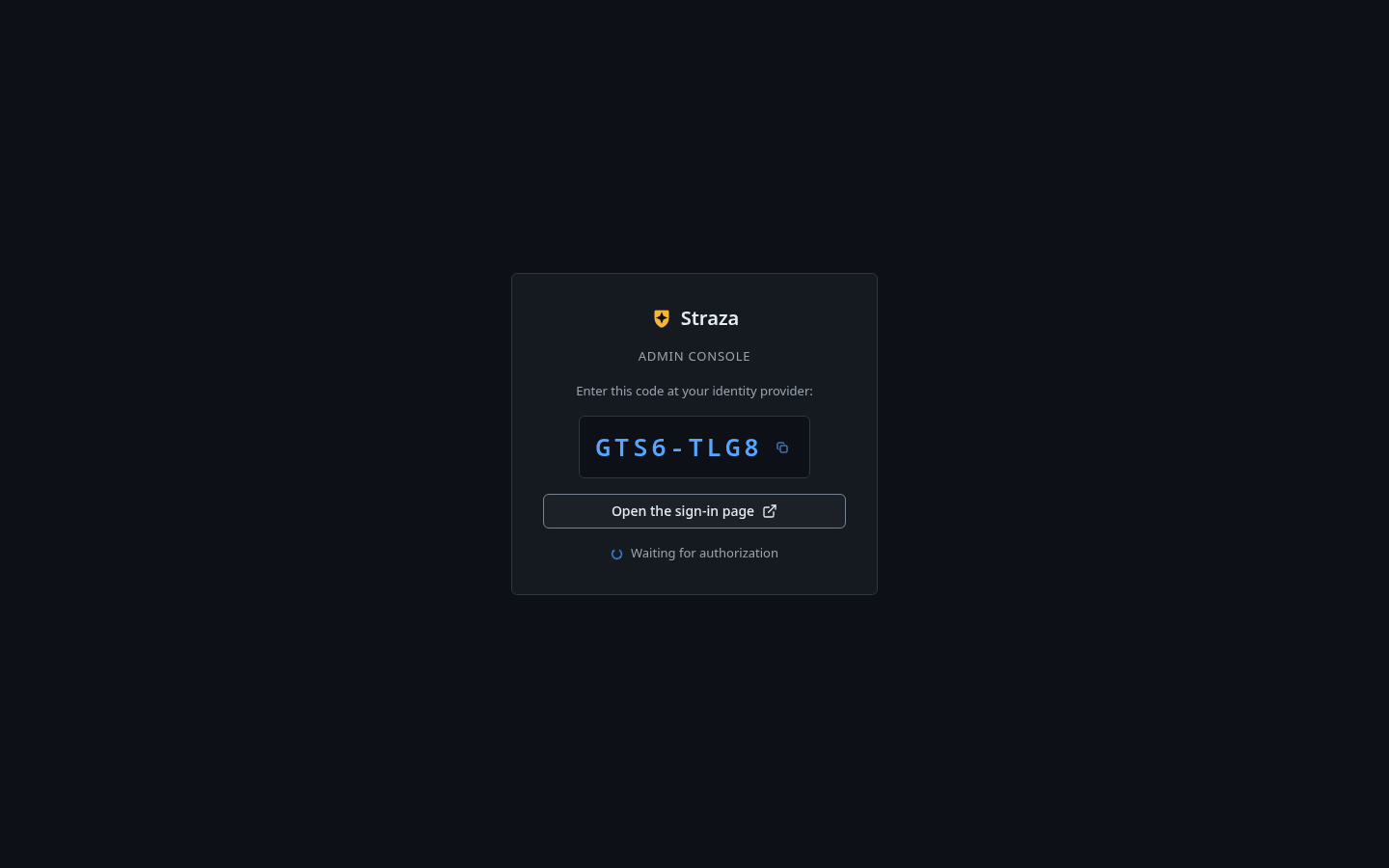
http://localhost:8420/console/on the demo stack, and press Sign in with a code. The line under the button says who the console is for:Admin roles only. Anyone else lands on the self-service page, still signed in.A code appears under
Enter this code at your identity provider:. Press Open the sign-in page, sign in at your identity provider in the new tab, and grant the request. The card saysWaiting for authorizationuntil you do. On a standalone host the same button opens the server’s own sign-in page.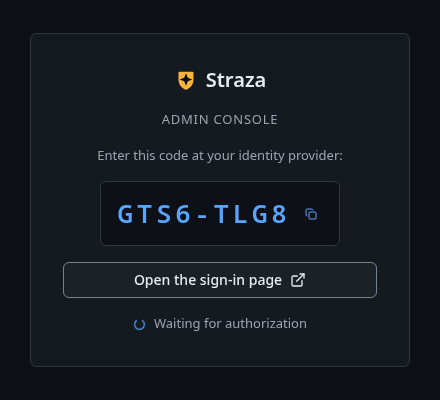
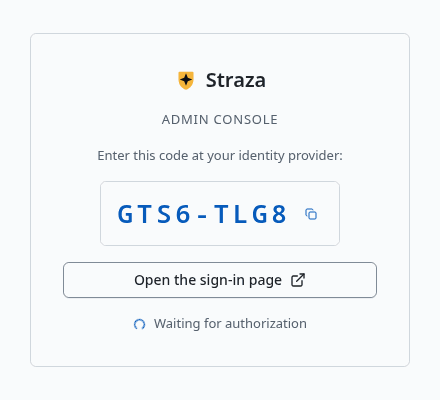
Press Open the sign-in page. Your code is different. Show the whole screen You should see
The console lands on Overview, the first area in the sidebar.
Your session token lives in this tab only, so a closed tab means a fresh sign-in. The self-service page reads the same per-tab key, which lets a sign-in on one of them resume on the other.
strazactl login --server http://localhost:8420strazactl prints an address to open and a code to confirm. Open the address, check that the code matches, and sign in.
You should see
Logged in as, followed by your name.Find the request
- Approvals
- Requests
- Waiting
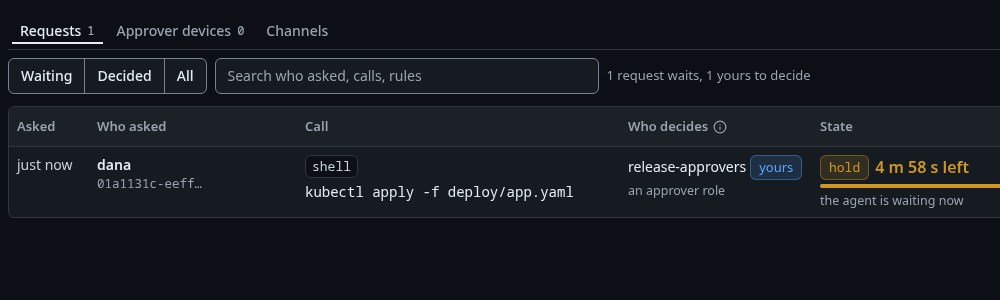
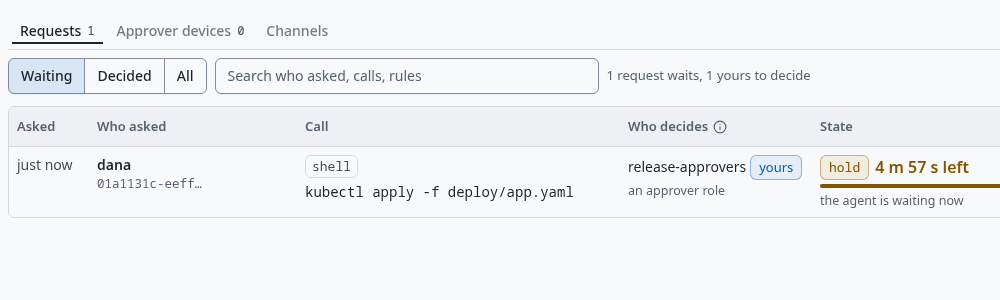
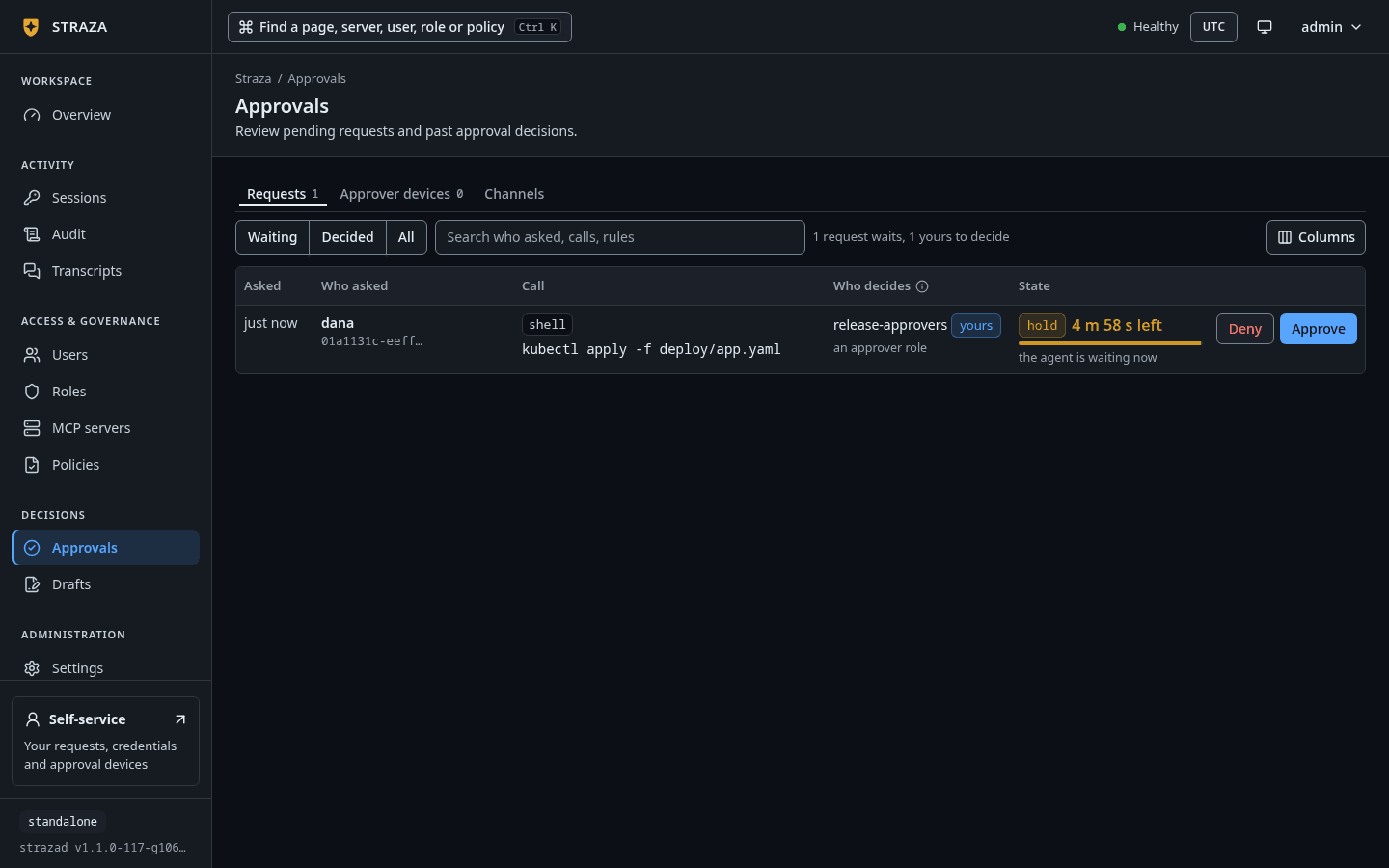
The Waiting filter with dana’s held kubectl apply, markedyours, and the time left. Show the whole screenThe Requests label carries the number of requests that wait. Above the table sit the filters
Waiting,DecidedandAll, a search box that readsSearch who asked, calls, rules, and a count of what is shown. With two requests waiting in the example, that count read2 requests wait, 2 yours to decide.Each row has five columns: Asked, Who asked, Call, Who decides and State. Here is the held
get-sumcall as the queue rendered it, one column per line, with the second line of a cell under the first.ASKED 1 m ago WHO ASKED joe-java-developer-agent 01a0e9b2-cc62… CALL demo-tools get-sum WHO DECIDES alice yours joe-java-developer-agent's sponsor STATE hold 16 s left the agent is waiting now- Who asked names the requester,
joe-java-developer-agent, with the id of the session that made the call below the name. - Call carries the MCP server
demo-toolsin a chip of its own, with the tool name beside it. - The badge
yoursmarks a row this account may decide. holdsays the agent’s call is on the line right now.ticketmarks a request the agent was told to come back for, and its row readsruns later, after a yesunder the chip. Tickets raises one.
Deny and Approve close the row, in a last column that carries no header.
strazactl approvals listThe list prints one row per pending request, a held call and a ticket alike, under the columns
ID,STATE,REQUESTER,SUMMARY,ROLES,EXPIRESandDECIDED BY.ROLESnames the roles whose holders may decide the request. Copy the id of the request you mean.Read the request
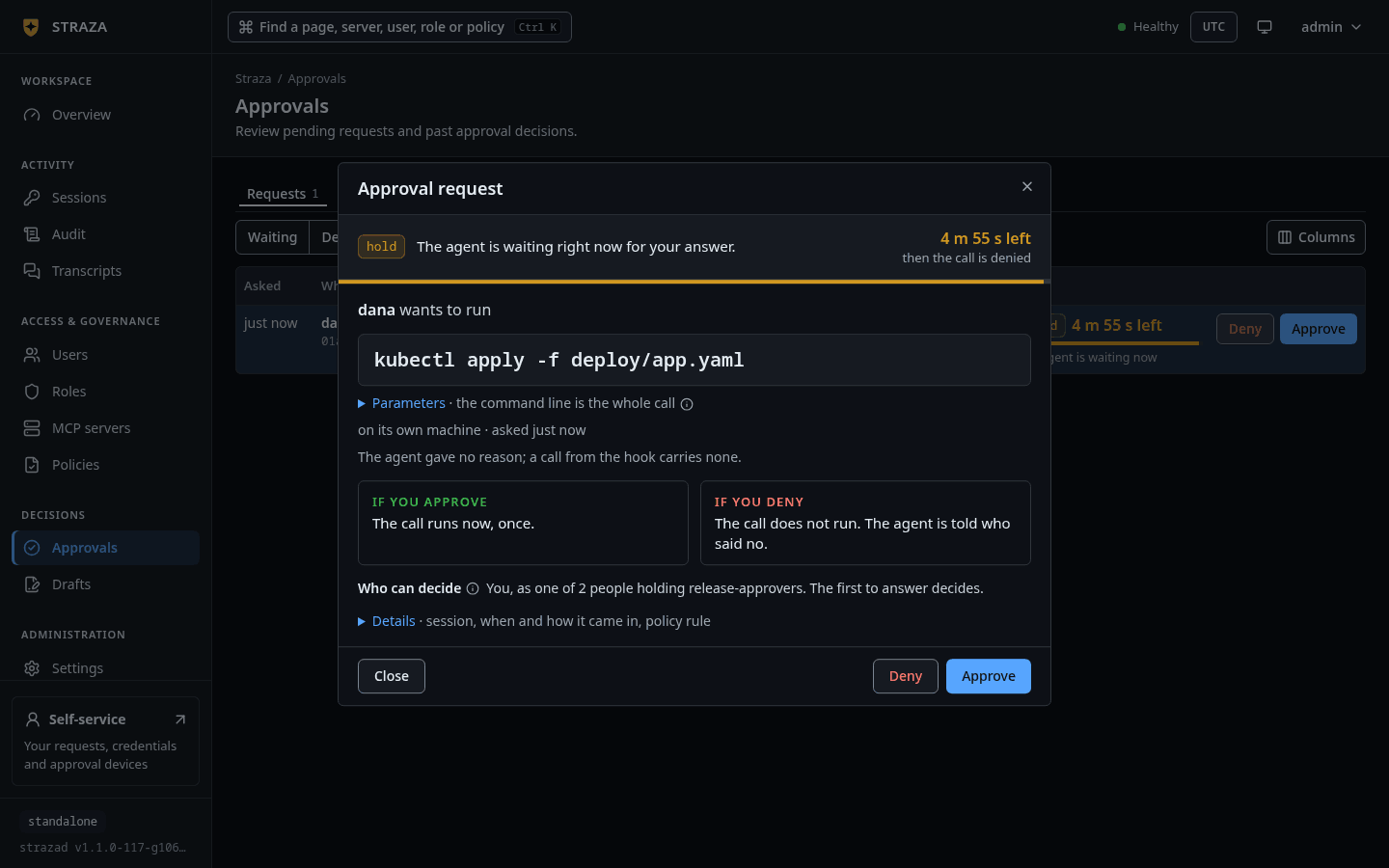
Select the row to open the request. The sheet is titled
Approval request. A strip under the title carries the kind,hold, and what that means:The agent is waiting right now for your answer.The time left stands at the right of the strip,14 s leftoverthen the call is denied, and a thin meter under the strip drains with it.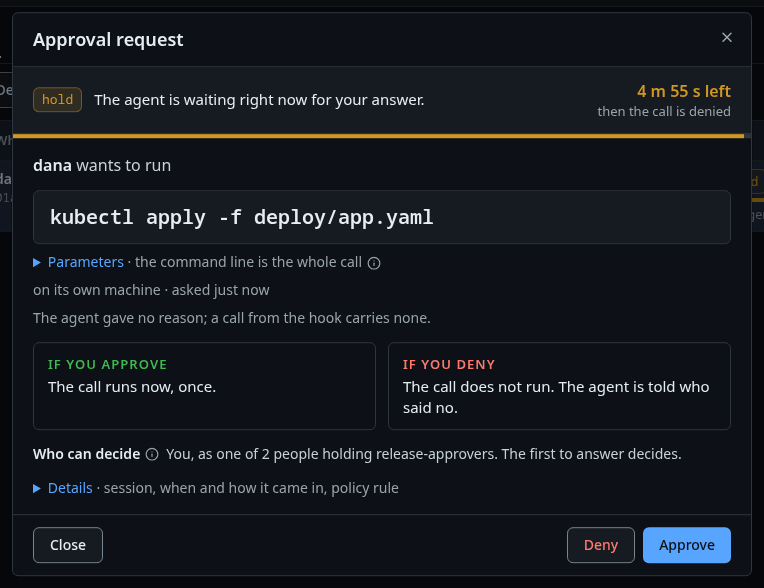
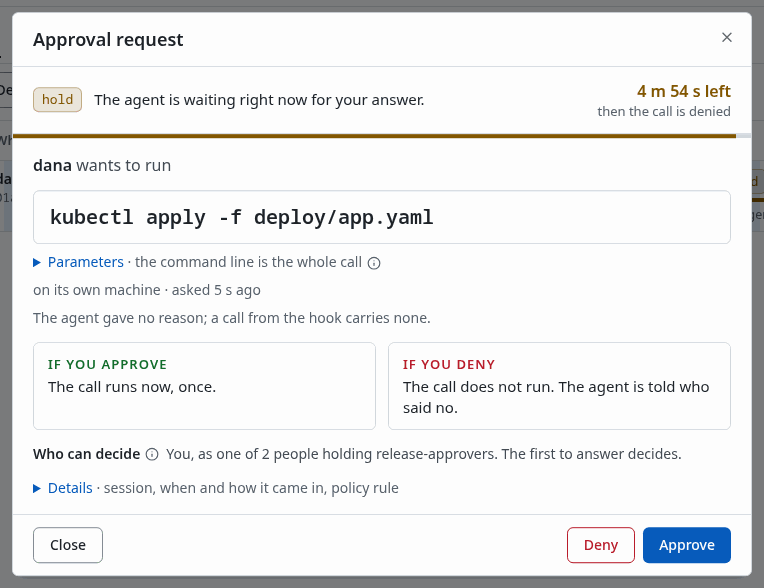
The request sheet, with the hold and its time left, the call, what each answer does and who can decide. Show the whole screen The body reads in the order of the decision:
joe-java-developer-agent wants to callstands over a box with the tool,get-sum, and the MCP serverdemo-toolsin a chip beside it.- A folded line,
Parameters · 2 values, opens a table of what the agent passed to the tool as the server stored it. Secrets are redacted, and the whole preview is cut at 2 KiB. - Show as JSON and the hash, inside it, shows the same arguments as JSON with the fingerprint the approval binds. For this call that read
sha256 6b604dd458ac…. - One line places the call:
through the MCP gateway · asked 1 m ago · sponsored by you. - The agent’s reason comes next, in quotes, over the line
The agent's own words. Nobody checked them.This call carried no reason, so it readThe agent gave no reason. - Two boxes say what each button does.
IF YOU APPROVEreadsThe call runs now, once.andIF YOU DENYreadsThe call does not run. The agent is told who said no. - One sentence says who can decide:
You (alice), as joe-java-developer-agent's sponsor. Nobody else.
The last line of the body,
Details, is folded while the request waits. It opens the record as one table of facts, with a label on every row.Requested by joe-java-developer-agent · sponsored by alice Session 01a0e9b2-cc62… · Open session · Open transcript When 1 m ago · 2026-09-28 20:26:58 UTC How it came in through the MCP gateway Decide by 14 s left · until 2026-09-28 20:28:58 UTC · then the call is denied Policy rule demo-tools-get-sum-approve in policy demo-tools-sandbox-accessSession and Policy rule carry links into the Sessions, Transcripts and Policies areas. The buttons at the foot of the sheet are Close, Deny and Approve.
strazactl approvals list --wide--wideprints each request as a block instead of a row. The block adds the redacted call preview underparameters (preview):, the agent’s reason understated reason (unverified):, and the line that says what an approval covers.Decide
- Approve
- Approve request
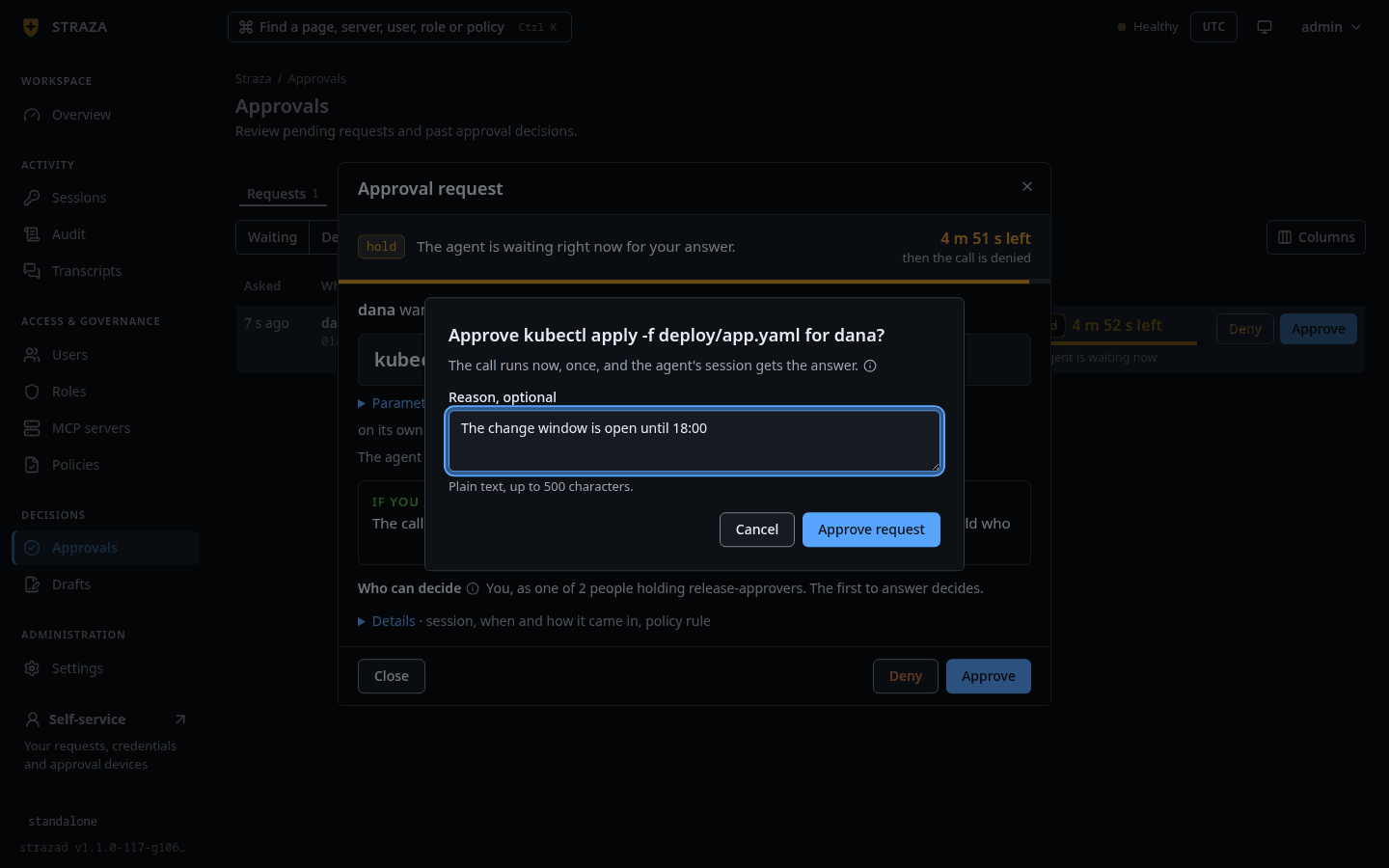
Press Approve, on the row or at the foot of the sheet. A second dialog asks
Approve get-sum for joe-java-developer-agent?and says what happens next:The call runs now, once, and the agent's session gets the answer.Type your own words under Reason, optional, plain text up to 500 characters, and press Approve request.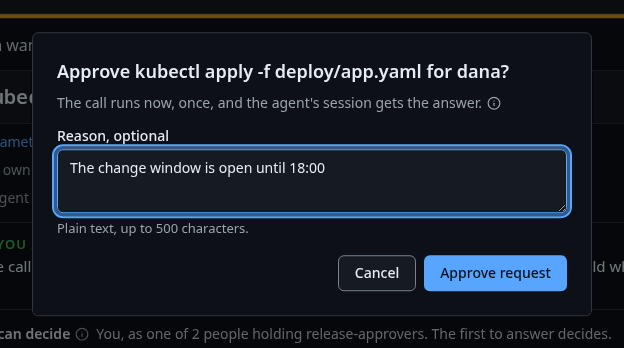
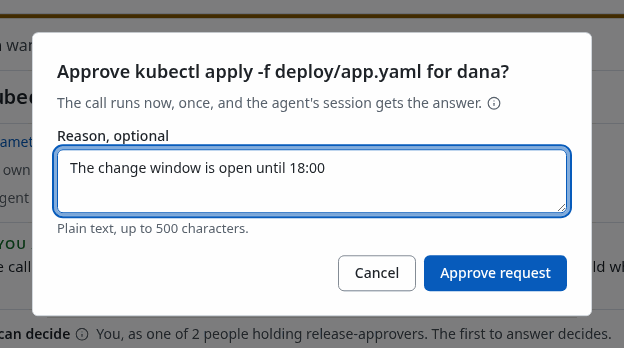
The Approve question, here for dana’s kubectl apply, with the optional reason. Show the whole screenYou should see
A toast says
Approved. get-sum runs now for joe-java-developer-agent., and the row leaves the Waiting filter.Deny asks in the same shape. On the example’s ticket row it asked
Deny get-env for joe-java-developer-agent?, withThe call is denied and the agent is told who denied it.under the question, and its button readDeny request. Once every request is decided, Waiting readsNo pending approval requests.strazactl approvals approve <id> --reason "The change window is open until 18:00"You should see
One line,
approved <id> (by <your name>).strazactl approvals deny <id>denies in the same shape and answersdenied <id> (by <your name>). A reason is optional and at most 500 bytes.The console and
strazactl approvalsreach the same admin endpoint, so the record names the channelconsoleeither way.The server checks every decision when it arrives, whatever surface sent it:
- The request must still be pending and inside its window.
- You must be a decider it names at that moment. By default that is the person behind the agent, or a holder of one of the approver roles the rule names.
- A decision on your own request counts only from an enrolled phone or browser, never from the console or
strazactl, unless the operator setsapproval.unsignedOwnDecisions. When approver roles carry your own request, the rule must also setselfApproval. - An AI agent is refused whatever roles it was given.
Repeating a verdict that already landed changes nothing. The opposite verdict on a resolved request is refused.
If this fails
This is your own request.- The console does not decide a request you raised. Confirm it on your enrolled phone, or in a browser you enabled on the self-service page, as Approve in the browser shows.
The window closed while this was open, so the call was denied.- The request’s window ran out before your answer landed. The agent’s next try raises a new request.
This request is no longer yours to decide:followed by the server’s reason- The server checked again and no longer counts you as a decider of this request. The reason after the colon says why.
<call> for <requester> was already approved by <person> from <channel> <time>, so there is nothing left to decide here.- Another person who may decide answered first. Nothing more is needed.
See the decision
- Approvals
- Requests
- Decided
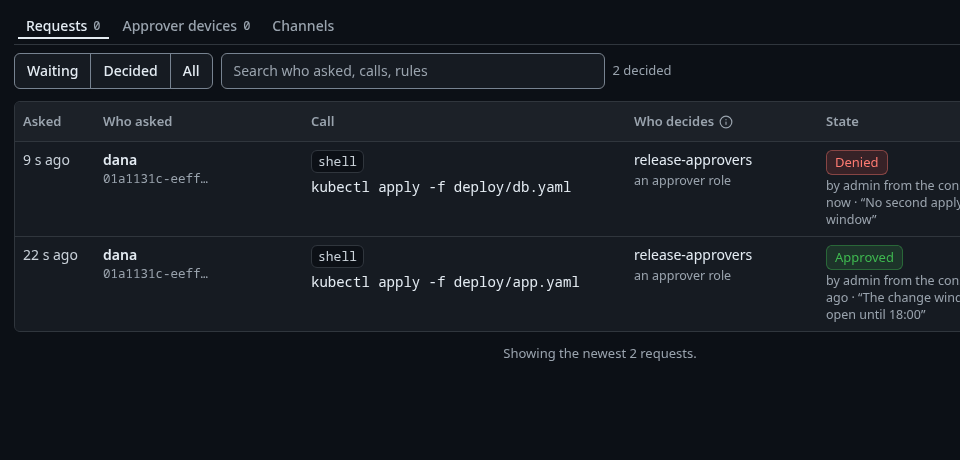
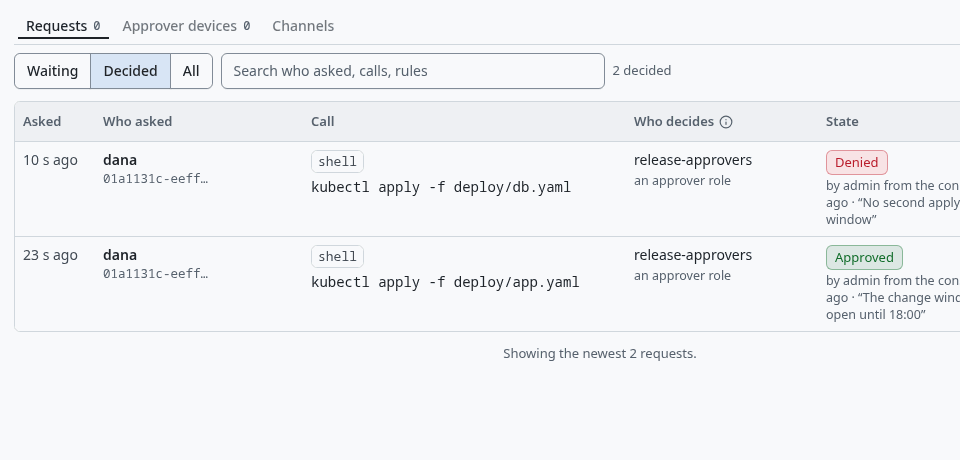
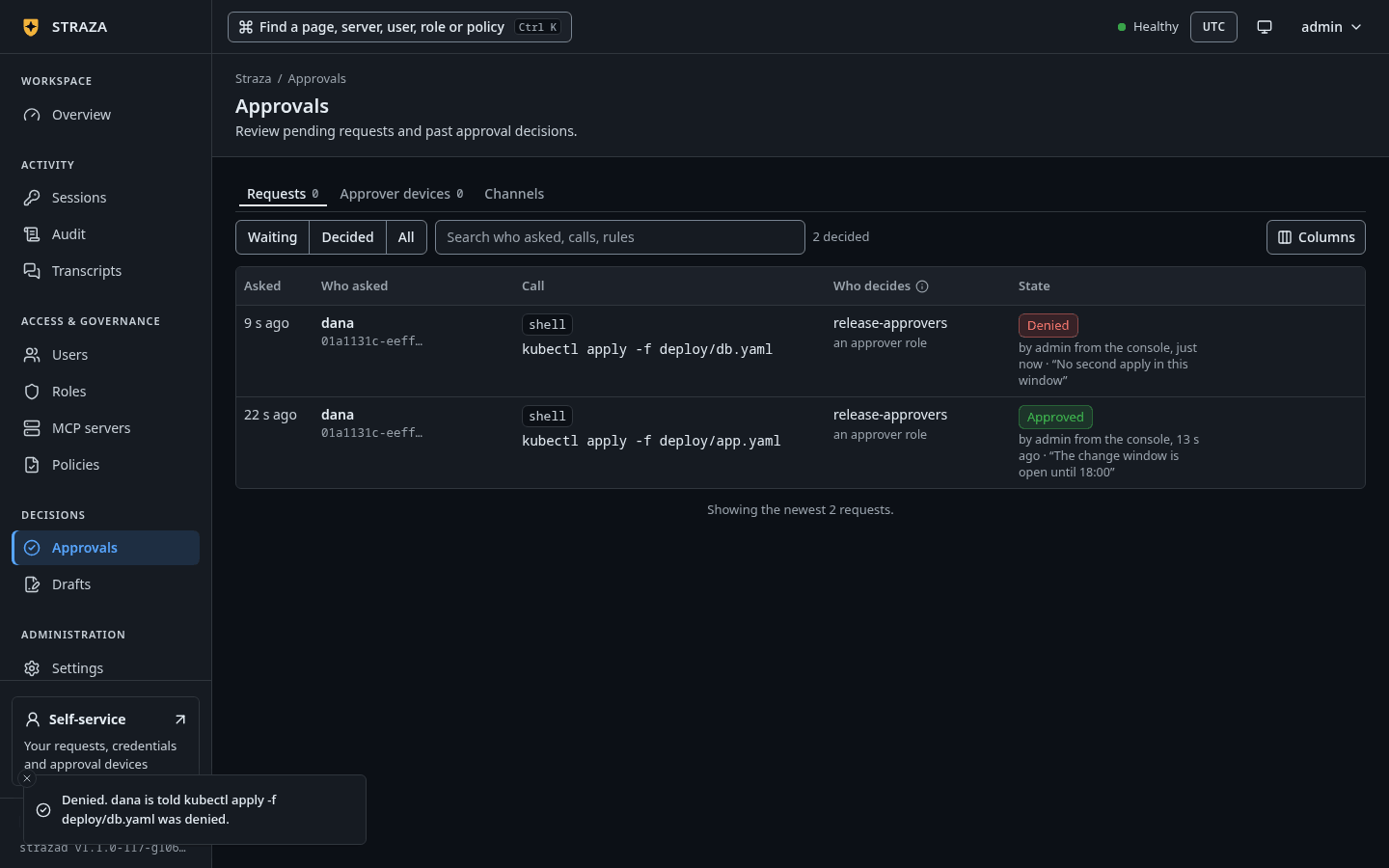
The Decided filter, where each request shows its state, who decided, from where and in what words. Show the whole screen The row keeps the state word and adds who decided it, from where and in what words. The request above then read
Approvedoverby alice from the console, 8 s ago · “Expected call from the build job”. Opening that row shows the badgeApprovedin the strip, beside one sentence that says who decided. Details stands open, with the decision at the top of the same facts table.Decided by alice from the console · 2026-09-28 20:28:45 UTC · 9 s ago Their reason “Expected call from the build job” Signed with the console sessionThe Signed with row names the console session, because a decision made here is carried by the session that made it. A decision from an enrolled phone or browser is signed by that device’s own key, and the row then names the device.
strazactl approvals list --state allThe
DECIDED BYcolumn names the person who decided each request.--statealso takesapproved,deniedorexpired.Watch the retry
The agent’s next identical call runs without asking again. Behind it sits one run of that exact call for that session and rule, kept in the database and good for the rule’s
retryTTLSeconds. The demo stack’s rule setstimeoutSeconds: 120andretryTTLSeconds: 120. That is two minutes to decide, and then two minutes for the agent to use the approval. Lifetimes and timeouts lists the defaults and limits of both settings.In the example, joe’s client had stopped waiting when a second request for the same call was approved the same way. The next identical call from that session came back with the tool’s own answer.
{"jsonrpc":"2.0","id":9,"result":{"content":[{"type":"text","text":"The sum of 2 and 40 is 42."}]}}Read the record
- Audit
- Lens
- approvals
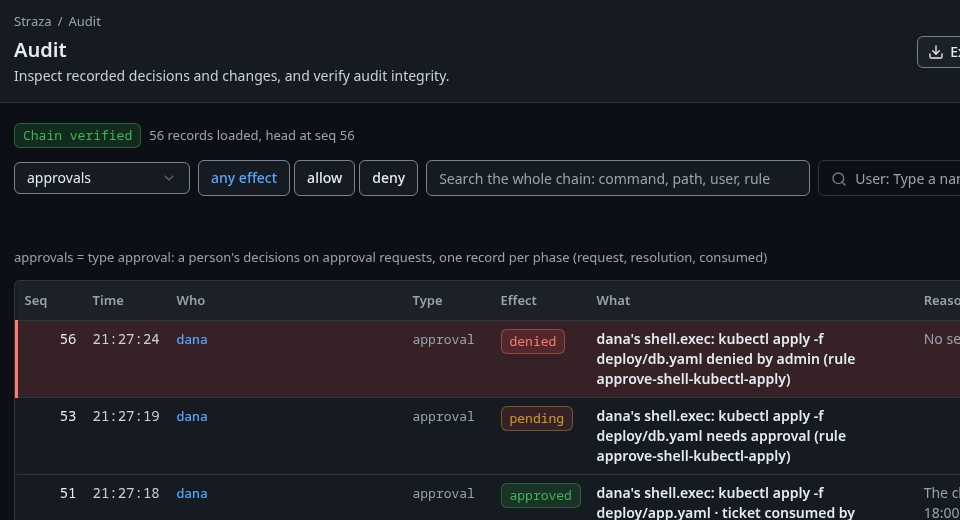
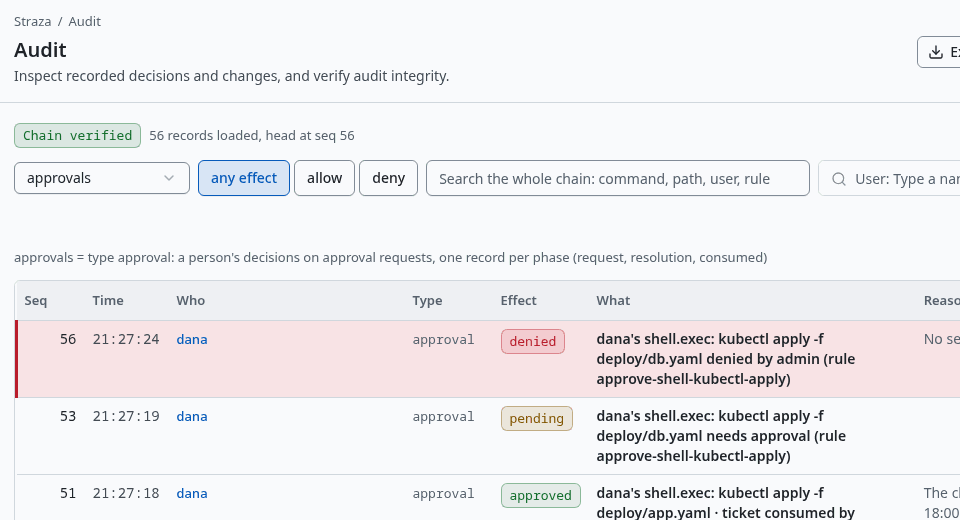
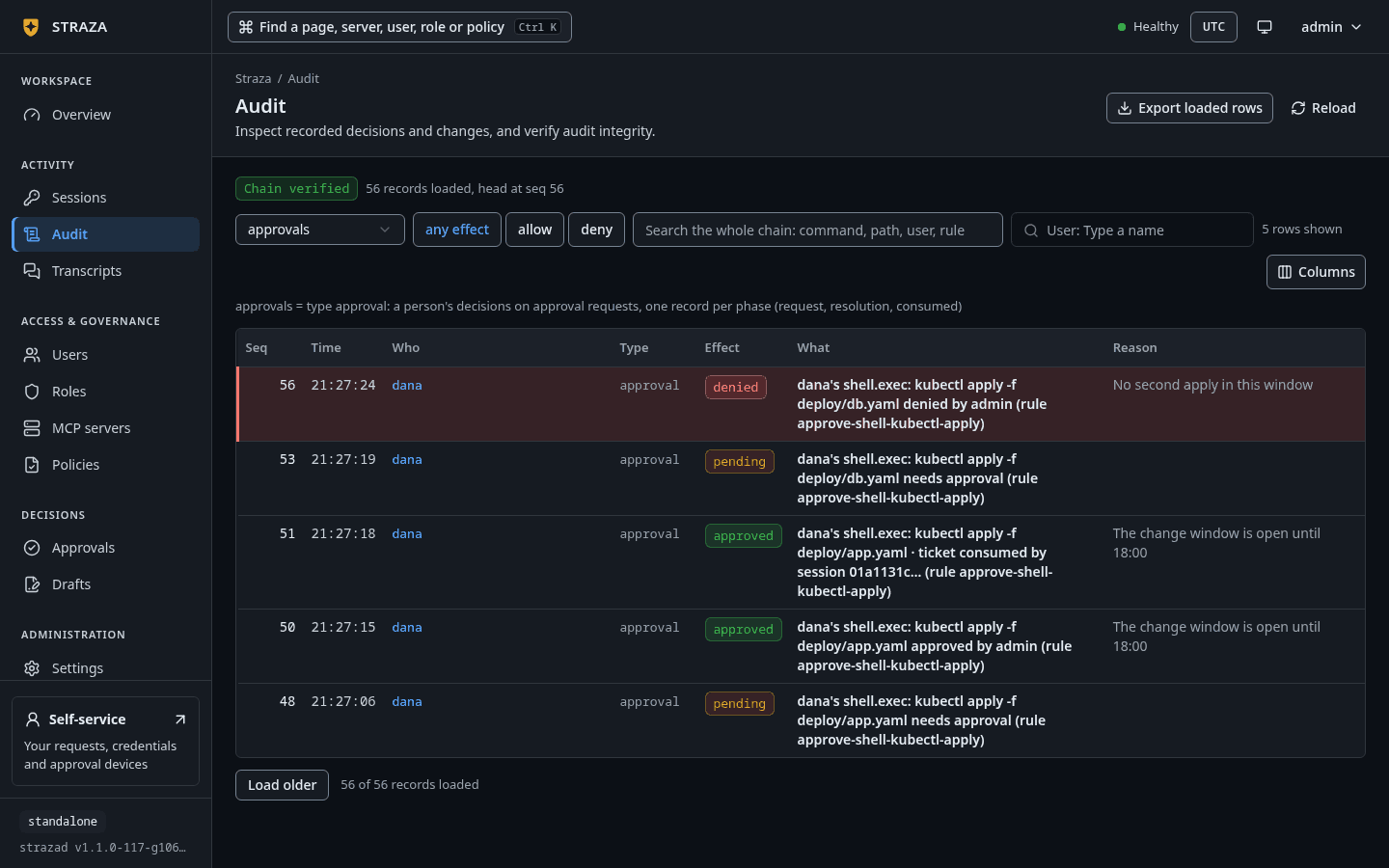
The approvalslens, with one record for each phase of a request. Show the whole screenstrazactl audit tail --type straza.audit.approvalThe approval leaves three audit records: the
requestphase written when it opens, theresolutionphase written when it is decided, and theconsumedphase written when the approved call runs. This is the resolution record of the call above, as the audit API returned it.{ "approvalId": "01a0e9b5-34ff-755a-a64b-0539a6338197", "channel": "console", "decidedBy": "01a0e97b-b571-723c-ae36-fcebb51ac719", "decidedReason": "Expected call from the build job", "lane": "gateway", "phase": "resolution", "rule": "demo-tools-get-sum-approve", "session": "01a0e9b2-cc62-7c79-85e7-f950c4729e29", "set": "demo-tools-sandbox-access", "state": "approved", "summary": "mcp.call demo-tools:get-sum", "user": "01a0e97b-cc2e-7555-926b-25954f31e3dc" }The retry lands as a record of its own, a
straza.audit.mcpevent with"effect": "allow", next to the record of the first call the rule held. That record carries no approval id, because the decision was made once, on the request above.
Undo
A decision cannot be taken back. An approved hold is used once, by the call that is still held when its wait ends or by the agent’s retry within retryTTLSeconds, and otherwise lapses. A denied one stays denied. If you approved in error and the retry has not run yet, revoke the session that asked.
Open Sessions, open the row of the session that asked, and press Revoke session. The dialog says what that costs before you confirm it.
Revoke session?
Every agent action in this session of joe-java-developer-agent is denied within
seconds. A session revoke is a stand-down, not a ban: the same device can check
in again as a new session. To cut access off entirely, revoke the device or lock
the user on their Users sheet.
                                                    Cancel   Revoke session
The resolution record names the session under session.
strazactl sessions revoke <session-id>Next
- Approve in the browser lets a person who is not an admin decide from the self-service page.
- Approve on a phone adds a phone that signs each decision with its own key.
- Slack posts each held call to a channel with Approve and Deny buttons.
- Approvals explains who may decide which request.
Walked on v1.1.0-117-g106081a8 on 2026-10-06. The CLI form on a throwaway standalone server in a Linux container, where the admin decided a hook hold and a ticket that dana's machine raised and revoked the session that asked. The console form and the gateway retry were walked in headless Chromium against the demo stack on v1.1.0 on 2026-09-28 and not again, because deciding there writes to the shared stack. That walk's held call was the agent joe's gateway call to demo-tools get-sum, and the denied one his get-env ticket. Console screenshots show strazad v1.1.0-117-g106081a8, standalone.