Overview and Audit
You read the deployment's health on Overview, then find any decision on Audit, check it against the hash chain and test the same call again.
- Who
- You, as an admin
- Where
- The console in a browser
- Profile
- Standalone and enterprise
On this page
Overview is the first page the console opens, and it says what needs a person now. Audit is the hash-chained record of every decision and change, read in your browser. This page walks both as an admin uses them. Overview opens to a session that holds the config area, and Audit to one that holds the audit area, so a delegated admin may see one without the other, as Delegated administration explains.
Before you start
- A console sign-in as an admin, at
/console/on your server with Sign in with a code. Your first governed session shows the sign-in on a standalone server. - Some decisions on the chain, such as the deny and the allow of the first session.
Read the summary
- Overview
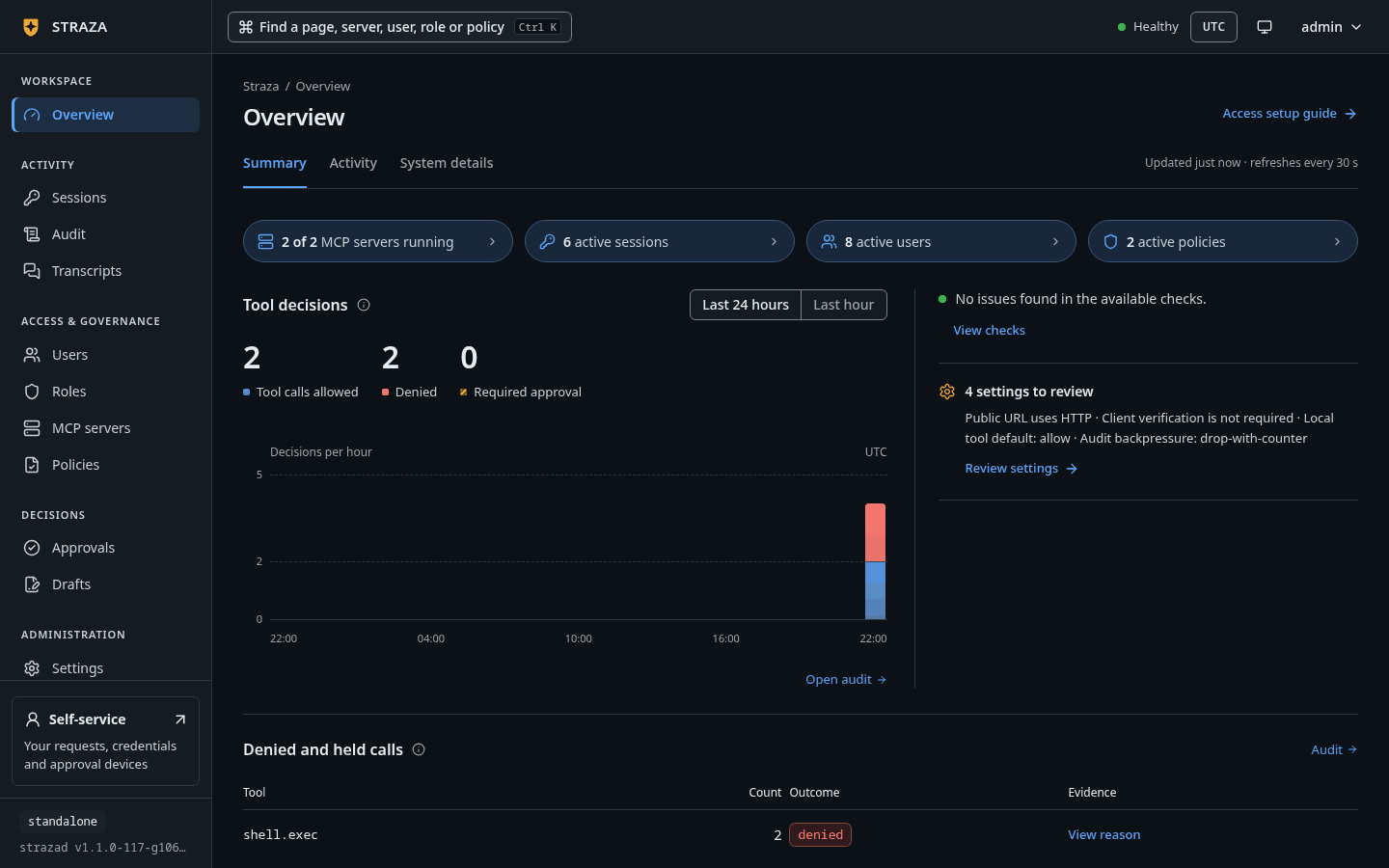
The page opens on the Summary tab. The strip at the top counts the MCP servers running, the active sessions, the active users and the active policies. Under it, Tool decisions charts the calls the gateway and the hooks decided, with totals for allowed, denied and required approval. Switch its window between Last 24 hours and Last hour to see the last hour by the minute.
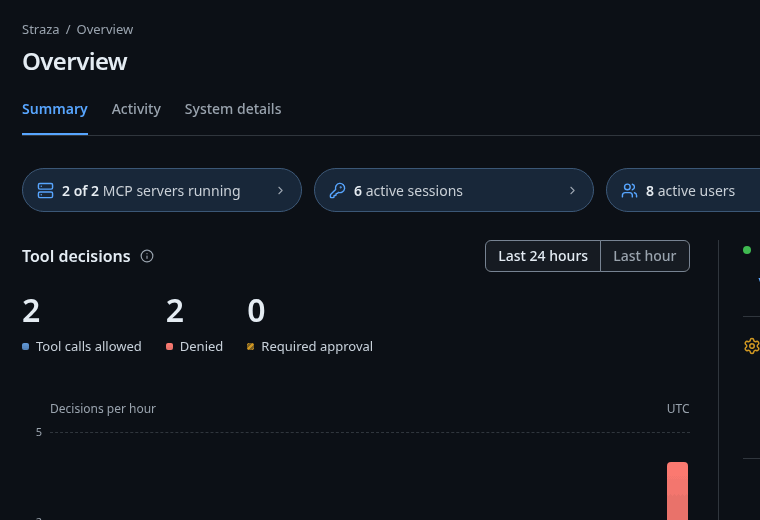
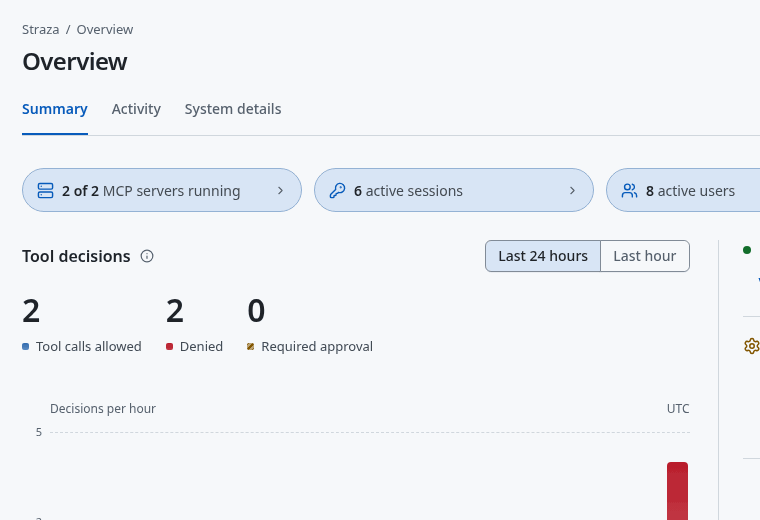
The Summary tab: the counts at the top, and Tool decisions with its switch between Last 24 hours and Last hour. Show the whole screen Beside the chart, Needs attention lists only what a person should act on: approvals that wait, drafts that wait for review, MCP servers that failed or degraded, a broken audit chain, a push lane that is down, and sinks that hold parked events. A line reads, for example,
1 draft waits for review, the oldest from alice, drafted 16 m ago., and each line opens the area where you act. Below it, the configuration note counts the settings that loosen the server, and Review settings opens them. A fresh standalone server shows4 settings to review, because its defaults suit a first try on one machine.Denied and held calls lists the tools with the most denials or approval requests in the last 24 hours. View reason shows the reason recorded most often and a link to Audit filtered to that tool. The line at the foot,
Latest records verified (up to 25), is the chain check this page runs.You should see
The counts match what you expect of your deployment, and the foot line says
Latest records verified (up to 25).Read the activity and the system details
- Overview
- Activity
Recent changes lists the newest control plane changes in words, such as
Published a draftorEnrolled an approver phone or browser, with who made each one. Recent audit events shows the newest records. Its Follow switch is off by default, and once you turn it on the list refreshes every 30 seconds. This browser remembers your choice.- Overview
- System details
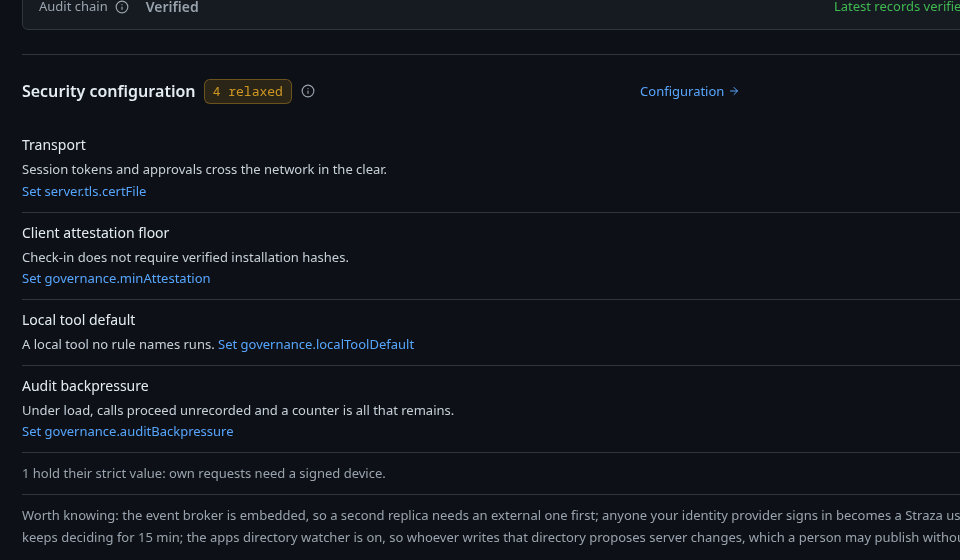
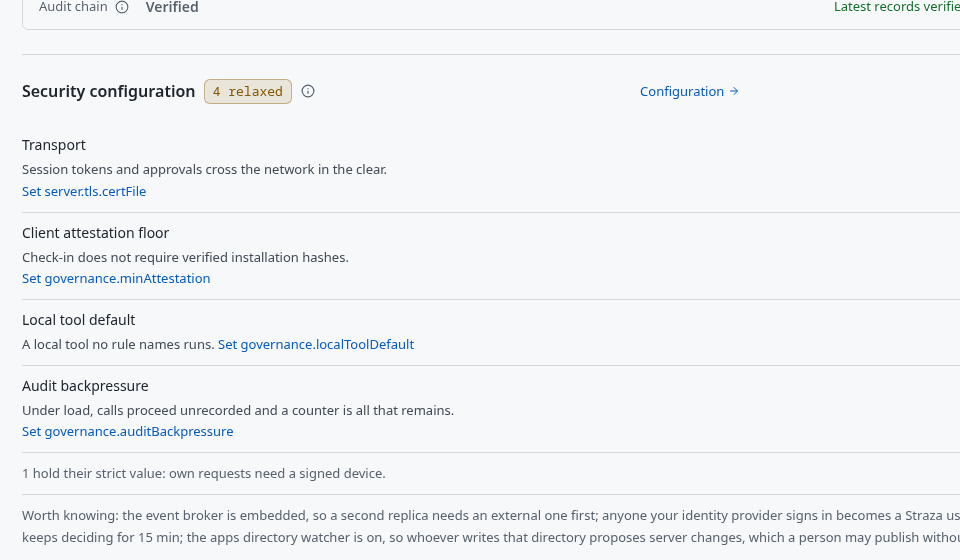
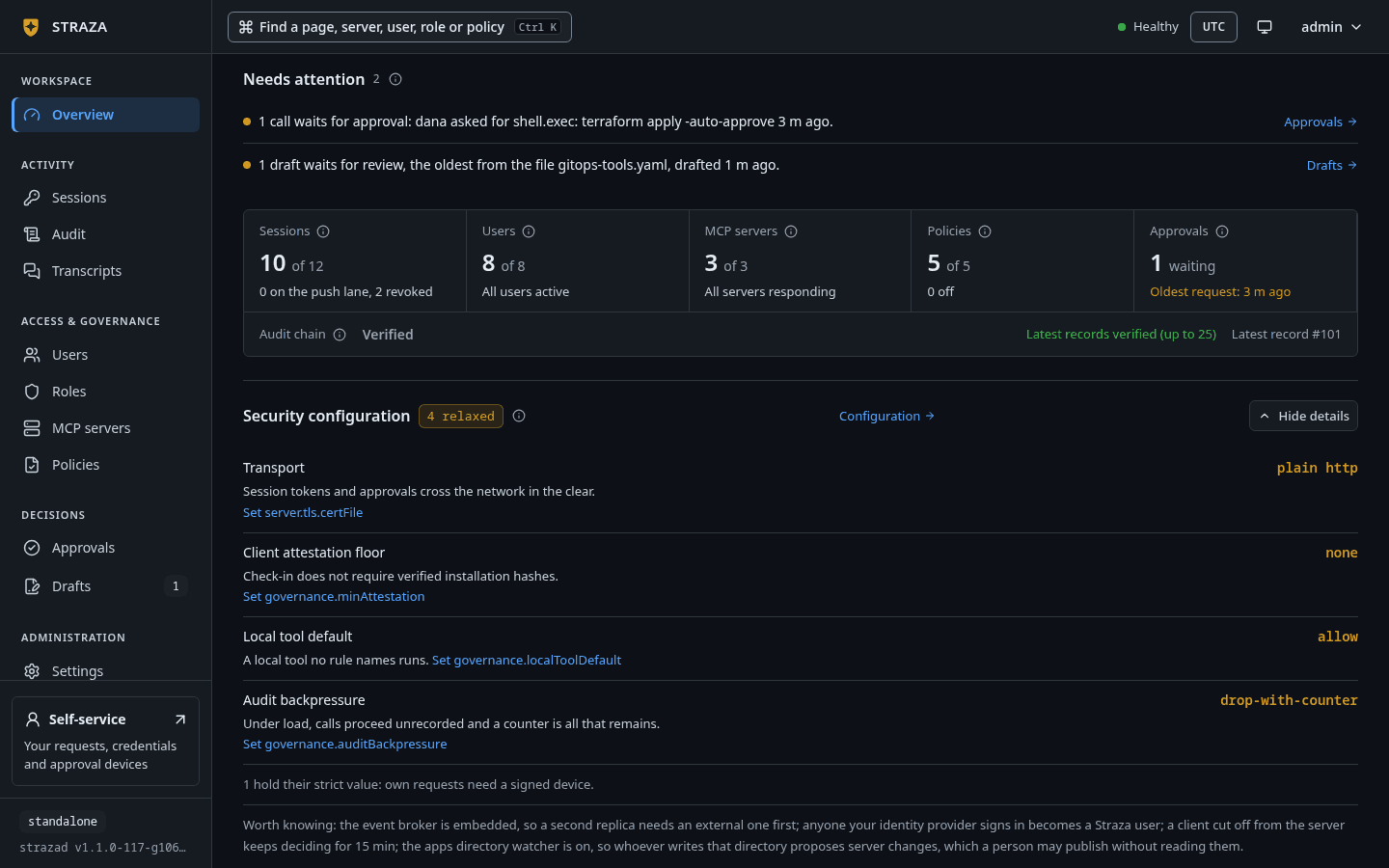
Security configuration on System details, with each relaxed setting, what it costs and the key that sets it. Show the whole screen The tiles count sessions, users, MCP servers, policies, waiting approvals and the newest record of the audit chain. Security configuration names each relaxed setting with what it costs, such as
Local tool defaultwithA local tool no rule names runs., and links the row in Settings that says where to set it. Active sessions lists up to ten sessions with their harness, the client version and the hook configuration each one reported.Open the audit chain
- Audit
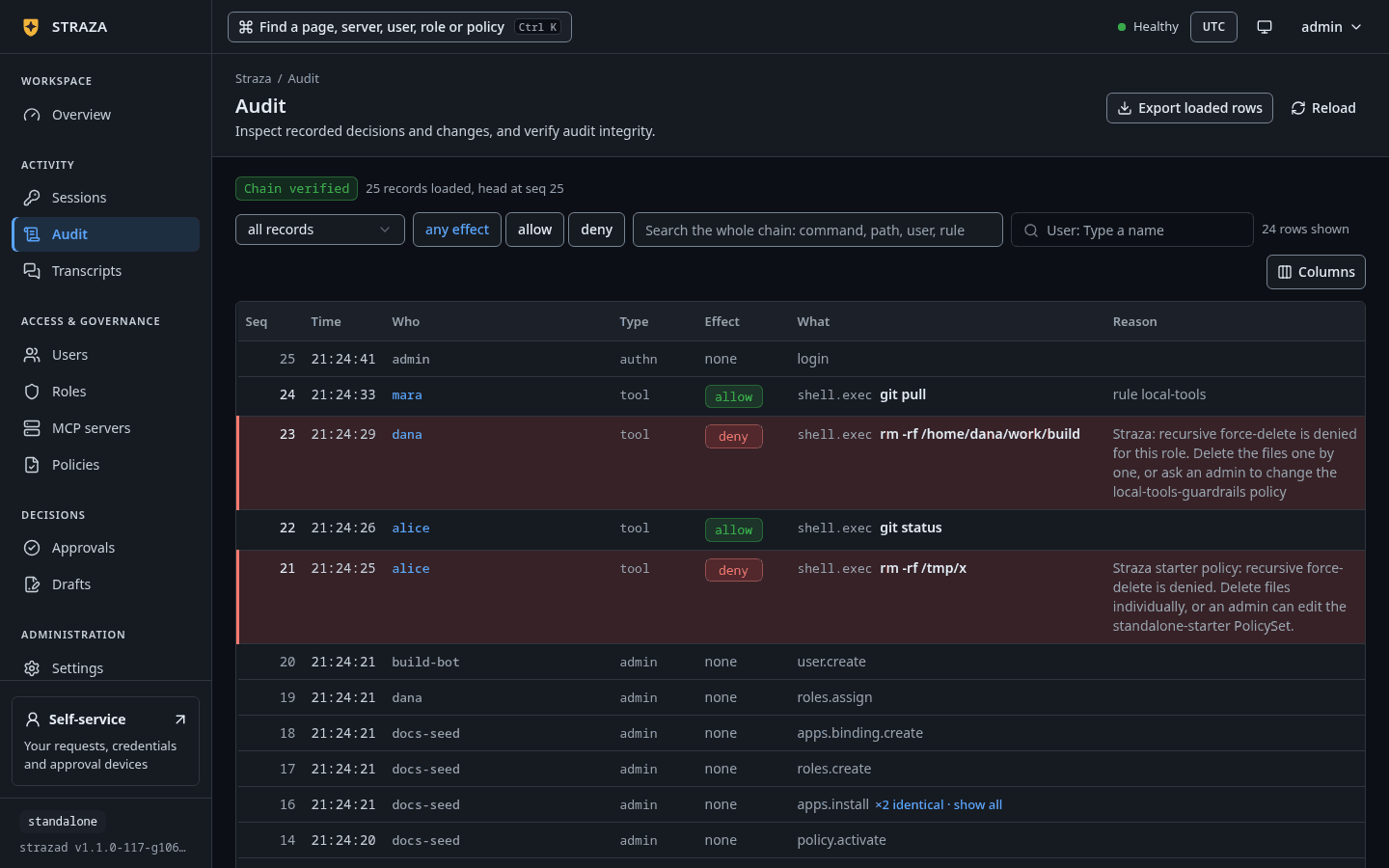
Above the table, the status line reads
Chain verified, with the count of records loaded and the head of the chain, such as43 records loaded, head at seq 43. The Overview card re-hashes the 25 newest records in your browser, and the Audit screen re-hashes every record it has loaded, starting with the newest 200. The table is a live tail that polls every second, and each new record is checked against the one before it as it arrives.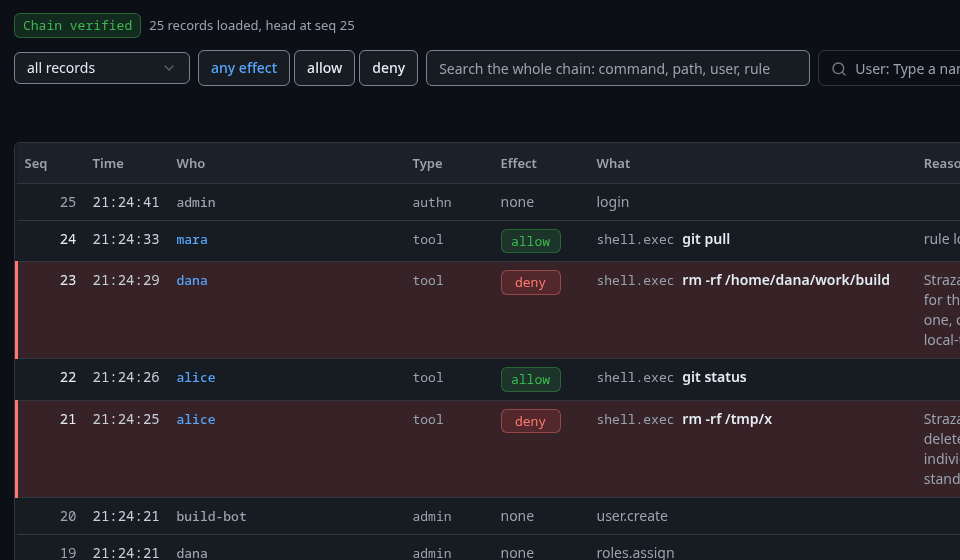
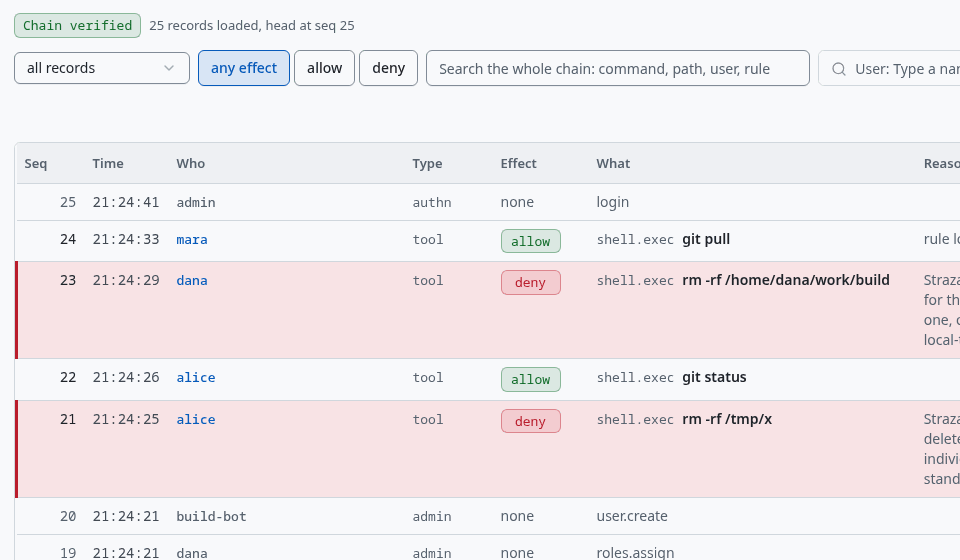
The newest records on Audit. Each denied rm -rfhas a red edge and a tinted row. Show the whole screenEach row shows Seq, Time, Who, Type, Effect, What and Reason. A denied call has a red edge and a tinted row. A run of identical records folds into its newest row with
×2 identical · show all, and the export and the chain check still read every record of the run. Load older reads the 200 records before the oldest one loaded and checks that they join it.You should see
Chain verifiedand a count of loaded records.If this fails
Audit chain broken at seq <seq>: a record fails re-hashing. Records may have been altered or removed. Verify with strazactl audit verify.- The console shows this alert, with the number of the first bad record, when a record it loaded fails the check. Run
strazactl audit verifyfrom a terminal, as the last step shows, and keep the database as it is for the investigation. Chain not verifiedwithre-hashing needs a secure context (TLS or localhost)- The browser checks the chain only on a page served over TLS or from localhost. Open the console at an
https://address, or atlocalhoston the server’s own machine.
Narrow the records
The Lens picker narrows the loaded tail to one kind of record:
all records,decisions,approvals,recording,sentinel,audit,revocations,identity,MCP serversorpolicy. A note under the controls says what the lens covers, such asdecisions = type tool and mcp: the policy engine's verdicts on tool calls.The effect buttons, the search box and the User picker search the whole chain on the server instead. Pick deny, type a command, a path, a user or a rule into
Search the whole chain: command, path, user, rule, or pick a person. A name in the Who column filters to that person as well. While a search runs, the status line readsWhole-chain searchand the count of matches. Search results are not contiguous, so the browser does not re-hash them, and the tail underneath stays verified.- Audit
- deny
You should see
Whole-chain searchand the denied calls, newest first.Read one record
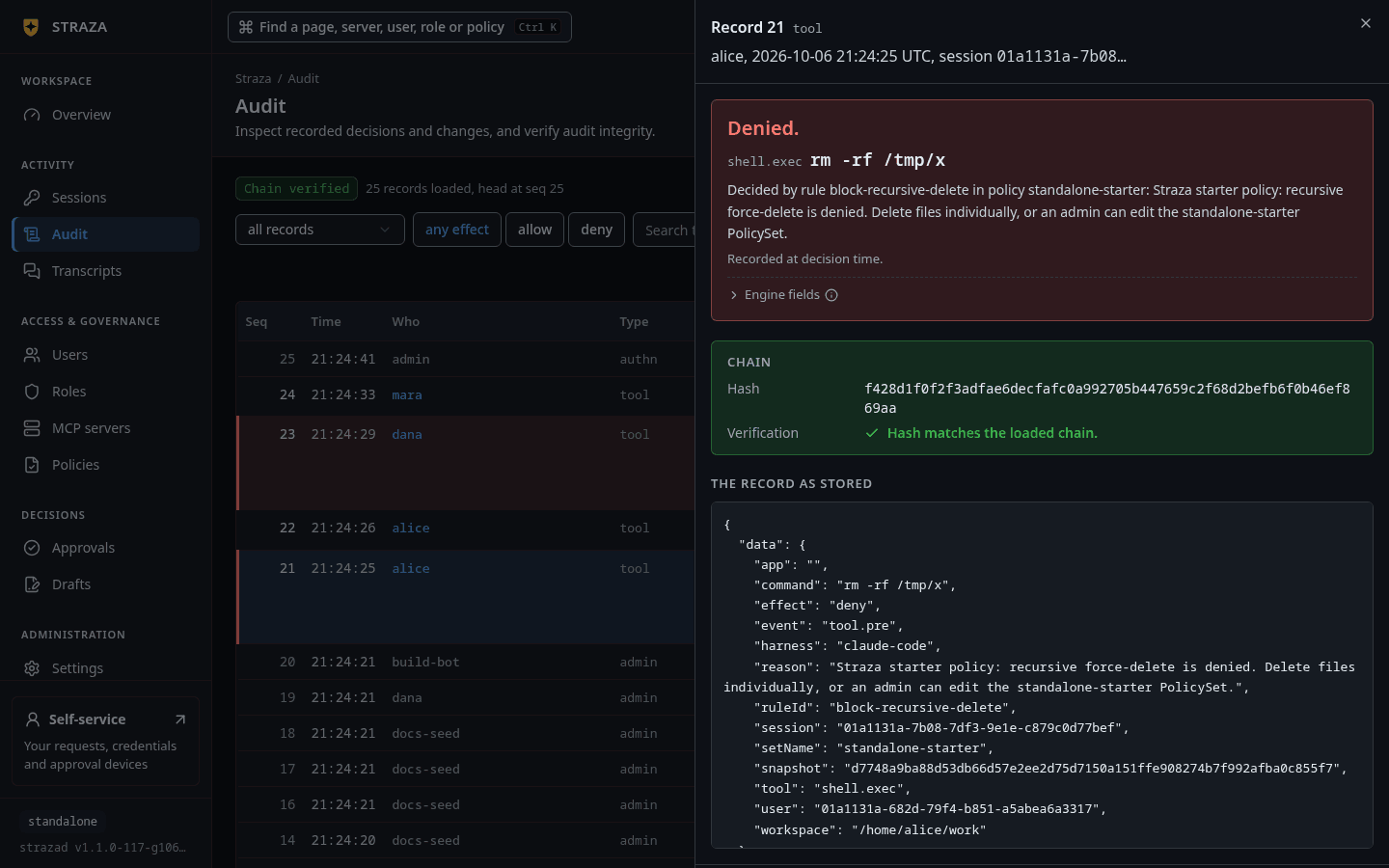
Select a row. The sheet is titled with the record’s number and type, such as
Record 24 tool, and names who, when and the session. For a decision it opens on the outcome,Denied., then the call itself, then the sentenceDecided by rule block-recursive-delete in policy standalone-starter:followed by the reason the agent read.Recorded at decision time.reminds you that the record holds what the engine knew then, whatever changed since.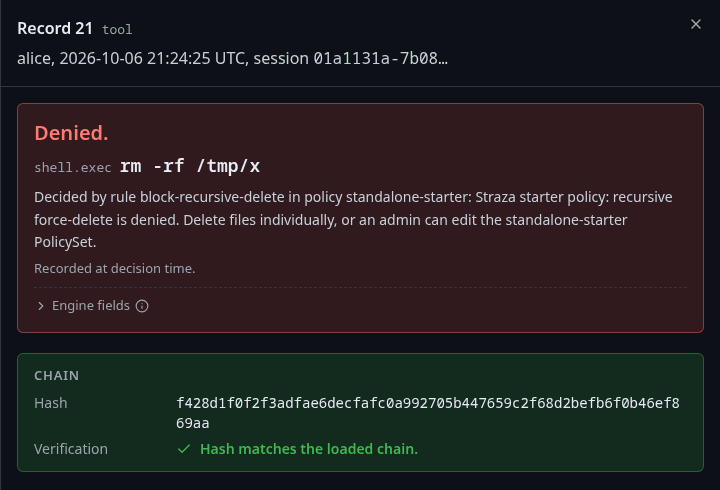
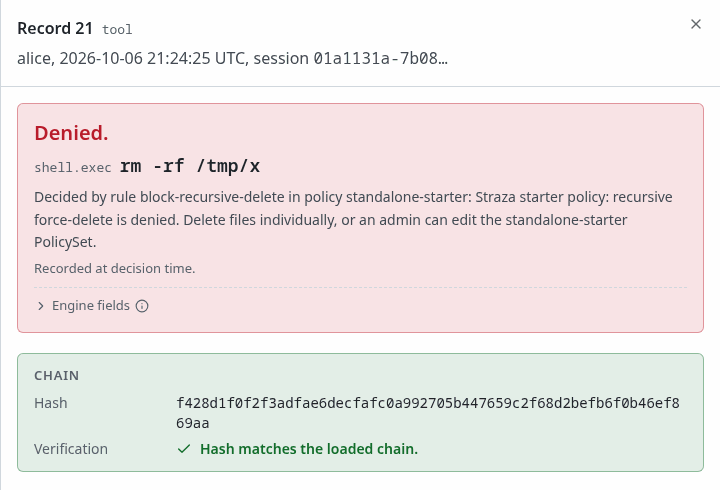
The record of alice’s denied rm -rf: the outcome, the rule and policy that decided it, and the chain check. Show the whole screenThe Chain box holds the record’s hash and the verdict of your browser,
Hash matches the loaded chain.A record opened from a search readsNot verified in this browser. See the audit chain status for details.instead, because a search result is not part of the checked tail. The record as stored shows the whole record, and Copy as JSON copies it.Test the call again
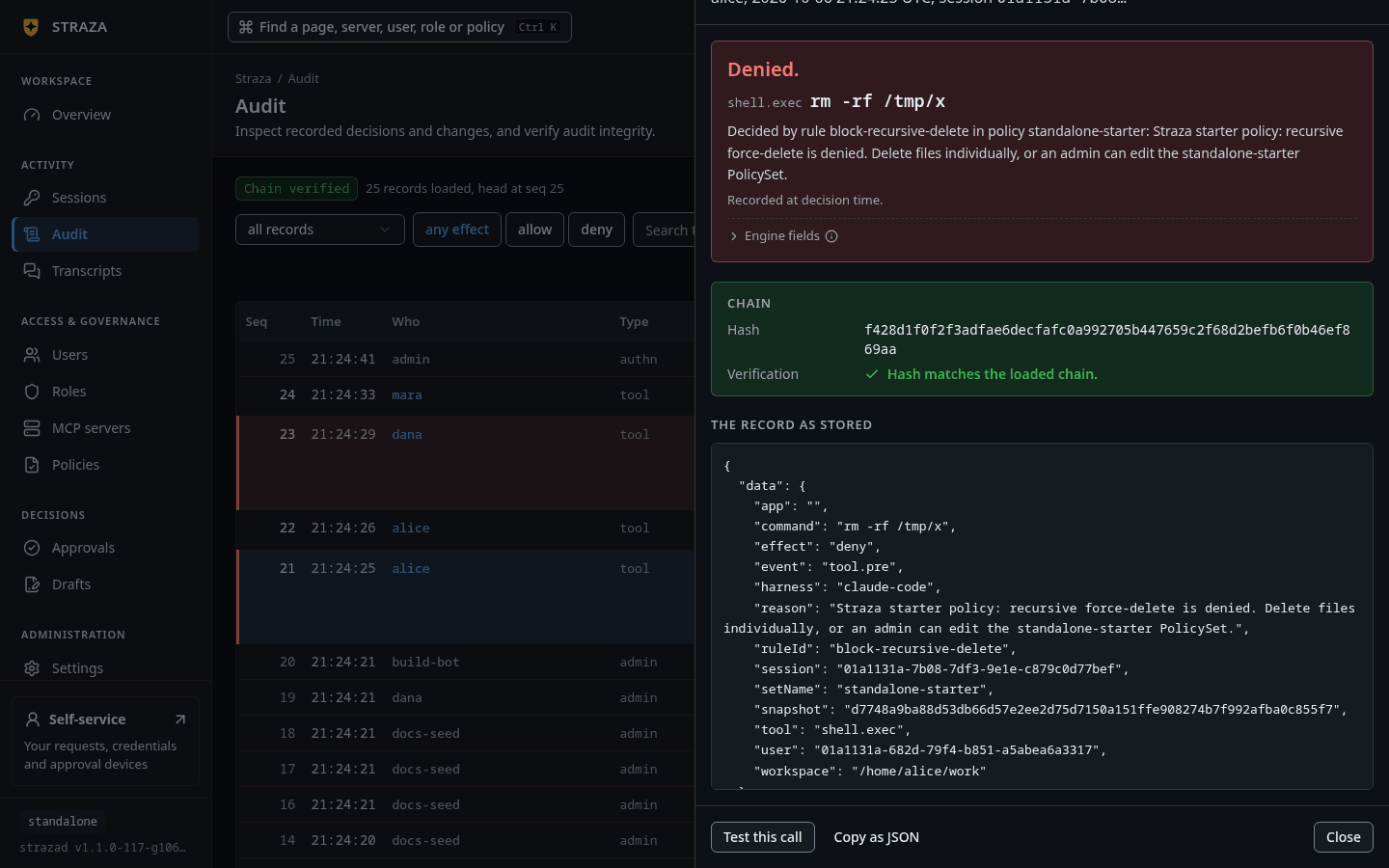
Open the record of a decision, then press Test this call at the foot of the sheet. It opens Test a call with the person and the call of the record filled in. It answers against the policy version that is live now, and it writes nothing and records nothing. Use it after a policy change to see whether the same call would now get a different answer.
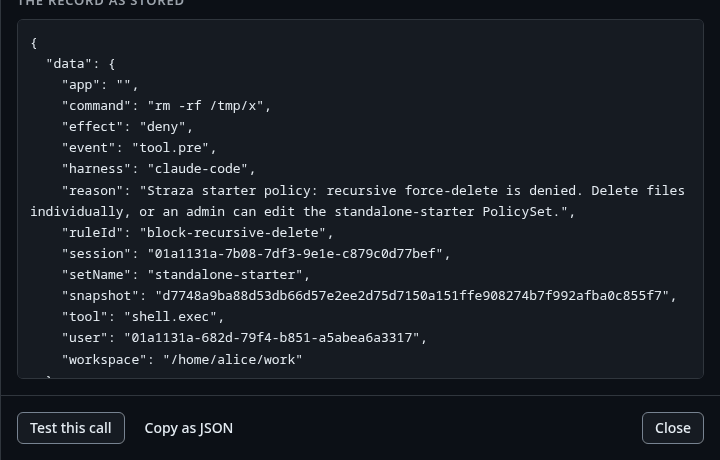
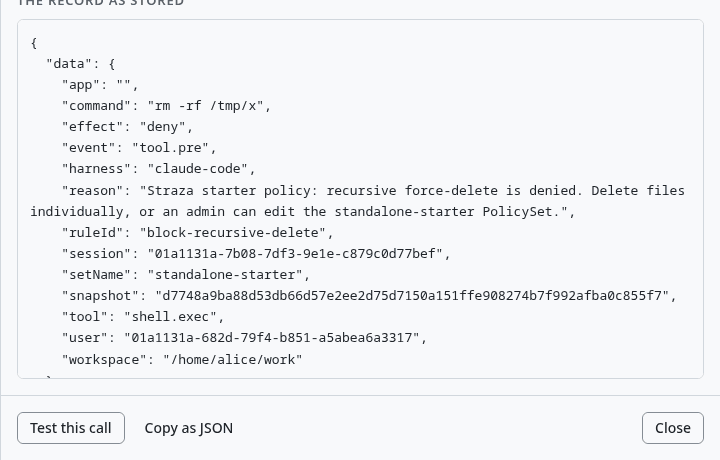
Test this call at the foot of a record, under The record as stored. Show the whole screen You should see
An Answer such as
Denied, withDecided under the policy version live right now.Simulate a call covers the same test from the policy side and from the CLI.
Export or verify the whole chain
Export loaded rows downloads the rows the current lens shows, as
CSVor asJSONL. The JSONL file holds each record as stored. The export covers what the browser has loaded, never the whole chain.CLI onlyOnly
strazactl audit verifyre-hashes every record of the chain, from the first to the head.strazactl audit verifyYou should see
audit chain intact: 71 records verified, with the count of your own chain.
Next
- The sentinel adds verdicts on whole sessions to the chain, under the
sentinellens. - Sinks and SIEM sends the same records to your SIEM.
- Evidence and audit explains how the chain is built and what its check proves.
Walked on v1.1.0-117-g106081a8 on 2026-10-06. A throwaway standalone server on Linux, read as the admin in headless Chromium after a person's machine had sent allowed, denied and held calls through the hook, with strazactl audit verify run from a terminal. Console screenshots show strazad v1.1.0-117-g106081a8, standalone.