Your first governed session
Run a server on this machine, sign in, and watch a policy deny one command and allow another.
- Who
- You, as the admin, and later as alice
- Where
- Two terminals and a browser
- Profile
- Standalone
On this page
You start a server in the standalone profile, create a person called alice, and watch the policy that ships with the server deny a destructive command and allow a harmless one. The standalone profile carries its own database, event broker and sign-in page, so nothing else needs to run. Every step has a console form and a CLI form where both exist. The switch in the header picks one.
Before you start
- The three binaries on your PATH:
strazad,strazactlandstraza. Install shows how. - An empty directory. The server keeps its data there, so use a throwaway one, and use a separate test machine if this one already runs Straza.
- A POSIX shell for the commands, and a browser on this machine for the sign-in page.
Start the server
CLI onlyA server starts from a terminal. The console opens once it runs.
In the first terminal, in the empty directory, start the server in the standalone profile.
strazad serve --profile standaloneYou should see
The log says
strazad servingat127.0.0.1:8420. Leave this terminal running.Save both passwords now
The first start prints the admin and break-glass passwords once, in the log. A restart of the same data directory does not print them again.
Recorded output
Passwords are masked here and timestamps left out.
{"level":"WARN","msg":"bootstrap admin created. Store this password now, it will not be shown again","username":"admin","password":"6770xxxxxxxxxxxxxxxxxxxxxxxxxxxxxxxx"}
{"level":"WARN","msg":"break-glass admin created. Store this password in your vault now, it will not be shown again; rotate on-box via `strazactl users set-password break-glass`","username":"break-glass","password":"aef0xxxxxxxxxxxxxxxxxxxxxxxxxxxxxxxx"}
{"level":"INFO","msg":"strazad serving","addr":"127.0.0.1:8420","profile":"standalone","publicUrl":"http://127.0.0.1:8420","tls":false,"version":"v1.1.0"}
The server keeps its state under
datain the directory where you started it. The standalone profile binds its main listener to 127.0.0.1:8420, so administration stays on this machine. Unlessserver.approverTLS.autoMintis false, it also serves the phone approver routes on port 8443 on every interface, with a self-signed certificate it creates in the data directory. Read Ports and network before you run this on a shared network. Standalone and enterprise compared shows how the enterprise profile differs.Sign in as the admin
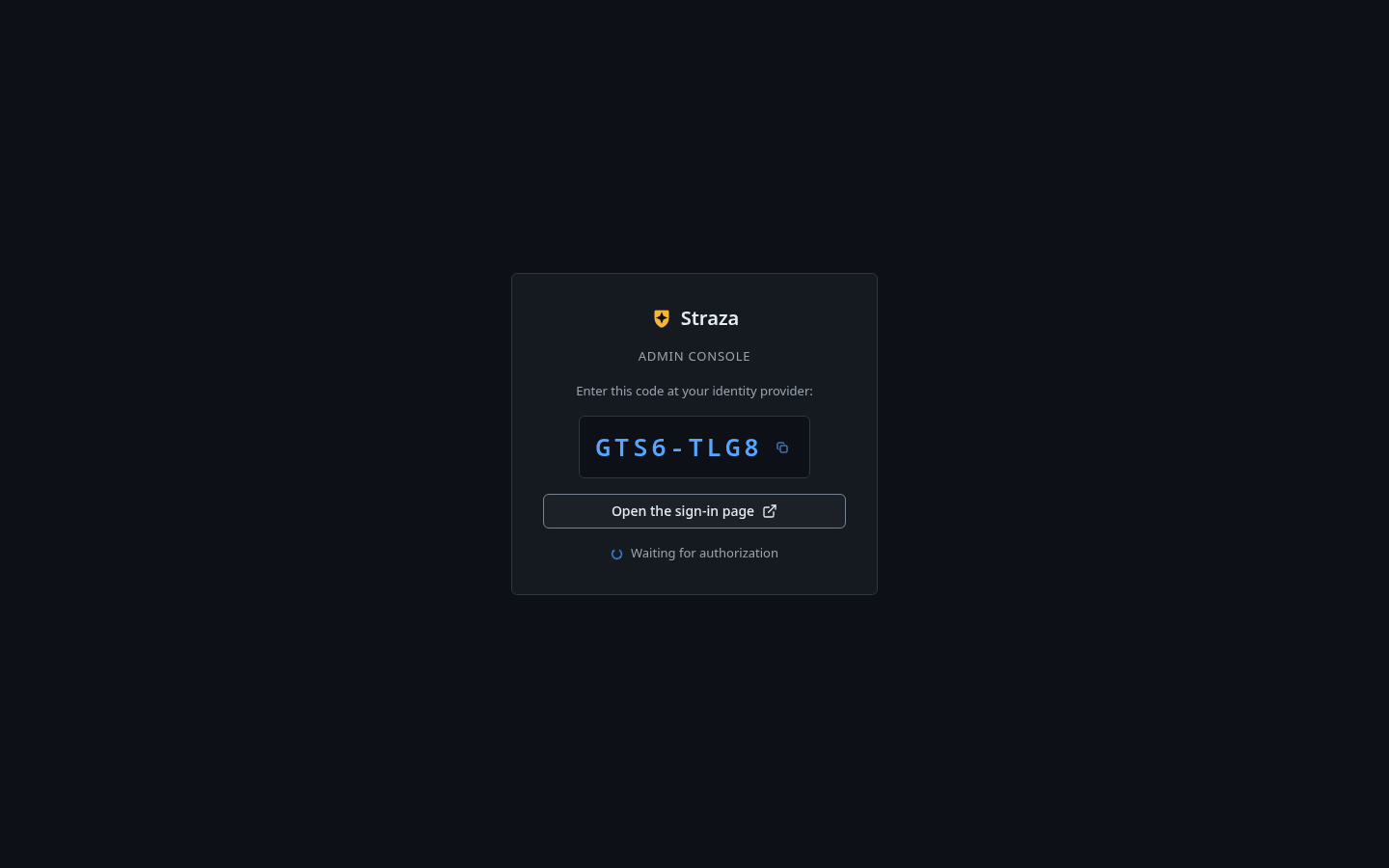
Open
http://127.0.0.1:8420/console/in your browser and press Sign in with a code. The console shows a one-time code.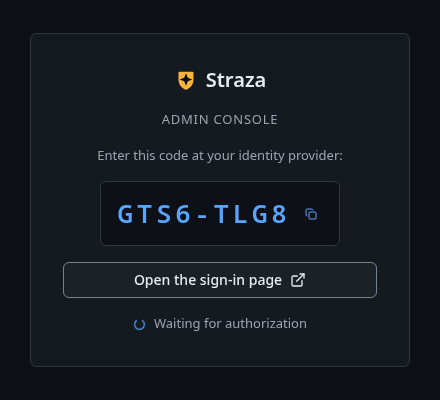
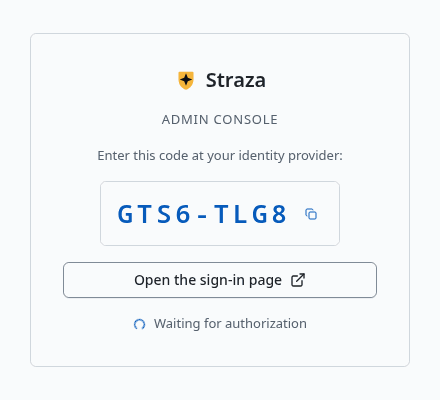
Press Open the sign-in page. Your code is different. Show the whole screen - Press Open the sign-in page. A new tab opens with the code filled in.
- Check that the code matches, enter
adminand the saved password, and press Sign in. - The tab says Signed in. You can close this tab. Go back to the console.
You should see
The console opens on Overview. The bottom of the menu says
standaloneand the server’s build.In the second terminal, log in. The command needs the server address once and remembers it for every later command.
strazactl login --server http://127.0.0.1:8420It prints an address and a code, then waits for you.
- Open the address in your browser.
- Check that the code matches, enter
adminand the saved password, and press Sign in. - Go back to the terminal.
You should see
Logged in as admin.and a note that asks you to keep this login away from coding agents.Recorded output
The code changes with every attempt, so use the address and code from your own terminal.
Open http://127.0.0.1:8420/oidc/device?user_code=NCPJ-QXXZ
and confirm code NCPJ-QXXZ
Logged in as admin.
note: this login can change Straza's configuration. Keep it away from coding agents. Automation uses an admin API token in STRAZA_API_TOKEN, and an agent proposes config changes through the built-in straza MCP server.
If this fails
Invalid username or password.- Use the admin password from the first start of this data directory. If you no longer have it, follow Recover from a lockout. Never delete the data directory of a real deployment to get back in.
That code is not valid or has expired. Check it against the console or terminal and try again.- The sign-in page holds an old code. Start the sign-in again and open the new address, because a tab from an earlier attempt shows a stale code.
login timed out (device code expired)- The code ran out before you signed in. Run
strazactl login --server http://127.0.0.1:8420again.
Create a person and a role
A role is a label you give a person. A PolicySet is a policy document with rules that allow a call, deny it or send it to a person, and its
matchblock can name the roles it governs. You create alice and an application role calleddev, because PolicySets match application roles.CLI onlyThe first two commands run in the CLI. The console has no Add user, because people come from your identity manager or the CLI. Its New role asks an application role for its MCP server, and
devreaches none.In the second terminal, log the CLI in once, the same way as the console, then create alice and the role.
strazactl login --server http://127.0.0.1:8420
strazactl users create alice --password 'pick-a-passphrase' --email alice@example.com
strazactl roles create dev --kind application
You should see
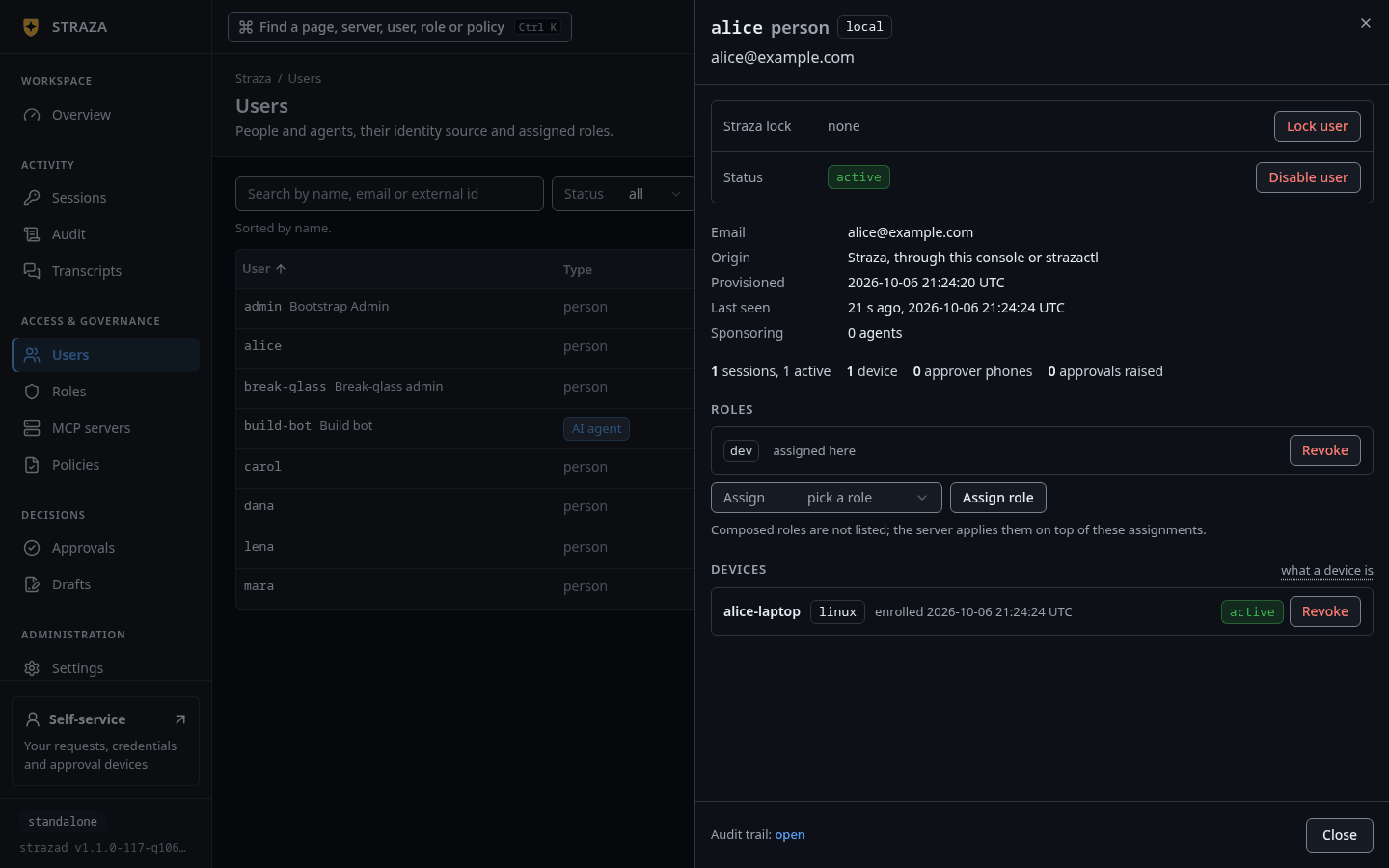
Logged in as admin., thencreated user aliceandcreated role dev, each with an id that is different on your machine.Back in the console, give alice the role. Open her sheet, pick
devin the Assign picker and press Assign role. The console asks you to confirm, so press Assign role again.- Users
- alice
- Assign
- dev
- Assign role
- Assign role
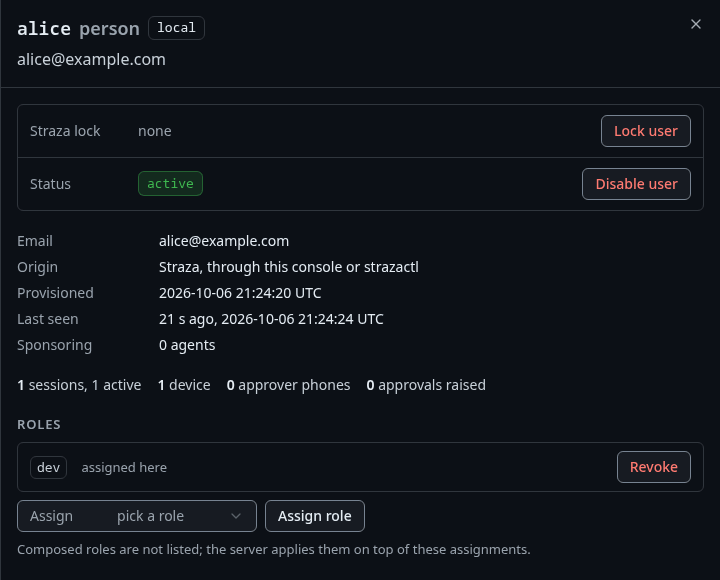
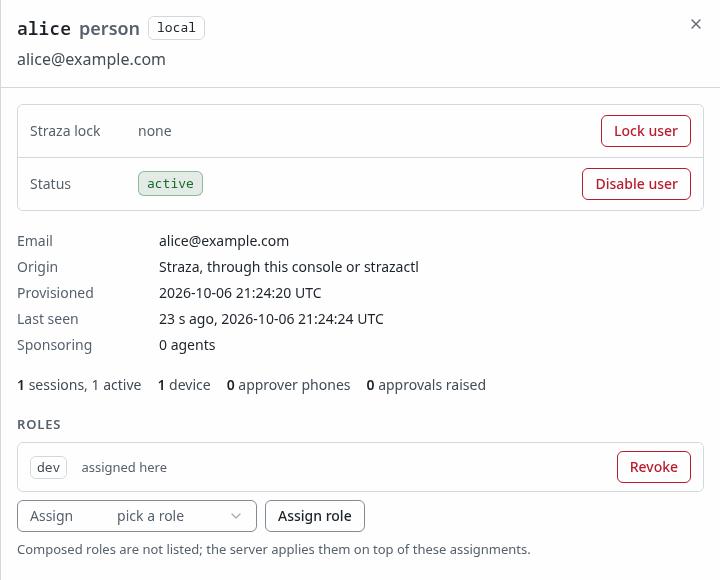
alice’s sheet after the assignment: dev, assigned here. Show the whole screenYou should see
devunder Roles in alice’s sheet, marked assigned here.Create alice with a password for the built-in sign-in page, create the role and assign it to her.
strazactl users create alice --password 'pick-a-passphrase' --email alice@example.com
strazactl roles create dev --kind application
strazactl assign dev --user alice
You should see
Three lines:
created user alice,created role devandassigned dev to alice. The ids are minted per store, so yours differ.Recorded output
created user alice (01a0e993-0abd-79e1-a958-015170d2cc16)
created role dev (01a0e993-0ae6-7389-9e00-cb2f1cf2831e)
assigned dev to alice
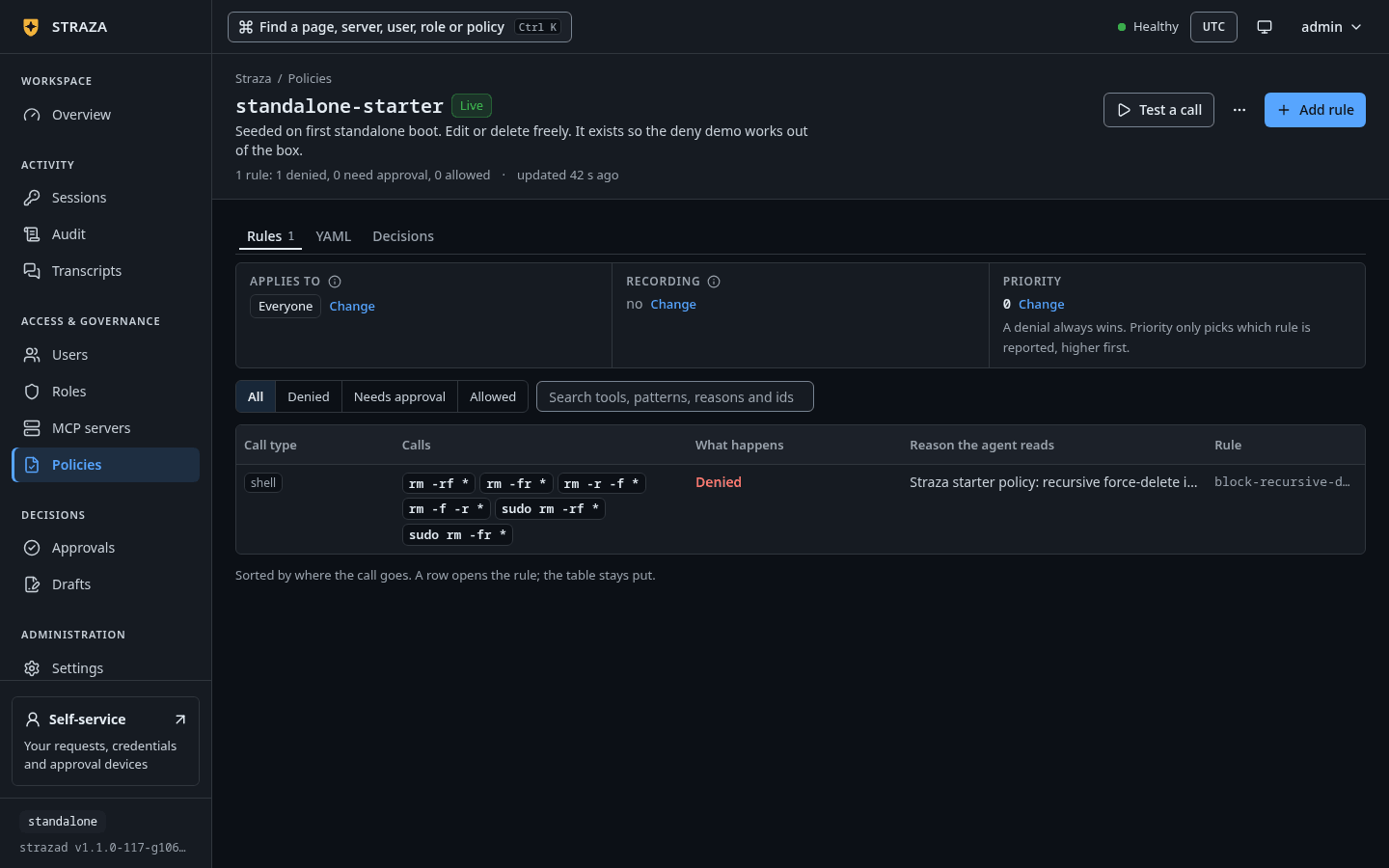
See the policy that already governs
A fresh standalone server starts with one live PolicySet,
standalone-starter, so the first deny works before you write anything. Its one rule,block-recursive-delete, denies recursive force-deletes for everyone.- Policies
- standalone-starter
- Rules
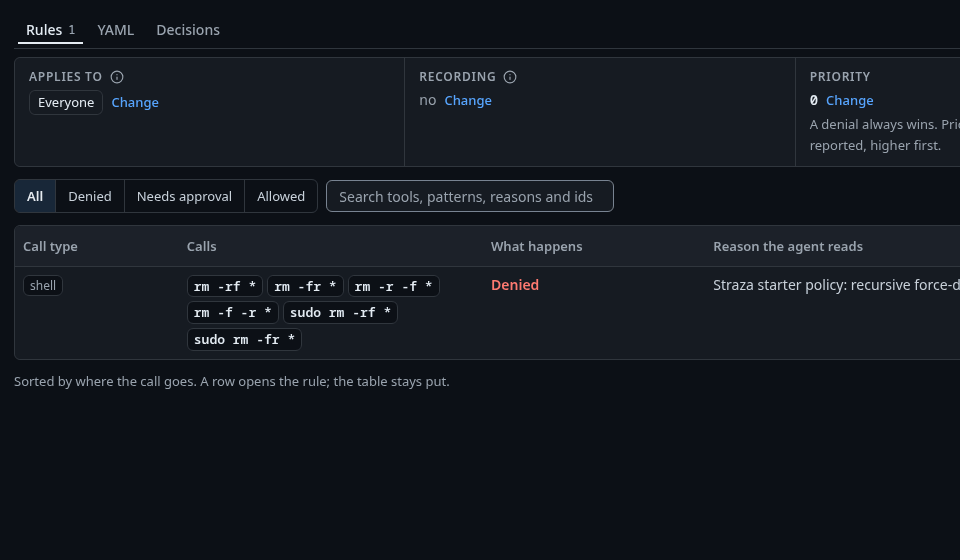
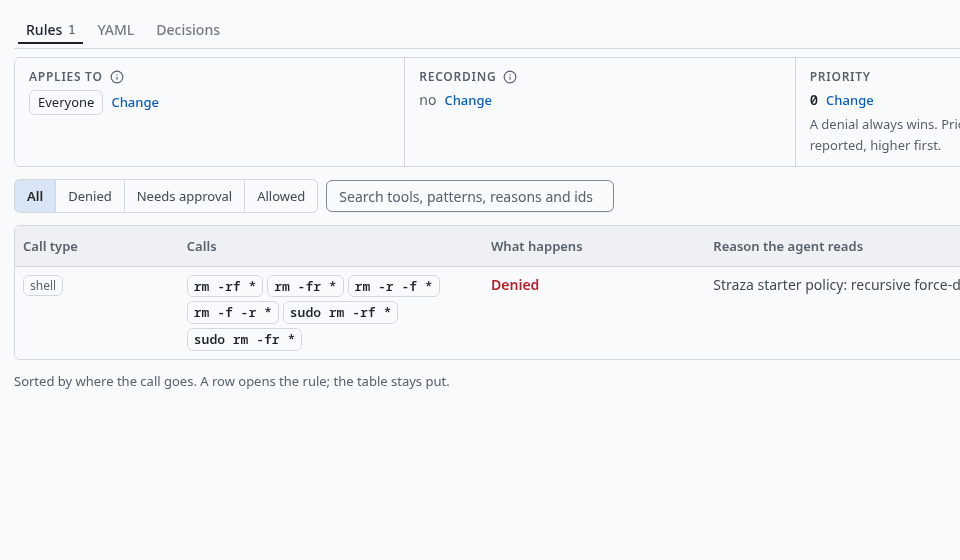
The one rule: shell commands that match these patterns are denied, with a reason the agent reads. Show the whole screen You should see
One row for
shellwith the six patterns, Denied under What happens, andblock-recursive-deleteunder Rule.strazactl policy list strazactl policy show standalone-starterYou should see
One live set,
standalone-starter, with the ruleblock-recursive-delete.Recorded output
The
showoutput below leaves out the set’s description line, which says the set may be edited or deleted freely.NAME PRIORITY STATUS ID standalone-starter 0 Live 01a0e992-ffd3-76b8-a32f-ab27e32eff4cname standalone-starter status Live priority 0 updated 2026-09-28 19:52:00 +00:00 applies to * everyone rules 1 · denied 1 · needs approval 0 · checked 0 · allowed 0 apiVersion: straza.dev/v1beta1 kind: PolicySet metadata: name: standalone-starter spec: rules: - id: block-recursive-delete tools: [shell.exec] command: denyPatterns: - "rm -rf *" - "rm -fr *" - "rm -r -f *" - "rm -f -r *" - "sudo rm -rf *" - "sudo rm -fr *" effect: deny reason: "Straza starter policy: recursive force-delete is denied. Delete files individually, or an admin can edit the standalone-starter PolicySet."The starter set can be edited or deleted like any other, and a deleted one is never seeded again. Writing a set of your own is the subject of the Policies guides.
Ask the policy what it decides
Before any agent tries a command, ask the live policy what it would decide. Neither form runs the command, writes anything or records anything.
- Policies
- standalone-starter
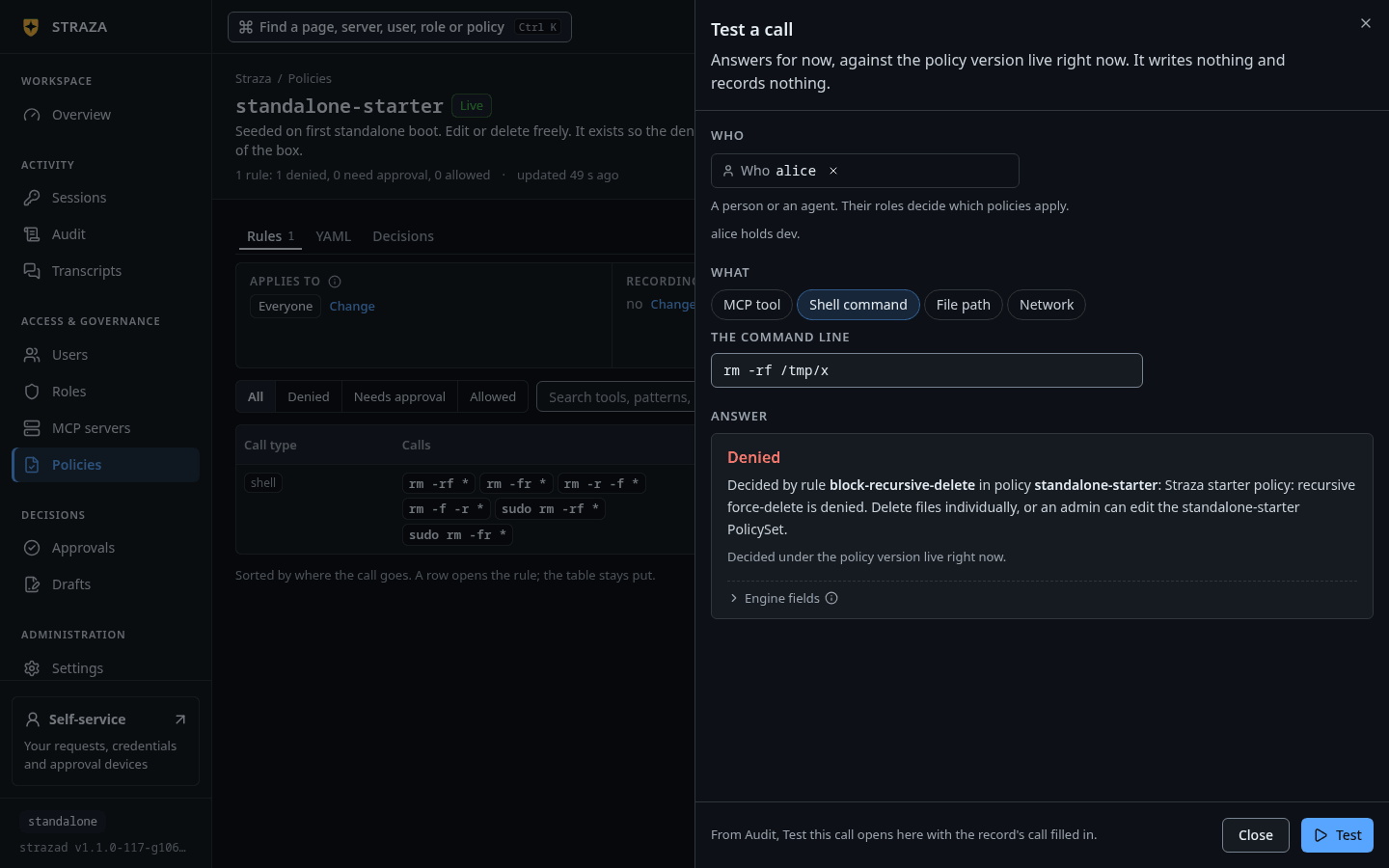
- Test a call
- Under Who, pick alice. Under What, pick Shell command.
- Type
rm -rf /tmp/xin The command line and press Test.
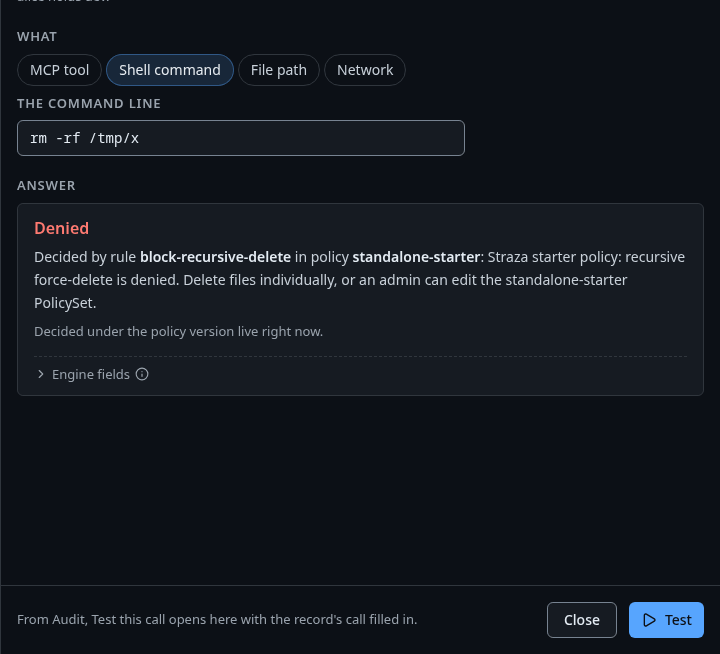
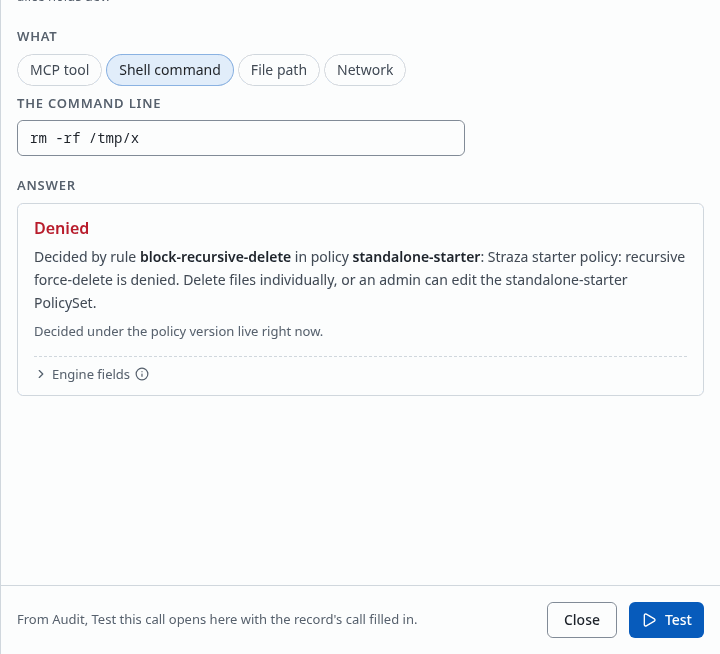
The answer names the rule and its reason. Test a call asks about a person, so it works once alice holds dev. Show the whole screenYou should see
Denied, then Decided by rule block-recursive-delete in policy standalone-starter and the rule’s reason. Test
git statusthe same way and the answer is Allowed.strazactl policy simulate --roles dev --tool shell.exec --command 'rm -rf /tmp/x'You should see
This call would be denied.and the line that names the rule and its reason. The same command withgit statusanswers that the call would be allowed.Recorded output
This call would be denied.
Decided by rule block-recursive-delete in policy standalone-starter: Straza starter policy: recursive force-delete is denied. Delete files individually, or an admin can edit the standalone-starter PolicySet.
Simulated against the policies live right now, your file included if you passed one. This is today's answer, not a replay of any past decision.

subject   roles dev · attestation none
snapshot  0b900684ea3244f6e1f81f760ed663d30d8a2b63bfb34d720535bf59b197d522 (live)
wire      effect=deny · ruleId=block-recursive-delete · setName=standalone-starter · snapshot=0b900684
note      this verdict applies once this snapshot reaches the client;
          straza doctor proves a client is governed
git statusis allowed because no rule matches it, and the standalone profile allows a local command that no rule mentions. The enterprise profile denies it instead.Enroll your machine as alice
CLI onlyEnrolling happens on the agent’s machine, so it runs in the client in both forms.
Enrolling binds this machine to alice, once per machine, through the same sign-in you used for the admin.
straza enroll --server http://127.0.0.1:8420Open the address it prints, sign in as
alicewith the passphrase you chose for her, and press Sign in. While it waits, the command repeats the code every sixteen seconds and says how long the code stays valid.You should see
Enrolled as aliceand the id of this device.Recorded output
To authorize this device, open:
  http://127.0.0.1:8420/oidc/device?user_code=SFXZ-TM3X
and confirm code SFXZ-TM3X
waiting for approval in the browser…
Enrolled as alice (device 01a0e993-1360-71dc-a98a-78f82064b889).
Then ask the client what it knows.
straza statusRecorded output
server     http://127.0.0.1:8420
identity   alice (device 01a0e993-1360-71dc-a98a-78f82064b889)
session    none (start a harness session)
There is no session yet, because a session starts when a harness checks in. At this point
straza doctorreports the enrollment, the identity, the server and the approver surface as ok. It warns that no session, no cached policy and no harness wiring exist yet, and it follows each warning with the command that fixes it. Run it whenever a later step does not behave as written. Enroll a machine covers enrolling with your own identity provider and what each check ofstraza doctormeans.If this fails
the device code expired before it was approved. Run enroll again and approve the NEWLY printed code (a browser tab from an earlier attempt shows a stale one)- Run
straza enroll --server http://127.0.0.1:8420again and open the new address.
Watch the hook decide
CLI onlyThe hook runs on the agent’s machine, so this step runs in the client in both forms.
A coding assistant such as Claude Code calls
straza hookbefore each tool call and reads its answer. Here you send the hook the same events by hand, so you need no agent. The hook decides each call and runs neither command. This checks the hook itself, and a later section connects a real agent.First open a session for alice.
printf '%s' '{"hook_event_name":"SessionStart","session_id":"first-session","cwd":"/root/work","transcript_path":"/root/work/transcript.jsonl"}' | straza hook --harness claude-codeYou should see
A line of JSON that says Straza governance is active for alice, with her role
devand the policy she runs under.Recorded output
{"hookSpecificOutput":{"additionalContext":"Straza governance is active for this session. You are operating as \"alice\" (roles: dev) against http://127.0.0.1:8420; policy snapshot 0b900684ea32, attestation advisory. Tool use is checked locally against signed policy and every decision is audited. A denied tool call always carries its reason: relay it to the user and do not retry or work around the denial.","hookEventName":"SessionStart"},"systemMessage":"🛡 Straza governance active: alice (dev) @ http://127.0.0.1:8420 · policy 0b900684ea32 · attestation advisory"}Then send a destructive command.
printf '%s' '{"hook_event_name":"PreToolUse","session_id":"first-session","tool_name":"Bash","tool_input":{"command":"rm -rf /tmp/x"}}' | straza hook --harness claude-codeYou should see
deny in the JSON, then the starter policy’s reason on its own line. The exit status is 2.
Recorded output
{"hookSpecificOutput":{"hookEventName":"PreToolUse","permissionDecision":"deny","permissionDecisionReason":"Straza starter policy: recursive force-delete is denied. Delete files individually, or an admin can edit the standalone-starter PolicySet."}}
Straza starter policy: recursive force-delete is denied. Delete files individually, or an admin can edit the standalone-starter PolicySet.
The JSON on standard output is the decision Claude Code reads. The last line is the reason on standard error, which Claude Code shows you. Exit status 2 tells the harness not to run the tool. Now send a harmless command.
printf '%s' '{"hook_event_name":"PreToolUse","session_id":"first-session","tool_name":"Bash","tool_input":{"command":"git status"}}' | straza hook --harness claude-codeYou should see
allow in the JSON, and exit status 0.
Recorded output
{"hookSpecificOutput":{"hookEventName":"PreToolUse","permissionDecision":"allow"}}straza statusnow shows the session with its roles and the policy snapshot it decides against. What the agent reads back lists every answer an agent can get from the hook.If this fails
Straza: no active Straza session. Restart the session so straza can check in- The session was not opened. Send the
SessionStartevent first, then the two tool calls.
Read the evidence
The hook’s two decisions and every change you made above are records on the audit chain. Each record is linked to the one before it by a hash, so a removed or altered record breaks the chain.
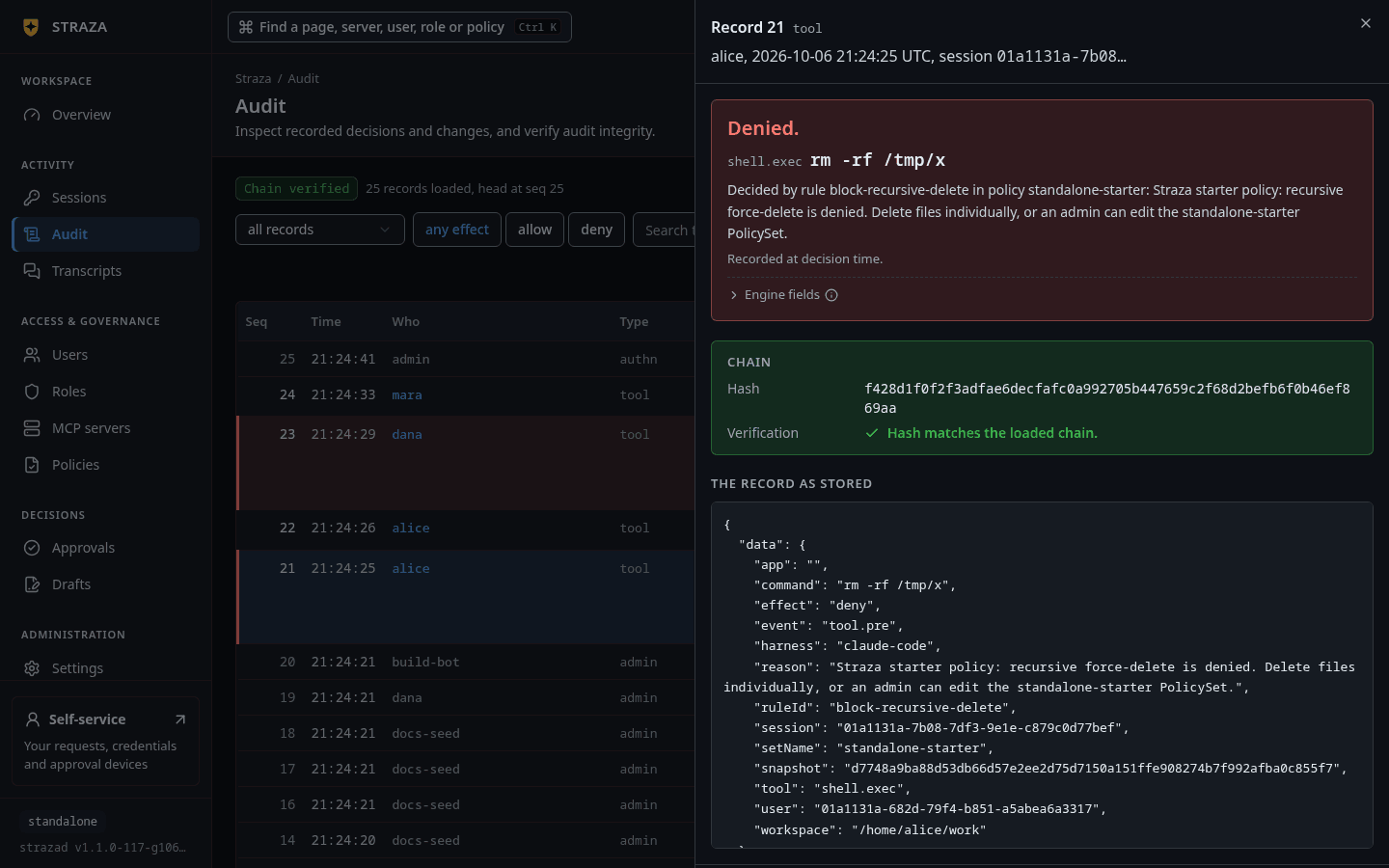
Open Audit and press the row of alice’s
rm -rf /tmp/x.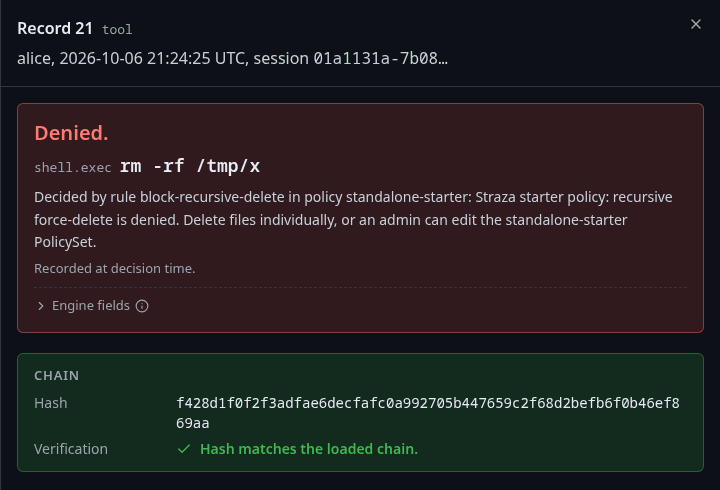
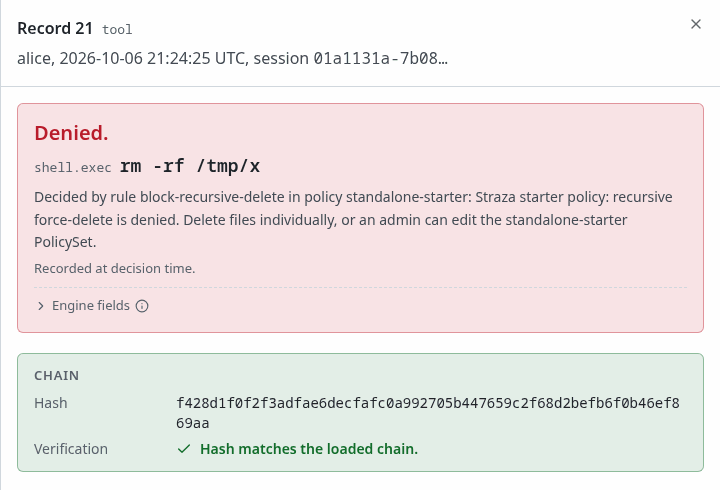
The record names the rule and the reason. The chain check runs in your browser. Show the whole screen You should see
Denied. with the rule and its reason, and under Chain, Hash matches the loaded chain.
strazactl audit tail --limit 6
strazactl audit verify
You should see
The deny of
rm -rf /tmp/xand the allow ofgit statusamong the newest records, thenaudit chain intact:with the number of records it verified.Recorded output, from the end of the walk
This was recorded after the optional revocation check below, so it also holds the end of the revoked session and the two records of disabling alice. The numbers are positions in the chain, and the first record is the admin’s login. Each record is trimmed to the fields that tell the story. The real ones also carry the record id, the source, the ids of the session, the user and the actor, the snapshot, and the fields left empty.
#4 [alice] {"data":{"action":"roles.assign","actor":"admin","origin":"admin","role":"dev"},"time":"2026-09-28T19:52:03.093098433Z","type":"straza.audit.admin"}
#5 [alice] {"data":{"command":"rm -rf /tmp/x","effect":"deny","event":"tool.pre","harness":"claude-code","reason":"Straza starter policy: recursive force-delete is denied. Delete files individually, or an admin can edit the standalone-starter PolicySet.","ruleId":"block-recursive-delete","setName":"standalone-starter","tool":"shell.exec"},"time":"2026-09-28T19:52:05.58480012Z","type":"straza.audit.tool"}
#6 [alice] {"data":{"command":"git status","effect":"allow","event":"tool.pre","harness":"claude-code","tool":"shell.exec"},"time":"2026-09-28T19:52:05.613490475Z","type":"straza.audit.tool"}
#7 [alice] {"data":{"action":"session.end","outcome":"revoked-admin","reason":"revoked by admin","session":"01a0e993-14a9-745d-9daf-8151fe32bbfa"},"time":"2026-09-28T19:52:10.137064939Z","type":"straza.audit.authn"}
#8 [alice] {"data":{"action":"user.update","actor":"admin","changed":["status"]},"time":"2026-09-28T19:52:13.389689301Z","type":"straza.audit.admin"}
#9 [alice] {"data":{"action":"user.killed","origin":"admin","reason":"user disabled by admin","sessionsRevoked":1},"time":"2026-09-28T19:52:13.396841921Z","type":"straza.audit.identity"}
audit chain intact: 9 records verified
Records reach the chain a moment after the step that made them. The client uploads its records after the decision, and the server appends its own records through a queue. A record you look for right after a step can be missing, and the next look has it.
What just happened
rm -rf /tmp/x and allowed git status, and both decisions went to the audit chain afterwards.The decisions were made on this machine, from a signed copy of the policy. The server was needed to start the session and to receive the records. What just happened names each piece that acted, and How a tool call is decided follows one call through them.
Optional: connect Claude Code
On the machine where Claude Code runs, as the same user who enrolled, install the hooks. The command takes no server address, because the hooks use the one straza enroll --server saved in the step before.
straza install claude-codeThe installer merges hook entries into your Claude Code settings, registers the Straza MCP server and prints the paths it changed. Restart Claude Code so it loads those settings, then run straza doctor to inspect the installation. This is a user-mode install with advisory attestation, and it checks the actions that pass through the installed hooks. The Claude Code guide explains the managed install and its different security boundary.
Start a new Claude Code session in a throwaway working directory and look for the governance banner. Ask it to run git status, which runs. Then ask it to run rm -rf /tmp/x, which Claude Code reports as denied with the starter policy’s reason.
Recorded banner
🛡 Straza governance active: alice (dev) @ http://127.0.0.1:8420 · policy 0b900684ea32 · attestation advisoryOptional: test revocation
Revocation reaches a running session through the client daemon. Start one in a third terminal as alice and leave it running.
straza daemonRecorded output
daemon: edge push subscribing; poll-refresh remains the backstop
daemon: kill-switch push active (gateway edge)
The daemon receives pushed revocations and updates the client’s state. Without it, the client learns of a revocation at its next token refresh, as Credentials and sessions explains. In the administration terminal, list the sessions.
strazactl sessions listRecorded output
ID                                    USER   HARNESS           CLIENT  ATTESTATION  WIRING      STATUS  LAST SEEN
01a0e993-14a9-745d-9daf-8151fe32bbfa  alice  claude-code       v1.1.0  advisory     unmeasured  active  2026-09-28 19:52:05
01a0e993-0a39-71aa-9d65-0d0ebd02fd09  admin  strazactl/v1.1.0  v1.1.0  none         -           active  2026-09-28 19:52:02
Run straza status in the client terminal to find the id of alice’s session, then find that id in the list. If you also connected Claude Code, alice can have more than one session. Put the id you mean in place of SESSION_ID below, never the id from the recorded output.
strazactl sessions revoke SESSION_IDRecorded output
revoked 01a0e993-14a9-745d-9daf-8151fe32bbfaThe daemon terminal prints “daemon: revocation received. Session state dropped, hooks now deny”, and the daemon exits. Send the git status event from the hook step again, and this time the hook denies it.
Recorded output
{"hookSpecificOutput":{"hookEventName":"PreToolUse","permissionDecision":"deny","permissionDecisionReason":"Straza: session revoked (kill-switch push from the server). Tool calls stay denied until a new session starts and checks in again. If only this session was revoked, that check-in starts a new session. If the device or user was disabled, the check-in is refused until an administrator re-enables it. Inform the user and stop."}}
Straza: session revoked (kill-switch push from the server). Tool calls stay denied until a new session starts and checks in again. If only this session was revoked, that check-in starts a new session. If the device or user was disabled, the check-in is refused until an administrator re-enables it. Inform the user and stop.
Send the SessionStart event again. The hook checks in and a new session starts, because only the session was revoked and alice is still active. Disabling the user is the lasting cut.
strazactl users disable aliceRecorded output
disabled alice. Sessions revoked, lift with `strazactl users enable alice`Disabling alice revokes her sessions and refuses her check-ins. To let her work again, run strazactl users enable alice, which makes her active and lifts the revocation at the user level. It does not reopen revoked sessions or lift a separate block on a device, so her next check-in starts a new session with the existing enrollment. strazactl users unlock lifts only locks, so it does not enable a disabled user.
Next
- What just happened explains the identity, the session, the policy and the record behind this run.
- Claude Code connects a real agent to the hook for good.
- Run Straza takes the server to a team: pick a profile and deploy it.
Walked on v1.1.0 on 2026-09-28. Linux amd64 in a fresh Alpine 3.20 container with the three binaries on the PATH, where each sign-in page was answered with the form post the browser sends. The Claude Code section, including the deny inside the agent, is described without a run, and its banner is the one the session-start hook returned in the same run. Console screenshots show strazad v1.1.0-117-g106081a8, standalone.