Approve in the browser
A person who is not an admin enables their own browser on the self-service page and decides the requests routed to them, each decision signed by a key that never leaves that browser.
- Who
- A person who decides requests, after you as the admin give them the role
- Where
- A browser on the self-service page
- Profile
- Standalone and enterprise
On this page
The self-service page is the part of Straza for any signed-in person, at /self-service/ on your server, where the root address also leads. Its Requests tab lists the approval requests that are yours to decide. A person who is not an admin decides there from a browser they enabled once. Enabling makes a signing key that stays in that browser, so every decision is signed by that browser, and nobody can decide for the person from a copied link. Admins can decide the same requests in the console, as Approve in the console shows.
Before you start
- A rule that routes requests to the person: as a holder of an approver role it names, as the sponsor of an agent, or as the person behind their own agent. Hold a call for a person writes such a rule.
- A browser in a normal window that keeps its site storage. A private window throws the key away when it closes.
- The person’s account on the server, at the identity provider your server signs in with.
Give the person the browser role
Only a person who holds
straza-enroll-browser, orstraza-admin, may enable a browser. When your identity manager feeds Straza over SCIM, assign the role there. Otherwise, as the admin, assign it in the console or from a terminal.- Roles
- straza-enroll-browser
- Assign to a user
- Assign role
Pick the person under User before you press Assign role.
strazactl assign straza-enroll-browser --user lenaYou should see
assigned straza-enroll-browser to lenaSign in on the self-service page
The person opens
/self-service/on the server, for examplehttp://127.0.0.1:8420/self-service/on a standalone server, and presses Sign in at the top right. The card works as the console’s does: Sign in with a code, then Open the sign-in page, check that the code matches, and sign in.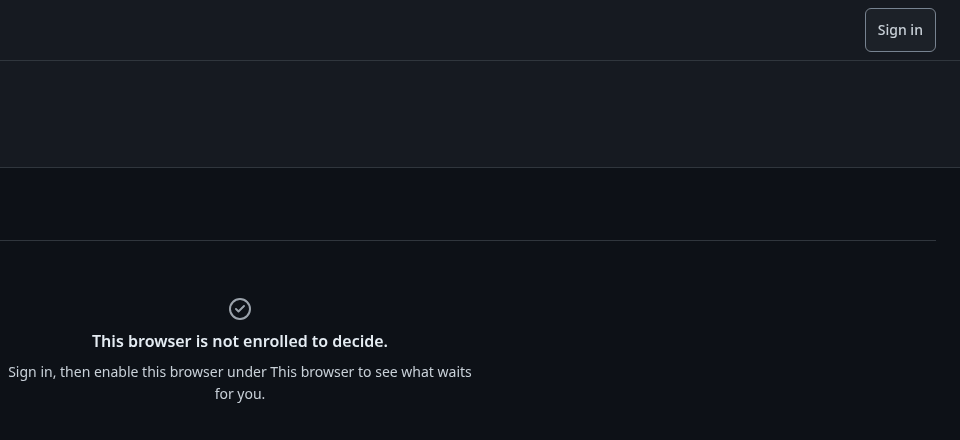
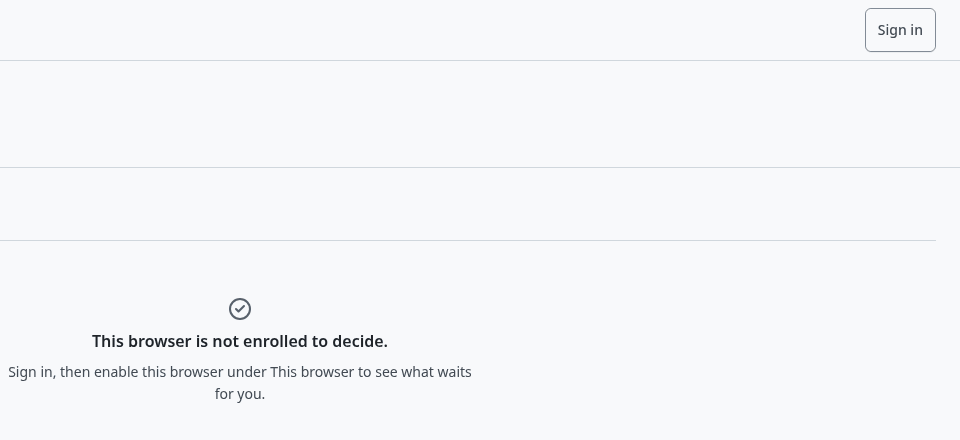
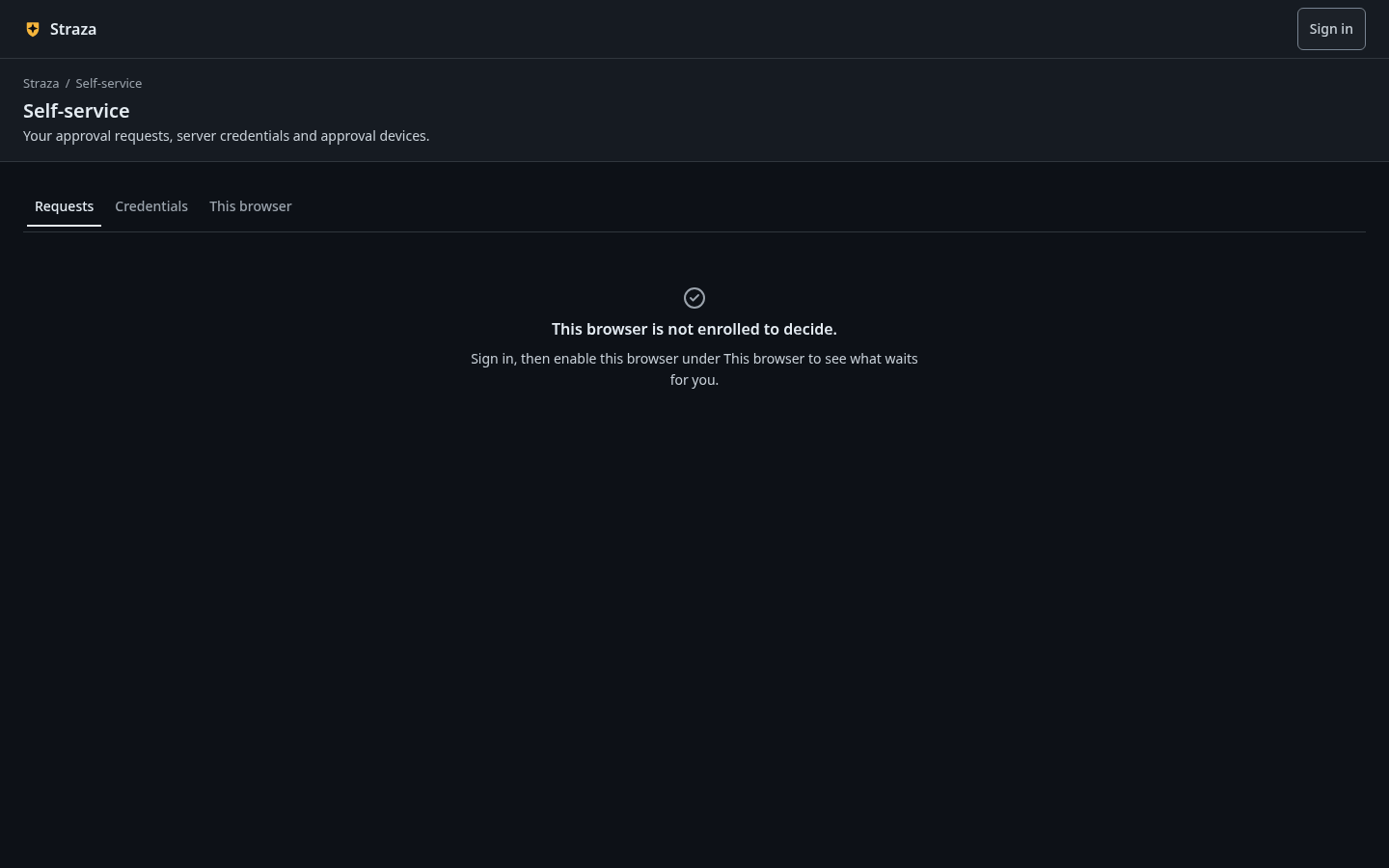
The self-service page before sign-in, with Sign in at the top right. Show the whole screen Before the browser is enabled, Requests lists nothing and says why.
You should see
This browser is not enrolled to decide.andEnable this browser under This browser to see what waits for you.Enable this browser
- This browser
- Enable this browser
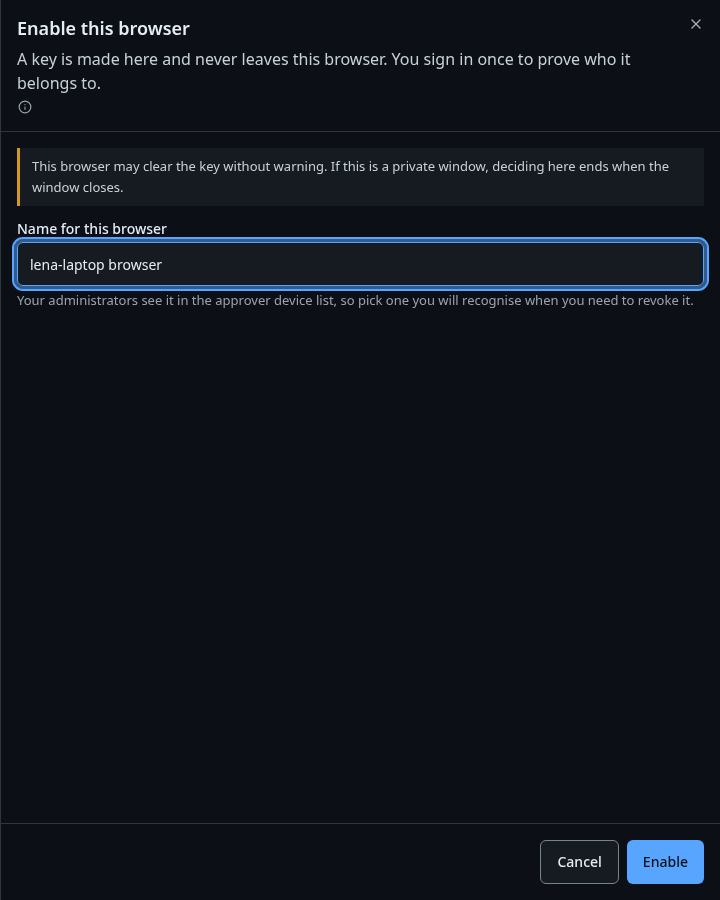
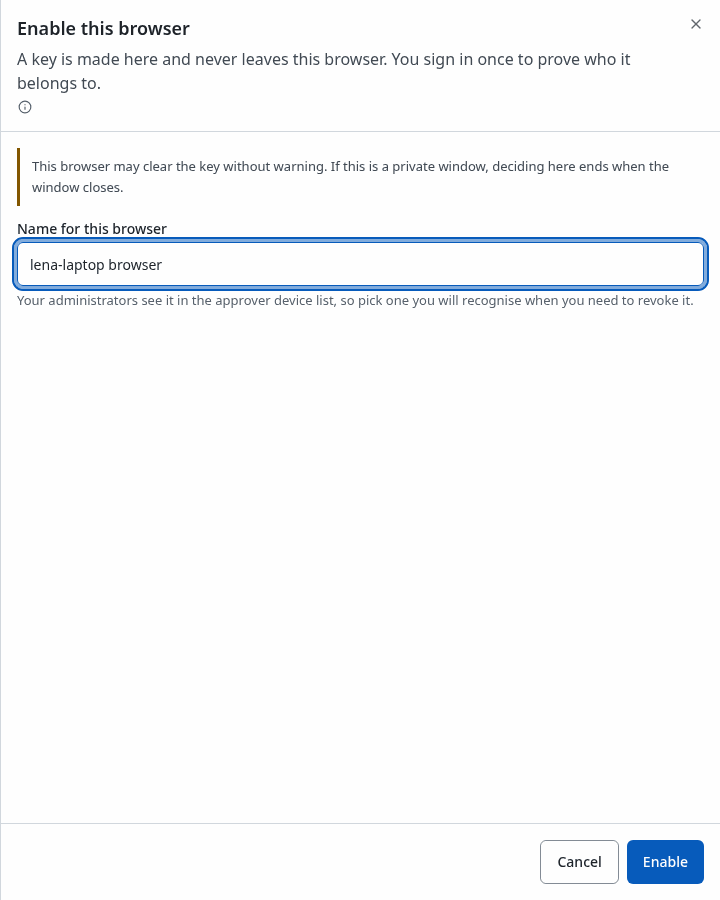
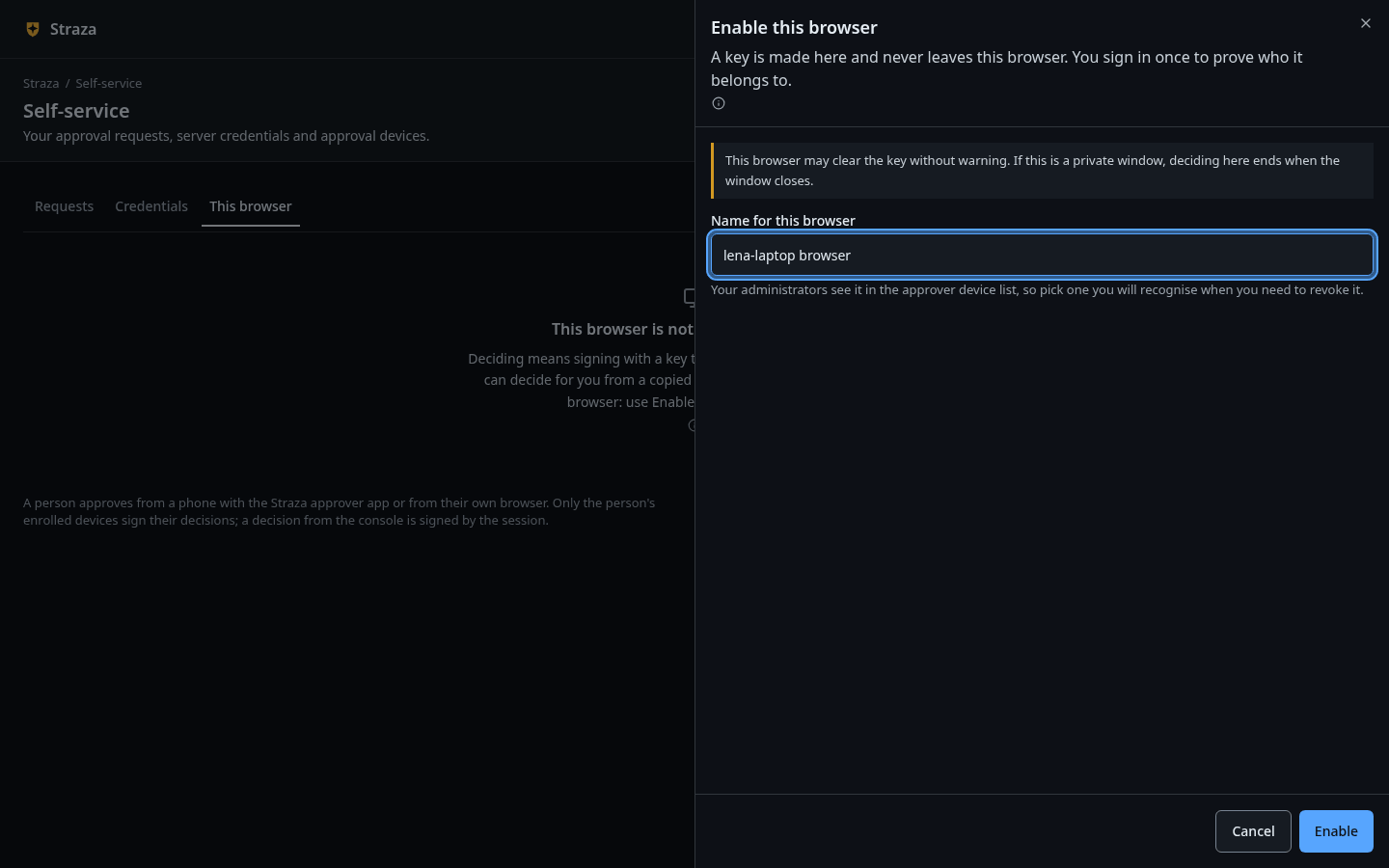
The sheet that enables the browser, with Name for this browser and Enable. Show the whole screen The tab says
Deciding means signing with a key that stays in this browser, so nobody can decide for you from a copied link.The sheet opens withA key is made here and never leaves this browser. You sign in once to prove who it belongs to.Give the browser a name under Name for this browser, such as
lena-laptop. Your administrators see it in their list of approver devices, so pick one you recognise when you need to revoke it. Press Enable.You should see
Enabled. This browser decides as lena.The tab now lists the browser as a device, marked
this browser, with its key assoftware keyand the linenormal for a browser. Its credential renews itself at every check-in, so it has no expiry to act on.Notified says whether Straza pushes each request to this browser. Where the deployment sends browser push, Turn on asks the browser’s permission once. Otherwise it reads
this deployment sends no push notifications to browsers, and the browser sees requests while the page is open. Push delivery and connectivity sets up push.If this fails
Your account holds no enrollment role. Enrollment roles are assigned in your identity manager.- The account lacks
straza-enroll-browser. Ask your admin for it, as the step before shows. This browser will not let the page store a key, so deciding cannot be enabled here. Use a normal window, or decide from the Straza approver app on your phone.- The browser refuses site storage, as some private windows do. Open the page in a normal window.
Your account may enroll a phone, not a browser. Add your phone with Add a phone under This browser, and it sees what waits for you.- The account holds
straza-enroll-mobileonly. Use Add a phone, as Approve on a phone shows, or ask for the browser role.
Decide a request
- Requests
- Waiting
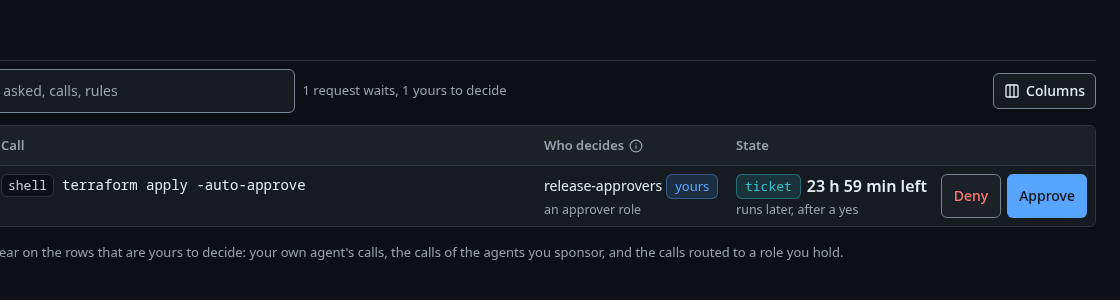
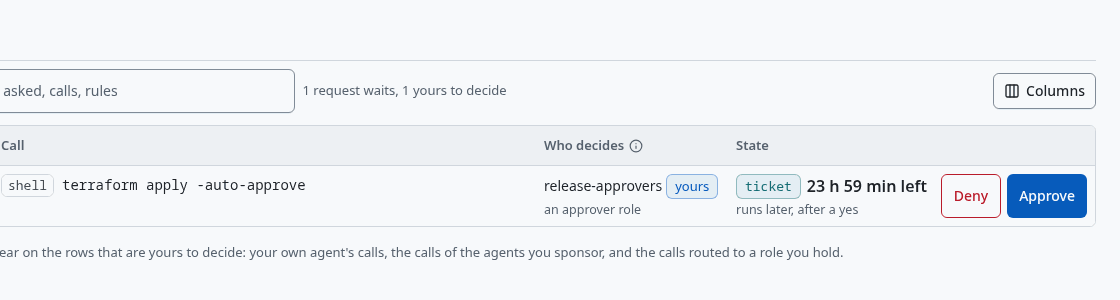
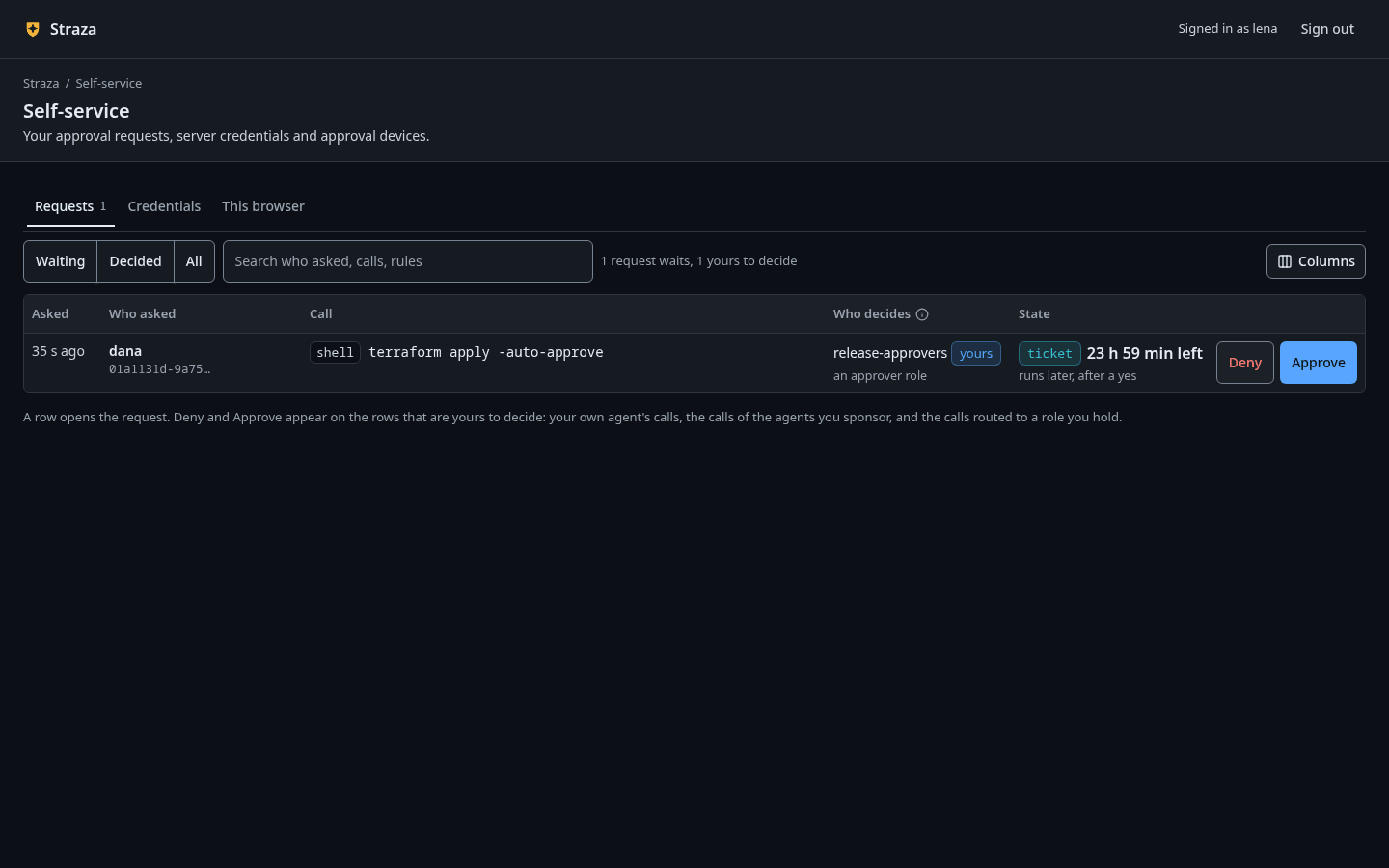
A waiting request marked yours, with Deny and Approve on its row. Show the whole screenEach waiting request shows who asked, the call, who decides and how long is left. A row that is yours to decide is marked
yoursand carries Deny and Approve. The line under the list says which rows those are:Deny and Approve appear on the rows that are yours to decide: your own agent's calls, the calls of the agents you sponsor, and the calls routed to a role you hold.Select the row to read the request before you decide. The sheet titled Approval request shows the call, the time left, what happens if you approve and if you deny, and Who can decide, such as
You, as a holder of release-approvers. The first to answer decides.A hold saysThe agent is waiting right now for your answer., and when the time runs out the call is denied.Press Approve, or Deny. The question names the call and the person, such as
Approve kubectl apply -f deploy/app.yaml for alice?Type an optional reason under Reason, optional. The agent and the audit record read it. Then press Approve request or Deny request.You should see
Approved. kubectl apply -f deploy/app.yaml runs now for alice.The agent’s retry of the same call then runs. Deciding needs no sign-in once the browser is enabled, because the browser’s key signs each decision.
If this fails
This request was already approved, so there is nothing left to decide here.- Another person who may decide answered first. Nothing more is needed.
This request expired before the decision landed, so there is nothing left to decide here.- Its window closed and the call was denied. A new try by the agent raises a new request.
The server refused this browser's credential, so nothing was decided. Revoke this browser under This browser, then enable it again.- The server no longer knows this browser, for example after a restore from backup. Revoke it on the This browser tab and enable it again.
Check the record
The decision lands on the audit chain as an approval record with the channel
browser, the device that signed it and the reason. An admin finds it in the console under Audit with the lensapprovals, or withstrazactl audit tail.Recorded output, the resolution record
#40 [alice] {"data":{"approvalId":"01a112cb-06c3-71c6-ab77-04a1572687d9","channel":"browser","decidedBy":"01a112c8-8c38-71e5-98b5-b1c98a35be95","decidedDeviceId":"apd_01a112cb-7661-7797-9e38-b77aa2690d61","decidedReason":"Release 4.2 is approved in the change board.","lane":"hook","phase":"resolution","rule":"hold-kubectl-apply","session":"01a112c9-b791-7c3c-b06c-758404a6eb9f","set":"kubectl-apply-hold","state":"approved","summary":"shell.exec: kubectl apply -f deploy/app.yaml","user":"01a112c8-8bba-7882-a955-fdee5b4e414e"},"id":"ce133752-3f15-4ca6-b64c-c16ab76a2dc4","source":"strazad","specversion":"1.0","time":"2026-10-06T19:58:17.94788989Z","type":"straza.audit.approval"}Revoke the browser
On the This browser tab, Revoke asks first and says what follows,
You can no longer approve from it. The key is deleted now and Straza forgets the device.The person’s other devices are untouched. Sign out only ends the signed-in session, and the browser still decides as its person afterwards. On a shared machine, do both, and sign out at the identity provider too.An admin revokes a lost browser in the console under Approvals, on the Approver devices tab, or with
strazactl approvers revoke <device-id>.
Next
- Approve on a phone adds a phone that signs decisions in its secure hardware.
- Approvals explains who may decide which request, and why a person’s own request needs a signed device.
Walked on v1.1.0-117-g106081a8 on 2026-10-06. A throwaway standalone server on Linux. The approver lena signed in on the self-service page in headless Chromium, enabled the browser and approved alice's held kubectl apply, which her machine then ran through the Claude Code hook. Console screenshots show strazad v1.1.0-117-g106081a8, standalone.