Knowledge packs
A role carries a knowledge pack, and every agent session of that role starts with the pack's text in its context.
- Who
- You, as the admin
- Where
- A terminal, the console, and the agent's machine
- Profile
- Standalone and enterprise
On this page
A knowledge pack is a piece of text you write once and bind to a role. Every agent session of a person who holds that role starts with the text in its context, right after Straza’s banner. Use it for what an agent should know about your team, such as where it may deploy and which tests to run. A pack tells the agent things and enforces nothing, so a rule that must hold belongs in a policy.
Creating, binding, unbinding or deleting a pack writes no audit record today.
Before you start
strazactllogged in as an admin. Packs belong to the identity area of the admin API, so a delegated admin needs write access to that area.- A role of kind application or business to carry the pack. The examples use
dev, which alice holds. - A machine enrolled as alice, as Enroll a machine shows, to see the result.
Write the pack
A pack is plain text, and Markdown reads well to a model. Save the text each session should start with as
team-conventions.md. Keep it short, because it rides in the context of every session of the role.Use the staging cluster for every deploy. Production deploys go through the release pipeline, never from a laptop. Run the unit tests before you propose a commit.Create the pack
CLI onlyThe console binds and unbinds packs and cannot create one, so this step runs in a terminal.
strazactl packs create team-conventions --file team-conventions.mdYou should see
created pack team-conventions (01a112c9-a801-7d18-9f24-b211accab334)with your own id.A pack’s name is unique.
--versionsets the label the agent sees next to the name,1by default, and--contenttakes the text inline in place of a file.strazactl packs listshows each pack with its version and size:NAME VERSION BYTES ID team-conventions 1 163 01a112c9-a801-7d18-9f24-b211accab334If this fails
pack already exists- A pack of that name exists. Pick another name, or replace the pack as the last step shows.
Bind it to a role
Open the role’s page, go to its
Knowledge packstab, pick the pack and bind it.- Roles
- dev
- Knowledge packs
- Pick a pack
- team-conventions
- Bind pack
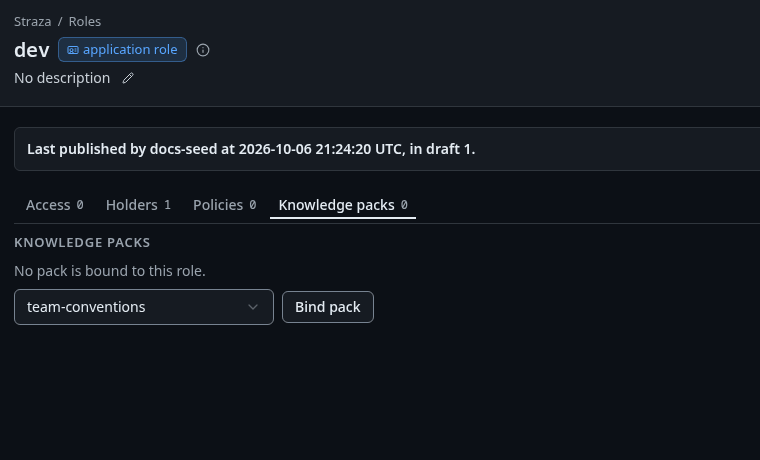
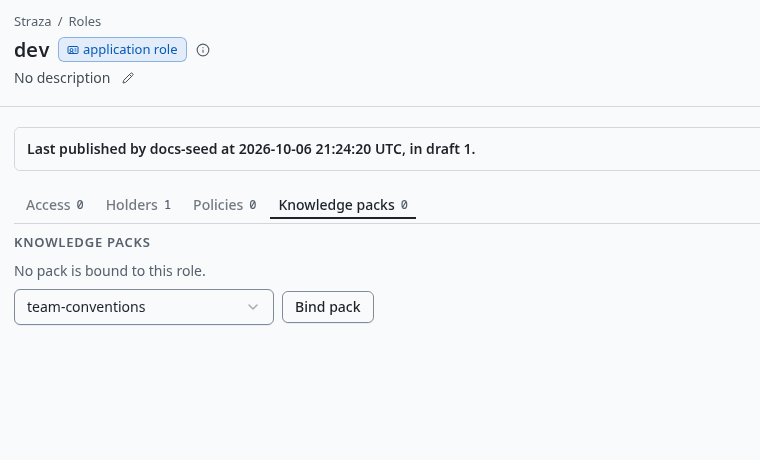
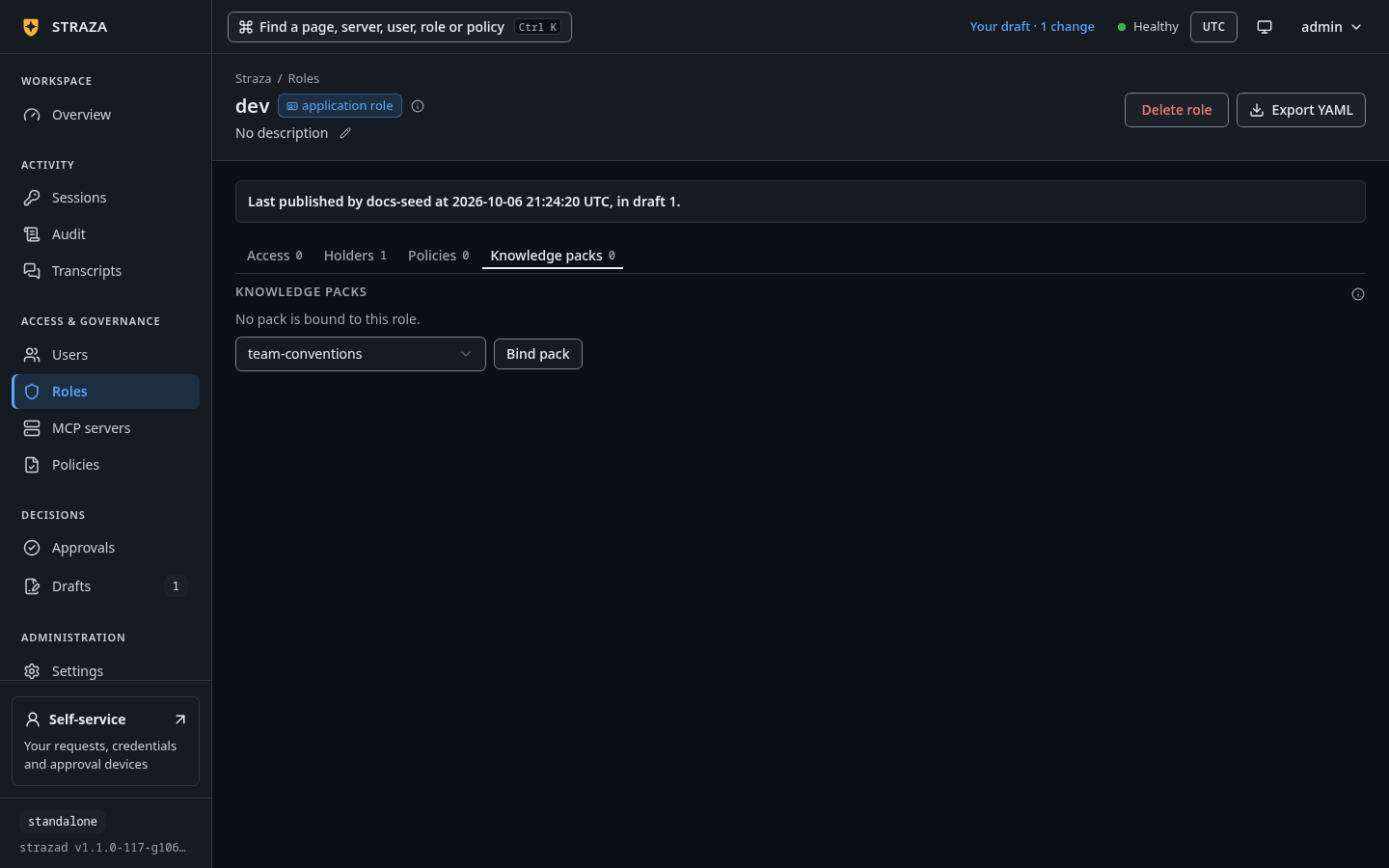
The Knowledge packs tab of dev, withteam-conventionspicked and Bind pack. Show the whole screenYou should see
dev receives team-conventions now.The tab shows on the page of an application or business role once at least one pack exists. The New role wizard has a
Knowledge packsstep as well. A draft never binds a pack, so the wizard binds the packs you pick when you pressSave and publish.strazactl packs bind team-conventions devYou should see
bound the knowledge pack team-conventions to role devEach session receives the packs of every role its person holds, a role held through another role that composes it included. So a person who holds a business role
web-teamthat composesdevreceivesteam-conventionsas well. Approver roles and Straza roles carry no packs.If this fails
approver role: it decides approval requests and cannot carry knowledge packs- Bind the pack to an application or business role instead.
Straza role: it governs Straza itself and cannot carry knowledge packs- Bind the pack to an application or business role instead.
no pack named "team-conventions"- strazactl finds a pack by its name. Check the name with
strazactl packs list.
See it at the next session start
A pack reaches an agent when its session starts. On alice’s machine, open a session the way a harness does when it starts.
printf %s '{"hook_event_name":"SessionStart"}' | straza hook --harness claude-codeYou should see
The context ends with
# Straza knowledge packs (delivered by role)and the pack under its name and version.The context the agent receives, decoded from the hook’s JSON answer, reads:
Straza governance is active for this session. You are operating as "alice" (roles: dev) against http://127.0.0.1:8420; policy snapshot 72ef15aad404, attestation advisory. Tool use is checked locally against signed policy and every decision is audited. A denied tool call always carries its reason: relay it to the user and do not retry or work around the denial.

# Straza knowledge packs (delivered by role)

## team-conventions (v1)

Use the staging cluster for every deploy. Production deploys go through the release pipeline, never from a laptop.
Run the unit tests before you propose a commit.
A session that is already running keeps the packs it started with, so a pack you bind or unbind reaches the agent at its next session start. Packs arrive through the session-start hook of Claude Code, Codex and Gemini. A client that reaches Straza only through the gateway, with
straza mcp, receives no pack.Unbind the pack
- Roles
- dev
- Knowledge packs
- Unbind
- Unbind pack
The dialog says
Sessions holding dev stop receiving team-conventions at their next check-in. The pack itself is kept.You should see
dev no longer receives team-conventions.strazactl packs unbind team-conventions devYou should see
unbound the knowledge pack team-conventions from role devDelete or replace the pack
CLI onlyThe console cannot delete a pack, so this step runs in a terminal.
Delete a pack once no role carries it. Without
--yes, strazactl asks before it deletes.strazactl packs delete team-conventions --yesYou should see
deleted knowledge pack team-conventionsIf this fails
the knowledge pack is still bound to the role dev, and deleting it would change what that role's sessions receive. Unbind it from the role first, then delete it- Unbind the pack from each role the sentence names, then delete it.
A pack has no edit. To change its text, unbind it, delete it, create it again from the new file, and bind it again. Sessions that start after that receive the new text.
Next
- What the agent reads back quotes the banner a pack follows and every answer an agent reads from Straza.
Walked on v1.1.0-117-g106081a8 on 2026-10-06. An Alpine Linux container against a standalone server, with strazactl as the admin and the session start piped into straza hook as alice. The console steps were read in the console source, not clicked. Console screenshots show strazad v1.1.0-117-g106081a8, standalone.