Each caller's own credential
Each person reaches an upstream MCP server with their own token or sign-in, and you decide what agents run on.
- Who
- You as the admin, then each person who uses the server
- Where
- The console and each person's self-service page, or a terminal
- Profile
- Standalone and enterprise
On this page
Two credential kinds let the upstream see each person instead of one shared account. kind: token is each caller’s own pasted token. kind: oauth is each caller’s own sign-in: each person signs in once through a provider you registered a client at, and every call then carries that person’s token. Either way, two people using one server act as two upstream identities.
Both kinds are valid on the remote runtime only. A command or oci server is one process with one identity, so it keeps a shared secret, as Credentials shows, or runs on the person’s own machine under their own login. Until a shared secret is stored for such a server, the gateway reads its tool list and checks its health without a credential, and an upstream that refuses that anonymous connection reads as degraded. An agent with no credential of its own runs on what the manifest’s credential.agents names, and every other call without a credential is denied.
Before you start
- An MCP server whose vendor hands out a token per person, or an identity provider where you can register a client for Straza.
- A login that may install MCP servers, as Add a server says.
- For each person, a role that reaches the server, as Access per role shows.
Declare a server that takes each caller’s token
A server whose vendor hands out a token per person, such as GitHub, GitLab, Linear, Supabase or Stripe on their hosted endpoints, takes
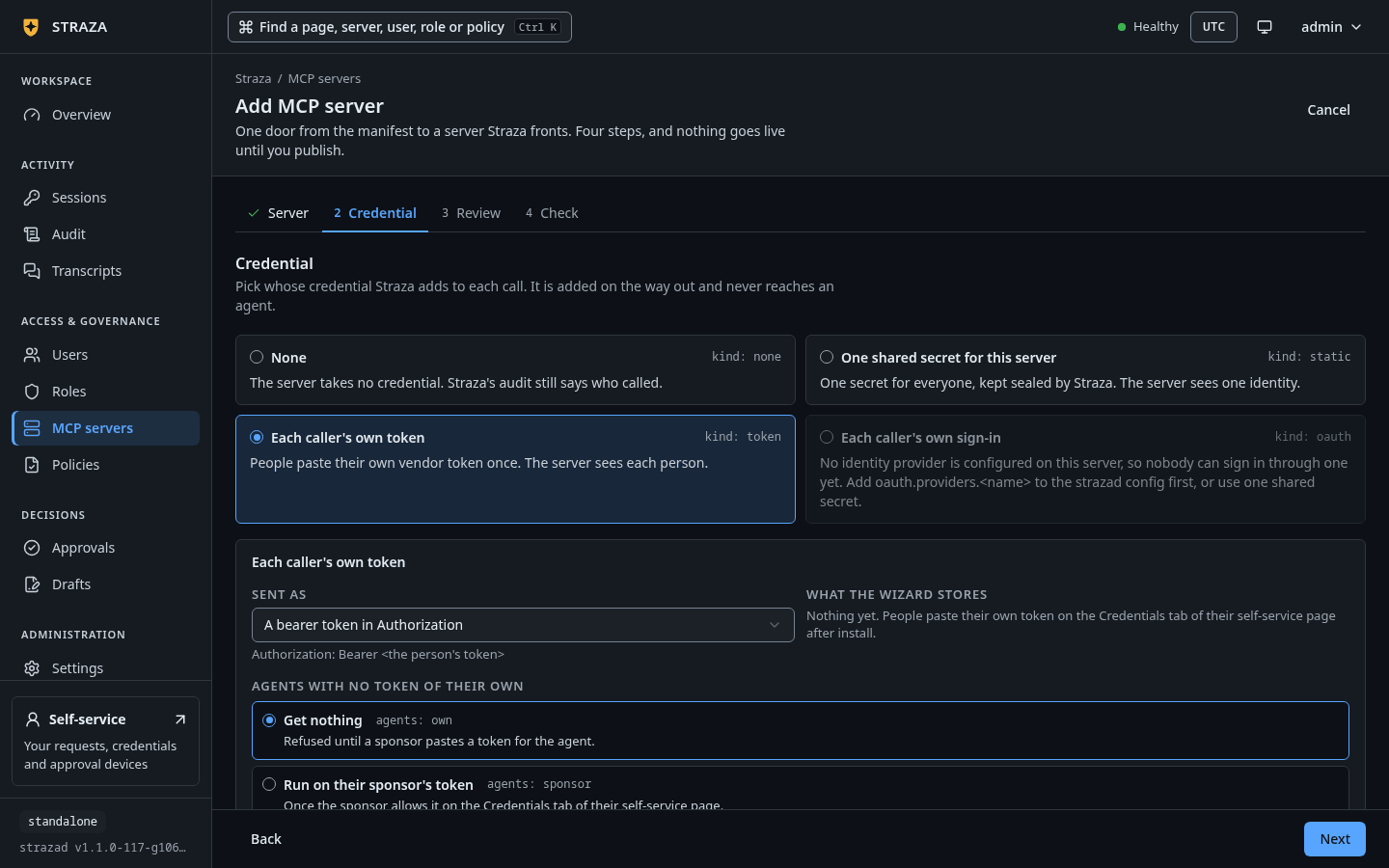
kind: token. Each person pastes their own token once. The server tests it against the upstream, seals it under that person’s id and keeps only the ciphertext, and every call that person makes then carries it.In the Add MCP server wizard, pick Each caller’s own token on the Credential step, then pick what agents with no token of their own run on:
Get nothing,Run on their sponsor's tokenorUse this server's shared secret.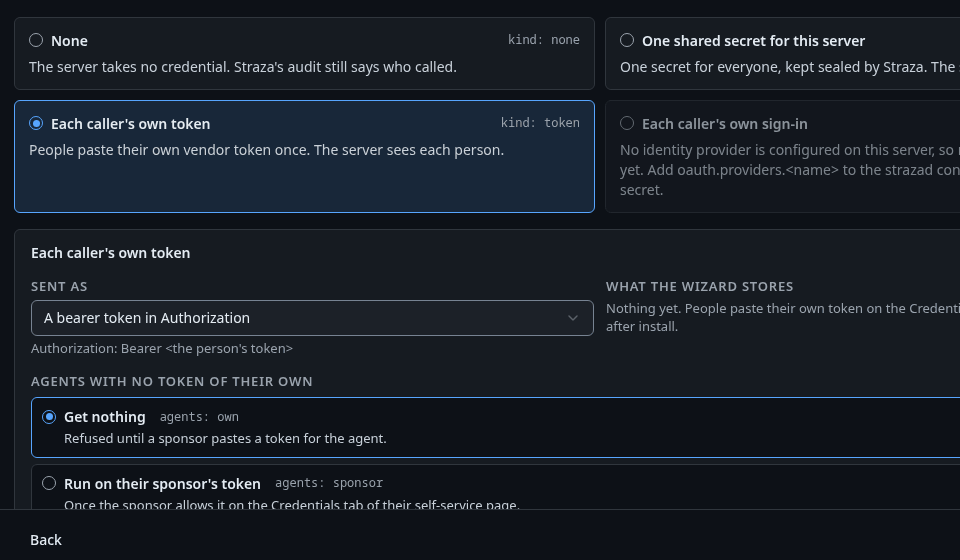
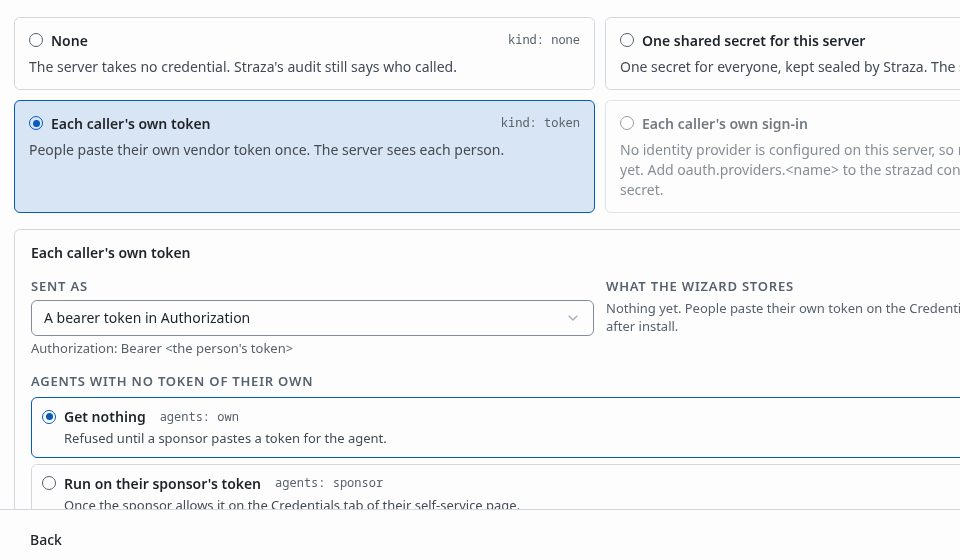
Each caller’s own token picked, with how the token is sent and what agents with no token of their own run on. Show the whole screen The manifest names the kind, what agents run on, and how the token is sent:
straza:
  runtime:
    kind: remote
    remote:
      url: https://api.githubcopilot.com/mcp/
  credential:
    kind: token
    agents: sponsor
    inject:
      as: header
      name: Authorization
      template: "Bearer {{secret}}"
Install it with
strazactl apps install -f, as Add a server shows.On a
commandruntime the parser refuses the kind with “credential.kind token gives each caller their own credential, which a command runtime cannot take: it is one process and one identity. Use kind static, or run the server on your own machine”.Paste your own token
This step is each person’s own, for themselves or for an agent they sponsor.
On the self-service page at
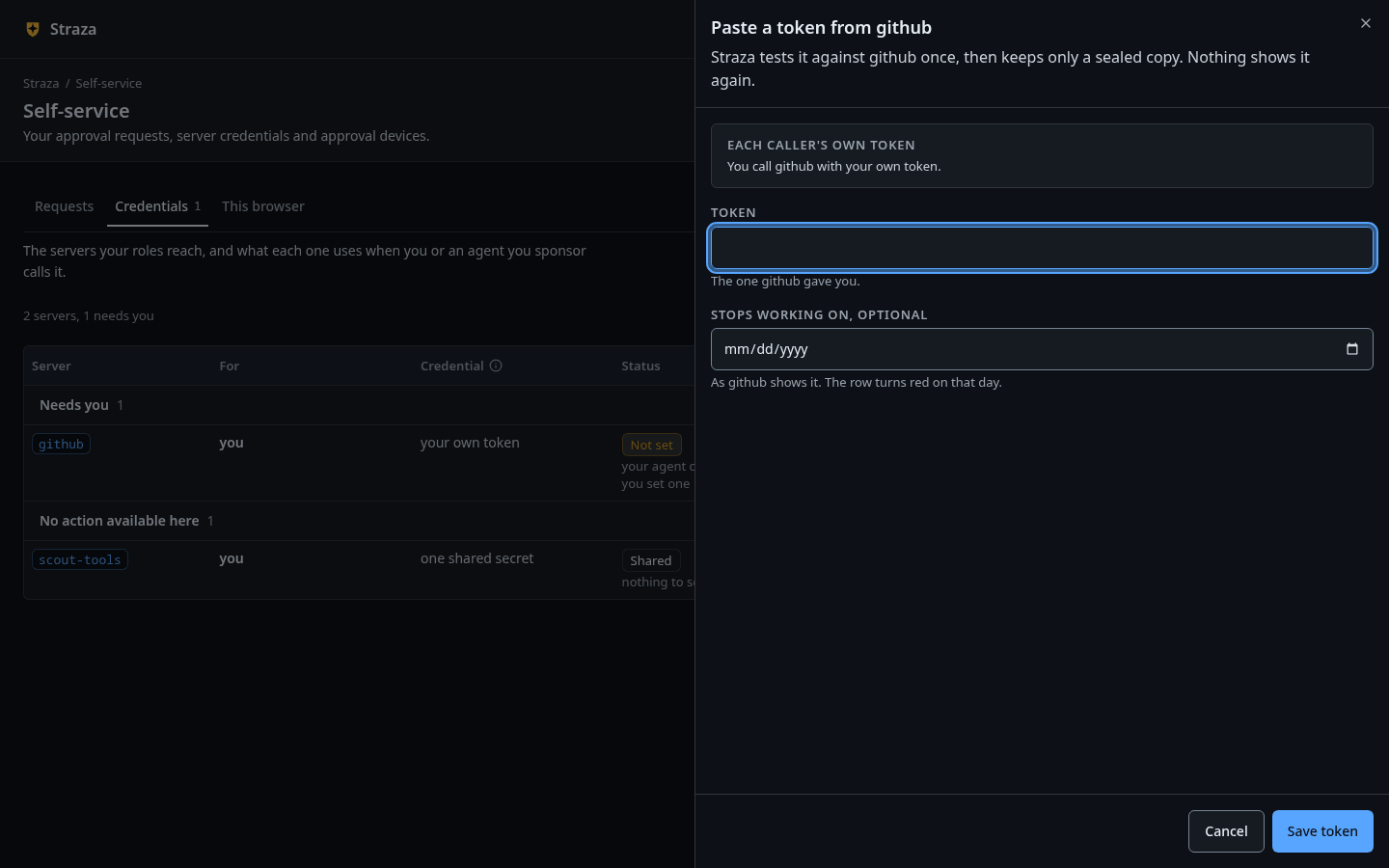
/self-service/, open Credentials. It lists every server the person’s roles reach, with what each one uses: not set, set with the fingerprint, the expiry and who set it, expired, a shared account an administrator set, or shared only on acommandorociserver.- Credentials
- Paste a token
- Save token
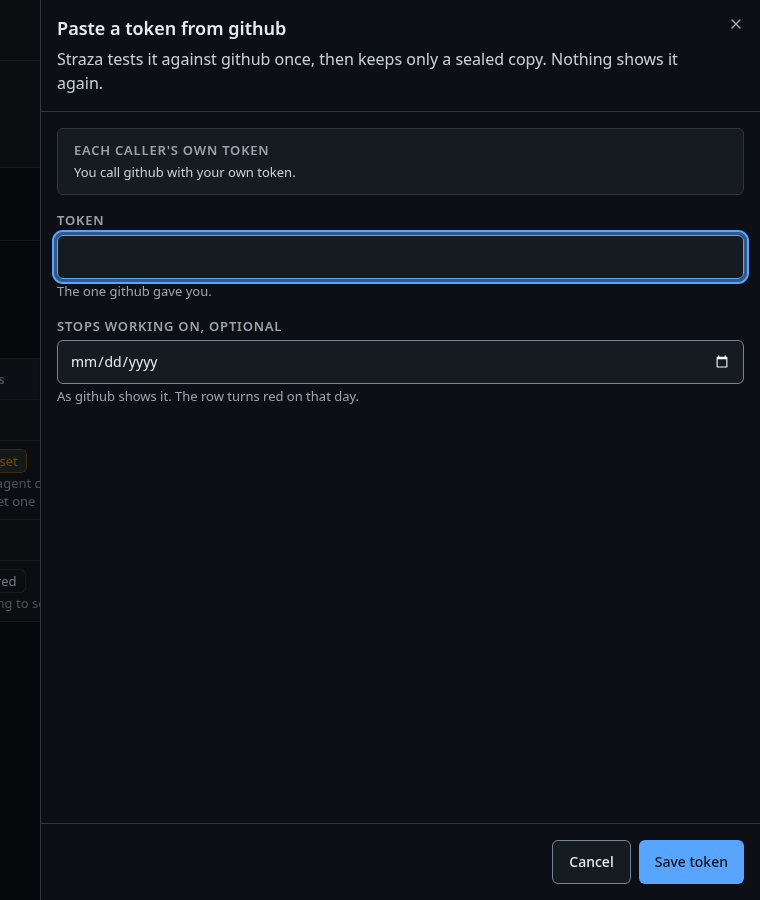
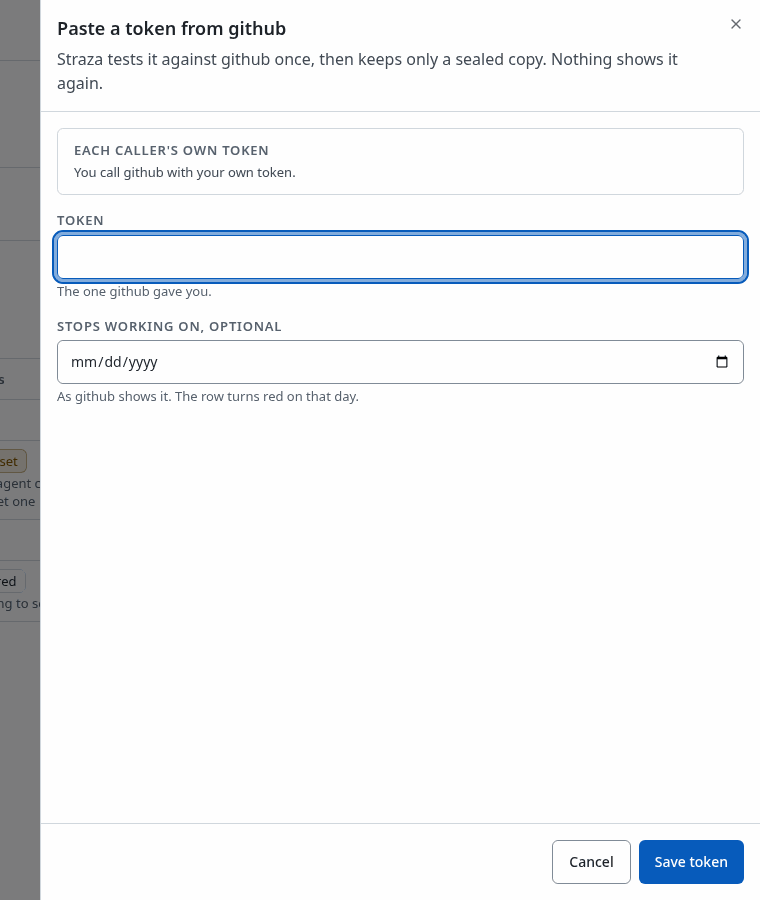
The sheet for the github server, with Token, Stops working on, optional and Save token. Show the whole screen Paste the token in Token, and type the date the vendor shows in Stops working on, optional. Straza tests the token once, then keeps only a sealed copy. Remove takes a row away.
From a terminal, a person runs
straza connecton the session their harness already holds. The paste is a hidden prompt on a terminal and a read from stdin in a script, never an argument, so the value stays out of the shell history and the process list.--expiresrecords the date the provider shows, so Straza can deny the token on that day in words instead of relaying the upstream’s error.straza connect github --expires 2026-12-31Paste the token for github (input hidden): connected github for alice, token fingerprint 70c1, expires 2026-12-31The listing shows the fingerprint and never the value. The
midpointrow is the demo stack’s sign-in server, which the next steps describe:straza connectSERVER KIND PROVIDER CONNECTED FINGERPRINT EXPIRES AGENTS SET BY github token - true 70c1 2026-12-31T00:00:00Z sponsor, not allowed - midpoint oauth keycloak false - - sponsor -straza disconnect githubtakes the row away and printsdisconnected github.strazactl connecttakes the same flags asstraza connectand adds--user, for an administrator who acts for another user and for scripts. An administrator or a sponsor removes an agent’s row withstrazactl disconnect github --user joe.Straza forgets a removed credential at once, and the next call to that server is denied until the person connects again. The deny sentence an agent relays names the self-service page, so a person who meets it knows where to go.
If this fails
MCP server github needs your own token and none is stored for you. Run straza connect github, or paste one on your credentials page at https://straza.example/self-service/credentials- Paste a token on the Credentials tab, or run
straza connect github. your token for app github expired on 2026-12-31 (as it was recorded). Paste a new one on your credentials page at https://straza.example/self-service/credentials- Paste a new token. An expired row never falls through to another credential.
Configure a sign-in provider
A sign-in server needs a provider in strazad’s config file first, and neither the console nor a command sets one. Register a client for Straza at your identity provider with the redirect address
/v1/connect/callbackunder the server’s public URL,server.publicUrl, such ashttps://straza.example/v1/connect/callback. Then name the provider in the config file:oauth: providers: keycloak: clientId: straza-connect clientSecretFile: /etc/straza/keycloak-connect-secret authUrl: https://sso.example.com/realms/example/protocol/openid-connect/auth tokenUrl: https://sso.example.com/realms/example/protocol/openid-connect/token scopes: [openid]The key under
providers, herekeycloak, is the name a manifest’scredential.oauth.providernames.clientIdis required, and so is one ofclientSecretandclientSecretFile, where the file wins when both are set.authUrlandtokenUrlare required too, except for a provider namedgithub, which defaults both to github.com.scopesare asked for when a manifest names none. Thegithubprovider alone can also take its client fromSTRAZA_OAUTH_GITHUB_CLIENT_IDwithSTRAZA_OAUTH_GITHUB_CLIENT_SECRETorSTRAZA_OAUTH_GITHUB_CLIENT_SECRET_FILE. strazad reads the config at start, so restart it after the change. A provider with noclientId, secret or endpoints fails the start with a sentence that names the missing key.Declare a server that takes each caller’s sign-in
In the Add MCP server wizard, pick Each caller’s own sign-in on the Credential step. The card stays off until a provider exists, and it starts on
Run on their sponsor's sign-infor agents.The manifest names the provider:
straza:
  runtime:
    kind: remote
    remote:
      url: https://mcp.example.com/mcp
  credential:
    kind: oauth
    agents: sponsor
    oauth:
      provider: keycloak
      scopes: [openid]
    inject:
      as: header
      name: Authorization
      template: "Bearer {{secret}}"
An install that names a provider strazad does not know is refused with
credential.oauth.provider "github" is not configured on this server. Add oauth.providers.github to the strazad config, or pick one of: keycloak.The list at the end names the providers strazad has. The demo stack’smidpointserver works this way, through its Keycloak.Sign in once
This step is each person’s own.
On the self-service page, open Credentials and press Sign in with keycloak on the server’s row, with your provider’s name in place of keycloak. The provider’s page opens, and after the sign-in the browser comes back to the Credentials tab, which stores the grant.
straza connect midpointprints the address of that tab and waits there. The sign-in itself always finishes in a browser.If this fails
MCP server midpoint needs your own keycloak sign-in and you have not connected. Run straza connect midpoint, or sign in on your credentials page at https://straza.example/self-service/credentials- Sign in on the Credentials tab of the self-service page.
Let your agents use your connection
A person never falls back to another credential. Only an agent does, and only when the manifest allows it and, for
sponsor, the row’s owner allows it too. This step is the sponsor’s.On the self-service page, open Credentials and turn on My agents may use this on your own row of the server.
straza connect github --allow-agentsYou should see
agents may use your github connection where the server permits it--allow-agents=falsetakes the opt-in back.Before the switch, an agent joe sponsored by alice is denied with “agent joe has no token for app github, and its sponsor alice has not allowed agents on their github connection. alice allows it on their credentials page at https://straza.example/self-service/credentials, or an administrator sets the agent’s own with strazactl connect github --user joe”. After it, joe’s calls carry alice’s token, and the record of each call reads
credentialSource: sponsorwithcredentialOwnerholding alice’s user id, so a review can tell an agent acting on its sponsor’s account from alice acting on her own. The same switch exists on a sign-in connection, so anoauthserver withagents: sponsorbehaves the same way.
What agents run on
An agent cannot open a browser or receive a token from a vendor, so the manifest’s agents value says what an agent with no row of its own runs on:
own, the default, means nothing. The call is denied until the agent’s sponsor pastes a token for it in the sponsored-agent rows of the Credentials tab, or an administrator does withstrazactl connect github --user joe.sponsormeans the sponsor’s own row, once the sponsor allowed it. The audit record then names the agent as the caller and the sponsor as the owner of the credential.sharedmeans the server’s shared secret, set as for a static server.client_credentials, on a sign-in server only, means a token the agent’s own client gets at the provider, and only the manifest sets it. The provider’s block in the config then needsclientCredentials.assertionAudience, the audience the provider wants in a client assertion: Keycloak takes its realm issuer URL, and Okta its token endpoint URL.
Who signs in for whom
Nobody can finish a sign-in for an agent, and the agent cannot finish one either. A sign-in is finished in a browser, and strazad stores it only for the person who is signed in to Straza in that browser. The provider sends the browser back to /v1/connect/callback, which redeems nothing and hands the provider’s code to the Credentials tab. The tab posts it with the person’s session, and strazad compares the user who started the sign-in with the user of that session before it asks the provider for anything. A link somebody else started is refused with both names, and the refusal is recorded. No browser is signed in to Straza as an agent, so an agent that runs straza connect midpoint is refused in words, and neither an administrator with --user nor the sponsor can stand in. A pasted token has no such form, which is why strazactl connect github --user joe works on a token server and strazactl connect midpoint --user joe does not.
| Who is calling | What they do | What the deny says until they do it |
|---|---|---|
| A person | Signs in once at the provider from the Credentials tab of their self-service page. straza connect midpoint prints that tab’s address and waits there. |
MCP server midpoint needs your own keycloak sign-in and you have not connected. Run straza connect midpoint, or sign in on your credentials page at https://straza.example/self-service/credentials |
| An agent with a sponsor | Nothing itself. An administrator sets credential.agents: sponsor, the sponsor turns the switch on, and the agent runs on the sponsor’s sign-in. shared, which the wizard offers as Use a shared account, and client_credentials, which only the manifest sets, are the other two ways. |
agent joe has no midpoint sign-in of its own. An agent cannot sign in through a browser. An administrator sets credential.agents on midpoint to sponsor so it runs on alice’s sign-in once alice allows it, or to shared or client_credentials |
| An agent with no sponsor | Nothing itself. An administrator picks Use a shared account in the wizard, which writes credential.agents: shared, or sets client_credentials in the manifest. |
agent joe has no midpoint sign-in of its own. An agent cannot sign in through a browser. An administrator sets credential.agents on midpoint to shared or client_credentials |
The wizard’s sign-in card starts on agents: sponsor for that reason, and agents: own on a sign-in server means an agent gets nothing. On the sponsor’s Credentials tab the agent’s row reads “Not signed in” with the reason, and “Uses your sign-in” once the sponsor’s switch covers it.
Caveats
A pasted token is sealed under the same server key as every other stored secret, and there is no per-person encryption, because the gateway must open the row on every call, including an agent’s calls while the person is away.
Next
Access per role gives a role the server’s tools.
Walked on v1.1.0-117-g106081a8 on 2026-10-06. A throwaway standalone server in an Alpine container on Linux, started with this page's provider block for an identity provider that does not exist, and two servers that point at the demo stack's MCP reference server, github with each caller's token and midpoint with each caller's keycloak sign-in. alice ran straza at a terminal in her own container, and the AI agents joe, sponsored by alice, and ivy, with no sponsor, called through straza mcp in theirs. Three steps did not run. A sign-in itself needs a running provider, the expired-token deny needs a date that has passed, and strazactl connect and disconnect with --user need a person's strazactl login, which the coding-agent guard refuses in this session. The console steps were read from the console's source and not clicked. Console screenshots show strazad v1.1.0-117-g106081a8, standalone.