Delegate one MCP server
Let the people who own one MCP server administer it and nothing else, through the server admin role Straza creates with it.
- Who
- You, as the global MCP admin, and the server admins you hand a server to
- Where
- The console or a terminal with strazactl
- Profile
- Standalone and enterprise
On this page
You let the people who own one MCP server administer it, as the global MCP admin who registers servers for teams. You work in the console or with strazactl, and the server admins you hand a server to then define who reaches it. At the end a holder of the server’s admin role changes that server and no other, without the root role straza-admin.
Every MCP server names one Straza role when it is registered, its server admin role. Your identity manager decides who holds it, like every other membership. To hand out an area of the admin plane instead, such as reading the audit chain, see Delegated admin.
Know the server admin role
Registering an MCP server creates a server admin role for it in the same step. The name is the prefix
mcp-admin-followed by the server’s name, so the serverjiragetsmcp-admin-jira. A manifest’smetadata.namespaceplays no part in it. The link is set once and never changes. No route repoints a server at a different role, and no role is shared between two servers.Straza also creates one product role at boot,
straza-global-mcp-admin, which administers every server and cannot be deleted. These are the four the demo stack carries after its seed, read as the root admin:{"name":"mcp-admin-demo-tools","kind":"straza","areas":null,"description":"Administers the MCP server demo-tools: its connection, credentials, settings and health, never its removal. It opens the console's MCP servers area for that server only."} {"name":"mcp-admin-midpoint","kind":"straza","areas":null,"description":"Administers the MCP server midpoint: its connection, credentials, settings and health, never its removal. It opens the console's MCP servers area for that server only."} {"name":"mcp-admin-views-demo","kind":"straza","areas":null,"description":"Administers the MCP server views-demo: its connection, credentials, settings and health, never its removal. It opens the console's MCP servers area for that server only."} {"name":"straza-global-mcp-admin","kind":"straza","areas":["apps:read","apps:write"],"description":"Administers every MCP server: registration, changes, credentials and reach. It opens the console's MCP servers area, never agent tools."}To find the role of one server:
- MCP servers
- demo-tools
- Overview
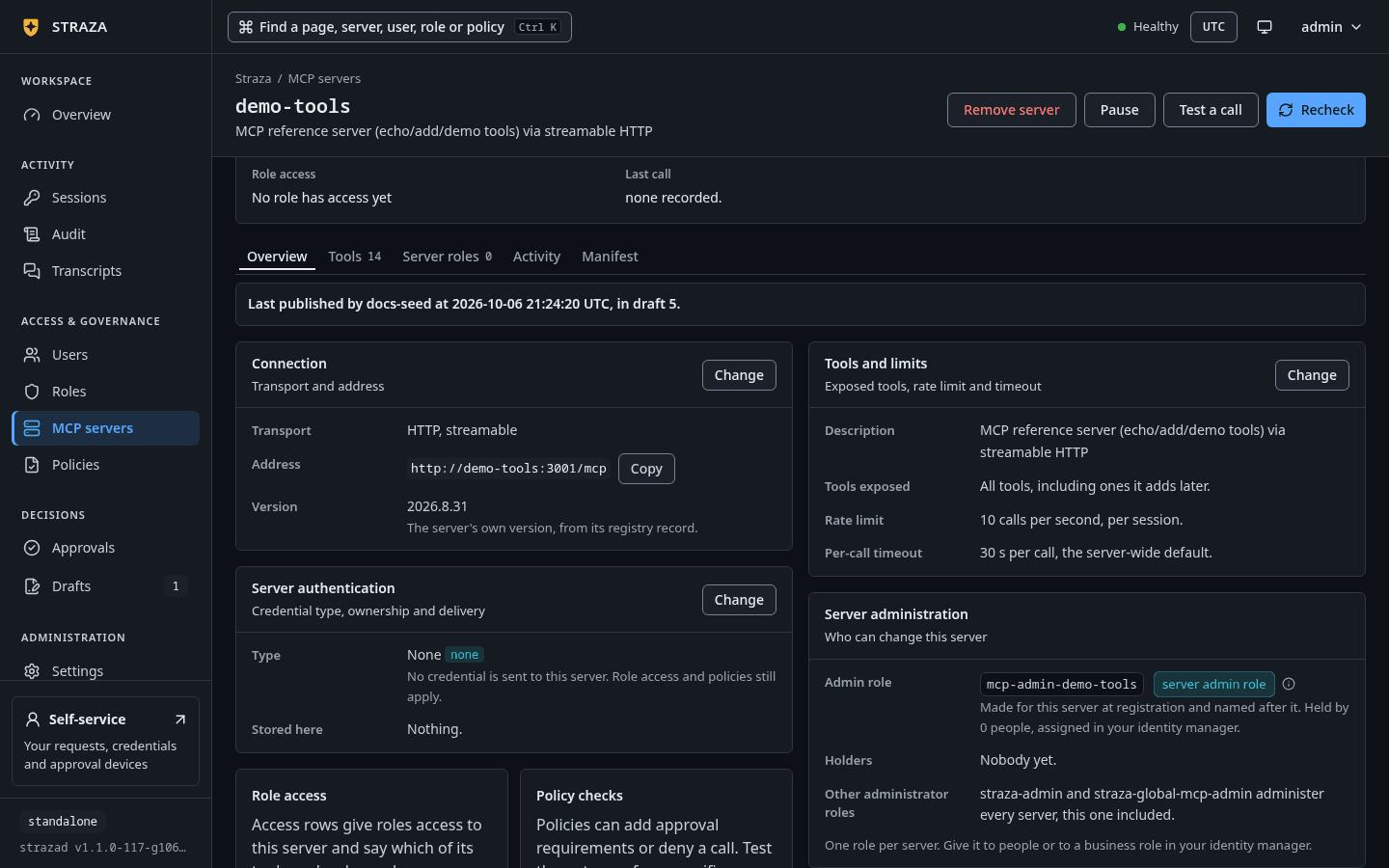
The Server administration card names the Admin role, marked
server admin role, and the people under Holders. An account without the scopeidentity:readreadsNot readable with this accountunder Holders instead.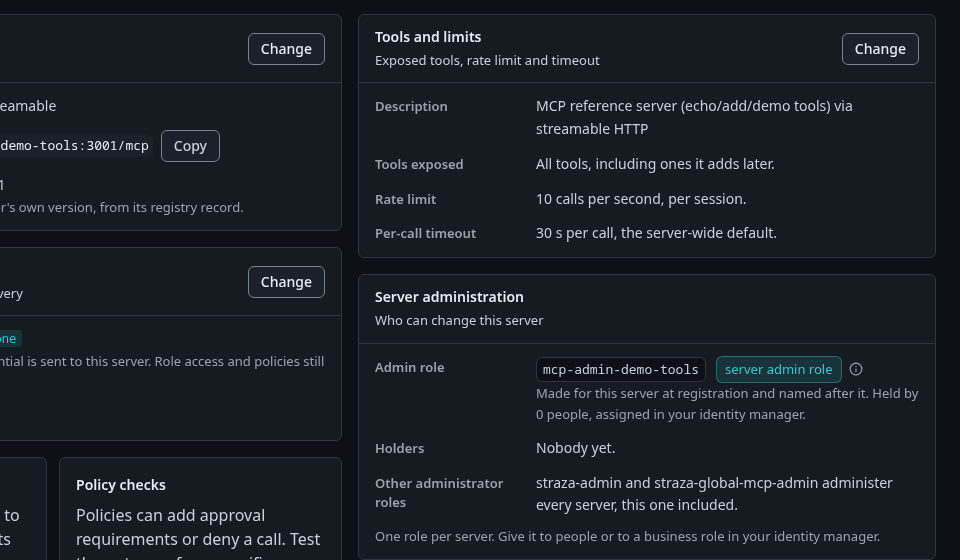
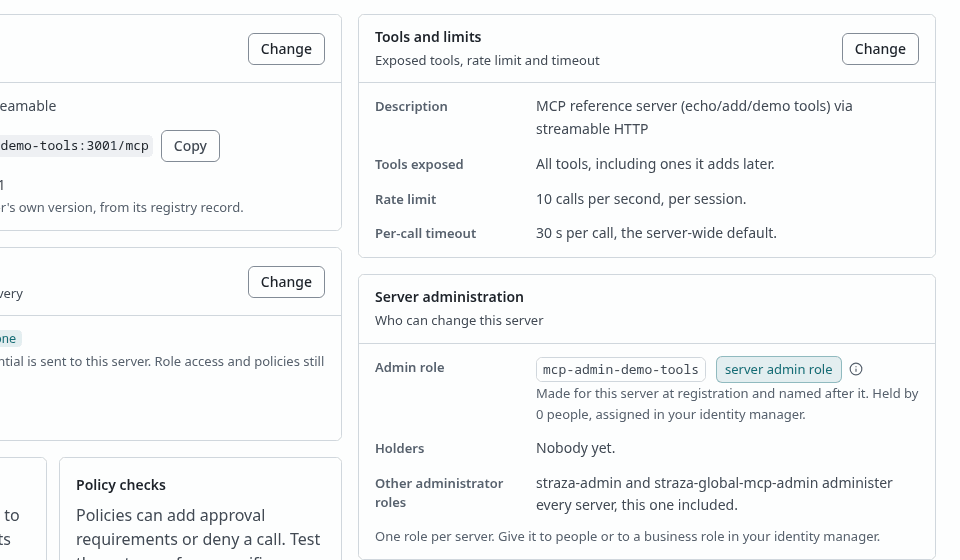
The demo-tools page. The Server administration card names its admin role. Show the whole screen strazactl apps show demo-toolsYou should see
The line
admin role:namesmcp-admin-demo-tools (its holders administer this server and no other).Every registration answer names the role it created in
admin_role, and its id inadmin_role_id. The role therefore exists before anyone holds it, which is what lets you hand it out in the identity manager the same afternoon. When dave, who holds the global role, registers a remote server calledteam-wiki, the answer carriesadmin_roleset tomcp-admin-team-wiki. Trimmed with jq to four fields, it reads:{"name":"team-wiki","status":"degraded","admin_role":"mcp-admin-team-wiki","admin_role_id":"01a1132e-e628-7bb0-bb1d-2dfb8698aa74"}The status reads
degradedhere because the example address answers nowhere. The role exists all the same: it is created with the registration, whether or not the server answers.Hand the role out
Hand that role out the way you hand out any other:
- Assign it to a person directly.
- Let your identity manager write the membership over SCIM.
- Compose it into a business role, when one team owns several servers.
The demo stack takes the middle road for demo-tools. midPoint assigns the imported role
AR:mcp-admin-demo-toolsto carol, whose team’s agent calls that server. A holder picks the role up at the next check-in, which is at most five minutes later, and the check-in answer counts what they administer. When carol holds that role and no other, her answer, trimmed with jq to four fields, reads:{"user":"carol","roles":["mcp-admin-demo-tools"],"admin_grants":null,"admin_servers":1}Where no identity manager writes the membership, assign the role yourself. A membership your identity manager writes over SCIM is mastered there, and its next reconciliation undoes a change made here.
- Roles
- mcp-admin-demo-tools
- Assign to a user
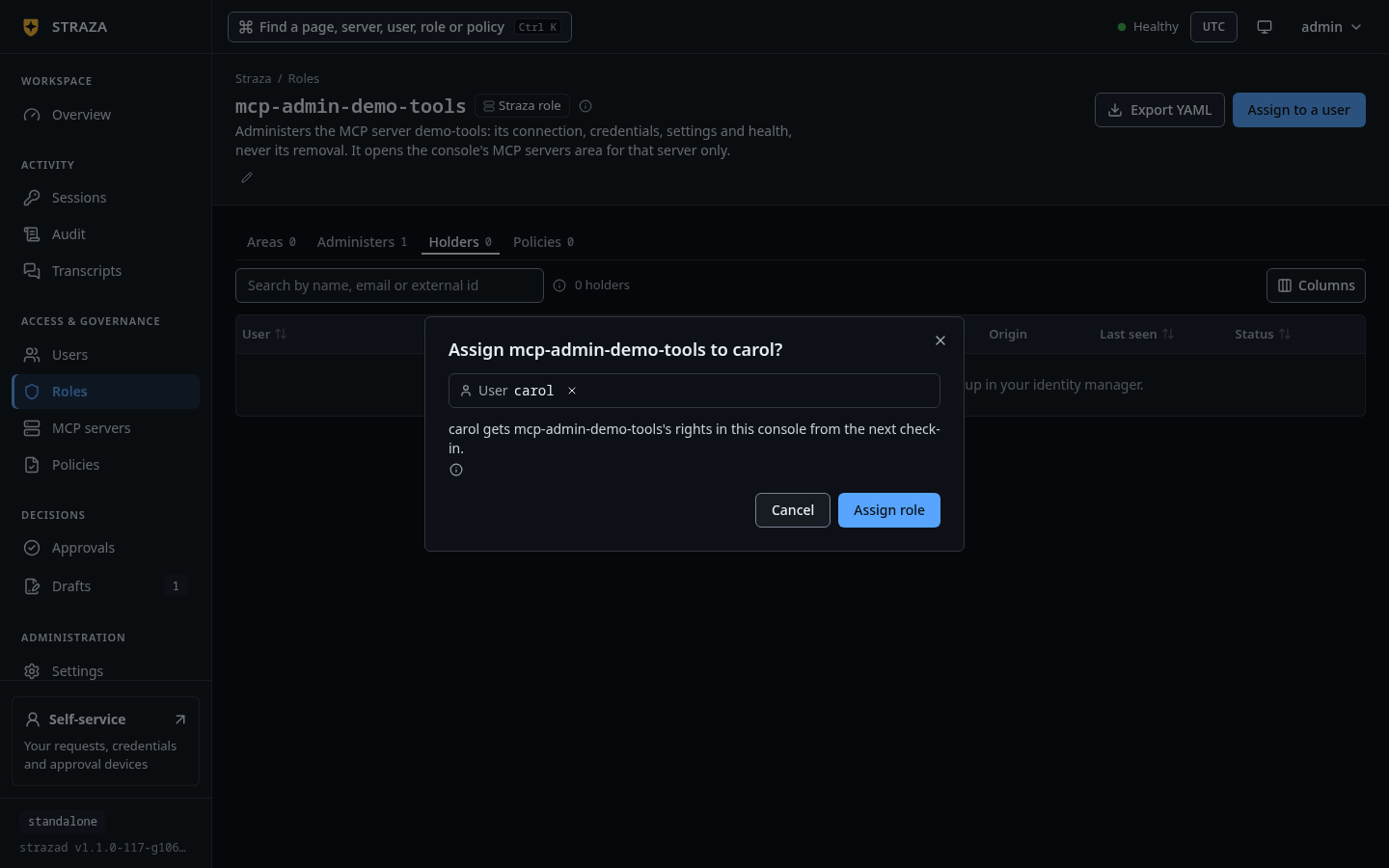
Pick carol under User and press Assign role.
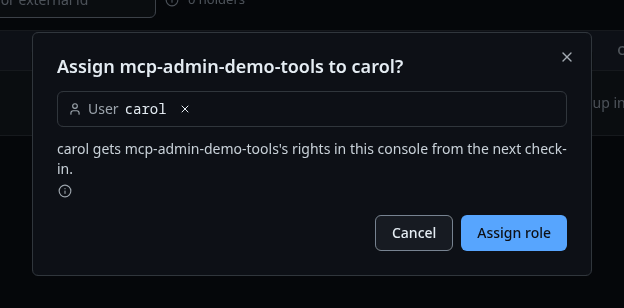
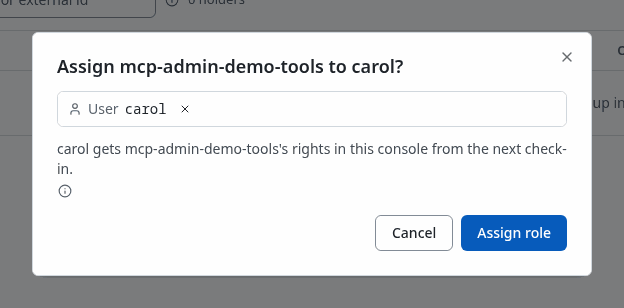
The dialog says what carol gets and from when. Show the whole screen strazactl assign mcp-admin-demo-tools --user carolassigned mcp-admin-demo-tools to carolProbe what a server admin may do
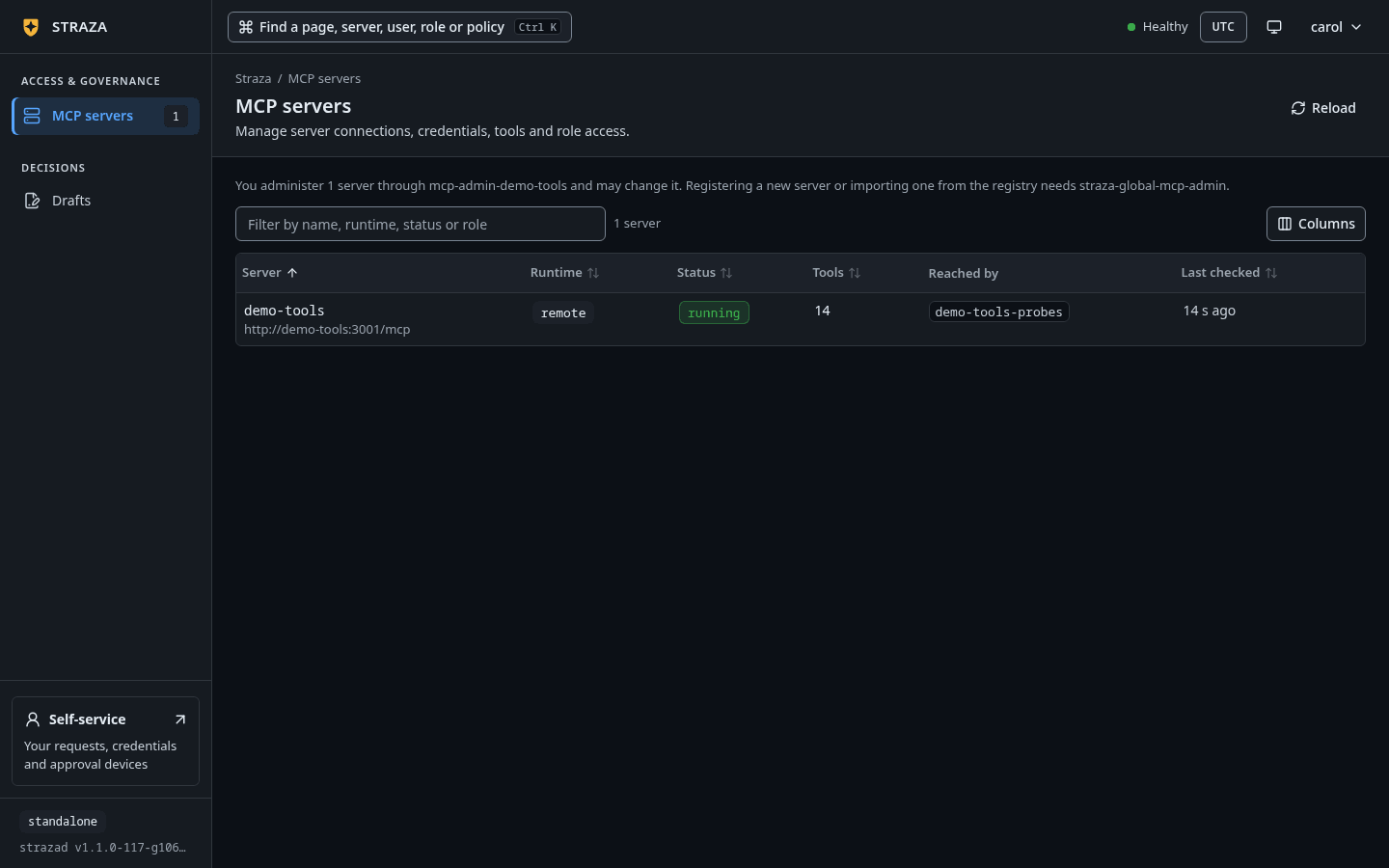
Signed in to the console, carol sees only MCP servers and Drafts in the sidebar. Her server list holds demo-tools alone and says
You administer 1 server through mcp-admin-demo-tools and may change it. Registering a new server or importing one from the registry needs straza-global-mcp-admin.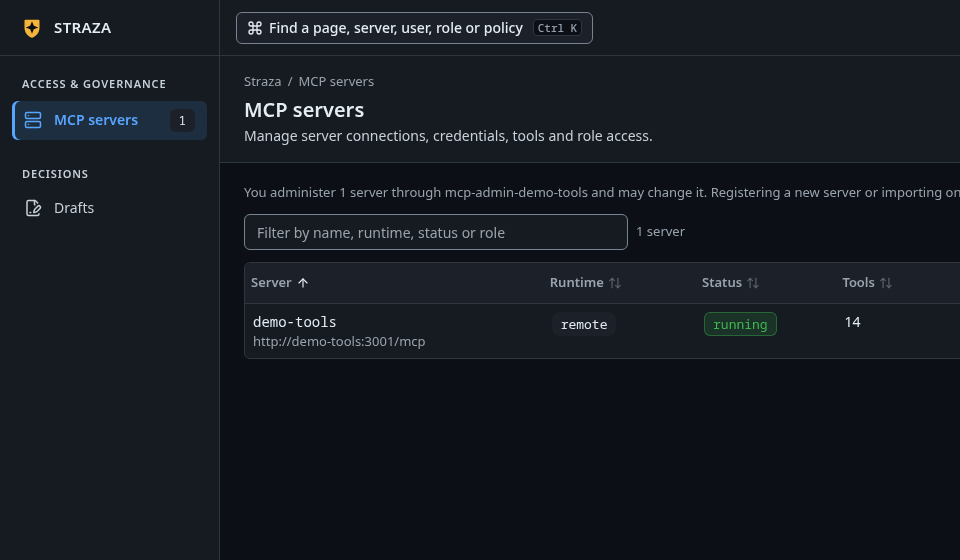
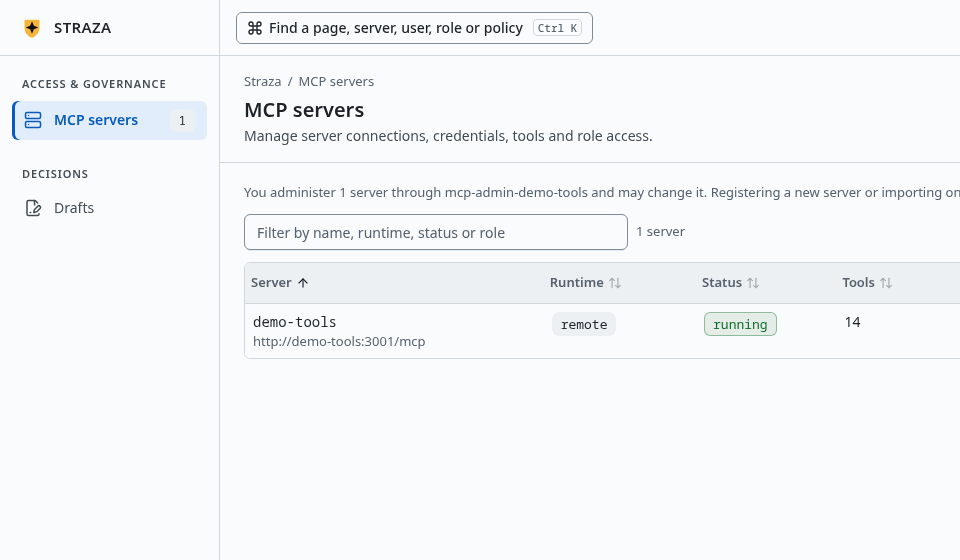
The console as carol, who holds mcp-admin-demo-tools and nothing else. Show the whole screen The answers below are what the server says behind those screens.
Carol holds one server admin role and no mapped role at all, which is why
admin_grantsabove is null. Her server list holds one row,demo-tools, withadmin_roleset tomcp-admin-demo-toolsandmay_changeset to true, which says she may change it.{"name":"demo-tools","status":"running","admin_role":"mcp-admin-demo-tools","may_change":true}Registering a new server is refused, because the role is per server and a server nobody has registered yet has no role to hold:
{"error":"registering a new server needs the scope apps:write or the role straza-global-mcp-admin. You administer 1 server and may change it."}A server someone else administers is refused by name, and the refusal says which role opens it, so the reader knows what to ask their identity manager for. This is carol trying to pause the midpoint server:
{"error":"this server's admin role is mcp-admin-midpoint, which you do not hold. Ask your identity manager for mcp-admin-midpoint, or a holder of straza-global-mcp-admin to make the change."}Every other area is refused with the sentence that names all three ways in, so a server admin role never leaks sideways into identity, policy or approvals:
{"error":"requires role straza-admin, straza-global-mcp-admin or a role mapped in admin.roleAreas. The admin role of a server opens that server's own routes only."}Two changes to a server the holder does own are refused as well. A
commandorociruntime is a process on the strazad host, so choosing one is not a delegated act:{"error":"changing a server's runtime needs the scope apps:write or the role straza-global-mcp-admin, because a command or oci runtime is a process on the gateway host. Ask a holder of straza-global-mcp-admin to make that change."}The other is the address of a remote server. The server’s secret, each caller’s sign-in or pasted token and an agent’s own token all travel to wherever the address points, so whoever can move a server can collect them at a host of their choice. Registering a server and choosing its address therefore stay with the global MCP admin, and the dry run and the save both answer:
{"error":"changing a server's address needs the scope apps:write or the role straza-global-mcp-admin, because the server's credentials and every caller's token are sent to that address. Ask a holder of straza-global-mcp-admin to make that change."}Everything else about the object is hers. The server’s health and its log answer carol as they answer the root admin, and a server admin may also pause and resume the server or change its version and its secrets. Two things stay above them. Removing the server is the global admin’s alone, because removal also deletes the server admin role, so a server admin pauses a server they want out of the way. Membership is the identity manager’s, always, which the next section is about.
Define the roles that reach your server
A server admin names the roles that reach their own server. Such a role belongs to the server the way the server admin role does: it carries the server’s name and a suffix you choose, it names the tools it reaches, and it goes away with the server. An application role a global admin makes for your server belongs to it the same way, so it shows on the same tab under the same rules. What a call does is policy, which stays with an administrator who may publish policies, so for you the editor’s Policy column is read-only and says so in one sentence.
- MCP servers
- demo-tools
- Server roles
- Add role
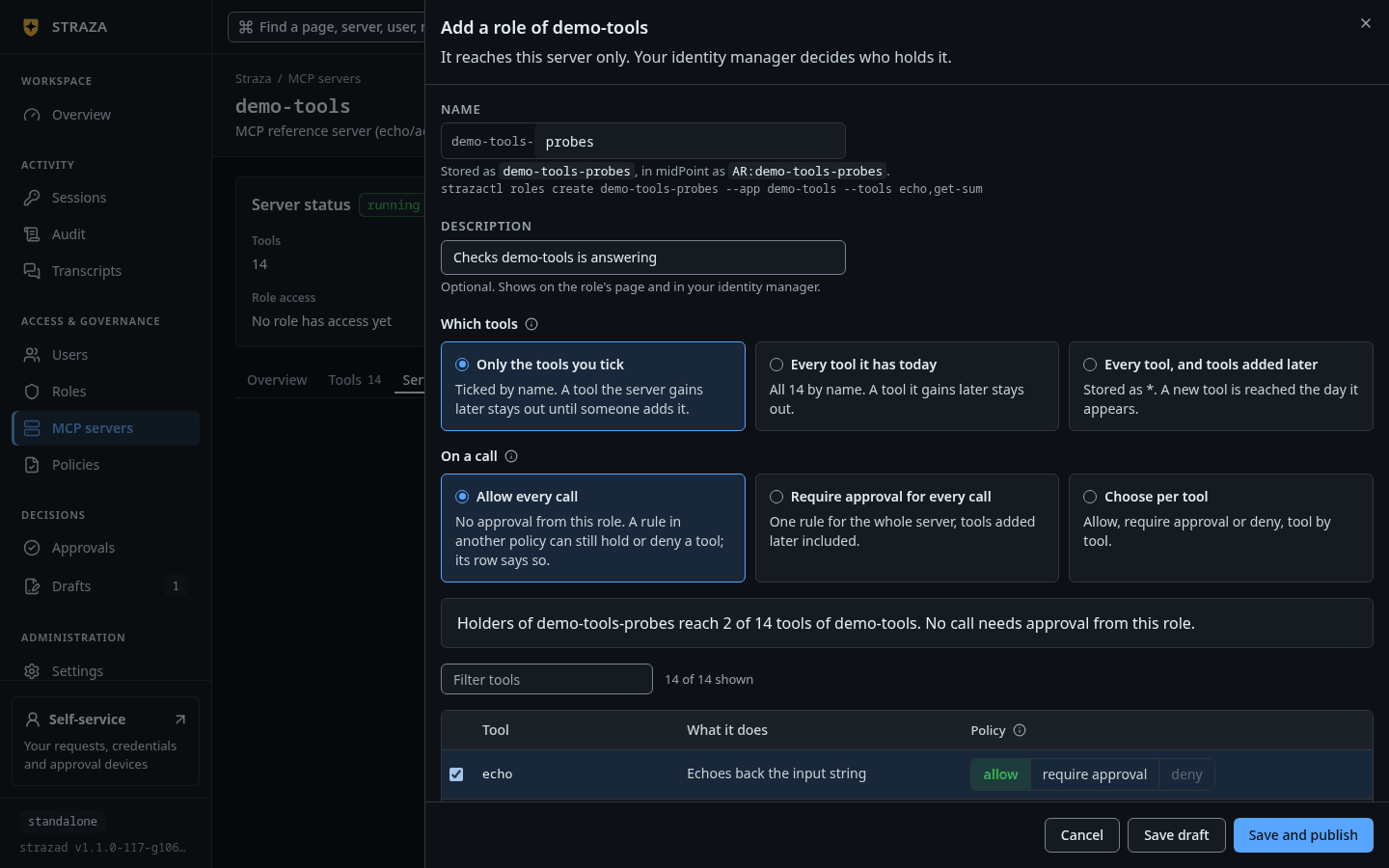
The Name field fixes the prefix
demo-tools-, so you type only the suffix, such asprobes. Under it the sheet previewsStored as demo-tools-probes, in midPoint as AR:demo-tools-probes.and prints the same role as a strazactl line. Tick the tools the role reaches, then press Save and publish, or Save draft to publish it later from Drafts, as Propose and publish a change shows.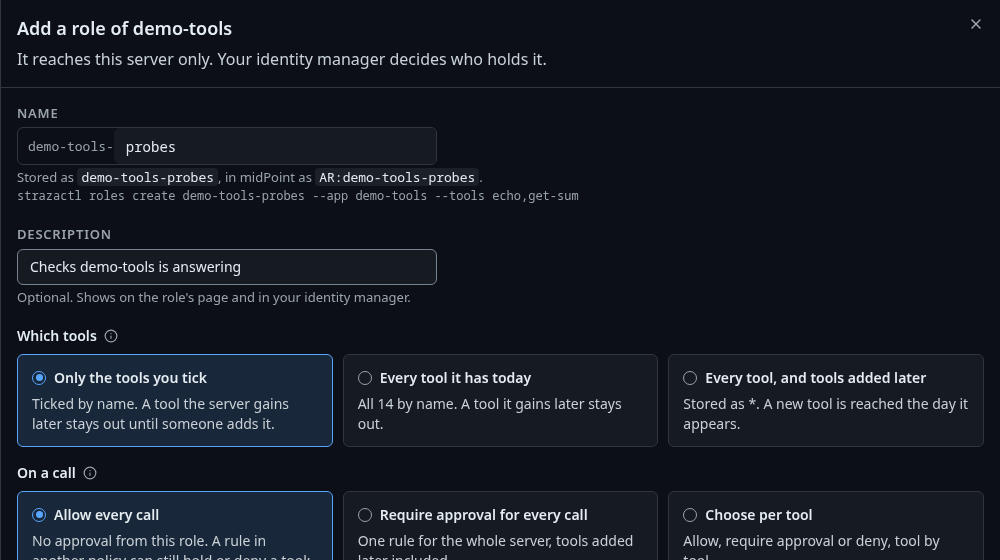
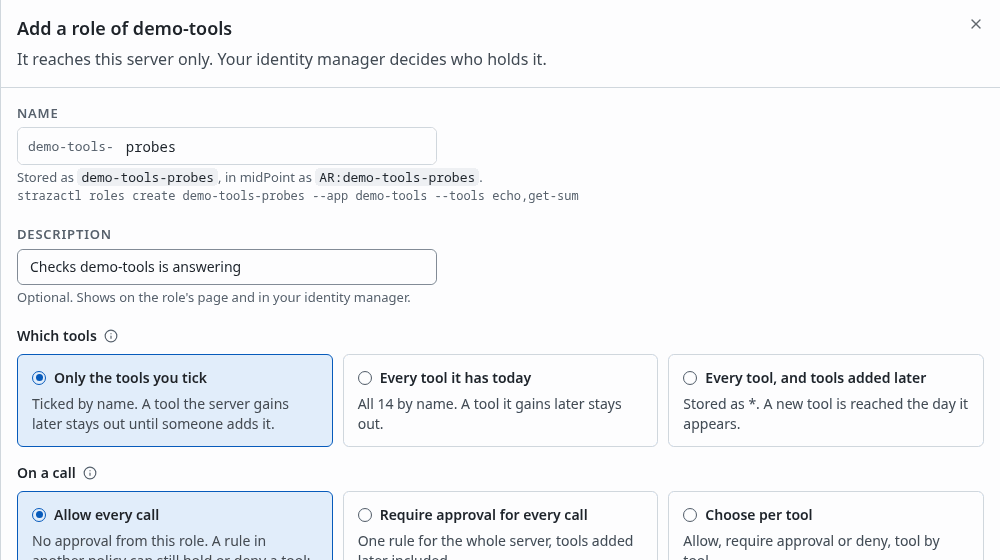
The Add role sheet as the root admin, with echo and get-sum ticked. A server admin sees the Policy column read-only. Show the whole screen 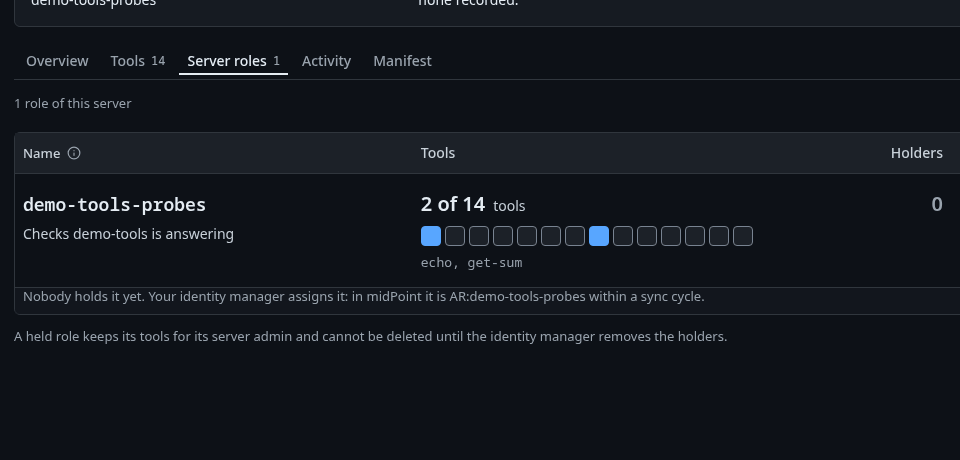
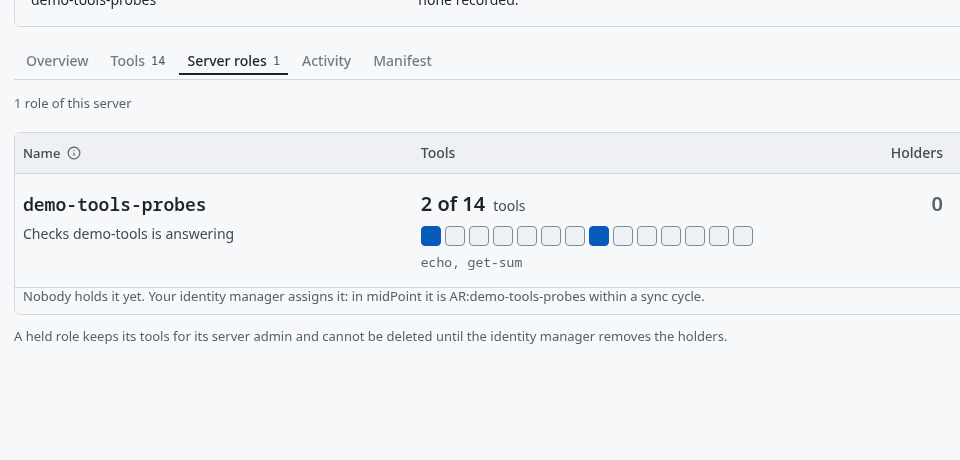
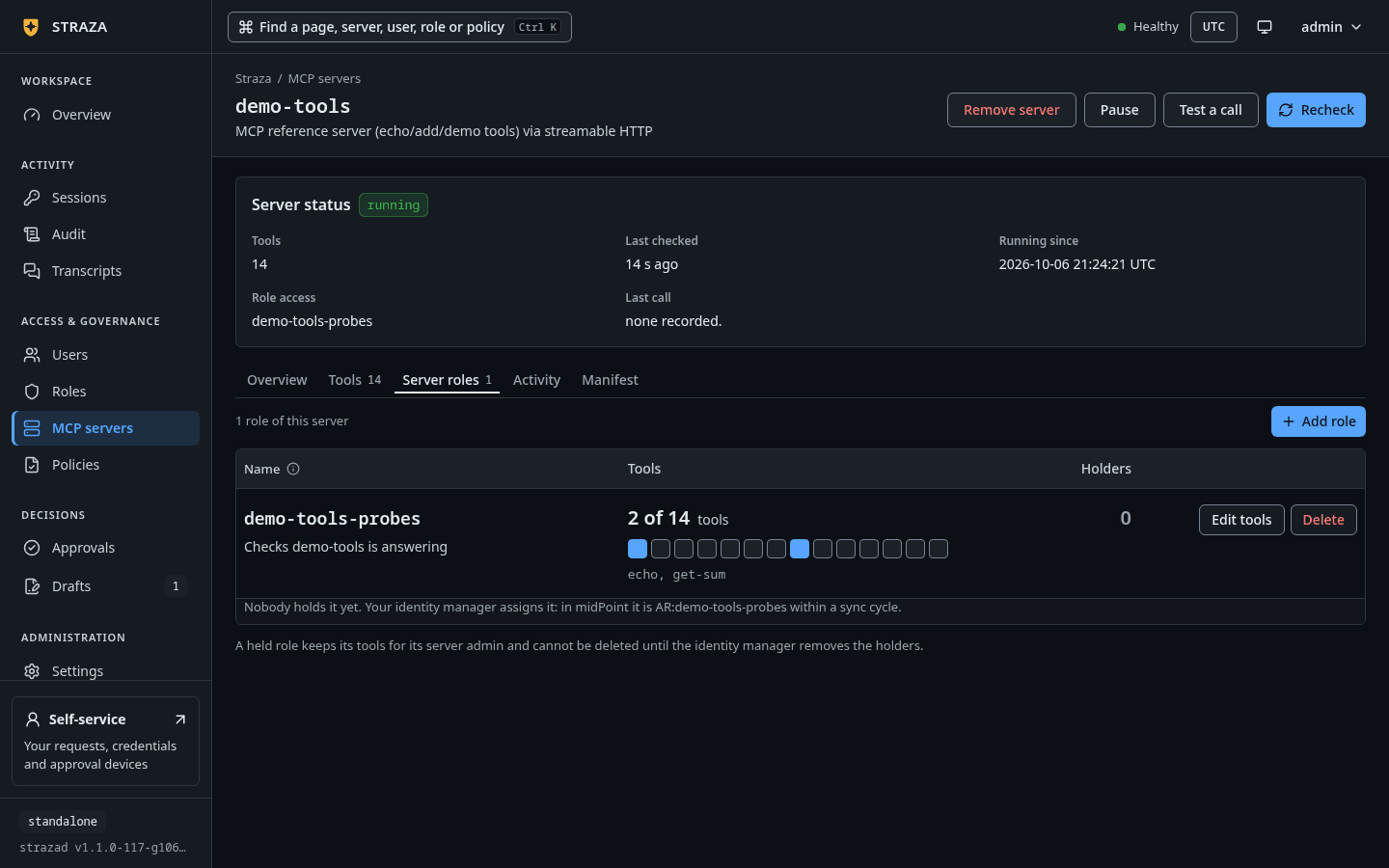
Once published, the Server roles tab lists demo-tools-probes with its two tools and no holder yet. Show the whole screen strazactl roles create demo-tools-probes \ --app demo-tools \ --tools echo,get-sum \ --description "Checks demo-tools is answering"created role demo-tools-probes (01a1132f-2151-7a45-a916-537855414f12) on the server demo-toolsThe name is the server’s name, a hyphen, and the suffix. A name without that prefix is refused, and a prefix belongs to its server even for the global admin, so nobody creates a role that reads as yours somewhere else:
{"error":"a role of the server demo-tools is named demo-tools-<suffix>. The server's page fills the prefix for you"}You name the tools one at a time. Only a global admin gives a role of your server the glob that means every tool, including tools added later. When you send it, it is refused, because you can add a tool by changing the server, and the glob would then widen the access that people already hold:
{"error":"a server-owned role lists the tools it reaches by name. Only a global admin may give it every tool, and the tools the server adds later, with the * matcher"}While nobody holds a role that a global admin gave the glob, you may narrow it to the tools you tick. The editor shows Every tool, and tools added later as chosen and greyed, and you never choose it again. On the Server roles tab, Edit tools on a role’s row changes its tools and Delete removes it, while nobody holds it.
strazactl roles listgrows a SERVER column as soon as one role in the answer names an owning server, so a role of yours reads apart from the roles that belong to no server.The role then travels to your identity manager over SCIM like every other role, within one LiveSync cycle, carrying the attribute that names the server it belongs to. Handing it to a person is the identity manager’s step and never yours. People normally reach your server through a business role that composes your role, and writing that composition is the identity area’s work as well.
The rule holds for every application role, yours included. An application role reaches one MCP server, and a person who works over several servers holds a business role that composes one application role per server.
What you cannot do follows from the same line. You never assign or unassign anyone. Once a person holds your role, whether directly or through a business role, its tool list is frozen for you and so is deleting it:
{"error":"the role demo-tools-readers has 1 holder. The identity manager removes them first, then delete it"}The way forward is a second role carrying the tools you want, which people are then assigned and certified on in the open. Your role also composes no other role, whoever asks, so its reach cannot walk out of your server. You give access to no role but your own, and on no server but yours. Each refusal names whose step it is.
Retire a server admin role
A server admin role lives exactly as long as its server, so deleting it on its own is refused, and the root admin reads the same sentence as anyone else:
{"error":"role \"mcp-admin-demo-tools\" is the admin role of server demo-tools and lives as long as the server does. Remove the server instead."}Removing the server takes the role and every membership of it away in the same step, and only a global admin may do it. A server admin who tries to remove their own server reads the same refusal as for any other global verb, because removal also deletes their own role.
After a global admin’s removal, no role is named after the server any more, while a business role that composed the server admin role stays. Each membership that ends writes one roles.unassign record naming the holder, the role and the reason server removed. Your identity manager therefore sees the access disappear at its source, instead of finding holders missing later.
- MCP servers
- demo-tools
- Remove server
- Remove server…
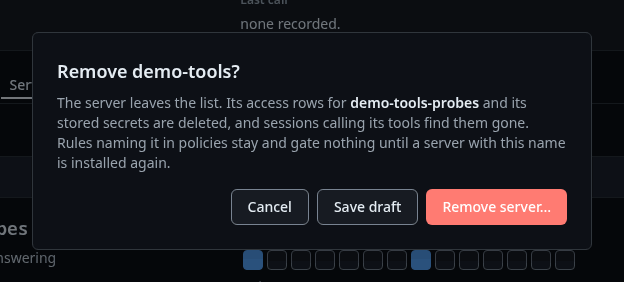
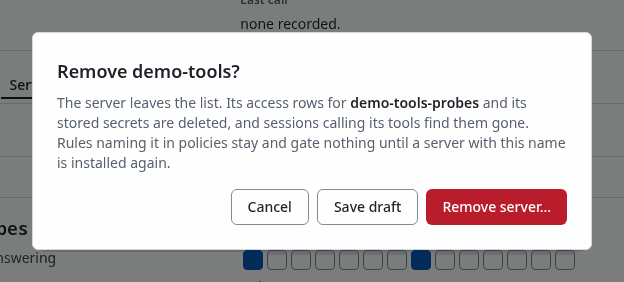
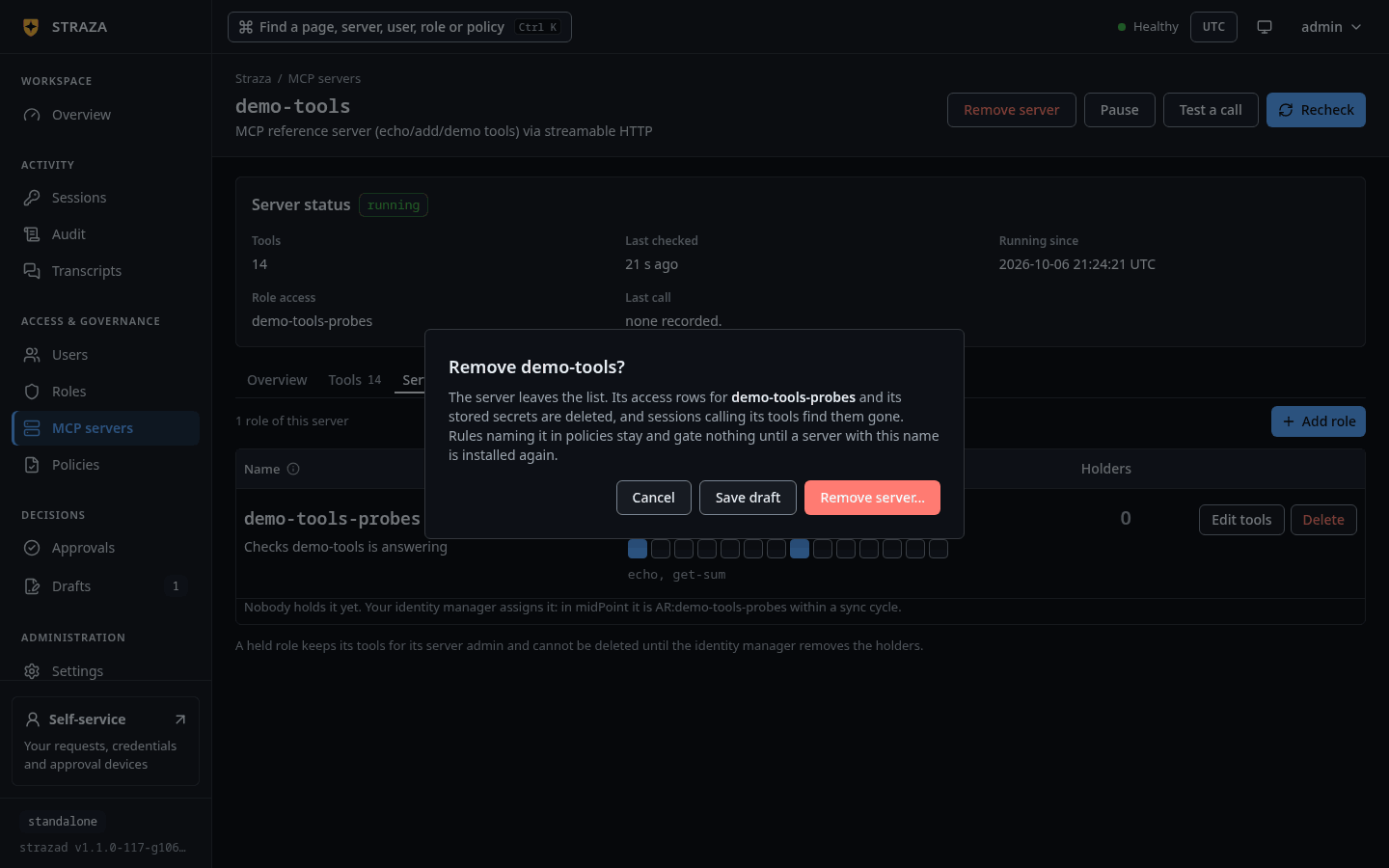
The console publishes the removal through a draft.
strazactl apps remove demo-toolsremoved demo-toolsWhat the console shows a server admin
A server admin’s list of MCP servers holds only their own servers. A server’s page carries the read-only Server administration card that names the role and who holds it.
On a server admin role’s own page, the Administers tab lists the servers it opens. Server admin roles nobody holds fold away at the end of the Straza roles table, so an install with many servers does not read as a wall of empty roles. The server checks the authority again on every request, so all of that is display only.
Walked on v1.1.0-117-g106081a8 on 2026-10-06. A throwaway standalone server in an Alpine 3.20 container on Linux, beside the demo stack's MCP reference server registered as demo-tools, with the admin's strazactl and the team-wiki registration on an admin API token minted in the console, so the registration ran as that token and not as dave. In headless Chromium, carol's check-in answer, server list, sidebar and Server administration card were read, and her refusal outside the MCP servers area came from strazactl on her own login. The refusals of a write by carol were checked against the code, because the coding-agent guard keeps strazactl from sending them on her login, and the server prefix and admin role refusals were run as the root admin. The four roles were read on the demo stack as alice, and the Add role sheet and the Remove server dialog were not clicked. Console screenshots show strazad v1.1.0-117-g106081a8, standalone.