Record a conversation
One role's conversations are recorded with secrets masked, and you have read a recorded prompt back.
- Who
- You, as the admin
- Where
- The console or a terminal with strazactl, and the agent's machine for the prompt
- Profile
- Standalone and enterprise
On this page
Recording is a policy decision about whose conversations are kept. A policy set that matches a role and carries a capture block turns recording on for that role’s sessions: the prompts as they are submitted, and each reply when its turn ends. The agent is told at session start that recording is on, and the person sees the same line in the harness, so nobody is recorded without knowing it. In redact mode, credential shapes are masked before anything leaves the machine, and when two sets disagree, redact wins.
Before you start
- The
local-toolsallow rule from Your first deny live for your role. - An administrator’s login, and an enrolled machine held by a user of the role, here
dana.
Turn recording on
Recording is a property of a policy set, never a wizard outcome, so open a live set that matches the role:
- Policies
- local-tools-guardrails
- Change
- Secrets masked
- Add to unpublished changes
- Save and publish
- Publish
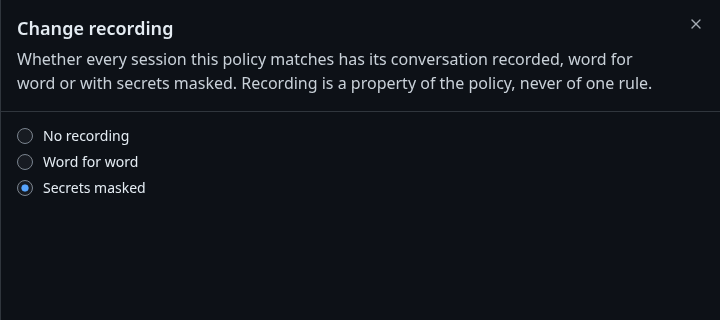
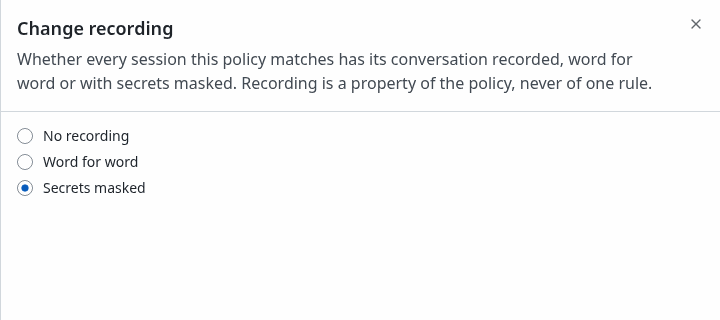
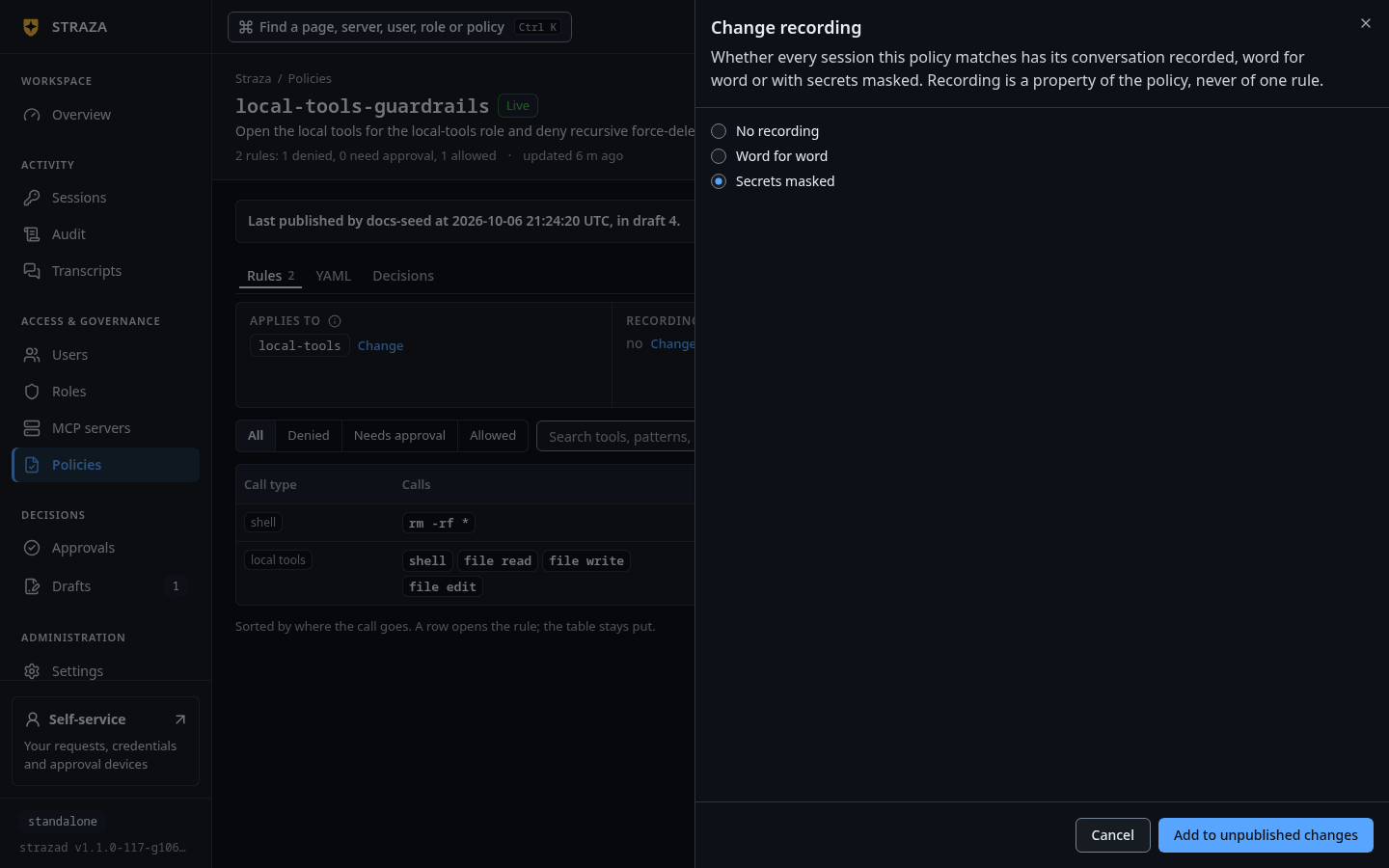
The Change recording sheet with Secrets masked picked. Show the whole screen Change sits under the fact Recording on the set’s page. The sheet
Change recordingoffersNo recording,Word for wordandSecrets masked. Once published, the set’s row on Policies carries the markREC.Save this as
session-recording.yaml. A policy set needs at least one rule, so the capture block sits beside thelocal-toolsallow rule.apiVersion: straza.dev/v1beta1 kind: PolicySet metadata: name: session-recording description: Record the prompts and replies of every local-tools session, with credentials masked spec: match: roles: [local-tools] capture: conversations: true mode: redact rules: - id: local-tools # A policy set needs at least one rule, so the capture block sits # beside the local-tools allow rule. events: [tool.pre] tools: [shell.exec, file.read, file.write, file.edit] effect: allowstrazactl policy apply -f session-recording.yaml strazactl policy activate session-recordingapplied session-recording (Off, 01a0e997-1b2e-71ff-af39-06dc4238e28e) published session-recording, it is live now; new snapshot 4adaae7033b474860dce4538a502280e72a95d0b67375de95d3a307807e05cabconversations: trueturns recording on, andmode: redactmasks recognizable credential shapes: AWS access key ids, GitHub tokens, bearer values, complete PEM blocks and Straza tokens. The battery is deliberately narrow, because a false positive destroys the text it scrubs. Amodewithoutconversations: trueis rejected as inert.Submit a prompt
CLI onlyThe session runs on dana’s enrolled machine.
The next session start carries the recording notice in both voices:
printf %s '{"hook_event_name":"SessionStart","session_id":"a7d5f2b4-6ea2-4b8b-9f30-5c1e4a6b8d07","cwd":"/home/dana/work","source":"startup"}' | straza hook --harness claude-code{"hookSpecificOutput":{"additionalContext":"Straza governance is active for this session. You are operating as \"dana\" (roles: local-tools) against http://localhost:8420; policy snapshot 4adaae7033b4, attestation advisory. Tool use is checked locally against signed policy and every decision is audited. A denied tool call always carries its reason: relay it to the user and do not retry or work around the denial. Recording is on: by policy, the prompts and responses of this session are recorded with secrets masked to the audit system.","hookEventName":"SessionStart"},"systemMessage":"🛡 Straza governance active: dana (local-tools) @ http://localhost:8420 · policy 4adaae7033b4 · attestation advisory · conversations recorded with secrets masked"}The context for the agent and the one-line
systemMessagefor the person both end with the notice. Undermode: verbatimboth sayword for wordin place ofwith secrets masked.Claude Code sends the prompt text in its
UserPromptSubmitevent. The hook records it, hashes the full original, masks it, caps it at 64 KiB and spools it to the audit pipeline. Because the event is observational, the hook answers with silence and exit code 0.printf %s '{"hook_event_name":"UserPromptSubmit","session_id":"a7d5f2b4-6ea2-4b8b-9f30-5c1e4a6b8d07","cwd":"/home/dana/work","prompt":"Deploy the billing service to staging. Use the key AKIAIOSFODNN7EXAMPLE for the S3 bucket."}' | straza hook --harness claude-code; echo "exit $?"You should see
exit 0Once the prompt is spooled, the hook starts a detached background upload, the hidden
straza draincommand, and exits at once. The upload is skipped when the binary is not namedstrazaor whenSTRAZA_NO_DRAIN_SPAWNis set, and the record then rides the next decision or session start. Replies are recorded differently: when a turn ends, the hook reads what the harness appended to its own transcript file since the previous read.Read it back
- Transcripts
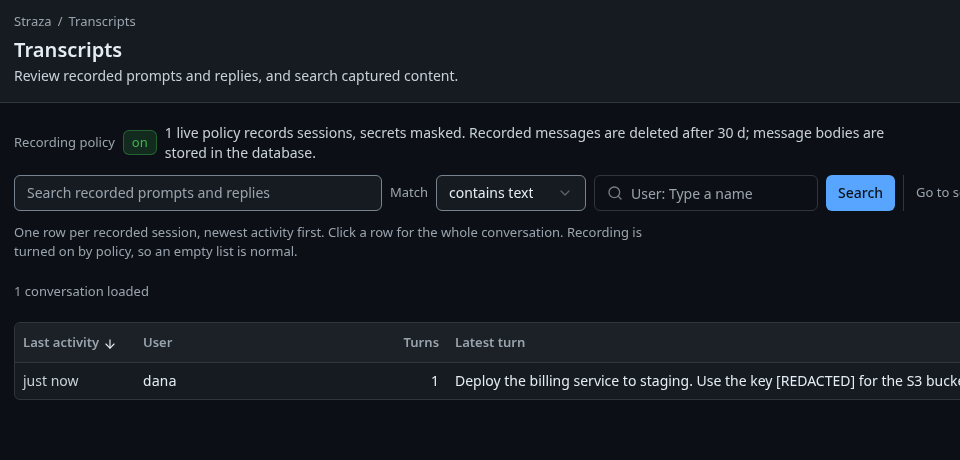
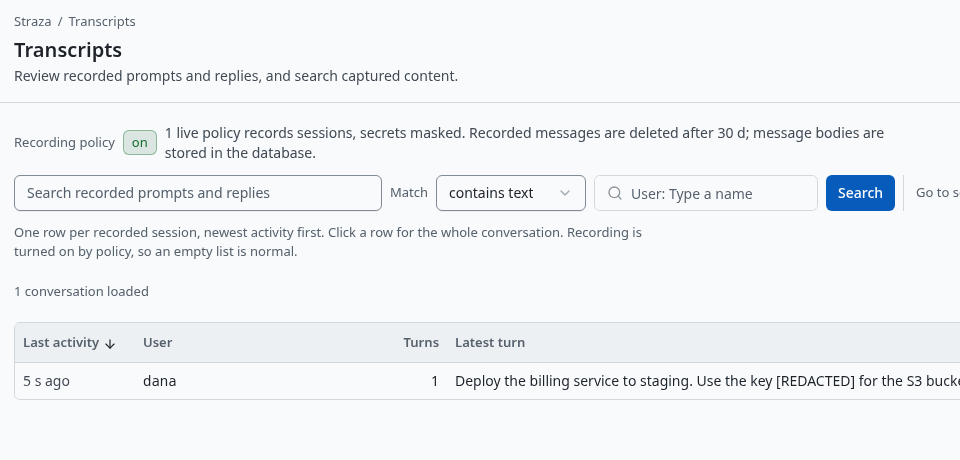
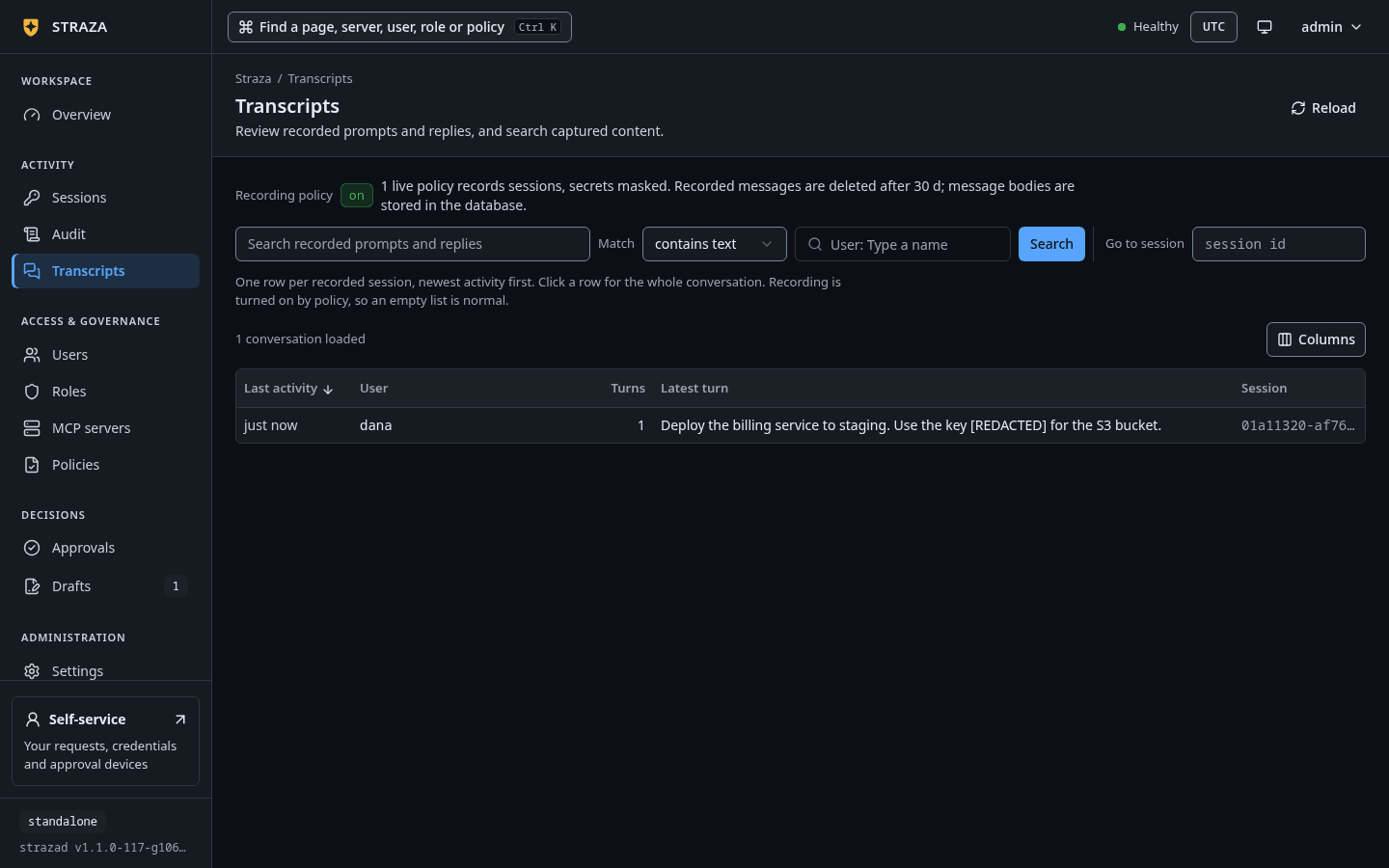
Transcripts with one recorded session of dana’s, the search box and the Match picker. Show the whole screen The screen has one row per recorded session, newest activity first, and a row opens the whole conversation. Sessions offers the same through a session’s Open transcript. The search box,
Search recorded prompts and replies, finds text across sessions. Its Match picker offerscontains textandexact value. An exact value is hashed in your browser, so a secret you hunt for never leaves your machine.straza statuson the machine names the Straza session id. The transcript shows the masked prompt, the mode it was recorded under, and a truncation marker with the full-content hash when the cap applied.strazactl sessions transcript 01a0e997-1d3f-7542-b42f-c6b6eba5c031session 01a0e997-1d3f-7542-b42f-c6b6eba5c031: dana, 1 turns [19:56:29] prompt (redact) Deploy the billing service to staging. Use the key [REDACTED] for the S3 bucket.Across sessions, search by substring, and add
--userwhen you know the user. The--valueform hashes a secret locally and matches turns whose whole content equals it.strazactl transcripts search billing --user danaTIME USER SESSION KIND CONTENT 2026-09-28 19:56:29 dana 01a0e997-1d3f-7542-b42f-c6b6eba5c031 prompt Deploy the billing service to staging. Use the key [REDACTED] for the S3 bucket.An exact-value search finds a pasted token on its own line, and under redact mode it finds nothing, because the stored text no longer holds the value.
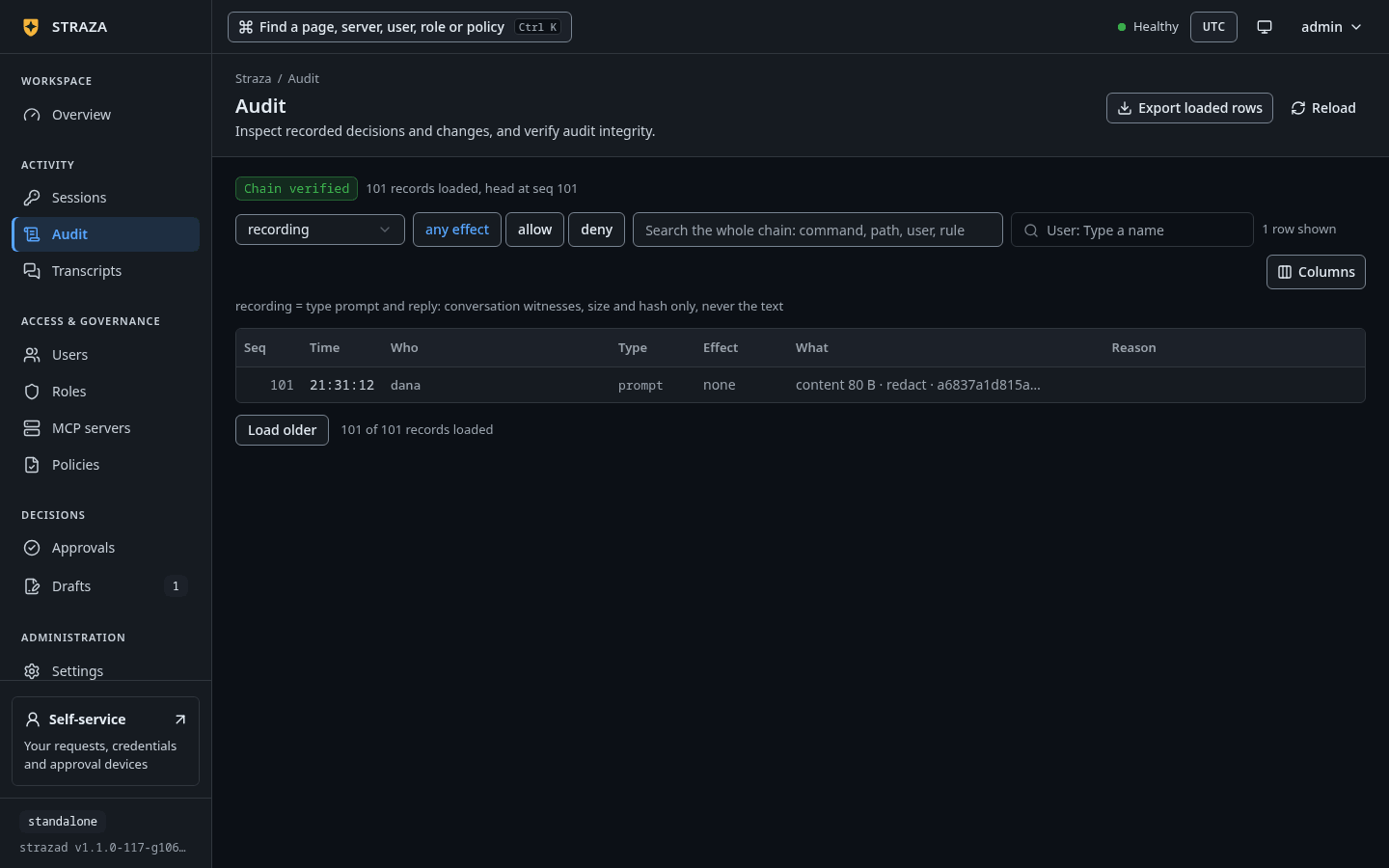
The audit log holds the fact of the recording without repeating the text: the byte count, the hash of the full original, the mode and the session.
- Audit
- Lens
- recording
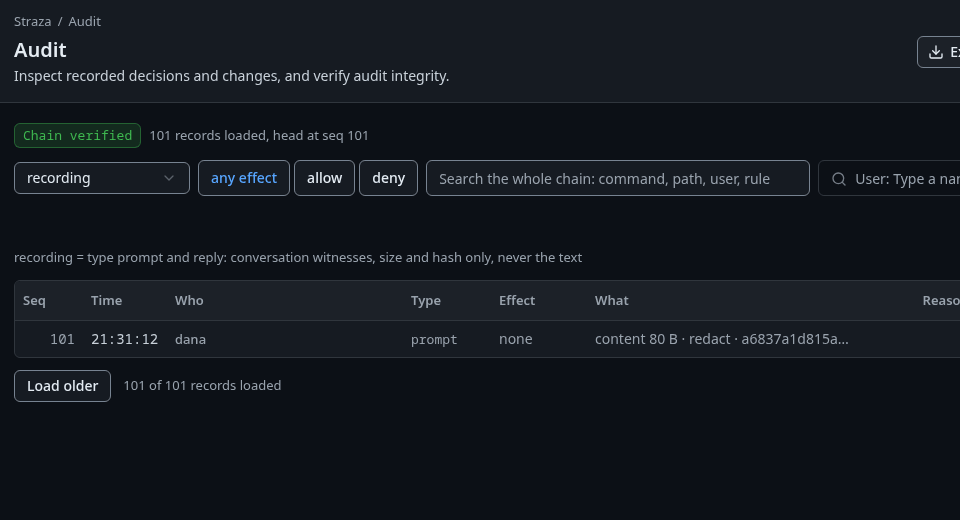
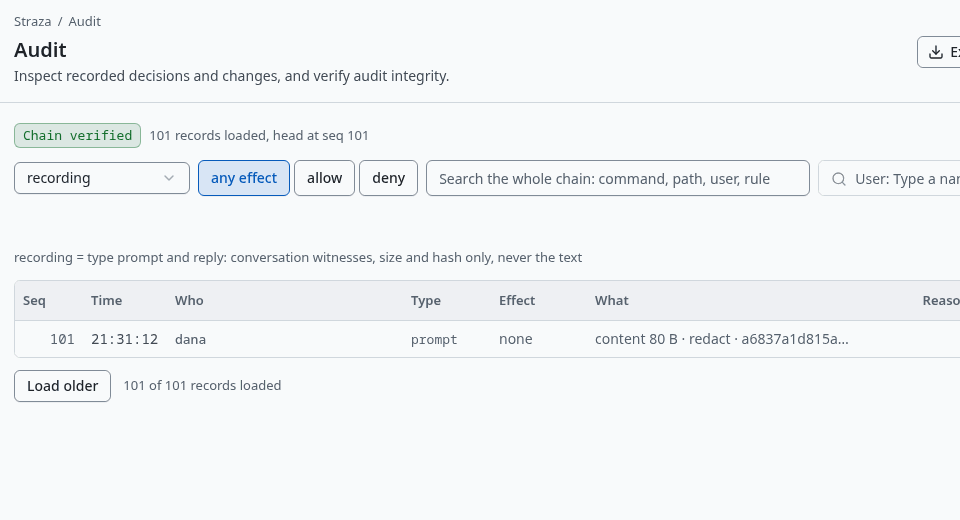
The recordinglens, where a prompt record keeps its size, its mode and a hash, never the text. Show the whole screenstrazactl audit tail --user dana --limit 3#247 [dana] {"data":{"contentBytes":80,"contentHash":"sha256:a6837a1d815a71f1dfcc09d7451b76bbe03ca52724294c08177b53ca70e3ef1c","mode":"redact","session":"01a0e997-1d3f-7542-b42f-c6b6eba5c031","truncated":false},"type":"straza.audit.prompt"}This listing is trimmed to the prompt record and to the fields that matter here.
Retention and where the text lives
Recorded turns are purged after governance.captureRetention, 30 days by default. By default the text sits inline in the relational store. The enterprise profile can send bodies to an S3-compatible bucket with capture.bodyStore.type: s3, where the bucket’s lifecycle rule becomes the retention and reads stay transparent to the console and the CLI. On a standalone host the inline store is the only option. Both settings live in the strazad config file, and the line under the Transcripts title reads them back.
Undo
Turning recording off takes effect for the role at its next session start, because recording is off unless an active matching set says otherwise. In the console, pick No recording in the same Change sheet and publish, or turn the set off with More and Turn off. In a terminal, strazactl policy deactivate session-recording turns the set off. Turns already stored stay until retention removes them.
Two limits matter before you rely on redact for compliance. The battery masks shapes it recognizes and nothing else, so a password pasted as plain words is stored as typed. Redaction happens on the agent’s machine before spooling, which is what keeps the value off the wire, so an unmanaged install that a user can edit is advisory here as everywhere else.
Walked on v1.1.0 on 2026-09-28. Linux, against the enterprise demo stack under the enterprise profile, with strazactl logged in as an administrator and the hook events fed to straza hook by hand in a Linux container enrolled as dana. Console screenshots show strazad v1.1.0-117-g106081a8, standalone.