Propose and publish a change
A change to an MCP server, a role or a policy set waits as a checked draft until a person publishes it, and a published change can be taken back with a second draft.
- Who
- You, as the admin who changes Straza, and an agent that proposes a change
- Where
- The console or a terminal
- Profile
- Standalone and enterprise
On this page
A draft holds the documents of a change to MCP servers, roles and policy sets. Straza checks it against live state, and nothing in it is live until a person publishes it. Its documents then go live together or not at all. A change can come in through the console, through strazactl drafts, through a file in the apps directory, or from an agent through the built-in straza MCP server. Even a direct write such as strazactl roles create is a draft of one item that is checked and published in the same request.
This page follows one change from the draft to the publish, then takes it back. Who may draft and publish decides who may do each step, and when a second person must publish.
Before you start
- A sign-in, in the console or with
strazactl login, that may publish every object in your change. An admin API token can create and check a draft, and only a person publishes one. - For the CLI, the documents of your change.
strazactl roles export <name>prints a role,strazactl apps export <server>prints a server’s manifest, andstrazactl policy show <name>prints a policy set, so a change starts from what runs. The example below adds a policy set that holdsterraform applyfor the roledevuntil a holder of the approver rolerelease-approversdecides.
Write the change as a draft
Every editor in the console ends in Save draft and Save and publish: the policy page, the New policy and New role wizards, a role’s Edit access, and the MCP server editors. Save draft keeps the change and changes nothing live. As an example, turn recording on for a policy.
- Policies
- kubectl-apply-hold
- Change
- Secrets masked
- Add to unpublished changes
- Save draft
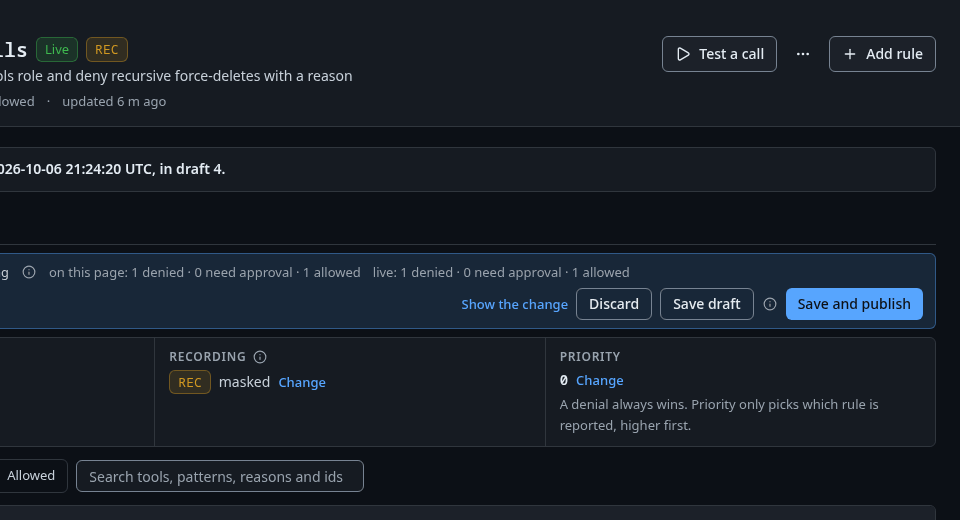
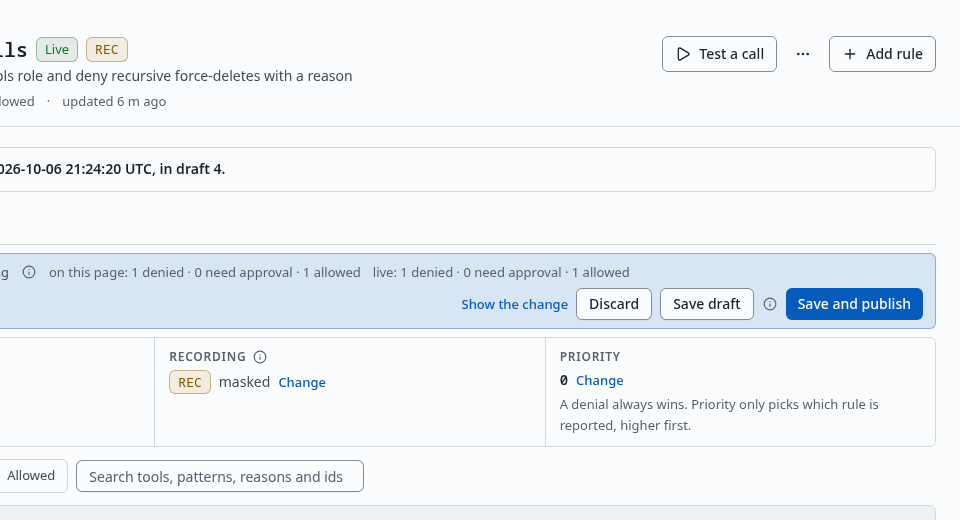
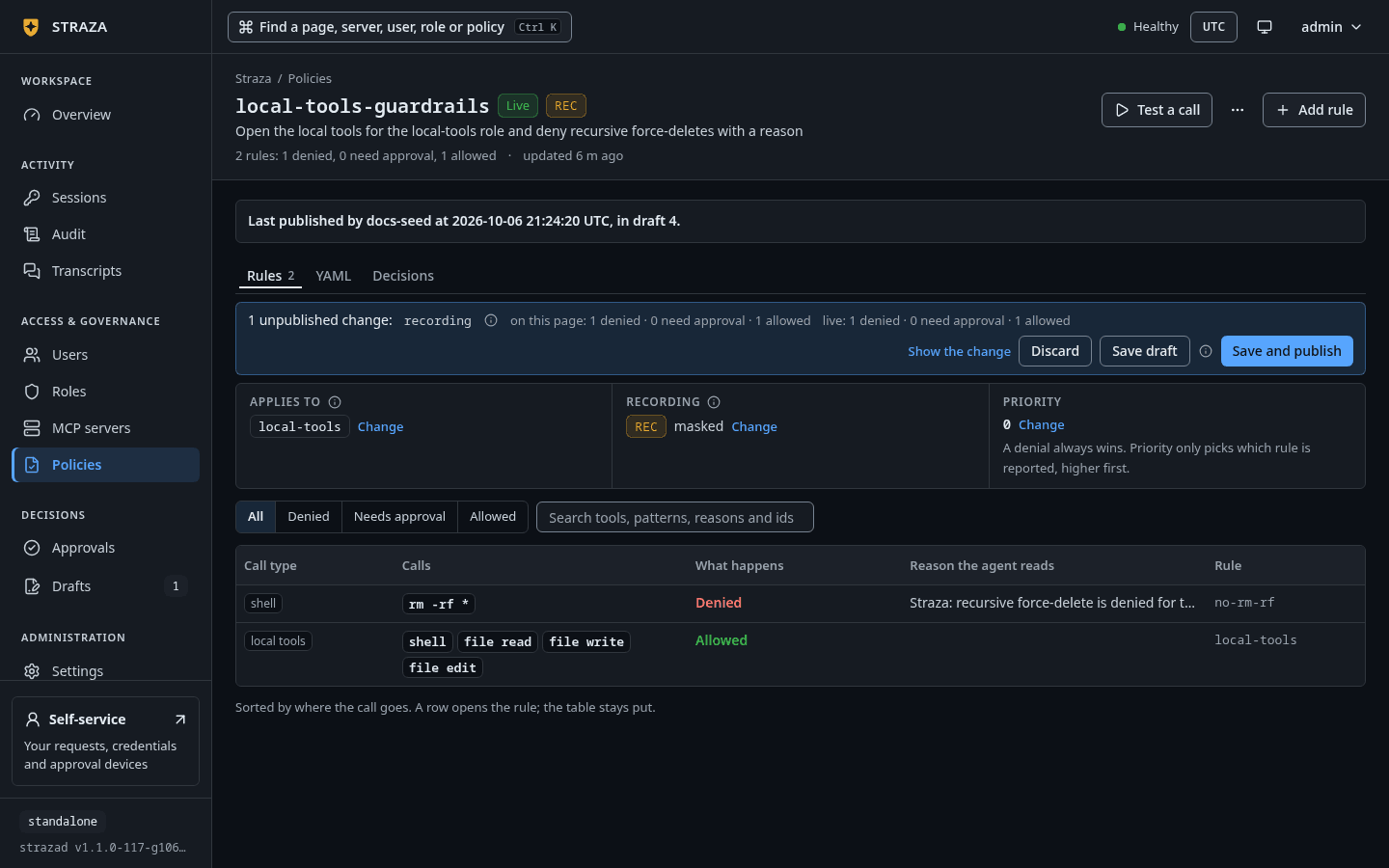
The strip of unpublished changes on a policy’s page, with Save draft beside Save and publish. Show the whole screen You should see
kubectl-apply-hold is saved as a draft. The version that runs stays live until you publish it.The wizards and the role and server editors add each saved change to your open working draft, and the console header links that draft as
Your draft · 1 change. The Save draft of a policy’s own page stores the policy’s new text as a draft of its own. Drafts in the sidebar counts the drafts that wait.Save the policy set as
dev-access.yaml.apiVersion: straza.dev/v1beta1 kind: PolicySet metadata: name: dev-access description: Gates for the role dev spec: priority: 10 match: roles: [dev] rules: - id: hold-terraform-apply events: [tool.pre] tools: [shell.exec] command: allowPatterns: ["terraform apply*"] effect: allow mode: approve approve: roles: [release-approvers] timeoutSeconds: 300 retryTTLSeconds: 300 reason: "Straza: terraform apply needs approval before it runs"strazactl drafts checksends the documents for the same check a draft gets, and stores nothing.strazactl drafts check -f dev-access.yamlYou should see
Nothing was stored. The documents can be published:and the create command.Recorded output
  +   PolicySet/dev-access
Checked against live state at 2026-10-06 20:13 UTC.
  warning   PolicySet/dev-access Rule hold-terraform-apply of dev-access holds calls, and neither a push lane nor Slack is configured, so a person learns of a request only on the console. Configure approval.push or approval.channels.slack, or keep someone watching Approvals.
Nothing was stored. The documents can be published: strazactl drafts create -f dev-access.yaml
Store it as a draft, with a note for whoever reviews it.
strazactl drafts create -f dev-access.yaml --note "Hold terraform apply for dev until release-approvers decides."You should see
Created draft 14 with 1 document. Nothing changes until a person publishes it.with your own draft number.-ftakes a file, a folder of.yamland.ymlfiles, or-for standard input, and it repeats, so one draft can hold a server, the roles it owns and their policy set.Read the check
- Drafts
- Waiting
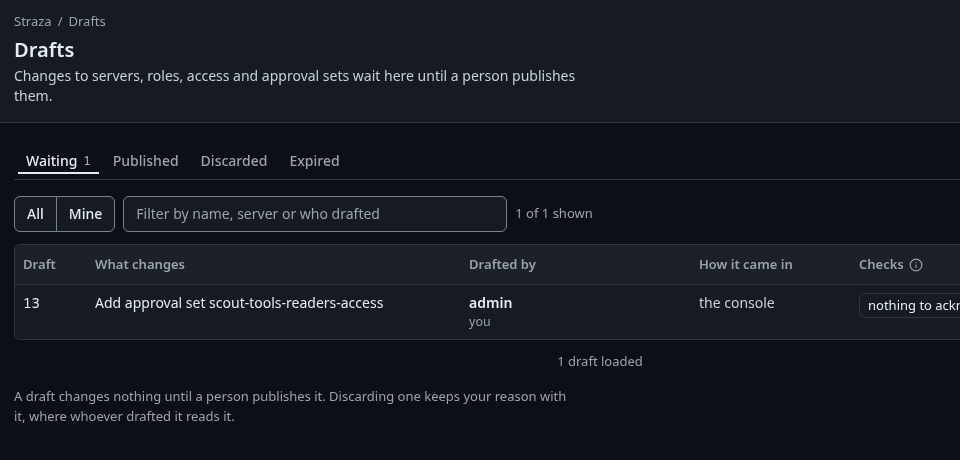
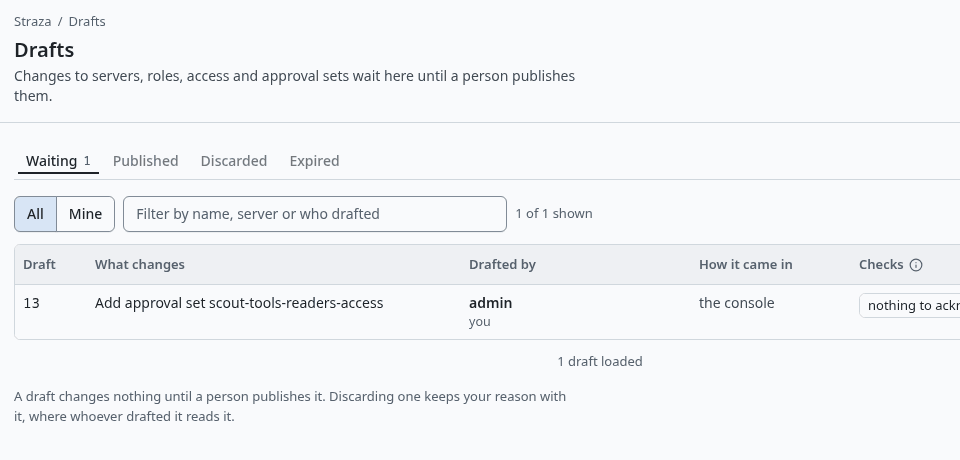
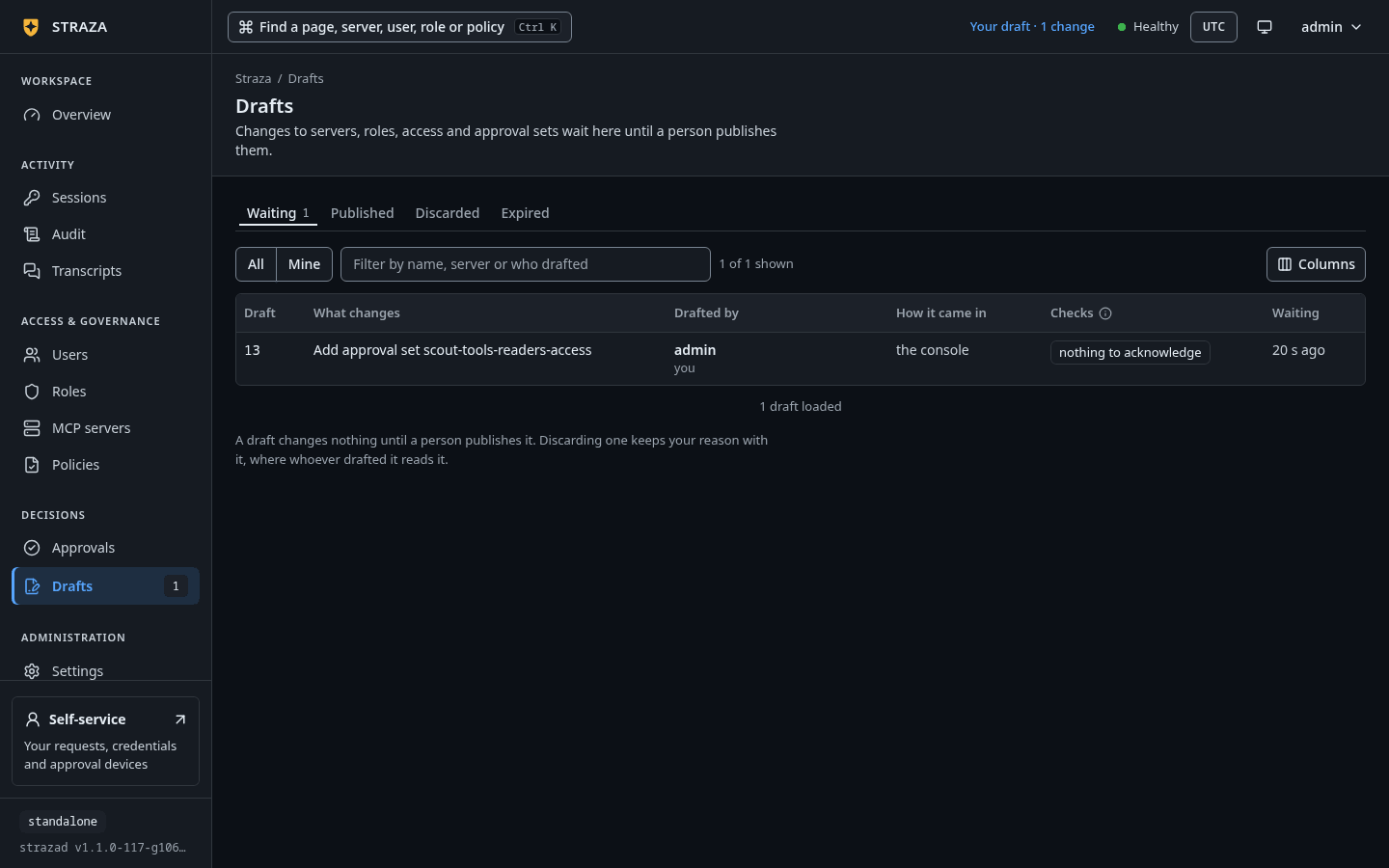
The Waiting tab, with the draft, who drafted it, how it came in and its check. Show the whole screen The Waiting tab lists the open drafts with What changes, Drafted by, How it came in and the counts of the last check, such as
1 widens accessand2 warnings. Published, Discarded and Expired keep the drafts that are closed, and Published is the change record. Mine narrows the list to the drafts you wrote.Select a draft. Its page opens with a status, such as
Ready to publish, and the facts: who drafted it, how it came in, each revision, when the server checked it, and what Publishing needs, such asthe approval set kubectl-apply-hold needs the scope policy:write.A note from whoever drafted it shows under a heading such asWhat alice says, orWhat the agent saysfor an AI agent, markedunverified, because nobody checked it.The sections below follow in order. What changes shows each object as it would be published. Who gains what shows, for each role the draft touches, what a holder gets today and after publishing. Checks groups the server’s findings under Refused, Widens access, acknowledged when you publish, Warnings, Not checked and Passed. The documents holds the text as it would be published, with secret values shown as
[REDACTED].You should see
Nothing refused.under Refused, and the foot of the page says how many lines need your acknowledgment.strazactl drafts listRecorded output
Open drafts, newest first. ID STATE TITLE PROPOSER DOOR CHECKS CHECKED UPDATED 14 open Add approval set dev-access admin strazactl 1 warn 2026-10-06 20:13 UTC 2026-10-06 20:13 UTC 9 open Change role dev alice straza app no findings 2026-10-06 20:04 UTC 2026-10-06 20:04 UTC Counts are from each draft's last check. strazactl drafts show checks it against live state now.--statelistspublished,discarded,expiredoralldrafts instead of the open ones, and--minekeeps the drafts with a revision you wrote.strazactl drafts showchecks one draft again now and prints who proposed it, the difference against live state, the verdict and what publishing needs.strazactl drafts show 14Recorded output
Draft 14, revision 1, open: Add approval set dev-access
Revision 1 by admin through strazactl at 2026-10-06 20:13 UTC.
The note, which Straza did not check: Hold terraform apply for dev until release-approvers decides.
  +   PolicySet/dev-access
--- live PolicySet/dev-access
+++ draft PolicySet/dev-access
@@ -0,0 +1,22 @@
+apiVersion: straza.dev/v1beta1
+kind: PolicySet
+metadata:
+  name: dev-access
+  description: Gates for the role dev
+spec:
+  priority: 10
+  match:
+    roles: [dev]
+  rules:
+    - id: hold-terraform-apply
+      events: [tool.pre]
+      tools: [shell.exec]
+      command:
+        allowPatterns: ["terraform apply*"]
+      effect: allow
+      mode: approve
+      approve:
+        roles: [release-approvers]
+        timeoutSeconds: 300
+        retryTTLSeconds: 300
+      reason: "Straza: terraform apply needs approval before it runs"
Checked against live state at 2026-10-06 20:13 UTC.
  warning   PolicySet/dev-access Rule hold-terraform-apply of dev-access holds calls, and neither a push lane nor Slack is configured, so a person learns of a request only on the console. Configure approval.push or approval.channels.slack, or keep someone watching Approvals.
  passed    The policy compiles with this draft.
  passed    Every approver role the draft's rules name exists and may decide.
  passed    No document holds a secret or the shape of one.
  Publishing PolicySet/dev-access needs the scope policy:write.
You may publish it: strazactl drafts publish 14
The drafts verbs exit 0 when the documents can be published as they stand, 1 when the server looked and said no, and 2 when the command could not do its job.
list,showanddiscardnever exit 1.A warning never blocks a publish. A refused line does, and it says what to fix. Correct the document and send it again:
strazactl drafts update <id> -f <file>replaces the draft’s documents with a new revision, and in the console you save the change again from its editor.If this fails
Role dev does not read as a Role document: line 5: field description not found in type metadata. Compare it with strazactl roles export dev and send the draft again.- The document does not match the shape the server stores. Start from
strazactl roles export dev, change the field where the export has it, herespec.description, and send the draft again.
When a draft adds a remote server
Straza does not dial an address that only a draft names, so the check cannot list that server’s tools at first. It says
Straza has not contacted mcp.example.com, because an address in a draft is contacted only when a person asks, so the tool names of gitops-tools are unknown., with your own address and server. In the console, press Contact it now beside that line. From a terminal, runstrazactl drafts contact <id> <server>. Either one opens one MCP connection with no credential, follows no redirect, starts nothing, and keeps the tool names on the draft for its check. The audit chain records who asked. Only a person contacts a server, so an admin API token is refused.Publish it
- Drafts
- Waiting
- Change approval set kubectl-apply-hold
- Publish…
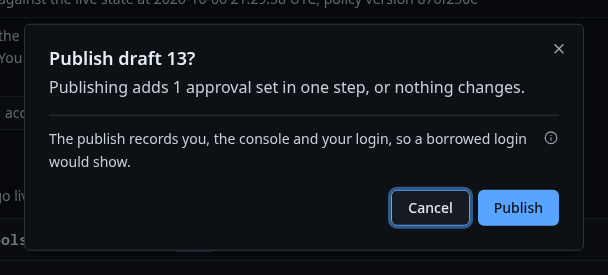
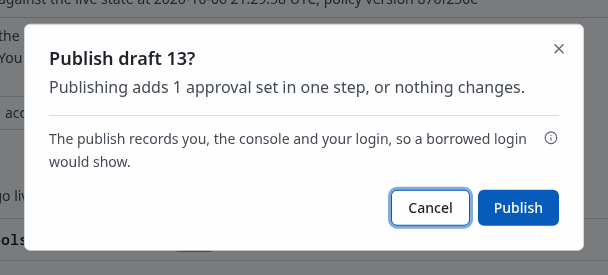
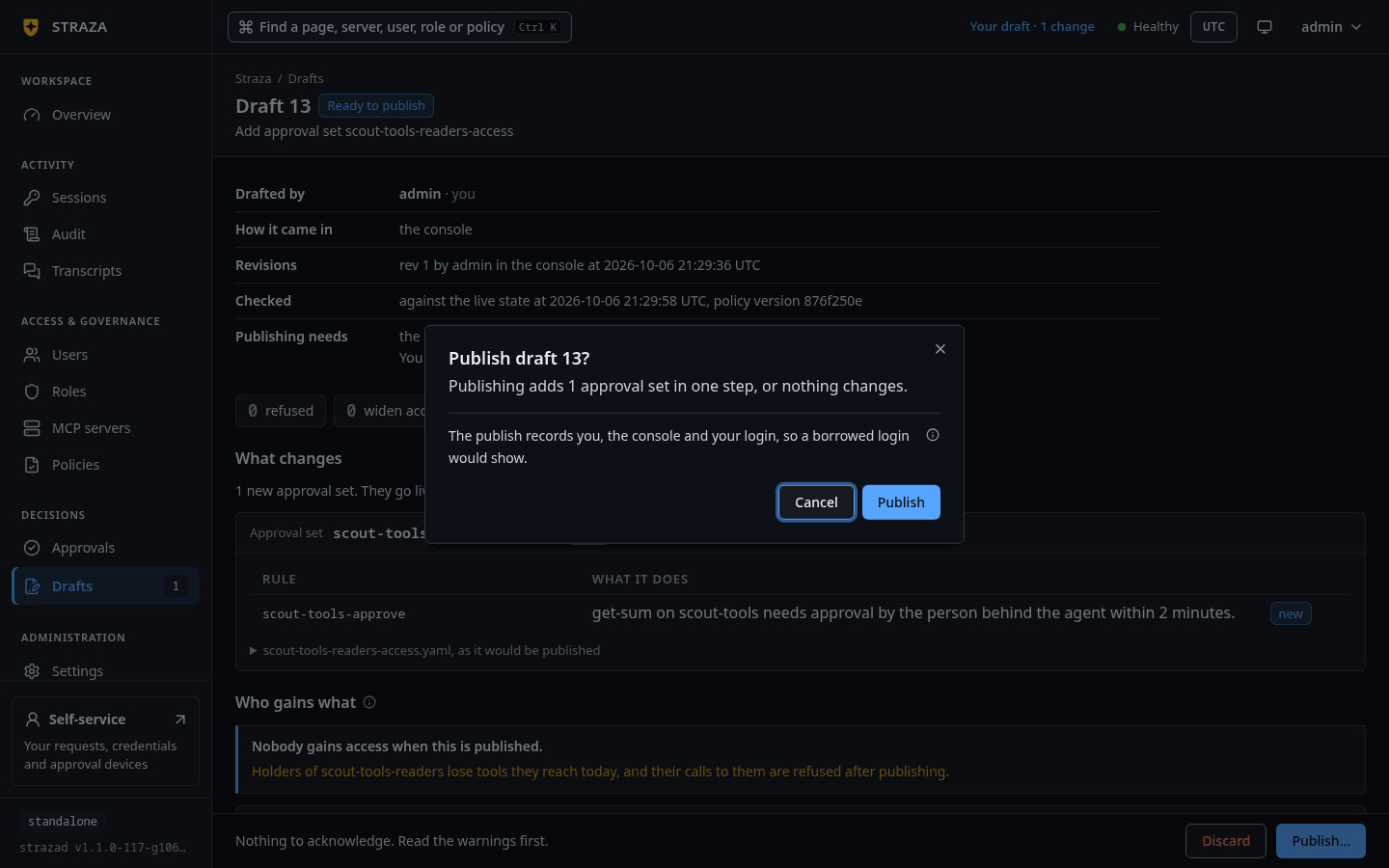
The publish question of a draft with no line to acknowledge, ending with the sentence that records who publishes. Show the whole screen The question is titled with the draft, such as
Publish draft 7?, and says what publishing does, such asPublishing changes 1 approval set in one step, or nothing changes.Each line that widens access waits for your acknowledgment. A line that republishing the old state can undo has a box to tick. A line it cannot undo asks you to type a name, such asType kubectl-apply-hold to acknowledge it:. The question ends withThe publish records you, the console and your login, so a borrowed login would show.Acknowledge every line and press Publish.
You should see
Published by admin at 2026-10-06 20:03:49 UTC from the console. Draft 7 is live., with your own name, time and number, and Undo this publish under it.strazactl drafts publish 14publishchecks the draft again and prints each line that widens access. A line that names a text to type is acknowledged by typing it, and the last question,Publish? [y/N], acknowledges the rest. Answery.You should see
Published draft 14.and the command that undoes it.Recorded output
Publish draft 14: Add approval set dev-access.
Publish? [y/N] Published draft 14. The live policy snapshot is 301b34faed070b6b0511a4041b688d6339391ec669f42029e1c6e91fd3d3b0a2.
Configure approval.push or approval.channels.slack, or keep someone watching Approvals.
To undo it: strazactl drafts revert 14
In a script,
--yesacknowledges every line shown, and each typed line also needs its text in--ack, such as--ack dev-access.The server checks the draft again as it publishes. An object that changed since the last check refuses the publish, and nothing is written. Who may draft and publish covers the refusal you meet when a second person must publish.
Bring a stale draft up to date
A draft goes stale when live state changes under it, for example when someone changes the same role directly. Its check then refuses it with a sentence that names the change.
If this fails
Role/dev changed after this draft was checked, when admin published draft 6 at 2026-10-06 19:55 UTC. Check the draft again with Check again on the console or strazactl drafts rebase 5. Straza keeps what this draft changed, takes every other field from live state, and asks you to pick where both changed.- Check the draft again, as below. The numbers and the time are your own.
The draft’s page shows
Out of date.with Check again. When the draft and live state both changed the same field, Pick the values to keep asks for each one, withKeep the draft's valueandKeep live's value. Pick and press Check again with these values.strazactl drafts rebase 5When both sides changed a field, rebase stops and names the values.
Role/dev spec.description at the check: (not set) in the draft: Developers who run local tools on live: Developers Pick each value and check again, as in strazactl drafts rebase 5 --pick "Role/dev spec.description=draft", or =live to take live's. strazactl: Draft 5 and live state both changed Role/dev spec.description since the draft was checked. Pick which value to keep, then check again.strazactl drafts rebase 5 --pick "Role/dev spec.description=draft"You should see
Checked draft 5 again against live state: it is at revision 2. Nothing changes until a person publishes it.Take a published change back
An undo is a new draft that holds the state from before the publish. It is checked like any other draft, and it lists what cannot come back, such as each person’s connection to a server.
- Drafts
- Published
- Change approval set kubectl-apply-hold
- Undo this publish
You should see
A new draft titled
Undo draft 7, withUndoes draft 7among its facts.strazactl drafts revert 14 --note "Back out the terraform hold."Recorded output
Created draft 15, which undoes draft 14. Nothing changes until a person publishes it.
  widens    PolicySet/dev-access dev-access will stop gating shell.exec as rule hold-terraform-apply does today, because this draft removes the set. Type dev-access to publish.
            before: hold-terraform-apply@66f57507ec06
            after:  removed
The draft can be published: strazactl drafts publish 15
Removing a gate widens access, so publishing the undo asks you to acknowledge it, here by typing
dev-access. Publish the undo as any other draft, or discard it to keep the change.Discard a draft
Discarding changes nothing live. The draft moves to Discarded with your reason, where whoever drafted it reads it.
- Drafts
- Undo draft 7
- Discard
- Discard draft
Type an optional Reason before you press Discard draft. On a draft from the apps directory the button reads
Discard: keep live as it is, or names the server the draft would remove.You should see
Discarded by admin at 2026-10-06 20:03:57 UTC. Nothing live changed.and your reason.strazactl drafts discard 15 --reason "Keep the hold." --yesYou should see
Discarded draft 15.Let an agent propose a change
An agent proposes a change through two tools of the built-in straza MCP server,
straza__draft_submitandstraza__draft_status. The gateway lists them only to a session that holds the rolestraza-draft-config, which the product creates. Give that role to the person or the AI agent whose sessions may propose.- Roles
- straza-draft-config
- Assign to a user
- Assign role
Pick the person or agent under User before you press Assign role.
strazactl assign straza-draft-config --user aliceThe agent sends the same documents a person would, as YAML texts, with a note for the reviewer. The tool answers at once with the draft’s number. Here is the call an agent made in alice’s session, through
straza mcp, and its answer.{"jsonrpc":"2.0","id":3,"method":"tools/call","params":{"name":"straza__draft_submit","arguments":{"documents":["apiVersion: straza.dev/v1beta1\nkind: Role\nmetadata:\n name: dev\nspec:\n kind: application\n description: Developers who run local tools and kubectl\n"],"note":"The dev role now covers kubectl work, so its description says so."}}}{"jsonrpc":"2.0","id":3,"result":{"content":[{"type":"text","text":"{\"checked\":false,\"draft\":\"9\",\"next\":\"Straza checks the draft now. Call straza__draft_status with draft 9 to read the check. A person publishes it on the console or with strazactl, and you cannot.\",\"publishable\":false,\"revision\":1,\"state\":\"open\"}"}],"structuredContent":{"checked":false,"draft":"9","next":"Straza checks the draft now. Call straza__draft_status with draft 9 to read the check. A person publishes it on the console or with strazactl, and you cannot.","publishable":false,"revision":1,"state":"open"}}}straza__draft_statuswith the number reads the check, and itsnextfield tells the agent what happens now, such asDraft 9 waits for a person to publish it on the console or with strazactl. You cannot publish it.The draft waits under Drafts withthe straza appas the way it came in, and you review and publish it as this page shows. An agent’s open draft expires 14 days after its latest revision, as Lifetimes and timeouts lists. A draft from the console, strazactl or the apps directory does not expire.
Next
- Who may draft and publish sets who may publish, and when a second person must.
- The apps directory turns a file in a watched folder into a draft.
- Policies walks the policy editor that saved the console example.
Walked on v1.1.0-117-g106081a8 on 2026-10-06. A throwaway standalone server on Linux. The admin ran every strazactl drafts verb shown except contact, which refused the admin API token it ran on. The admin saved, published, undid and discarded a draft and pressed Contact it now in headless Chromium, and a person's agent submitted a draft through straza mcp. Console screenshots show strazad v1.1.0-117-g106081a8, standalone.